
Last updated: July 2026
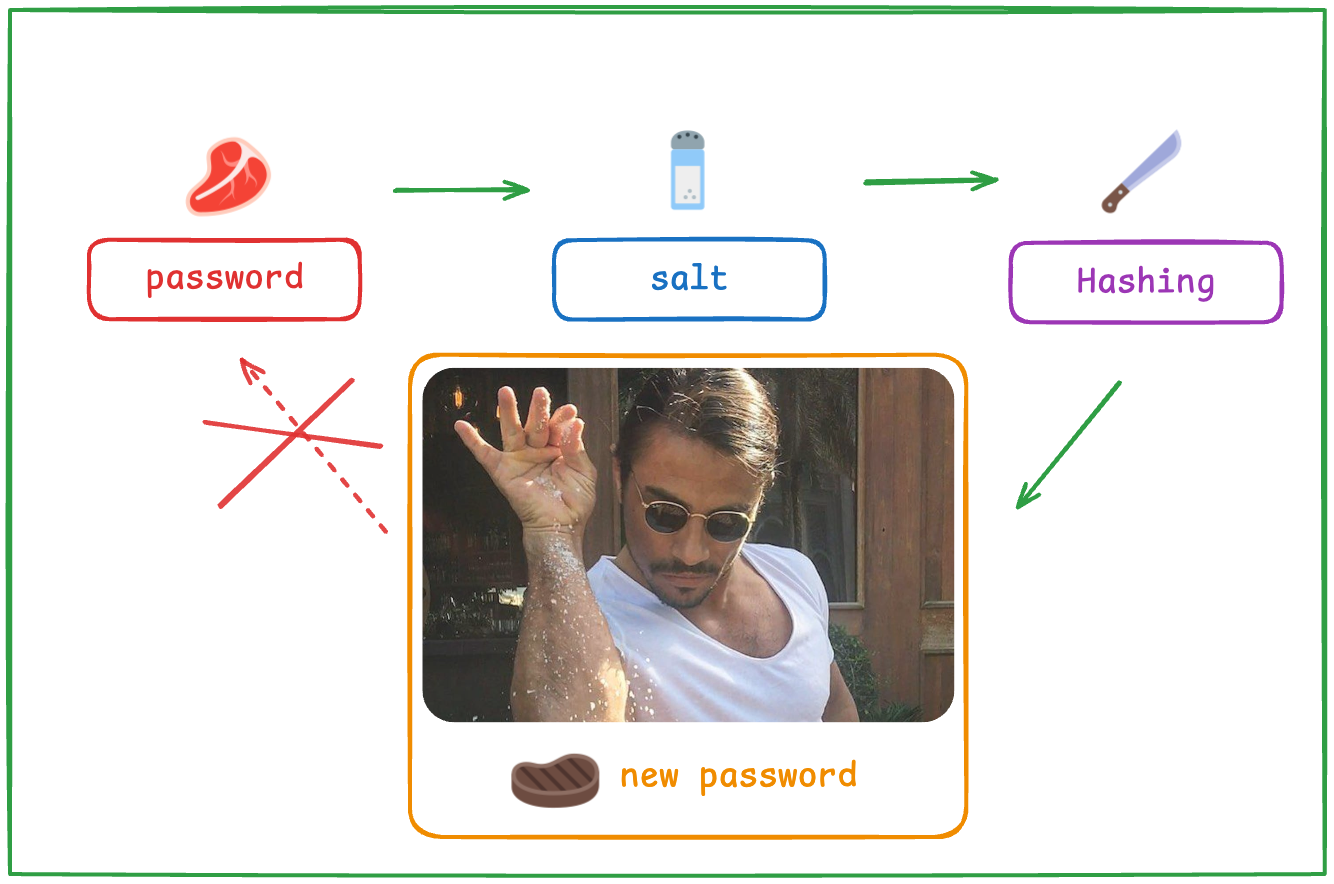
Password hashing converts a password into a fixed-length, one-way fingerprint that cannot be turned back into the original, so a stolen database doesn’t hand an attacker every user’s credentials. Encryption is reversible by design and plaintext is a gift, which is why OWASP says passwords must only ever be stored as hashes from a modern, adaptive algorithm like Argon2id. The stakes aren’t theoretical: RockYou stored plaintext, LinkedIn used unsalted SHA-1, Adobe encrypted instead of hashing, and each mistake turned a single leak into tens or hundreds of millions of compromised accounts.
Every serious breach post-mortem eventually lands on the same question: how were the passwords stored? This post covers the three famous ways to get it wrong, the GPU math that explains why fast hashes fail, the exact parameters OWASP recommends in 2026, and how a production identity provider like Keycloak upgrades old hashes without locking anyone out.
Key takeaways
- Hashing is one-way. Encryption is reversible with a key. Encoding (Base64) is reversible by anyone. Only the first belongs anywhere near password storage.
- A single consumer RTX 4090 guesses MD5 at 164.1 GH/s but bcrypt at just 184 kH/s, roughly a million-fold difference (Hashcat v6.2.6 benchmarks).
- OWASP’s 2026 baseline: Argon2id at m=19456, t=2, p=1 minimum, bcrypt at work factor 10 or higher, or PBKDF2-HMAC-SHA256 at 600,000 iterations where FIPS applies.
- Keycloak defaults to Argon2 since version 25.0 and re-hashes legacy credentials automatically the next time each user logs in.
What is password hashing (and how is it different from encryption)?
A hash function takes an input of any length and produces a fixed-length output, the digest. The operation only runs one way: you can compute the digest from the password, but you can’t compute the password from the digest. So you never store the password at all. At login, you hash whatever the user typed and compare digests. Match means correct password, and the original never needs to exist in your database.
Encryption is a different tool for a different job. It’s designed to be reversed by whoever holds the key, which is exactly what you want for data you need to read back later, and exactly what you don’t want for passwords. If the key exists, it can be stolen, and one stolen key unlocks every password at once. The OWASP Password Storage Cheat Sheet is blunt about it: passwords should be stored hashed with modern adaptive algorithms, never encrypted, never plaintext.
Encoding isn’t even in the conversation, though it keeps showing up in breach write-ups anyway. Base64 transforms data for transport and anyone can undo it with zero secrets involved. It’s why the payload of a JWT is readable by design: paste any token into our JWT token analyzer and the “encoded” claims pop right out. Base64 is not security. It’s a file format.
| Technique | Reversible? | Secret involved | The right job | The wrong job |
|---|---|---|---|---|
| Hashing | No, one-way | None | Password storage, integrity checks | Anything you need to read back |
| Encryption | Yes, with the key | Encryption key | Data you must recover (messages, PII at rest) | Password storage |
| Encoding | Yes, by anyone | None | Transport formats (Base64 in JWTs) | Any security purpose at all |
One catch before moving on: MD5, SHA-1, and SHA-256 are all genuine hash functions, and they’re still the wrong choice for passwords. They were engineered to be fast, and for password storage, fast is the enemy. More on that below.
What happens when password storage goes wrong?
There are three classic failure modes: storing plaintext, using a weak or unsalted hash, and encrypting when you should have hashed. Conveniently for anyone teaching this topic, each one has a famous breach attached.
RockYou (2009): plaintext
RockYou, a social gaming company, was hit through a SQL injection flaw and lost roughly 32 million passwords stored in plaintext (TechCrunch, 2009). No cracking required. The attacker read them the way you’d read a spreadsheet.
The aftermath is the part that stings. That dump became rockyou.txt, a wordlist of about 14.3 million unique passwords that ships with Kali Linux and gets loaded in nearly every password audit and CTF to this day. A storage decision made before 2009 is still compromising accounts in 2026, because every password in that file is permanently in every attacker’s opening dictionary.
LinkedIn (2012): unsalted SHA-1
LinkedIn hashed its passwords, which sounds responsible until you see the details: SHA-1, no salt. In 2012, 6.5 million hashes appeared online. In 2016 the true scope surfaced when 117 million email and password combinations from the same breach went up for sale, and roughly 90% of the hashes were cracked within 72 hours (TechCrunch, 2016). LinkedIn had to reset passwords for affected users a second time, four years after the original incident (Krebs on Security, 2016).
Two lessons in one breach. Unsalted means identical passwords produce identical hashes, so attackers crack a hash once and unlock every account sharing it, and precomputed lookup tables work at full strength. And SHA-1 is a speed-optimized hash, so even the salted version would have fallen fast. The 72-hour number is what “we hashed the passwords” looks like when the algorithm is wrong.
Adobe (2013): encryption instead of hashing
Adobe lost more than 150 million user records, and the passwords weren’t hashed at all. They were encrypted with 3DES in ECB mode using a single key, with password hints stored right alongside in plaintext (Sophos Naked Security, “Anatomy of a password disaster: Adobe’s giant-sized cryptographic blunder,” 2013).
ECB mode encrypts identical inputs to identical outputs, so every user who picked the same password had the same ciphertext. Group the duplicates, read the hints next to them (“my usual”, “name of my dog”, “123456”), and the dataset turns into what Sophos called “a giant crossword puzzle” that the internet gleefully solved together. And because encryption is reversible, a single leaked key would have decrypted all 150 million records in one shot. No hint-guessing needed.
Plaintext, weak hashing, encryption-in-place-of-hashing: three different engineering decisions, one identical outcome. Assume your database will leak eventually. How you stored passwords is what decides whether that’s an incident report or an extinction event.
Why are fast hashes like MD5 and SHA-256 useless for passwords?
Attackers don’t reverse hashes, because they can’t. They guess. Take a candidate password, hash it, compare against the stolen digest, repeat a few billion times per second. The only question is how expensive each guess is, and that’s where general-purpose hashes collapse.
Here’s what a single RTX 4090, a consumer gaming card, achieves under Hashcat v6.2.6 (Chick3nman’s published benchmarks, corroborated by Tom’s Hardware):
| Algorithm | Guesses per second (1x RTX 4090) |
|---|---|
| NTLM (Windows) | 288.5 GH/s |
| MD5 | 164.1 GH/s |
| SHA-1 | 50.6 GH/s |
| bcrypt (cost 5) | 184 kH/s |
Read the units carefully. MD5 falls at 164.1 billion guesses per second. bcrypt, even at a deliberately weak cost factor of 5, holds the same card to 184 thousand. That’s roughly a million-fold difference in attacker cost from a single software choice, on identical hardware.
Run the arithmetic and it gets visceral. The full 95-character keyboard set has about 6.6 quadrillion possible 8-character passwords. At MD5 speeds, one 4090 exhausts every single one in under 12 hours. At bcrypt-cost-5 speeds, the same exhaustive search runs past a thousand years, and production bcrypt deployments use cost 10 or higher, doubling the work with every increment.
This is what “adaptive” means and why it matters. Algorithms like bcrypt and Argon2 have a tunable cost you crank up as hardware improves, and Argon2 adds memory-hardness on top, forcing each guess to occupy real RAM. GPUs have thousands of cores but nowhere near enough fast memory per core, so the massively parallel guessing that shreds MD5 simply doesn’t scale against a memory-hard function.
Which algorithm and parameters should you use in 2026?
You don’t need to guess at settings. OWASP publishes exact minimums and keeps them current (Password Storage Cheat Sheet, 2026), in this order of preference:
| Algorithm | OWASP minimum parameters | When to use it |
|---|---|---|
| Argon2id | m=19456 (19 MiB), t=2, p=1 | First choice for anything new |
| scrypt | OWASP’s published fallback settings | When Argon2id isn’t available in your stack |
| bcrypt | Work factor 10 or higher | Legacy systems already built on it |
| PBKDF2-HMAC-SHA256 | 600,000 iterations (SHA-512: 220,000) | When FIPS-140 compliance is mandatory |
Two footnotes worth knowing. First, bcrypt truncates input at 72 bytes, and many implementations do it silently, which bites people who pre-hash or use long passphrases. We cover that quirk, the work factor math, and where bcrypt still earns its keep in our bcrypt deep-dive.
Second, these numbers have a shelf life. OWASP has raised its PBKDF2 iteration guidance repeatedly as GPUs improved, so treat work factors as a dial you revisit yearly, not a constant you set at launch and forget.
What about salts and peppers?
A salt is a unique random value generated per password and stored in the clear next to the hash. It’s not a secret. Its job is to make every hash unique even when passwords aren’t, which kills precomputed lookup tables and the crack-once-unlock-thousands economics that gutted LinkedIn. Modern algorithms handle this for you: bcrypt and Argon2 generate and embed the salt automatically, so if you’re manually concatenating salts in 2026, something upstream went wrong.
A pepper is the opposite: a single shared secret applied to every password and stored outside the database, in a secrets manager or HSM (OWASP, 2026). If an attacker gets the database through SQL injection but not the application host, the pepper keeps the hashes uncrackable offline. OWASP positions it as an extra layer on top of proper hashing and salting, never a substitute for either.
How does Keycloak handle password hashing?
This is where theory meets a production identity provider. Since version 25.0, Keycloak’s default password hashing algorithm is Argon2 for non-FIPS deployments (Keycloak 25.0 release notes). The release notes flag the honest cost: each Argon2 hashing operation needs around 7 MB of memory. That’s not overhead to grumble about, it’s the entire point. Every guess costs an attacker’s GPU the same memory, and that cost is what turns the earlier benchmark table in your favor. It does mean login-heavy deployments should budget real memory for authentication bursts.
The move to Argon2 capped a broader hardening push. Keycloak 24 had already raised the PBKDF2 defaults, from pbkdf2-sha256 at 27,500 iterations to pbkdf2-sha512 at 210,000 (Keycloak upgrading guide). Full transparency though: 210,000 sits just under OWASP’s current 220,000 recommendation for SHA-512. If you’re staying on PBKDF2, closing that gap is a one-line change to the realm’s password policy (Realm settings, then Password policy, then Hashing iterations).
FIPS deployments are the exception to the Argon2 default. In FIPS mode, Keycloak stays on PBKDF2, since Argon2 isn’t part of the approved algorithm set. If you’re in a regulated environment, that’s the configuration to verify, along with the iteration count above.
The pleasant part is how little of this surfaces day to day. Hashing happens invisibly behind every password create and reset, whether that’s an admin action or self-service through user management. The algorithm choice only becomes visible in one scenario: migration.
How do you migrate legacy hashes without a mass reset?
Keycloak stores each credential with metadata recording which algorithm and parameters produced it. When the default changes, nothing happens to stored hashes immediately. Instead, the next time a user logs in with the correct password, Keycloak verifies against the old hash, then re-hashes the now-known plaintext with the current default. The upgrading guide describes the extra hashing cost after an upgrade as “a one-off activity” per user, since each credential migrates exactly once (Keycloak upgrading guide).
That lazy re-hash pattern is the answer to a question every team with an aging user table eventually asks: how do we get from MD5-era hashes to Argon2 without emailing three million people a reset link? You don’t need to. You need the plaintext, and the only moment you legitimately have it is during a successful login, so that’s when the upgrade happens.
The honest caveat: dormant accounts never log in, so their weak hashes persist indefinitely. Pair lazy re-hashing with an expiry policy for stale credentials, or a forced reset for accounts inactive past a threshold. And if the legacy hashes live in a different system entirely, the same login-time principle applies through user federation. We compare the approaches in federating vs migrating legacy users into Keycloak.
Storage algorithm, exact parameters, salting, and a migration path that doesn’t punish your users: that’s the full checklist. Get those four right and a leaked database becomes a bad week instead of a company-defining event.
Frequently asked questions
What is the difference between hashing and encrypting a password?
Hashing is one-way: there’s no key and no way to recover the original password from the digest, so login works by re-hashing and comparing. Encryption is reversible by anyone holding the key, which makes it wrong for passwords: Adobe encrypted 150M+ records with a single 3DES key, and OWASP’s guidance is to store passwords only as hashes.
Why is MD5 or SHA-256 bad for password hashing?
They’re built for speed, and speed is exactly what an attacker wants. One consumer RTX 4090 computes 164.1 billion MD5 guesses and 50.6 billion SHA-1 guesses per second under Hashcat v6.2.6. Password storage needs deliberately slow, memory-hard algorithms like Argon2id that cut those rates by roughly a million-fold.
What is the best password hashing algorithm in 2026?
Argon2id, per OWASP, with minimum parameters of m=19456 (19 MiB memory), t=2 iterations, and p=1 parallelism. scrypt is the fallback where Argon2id isn’t available, bcrypt at work factor 10+ remains acceptable for systems built on it, and FIPS environments should use PBKDF2-HMAC-SHA256 at 600,000 iterations.
What is the difference between a salt and a pepper?
A salt is a unique random value per password, stored openly beside the hash, and it exists to make identical passwords produce different hashes and defeat precomputed tables. A pepper is one shared secret applied to all passwords and kept outside the database, in a secrets manager or HSM, so a database-only leak stays uncrackable.
Can hashed passwords be cracked?
Yes, by guessing rather than reversing: attackers hash candidate passwords and compare results against the stolen digests. How fast depends entirely on the algorithm, which is why roughly 90% of LinkedIn’s unsalted SHA-1 hashes cracked within 72 hours. Modern parameters (Argon2id, bcrypt at cost 10+) make each guess so expensive that strong, unique passwords stay out of practical reach.