
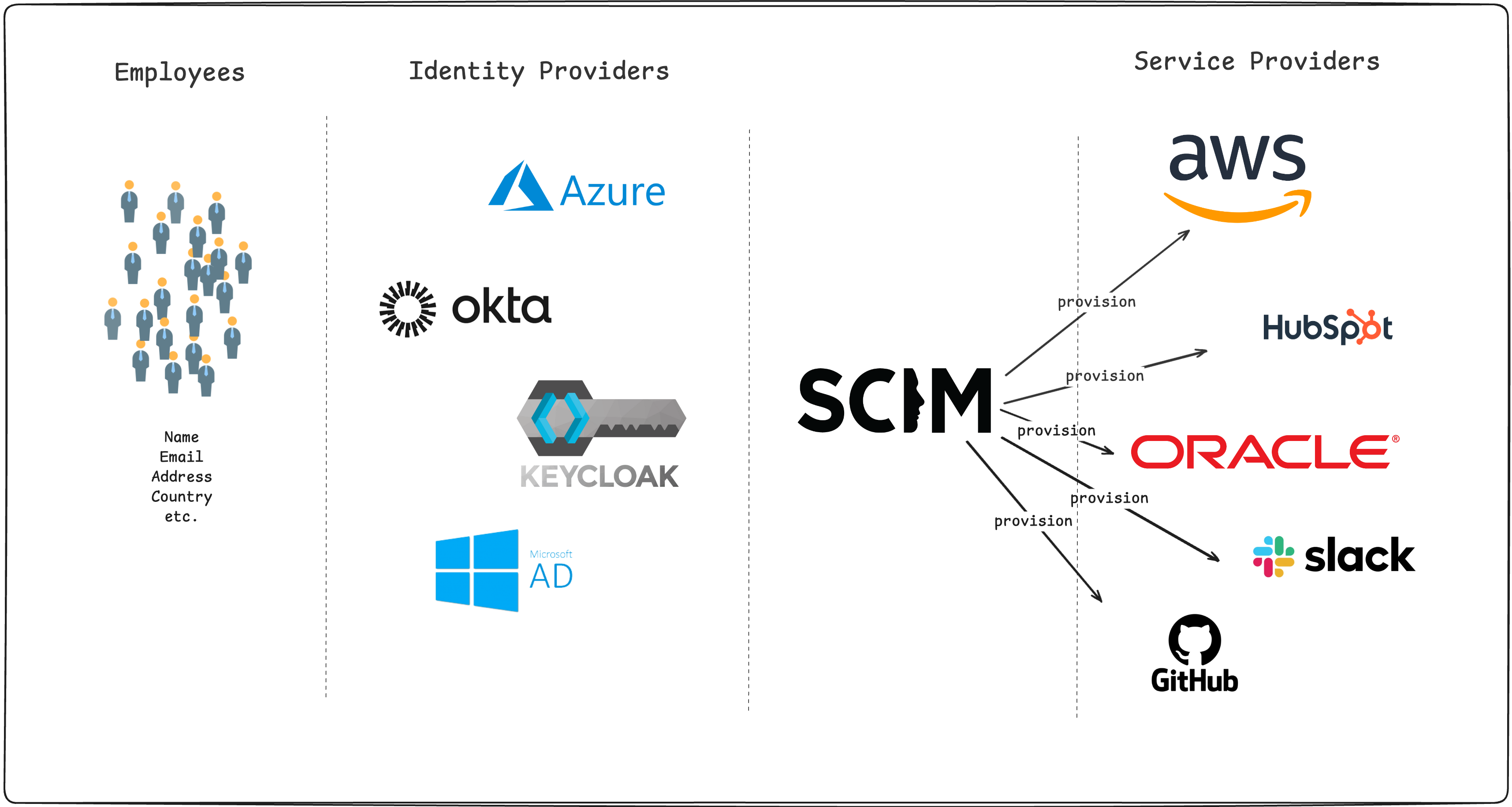
SCIM provisioning is the automated creation, update and deactivation of user accounts and groups across applications, driven by an identity provider that pushes each change over the SCIM 2.0 REST API. The data model comes from RFC 7643 and the protocol from RFC 7644. You set it up by exposing a /scim/v2 endpoint on the application, giving the identity provider that URL and a way to obtain a bearer token, and assigning the users or groups it should keep in sync.
SCIM stands for System for Cross-domain Identity Management, as defined in the core schema specification. The standard also includes RFC 7642, which explains the provisioning use cases, and scim.cloud brings together the specifications and implementation resources. If you already run single sign-on (SSO), provisioning adds a separate connection for account lifecycle changes. We will follow the requests sent when someone joins, changes teams and leaves, then configure Keycloak as the receiving service.
Key Takeaways
- SCIM automates account creation, updates and deactivation through a standard REST API.
- You configure an endpoint, authentication and assigned users in your identity provider.
- Keycloak requires a realm toggle and an authorized client.
- Test account matching, group membership and deactivation before expanding provisioning.
What is SCIM provisioning, and how does it differ from SSO?
SCIM provisioning manages account records, while SSO handles authentication. The application serving the API is the SCIM service provider, and the identity provider sending requests is the SCIM client. These roles are defined in RFC 7643 section 1.2.
SAML and OpenID Connect (OIDC) provide the login connection. SCIM lets the directory update accounts independently of login, including when someone leaves and never signs in again. Microsoft’s provisioning overview explains how provisioning complements SSO. For related reading, see our SCIM versus SAML comparison and SSO implementation guide. For the broader account lifecycle, read user provisioning explained, or compare provisioning at login with directory-driven updates in JIT provisioning versus SCIM.
| Component | Role in this walkthrough |
|---|---|
| Entra ID or Okta | The SCIM client. It decides which assigned users and groups to provision and sends the requests. |
| Keycloak | The SCIM service provider. It receives the requests and maintains the realm’s users and groups. |
| Your application | Authenticates against Keycloak with OIDC or SAML and applies its own authorization to those identities. |
The Keycloak SCIM introduction describes external systems such as identity governance platforms, HR systems or other identity providers using the API to provision and manage users in Keycloak. That is the direction we configure here: Entra ID or Okta sends requests to Keycloak. Our Keycloak SCIM release guide covers that scope in more detail.
What does SCIM traffic look like during the user lifecycle?
A provisioning connector can look for an existing account, create it when it finds none, and update that resource by its server-assigned id. Okta’s SCIM 2.0 protocol guide describes its lookup, creation and update requests, while Microsoft’s provisioning overview describes account creation, maintenance and removal. The examples below use fictional identities and short illustrative IDs, and omit authentication headers for readability. For the Keycloak setup below, send a bearer token in the Authorization header over HTTPS; RFC 7644 section 2 also permits other authentication methods, including TLS client authentication.
The examples use PATCH, but check your connector’s requests. Okta’s protocol guide distinguishes App Integration Wizard integrations, which use PUT for all user updates, from new Okta Integration Network integrations, which use PATCH for activation and deactivation.
A joiner triggers a lookup and account creation
Before creating an account, the connector searches its matching attribute. Here we use a URL-encoded userName filter. An empty search returns a successful list with no resources, following RFC 7644’s query rules:
GET /scim/v2/Users?filter=userName%20eq%20%22alex%40example.com%22 HTTP/1.1
Host: app.example.com
Accept: application/scim+json
{
"schemas": ["urn:ietf:params:scim:api:messages:2.0:ListResponse"],
"totalResults": 0,
"Resources": []
}Because nothing matched, the connector creates the user with the core user schema:
POST /scim/v2/Users HTTP/1.1
Host: app.example.com
Content-Type: application/scim+json

{
  "schemas": ["urn:ietf:params:scim:schemas:core:2.0:User"],
  "userName": "alex@example.com",
  "name": {"givenName": "Alex", "familyName": "Rivera"},
  "active": true,
  "emails": [{"value": "alex@example.com", "type": "work", "primary": true}]
}
The service provider assigns an id and returns it in the creation response with status 201 Created. Keep that identifier for later updates: RFC 7643’s common attributes define id as stable and non-reassignable, so matching by ID avoids depending on an unchanged email address. The same section defines the optional externalId as an identifier supplied by the provisioning client.
A mover triggers attribute and membership updates
When Alex changes teams, the connector updates whichever profile attributes changed and adjusts group membership. A partial update changes only the named attribute without replacing the whole resource, following RFC 7644’s PATCH operation:
PATCH /scim/v2/Users/user-alex HTTP/1.1
Host: app.example.com
Content-Type: application/scim+json

{
  "schemas": ["urn:ietf:params:scim:api:messages:2.0:PatchOp"],
  "Operations": [
    {"op": "replace", "path": "displayName", "value": "Alex Rivera (Platform)"}
  ]
}
For group membership, we update the group’s members attribute using RFC 7644’s PATCH add operation:
PATCH /scim/v2/Groups/group-platform HTTP/1.1
Host: app.example.com
Content-Type: application/scim+json

{
  "schemas": ["urn:ietf:params:scim:api:messages:2.0:PatchOp"],
  "Operations": [
    {"op": "add", "path": "members", "value": [{"value": "user-alex"}]}
  ]
}
Remove the old membership separately with a remove operation and a path such as members[value eq "user-alex"], following RFC 7644’s removal examples. Test both changes so a team move does not leave the old permissions behind.
A leaver triggers deactivation
Okta’s connector deactivates users instead of deleting them. Microsoft’s endpoint requirements also define soft deletion through active: false, with inactive users still returned by reads:
PATCH /scim/v2/Users/user-alex HTTP/1.1
Host: app.example.com
Content-Type: application/scim+json

{
  "schemas": ["urn:ietf:params:scim:api:messages:2.0:PatchOp"],
  "Operations": [
    {"op": "replace", "path": "active", "value": false}
  ]
}
Deactivating the account and revoking the person’s access are two different checks, so test both a fresh login attempt and an application session that was already open. Include existing sessions and already-issued tokens in your offboarding tests, and consult the protocol’s security considerations when reviewing your application’s policy.
How do you set up SCIM provisioning in Keycloak 26.8?
Keycloak 26.8.0 promotes the native SCIM API from preview to supported, according to the 26.8.0 release notes, and the 26.8.0 upgrading guide confirms the scim-api feature is enabled by default, so starting the server with --features=scim-api is no longer required. Our 26.7 preview post describes the earlier state, and the 26.8 supported post covers what changed in detail.
You need a realm on a 26.8 server, a hostname the identity provider can reach over HTTPS, admin access to the realm, and provisioning access in Entra ID or Okta. The configuration below uses the fictional hostname identity.example.com and realm workforce, so replace both with your own values wherever they appear, and use the realm’s SCIM base URL when configuring the audience mapper and the connector.
Enable the realm and create the service account
Enable each realm separately under Realm settings, General, SCIM API, then save. The realm configuration guide documents both this toggle and the base path. For our example realm, the HTTPS base URL is:
https://identity.example.com/realms/workforce/scim/v2The same realm configuration guide lists /Users, /Groups, /ServiceProviderConfig, /ResourceTypes and /Schemas beneath that base URL.
Follow the endpoint access guide to create a confidential client:
- Create
scim-provisionerunder Clients, with Client authentication and Service accounts roles enabled. - In its dedicated client scope, open Scope, turn Full Scope Allowed off and assign
realm-management’smanage-usersrole. - Assign
manage-usersunder Service account roles too, because the access token contains only roles present in both assignments. - Add an Audience mapper in that dedicated scope. Set Included Custom Audience to the full SCIM base URL and enable Add to access token.
The access guide identifies manage-users as sufficient for full SCIM access. The guide also requires the token’s audience to match the realm’s SCIM API base URL exactly as Keycloak sees it, including scheme, host, port and path. Behind a reverse proxy, use the frontend URL configured through the hostname settings. Store the secret from Credentials in the connector’s protected field.
Configure token acquisition and check discovery
Use OAuth client credentials so the connector obtains bearer tokens without a user signing in. Microsoft and Okta document this option. The Keycloak token acquisition instructions provide the token endpoint pattern:
| Setting | Example value |
|---|---|
| SCIM base URL | https://identity.example.com/realms/workforce/scim/v2 |
| OAuth token endpoint | https://identity.example.com/realms/workforce/protocol/openid-connect/token |
| Client ID | scim-provisioner |
| Client secret | The value from the client’s Credentials tab |
| Grant type | client_credentials |
Before you assign anyone, fetch /ServiceProviderConfig with a token from that client. As of October 2026, Keycloak’s 26.8.0 service provider configuration advertises patch and filter as supported, with a maximum of 100 results per request, and reports bulk, sort, etag and changePassword as unsupported. The same page confirms that SCIM cannot set or update password. Remove password synchronization from your connector’s mappings before the first sync, then confirm that the test user’s POST /Users succeeds and the account appears in the realm.
Connect Microsoft Entra ID
Follow Microsoft’s non-gallery app procedure and client credentials setup:
- Create a non-gallery enterprise application and open Provisioning.
- Under Admin Credentials, select OAuth2 Client Credentials Grant as the Authentication Method, then enter the Tenant URL, Token Endpoint, Client Identifier and Client Secret from the table above.
- Run Test Connection and save the configuration.
- Assign test users under Users and groups and scope provisioning to assigned users and groups. Review Attribute mapping, using
userNameas the user matching property. - Use Provision on-demand for the test user before starting routine provisioning.
For related reading, see our Entra ID to Keycloak SCIM walkthrough. Use the realm, service account and audience steps above for this setup.
Keep the initial mappings to attributes the realm supports. Keycloak maps username, email, first and last name, enabled status and creation timestamp to the SCIM core user schema by default, with locale mapped when internationalization is enabled. For additional attributes, create a User Profile attribute with a SCIM schema mapping, and note that custom attributes appear in SCIM responses only when they have admin view permission and are writable only when they have admin edit permission. The 26.8.0 release notes also identify User Profile permissions as an improvement in this release.
Connect Okta
For related reading, see our Okta to Keycloak SCIM walkthrough. For historical context, see Keycloak’s April 2026 experimental SCIM announcement. Follow the supported realm, service account and audience setup above for the Keycloak side. On the Okta side, Okta’s SCIM integration settings describe selecting SCIM in the Provisioning field under the app’s General tab, then entering the SCIM connector base URL and the unique identifier field (userName here) under Provisioning, choosing OAuth 2 with the Client Credentials grant type, and supplying the token endpoint, client ID and secret.
Under To App, enable Create Users, Update User Attributes and Deactivate Users, as Okta’s private integration guide describes, and leave Sync Password off because Keycloak does not support SCIM password changes. The settings page also lists Push Groups, which you need if you want group resources and memberships synchronized rather than only app assignments. Assign a test user to the app, configure Group Push for a test group if needed, and inspect the resulting account and membership before expanding the assignment.
Talk through your identity setup with us
Book a demo and we will walk you through Skycloak with the sign-in, SSO and migration questions your team is working on.
Where does SCIM provisioning break?
When a sync misbehaves, compare the request, response and stored account. An empty successful search can hide a matching problem, so reproduce the connector’s exact filter against a known user.
| Symptom | What to check |
|---|---|
A fresh token gets 401 Unauthorized |
The endpoint access guide documents 401 for a missing SCIM audience. Compare aud with the realm’s SCIM API base URL exactly as seen by Keycloak, including scheme, host, port and path. Behind a reverse proxy, use the frontend URL configured through the hostname settings. |
emails[type eq "work"] matches nothing |
The upstream report, open as of October 2026, describes emails[type eq "work"] and emails[primary eq true] returning no results even when users exist with matching email entries, and our 26.8 post found the same filter still matches nothing on 26.8.0. Reproduce your connector’s exact query against a known account, then test userName or emails.value as an alternative matching attribute. |
The connector calls /Bulk |
Keycloak’s service provider configuration reports bulk.supported: false. Check that your connector can provision without Bulk operations. |
| An offboarded account still exists | Check its active value. Okta deactivates rather than deletes users, so the resource remaining is expected for that connector and your application has to honor active: false. |
The filtering guide gives examples such as userName eq "jdoe", emails.value eq "jdoe@example.com" and the bracket filter name[familyName eq "Smith"]. Test the specific attribute and filter your connector uses rather than assuming every bracket filter behaves the same way.
For the final acceptance test, assign one user, confirm the created account, change a mapped attribute, add and then remove a group membership, and unassign the user, checking the stored state after each step. Then repeat the run after the connector has had to fetch a fresh token, so you know renewal works too. If you are building the receiving API yourself rather than using Keycloak, see our SCIM endpoint build and test guide.
Frequently asked questions
What is the full form of SCIM?
SCIM stands for System for Cross-domain Identity Management. Its core schema specification standardizes how user and group records are represented so that different applications can exchange them, and RFC 7644 defines the HTTP protocol that carries them.
Does SCIM replace SAML or OIDC?
No. SCIM manages the account lifecycle, while SAML and OIDC handle authentication, so configure provisioning alongside your existing SSO connection. Our SCIM versus SAML comparison walks through what each protocol covers and where they meet.
Does SCIM provision users instantly?
Not always, because it depends on how the connector schedules its work. As of October 2026, Entra ID runs provisioning in cycles roughly every 40 minutes after the initial cycle, according to Microsoft’s tutorial. Check your connector’s schedule and measure offboarding from the directory change through to the application rather than treating the directory update as the finish line.
Does Keycloak support SCIM provisioning?
Yes. Keycloak 26.8 ships a supported, native SCIM 2.0 API at each realm’s /scim/v2 path, enabled per realm with the SCIM API toggle, as the 26.8.0 release notes and the enabling SCIM page describe. Its SCIM introduction describes external systems such as HR systems or other identity providers provisioning and managing users in Keycloak, and its service provider configuration reports bulk operations, sorting, ETags and password changes as unsupported.
Is a SCIM group the same as a customer organization?
Do not assume they are interchangeable. The SCIM group schema defines a group with a display name and members; decide separately how your application represents customers and isolates their access. If you are building a B2B product where each customer brings its own identity provider, see our guide to B2B identity management with Skycloak Organizations.
Prepare requests before connecting your identity provider
The Skycloak SCIM Endpoint Tester builds SCIM provisioning requests as ready-to-run curl commands and checks pasted user or group JSON for SCIM 2.0 schema compliance. Enter your endpoint URL and token to prepare a request, run the generated command against your endpoint and inspect the response, then repeat the lifecycle test through your actual connector.
For native Keycloak SCIM, apply the setup above to a server running 26.8 and consult our 26.8 post. For managed hosting, see our cluster creation guide and SCIM provisioning feature page.
If you use an extension, refer to our earlier SCIM guide for Skycloak and check that your endpoint and authentication settings match your installed implementation.
To get started with managed Keycloak, choose a Skycloak plan and follow the cluster creation guide.
Sources
Sources retrieved on 2026-10-08. Version-specific Keycloak links refer to 26.8.0; connector documentation reflects the October 2026 setup described above.
- IETF, September 2015: RFC 7642, Definitions, Overview, Concepts, and Requirements, RFC 7643, Core Schema and RFC 7644, Protocol.
- SCIM community, SCIM specifications and implementation resources.
- Keycloak, 26.8.0 Release Notes, 26.8.0 Upgrading Guide and 26.8.0 Server Administration Guide.
- Keycloak, April 2026, SCIM Realm API as an Experimental Feature; June 2026, SCIM filtering and Bulk operations report, open at retrieval.
- Microsoft, Automated app user provisioning and Develop a SCIM endpoint for user provisioning to apps.
- Okta, Okta and SCIM Version 2.0, Add SCIM provisioning to app integrations and Add a private SCIM integration.