Last updated: March 2026
Introduction
Keycloak SCIM integration enables automated user provisioning and lifecycle management across applications using the SCIM 2.0 standard. When combined with Skycloak, a fully managed Keycloak IAM platform, SCIM can be securely exposed using external JWT-based authentication, making it ideal for integrations with third-party identity providers.
In this article, we demonstrate how to configure SCIM 2.0 in Keycloak using Skycloak, focusing on the EXTERNAL authentication mode. This approach allows an external Identity Provider (IdP) to act as the SCIM client while Keycloak functions as the SCIM server, validating incoming requests using JWTs and a JWKS endpoint.
SCIM (System for Cross-domain Identity Management) is an open standard that simplifies identity lifecycle management by providing a common REST/JSON interface for creating, updating, and deleting users and groups. Integrating SCIM with Keycloak helps organizations automate onboarding and offboarding processes, reduce manual user management, and maintain consistency across distributed systems.
Using Postman, we walk through practical SCIM operations such as user creation, update, retrieval, and deletion, while highlighting Skycloak-specific configuration details. You can also use our SCIM Endpoint Tester to validate your SCIM endpoints directly from the browser.
Brief Overview
Skycloak supports SCIM through a custom SCIM 2.0 server extension, available via its Extensions marketplace.
The SCIM extension supports two authentication modes:
- KEYCLOAK
- EXTERNAL
In this article, we focus on the EXTERNAL authentication mode and demonstrate SCIM operations by making REST calls using Postman.
In real-world scenarios, the SCIM client is typically an external Identity Provider such as Entra ID, Auth0, or Ping Identity.
SCIM Configuration Levels
The SCIM extension can be configured at multiple levels:
- Instance level
- Realm level (override instance settings)
- Organization level
This article covers instance-level configuration and briefly explains how to override the configuration at the realm level toward the end.
For more details on this extension, please refer to the SCIM extension documentation.
Configuration Steps
The setup involves two major steps:
- Configuration at the external Identity Provider
- Configuration at the Keycloak (Skycloak) level
This article does not go into detail on step 1.
For testing purposes, an access token was obtained from an external IdP (Auth0), and the following values were used during configuration:
- Token issuer
- Audience
- JWKS URL
Configuring SCIM at the Skycloak Level
Step 1: Install the SCIM Extension
- Navigate to the Skycloak Console
- Ensure you are working in the correct cluster
- Go to: Extensions -> Install SCIM 2.0 Server for Keycloak
Provide the following inputs:
- Authentication mode:
EXTERNAL - External JWT issuer URL: Issuer of the SCIM client token
- External JWT audience: Expected audience claim
- JWKS URL: URL used to validate the incoming JWT signature
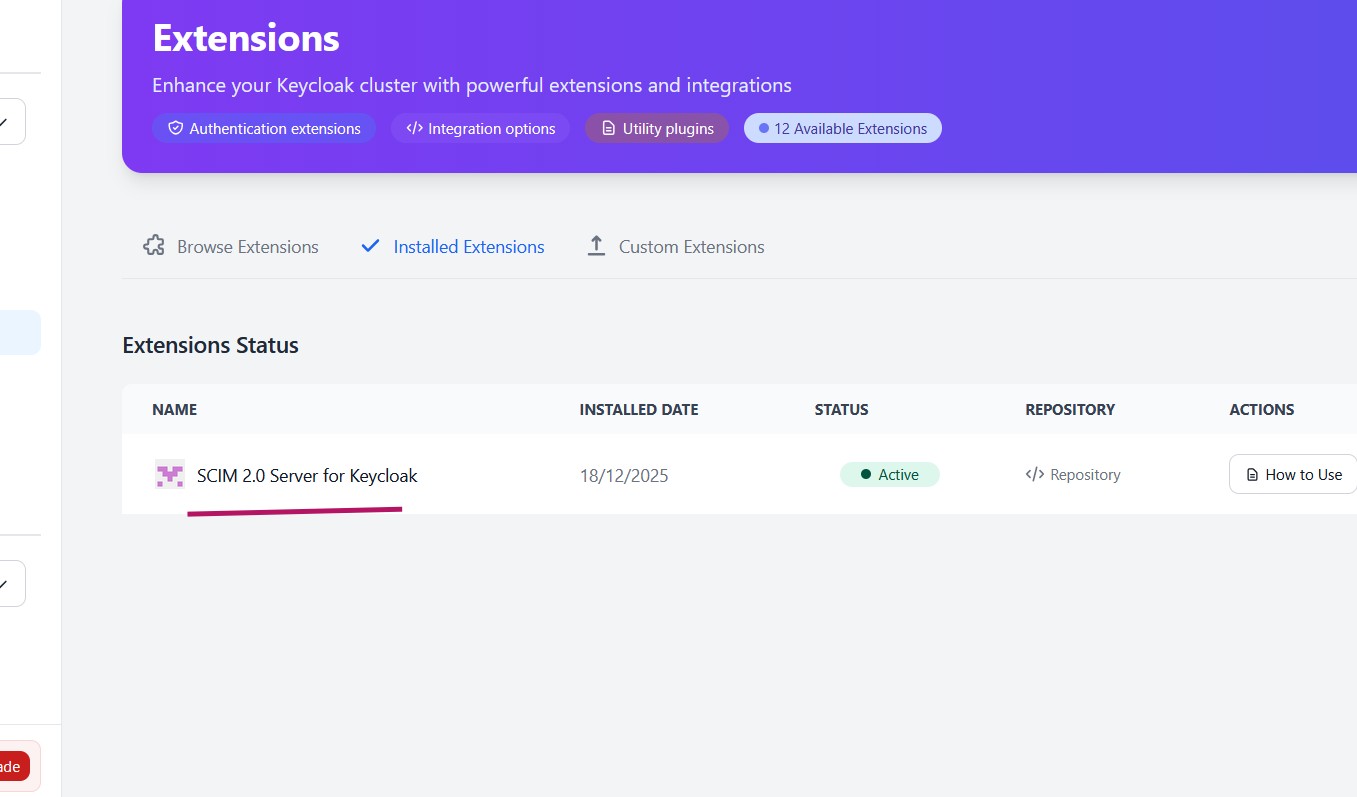
After installation, the extension will appear under Installed Extensions.
Verify Installation
Invoke the following request using Postman:
GET https://<skycloak_hostname>/realms/<realm_name>/scim/v2/ServiceProviderConfig- Without a valid Bearer token, the response should be:
401 Unauthorized
This confirms that the SCIM endpoint is active and protected.
Testing the Integration
As per the SCIM extension documentation, a role named scim-managed must exist. Only users assigned this role are returned when querying users via SCIM.
We will test several SCIM operations for users.
Create User
POST https://<skycloak_hostname>/realms/<realm_name>/scim/v2/UsersHeaders:
- Authorization: Bearer
<access_token> - Content-Type: application/scim+json
Payload:
{
  "schemas": ["urn:ietf:params:scim:schemas:core:2.0:User"],
  "userName": "jane.doe",
  "name": {
    "givenName": "Jane",
    "familyName": "Doe"
  },
  "emails": [
    {
      "value": "jane.doe@example.com",
      "primary": true
    }
  ],
  "active": true
}
We should get 201 Created as a response.
Sample response payload:
{
    "id": "0332f6fb-5d48-478f-99db-b29f30562014",
    "userName": "jane.doe",
    "name": {
        "givenName": "Jane",
        "familyName": "Doe"
    },
    "emails": [
        {
            "value": "jane.doe@example.com",
            "primary": true
        }
    ],
    "active": true,
    "schemas": [
        "urn:ietf:params:scim:schemas:core:2.0:User"
    ],
    "meta": {
        "location": "https://<skycloak_hostname>/realms/<realm_name>/scim/v2/Users/0332f6fb-5d48-478f-99db-b29f30562014",
        "resourceType": "User",
        "created": 1742947200000,
        "lastModified": 1743033600000
    }
}
Get a Specific User
GET https://<skycloak_hostname>/realms/<realm_name>/scim/v2/Users/{id}- Provide a valid Bearer token
- Response: 200 OK
Update User
PATCH https://<skycloak_hostname>/realms/<realm_name>/scim/v2/Users/{id}Headers:
- Authorization: Bearer
<access_token> - Content-Type: application/scim+json
Payload:
{
  "schemas": ["urn:ietf:params:scim:api:messages:2.0:PatchOp"],
  "Operations": [
    {
      "op": "replace",
      "path": "active",
      "value": false
    }
  ]
}
Response:
- 200 OK
- User status is updated to inactive
Delete User
DELETE https://<skycloak_hostname>/realms/<realm_name>/scim/v2/Users/{id}Response:
- 204 No Content
- User is deleted successfully
Get Users
GET https://<skycloak_hostname>/realms/<realm_name>/scim/v2/UsersResponse:
- 200 OK
- Returns only users with the
scim-managedrole
Override SCIM Configuration at Realm Level (Optional)
Instance-level SCIM settings can be overridden per realm.
- Obtain an access token from Keycloak using OIDC Client Credentials Grant for a realm-level client. We use it in the PUT call below.
- Assign the following roles to the client’s service account:
- realm-admin
- manage-realms
Invoke:
PUT https://<skycloak_hostname>/admin/realms/acmeHeaders:
- Authorization: Bearer
<access_token> - Content-Type: application/json
Payload:
{
  "attributes": {
    "scim.authentication.mode": "EXTERNAL",
    "scim.external.issuer": "string",
    "scim.external.jwks.uri": "string",
    "scim.external.audience": "string"
  }
}
Replace the values with the correct issuer, JWKS URL, and audience.
Summary
In this article, we demonstrated how to configure and test SCIM functionality with Skycloak using details from an external Identity Provider and Postman.
Skycloak is a fully managed Keycloak hosting solution that simplifies deploying and operating Keycloak in production environments, allowing teams to focus on identity integrations rather than infrastructure and maintenance. To understand how SCIM fits into your broader IAM strategy, explore our SCIM feature page or learn more about identity provider integrations.
For more on Keycloak’s SCIM capabilities, see the Keycloak SCIM extension documentation.
If you’re new to Skycloak, visit the Skycloak Getting Started Guide to learn more.