
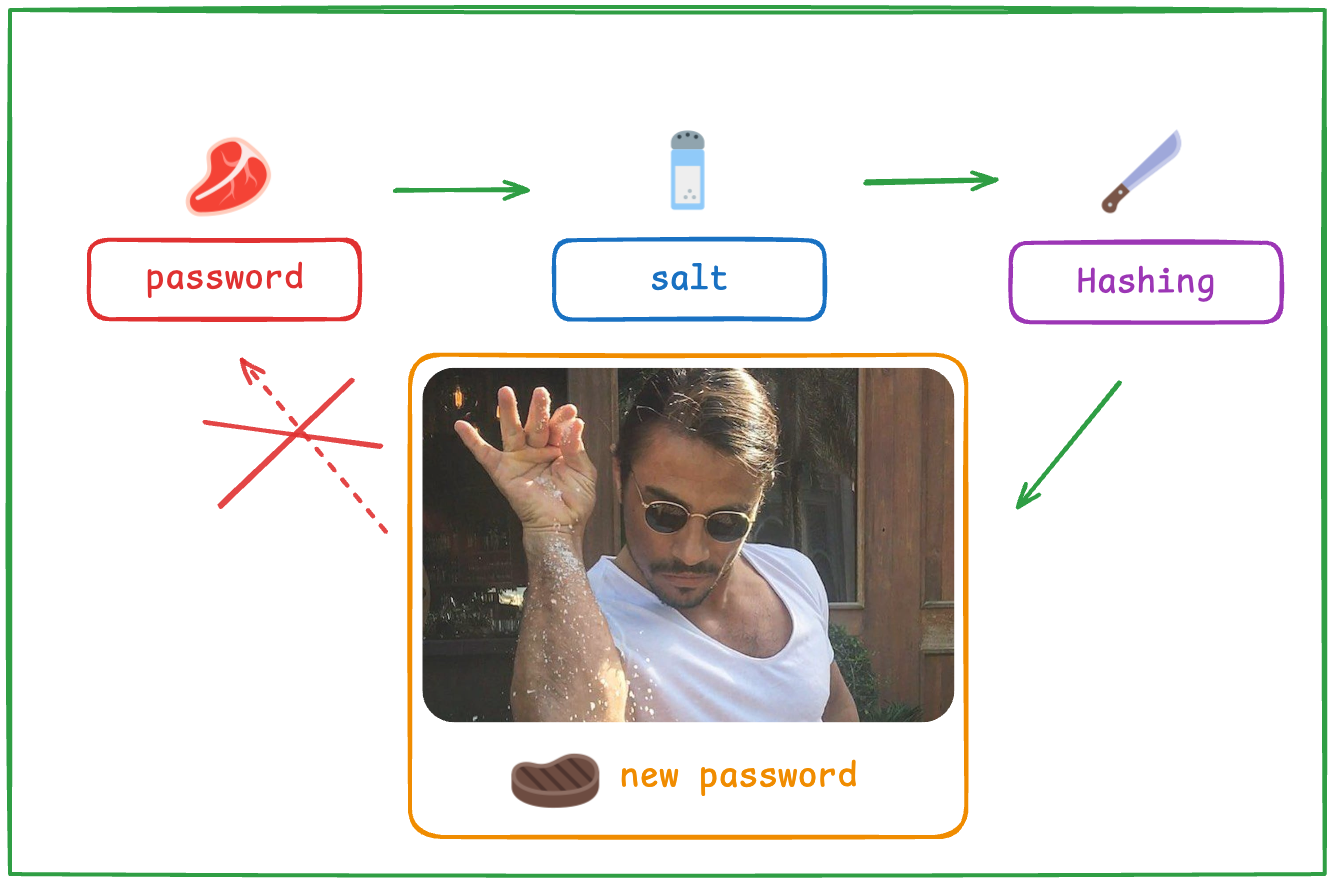
bcrypt is a password hashing algorithm from 1999 that resists brute-force attacks with an adjustable cost factor and a built-in 16-byte salt. OWASP now ranks argon2id first for new applications and recommends bcrypt for legacy systems at a work factor of 10 or higher. Tuned properly, bcrypt remains a defensible choice in 2026, and published analyses argue it holds up against Argon2 at the sub-second run times real login flows use.
Twenty-seven years is an eternity in cryptography, yet bcrypt still ships as the default password hasher in PHP, Spring Security, and Rails. That’s not inertia. It’s a genuinely well-designed algorithm that keeps aging gracefully. This guide covers how bcrypt works, how to configure it, where it falls short, and one topic almost nobody writes about: moving existing bcrypt hashes into an identity provider like Keycloak. If you’re starting from zero on password storage, read our guide on why password hashing is vital for security first, then come back here for the bcrypt specifics.
Our interest is practical: at Skycloak, our managed Keycloak service can import existing bcrypt and Argon2 hashes during a migration, so nobody has to get a forced password reset.
What is bcrypt?
bcrypt is a password hashing function designed by Niels Provos and David Mazières and presented at the USENIX conference in 1999 (Wikipedia). It’s built on the Blowfish block cipher, modified with a deliberately expensive key setup phase the authors called EksBlowfish, short for “expensive key schedule Blowfish”.
That expense is the whole point. General-purpose hashes like SHA-256 are designed to be fast, and fast is exactly what you don’t want for password storage. A fast hash lets an attacker who steals your database test billions of guesses cheaply. bcrypt inverts the economics: every guess costs real compute, and you control how much.
The design bet that made bcrypt last was adaptivity. The authors knew hardware would keep getting faster, so they built in a cost parameter that defenders can raise over time. Password crackers get better every year; bcrypt just turns the dial and keeps up.
How does bcrypt work?
bcrypt runs the EksBlowfish key schedule 2^cost times, so the work scales exponentially: cost 12 means 2^12, or 4,096 iterations (Wikipedia). It also generates a random 16-byte salt for every password and stores it inside the hash string as 22 base64 characters. No separate salt column, no extra bookkeeping.
Here’s the anatomy of a bcrypt hash:
$2b$12$R9h/cIPz0gi.URNNX3kh2OPST9/PgBkqquzi.Ss7KIUgO2t0jWMUW
^   ^  ^                     ^
|   |  |                     31-character hash of the password
|   |  22-character salt (16 random bytes, base64 encoded)
|   cost factor: 2^12 = 4,096 iterations
version prefix ($2b$ is the current standard)
Everything a verifier needs lives in that one string: version, cost, salt, and digest. Store it in a single column and you’re done. This self-describing format is also what makes gradual cost upgrades possible, since old and new hashes can coexist and each one declares its own parameters.
What do the $2a$, $2b$, and $2y$ prefixes mean?
The prefix records which revision of the algorithm produced the hash (Wikipedia):
| Prefix | Introduced | What it means |
|---|---|---|
$2$ |
1999 | The original specification |
$2a$ |
Later revision | Clarified spec, the long-time de facto standard |
$2x$ / $2y$ |
2011 | Markers added when PHP’s crypt_blowfish fixed a hashing bug |
$2b$ |
2014 | OpenBSD’s fix for a length-handling bug, the current standard |
Modern libraries emit $2b$ (or $2y$ in PHP land) and can still verify hashes with the older prefixes, so a database with mixed prefixes keeps working.
One more number worth remembering: bcrypt needs only about 4 KB of working memory per hash (Wikipedia). That looks like a weakness next to memory-hard designs like argon2, and partly it is. But it’s also why bcrypt behaves so predictably on busy login servers. We’ll get to that trade-off shortly.
What cost factor should you use in 2026?
OWASP’s Password Storage Cheat Sheet sets the bcrypt minimum at a work factor of 10 and says to use one “as large as verification server performance will allow” (OWASP). Since cost is exponential, each increment doubles the hashing time. The mainstream has settled on 12: PHP 8.4 raised its default cost from 10 to 12 (php.net).
The right way to pick a cost is to benchmark on the hardware that actually serves your logins, not your laptop. Find the highest cost that keeps password verification inside your latency budget, and remember that the same work happens on every login, so throughput matters as much as single-request latency.
We’ve found the cost factor is usually a set-and-forget setting in the worst way: chosen years ago, never revisited. Hardware got faster since then, which means your effective security quietly dropped. Put a yearly reminder on it. Raising the cost is a one-line change, and new hashes pick it up immediately while old ones upgrade as users log in.
Why does bcrypt truncate passwords at 72 bytes?
bcrypt uses the password as a Blowfish key, and Blowfish keys max out at 72 bytes, so bcrypt silently ignores everything after byte 72 (Wikipedia). For human-chosen passwords this never matters. For long passphrases or machine-generated secrets it can, which is why Rails’ has_secure_password validates a 72-byte maximum outright instead of truncating quietly (Rails API).
The tempting workaround is pre-hashing: run the password through a fast hash first, then feed the digest to bcrypt. OWASP calls this pattern “dangerous” (OWASP), for two reasons. Raw digests can contain null bytes, and many bcrypt implementations treat a null byte as the end of the input, which can shrink the effective password to almost nothing. It also opens the door to password shucking, where an attacker who finds the inner fast hash exposed in another breach can attack that cheap hash directly and skip bcrypt entirely.
If you genuinely must accept longer inputs, OWASP’s sanctioned construction is bcrypt(base64(hmac-sha384(password, pepper))). The HMAC compresses any input to a fixed length, base64 encoding removes null bytes, and the keyed pepper shuts down shucking. Anything simpler than that, skip the pre-hash and enforce a 72-byte limit at the form level instead.
How does bcrypt compare to argon2, scrypt, and PBKDF2?
OWASP’s current ordering is explicit: argon2id first (m=19456 KiB, t=2, p=1), scrypt where argon2id isn’t available, bcrypt for legacy systems at work factor 10 or above, and PBKDF2 only where FIPS-140 compliance demands it, at 600,000 iterations of PBKDF2-HMAC-SHA256 (OWASP).
| Algorithm | OWASP guidance | Memory-hard | Worth knowing |
|---|---|---|---|
| argon2id | First choice: m=19456 KiB, t=2, p=1 | Yes | Argued weaker than bcrypt below ~1s run time (Thomas analysis) |
| scrypt | Fallback when argon2id is unavailable | Yes | Weaker than bcrypt when configured below roughly 4 MB |
| bcrypt | Legacy systems, work factor 10+ | No, fixed ~4 KB | 72-byte input limit, salt built into the hash |
| PBKDF2 | FIPS-140 environments only | No | Commodity hardware computes trillions of SHA-2 hashes per second |
The ranking hides nuance that matters once you’re the one running the servers.
PBKDF2’s weakness is structural: it’s built from fast primitives and has no memory cost, and commodity hardware can grind through trillions of SHA-2 computations per second (Wikipedia). That’s why the recommended iteration count has climbed to 600,000, and why it survives on the list mainly as the FIPS-140 option.
scrypt is memory-hard, but only if you give it memory. Configured below roughly 4 MB, it’s actually weaker than bcrypt (Wikipedia). A “we enabled scrypt” checkbox with timid parameters can leave you worse off than the 1999 algorithm it replaced.
And here’s the argument argon2 enthusiasts tend to skip past: password-security researcher Steve Thomas (Sc00bz, a member of the Password Hashing Competition panel that selected Argon2) has published analysis concluding that Argon2 is weaker than bcrypt at run times under one second, a finding summarized in Wikipedia’s bcrypt article. Interactive logins rarely get a full second of hashing budget. A well-tuned bcrypt deployment is not the embarrassment some blog posts make it out to be.
Memory hardness also cuts both ways operationally. Keycloak’s argon2 defaults need around 7 MB per hash request (Keycloak); bcrypt needs about 4 KB. That’s three orders of magnitude, so a burst of concurrent logins that a bcrypt server shrugs off puts real memory pressure on an argon2-based identity provider. Not a reason to avoid argon2, but absolutely a capacity-planning line item.
Which frameworks still default to bcrypt?
Most of the mainstream web still hashes passwords with bcrypt out of the box. PHP’s password_hash() uses bcrypt as PASSWORD_DEFAULT, at cost 12 since PHP 8.4 (php.net):
// PASSWORD_DEFAULT is bcrypt, cost 12 as of PHP 8.4
$hash = password_hash($password, PASSWORD_DEFAULT);
Spring Security’s DelegatingPasswordEncoder defaults to {bcrypt} at strength 10 (Spring Security docs):
// Delegating encoder, {bcrypt} at strength 10 by default
PasswordEncoder encoder =
    PasswordEncoderFactories.createDelegatingPasswordEncoder();
String hash = encoder.encode(rawPassword); // "{bcrypt}$2a$10$..."
Rails’ has_secure_password requires the bcrypt gem and enforces the 72-byte maximum at validation time (Rails API):
class User < ApplicationRecord
  has_secure_password # bcrypt gem required, 72-byte max enforced
end
So when OWASP files bcrypt under “legacy systems”, keep some perspective: that category includes the default configuration of frameworks running a huge share of the web. If your stack ships bcrypt today, you’re not doing anything wrong. You just have a tuning job, not a rewrite.
How do you migrate bcrypt hashes into an identity provider?
Here’s the scenario every team hits eventually: years of bcrypt hashes in a Laravel, Rails, or Spring database, and a decision to centralize authentication in an identity provider. This is the part of the bcrypt story search results barely cover, so let’s walk through it with Keycloak.
First, the awkward fact: Keycloak has no native bcrypt support. Since version 25.0.0 it hashes new passwords with argon2 by default on non-FIPS deployments, while FIPS environments stay on PBKDF2 (Keycloak 25.0.0 release notes). The built-in providers are argon2, pbkdf2 at 1.3 million iterations, pbkdf2-sha256 at 600,000, and pbkdf2-sha512 at 210,000 (Keycloak upgrading guide). bcrypt isn’t on the list.
You have two broad options: keep the old database and federate against it, or migrate users outright. We compared both in federating vs migrating legacy users into Keycloak; the short version is that migration wins whenever the goal is retiring the old system.
Migrating the bcrypt hashes themselves takes three steps.
Step 1: deploy a bcrypt password hash provider. Keycloak’s password hashing is pluggable through the PasswordHashProvider SPI, and a community extension like keycloak-bcrypt teaches Keycloak to verify bcrypt hashes.
Step 2: import users with their existing hashes, marking the credential’s algorithm as bcrypt:
{
  "username": "ada",
  "email": "ada@example.com",
  "credentials": [
    {
      "type": "password",
      "secretData": "{"value":"$2b$12$R9h/cIPz0gi.URNNX3kh2OPST9/PgBkqquzi.Ss7KIUgO2t0jWMUW","salt":""}",
      "credentialData": "{"hashIterations":12,"algorithm":"bcrypt"}"
    }
  ]
}
The salt field stays empty because, as we covered earlier, bcrypt carries its salt inside the hash string.
Step 3: let lazy re-hashing do the rest. On each user’s next successful login, Keycloak verifies the password against the imported bcrypt hash, then automatically re-hashes it with the realm’s current algorithm, argon2 by default (Keycloak upgrading guide). No password resets, no emails, nothing user-facing. Your hash inventory upgrades itself one login at a time.
One caveat: dormant accounts keep their bcrypt hashes until they sign in, so leave the SPI extension deployed until the old hashes are actually gone.
In our experience running customer migrations at Skycloak, the import-then-upgrade pattern is the one that survives contact with production, and it’s worth rehearsing on a throwaway instance first (the Keycloak Docker Compose generator makes that quick). Once users are in, credential resets and required actions all run through standard user management.
Where does that leave bcrypt in 2026?
Pick argon2id for greenfield projects, and don’t lose sleep over a well-configured bcrypt deployment. OWASP’s floor is a work factor of 10; if you’re below that, raising it is a config change, and logins upgrade the old hashes over time. The honest comparison data cuts bcrypt more slack than its “legacy” label suggests, especially under one-second hash budgets.
The passwords genuinely at risk in 2026 are the ones sitting behind fast, unsalted hashes, not the ones behind bcrypt at cost 12. And when you eventually consolidate authentication into an identity provider, the import-plus-lazy-re-hash path means the migration itself upgrades your hashes for free. That’s a rare deal in security work: take it.
Frequently asked questions
Is bcrypt still secure in 2026?
Yes. OWASP still recommends bcrypt for legacy systems at a work factor of 10 or higher, and published analyses (notably by researcher Steve Thomas) argue it outperforms Argon2 at run times under one second. argon2id is the better pick for new builds, but a tuned bcrypt deployment doesn’t need an emergency migration.
What bcrypt cost factor should I use?
At least 10, per OWASP, and as high as your login servers can tolerate. Cost is exponential, so each increment doubles the work: cost 12 means 4,096 key schedule iterations. PHP 8.4 moving its default from 10 to 12 is a good signal of where the mainstream sits.
bcrypt vs argon2: which should I choose?
For new projects, argon2id with OWASP’s parameters (m=19456 KiB, t=2, p=1). For existing bcrypt systems, keep bcrypt and tune the cost. At sub-second hashing budgets bcrypt is arguably the stronger option per the Thomas analysis, and its ~4 KB memory footprint versus roughly 7 MB for Keycloak’s argon2 defaults matters at scale.
Why does bcrypt truncate passwords at 72 bytes?
bcrypt uses the password as a Blowfish key, and Blowfish keys top out at 72 bytes, so anything longer is silently ignored. Don’t fix it with naive pre-hashing, which OWASP calls dangerous due to null bytes and password shucking. If you must, use bcrypt(base64(hmac-sha384(password, pepper))).
Can I import bcrypt password hashes into Keycloak?
Not natively, since Keycloak only ships argon2 and PBKDF2 variants. Deploy a bcrypt PasswordHashProvider extension, import credentials with the algorithm set to bcrypt, and Keycloak re-hashes each password to argon2 on the user’s next successful login. Our federate vs migrate guide covers planning the cutover.