
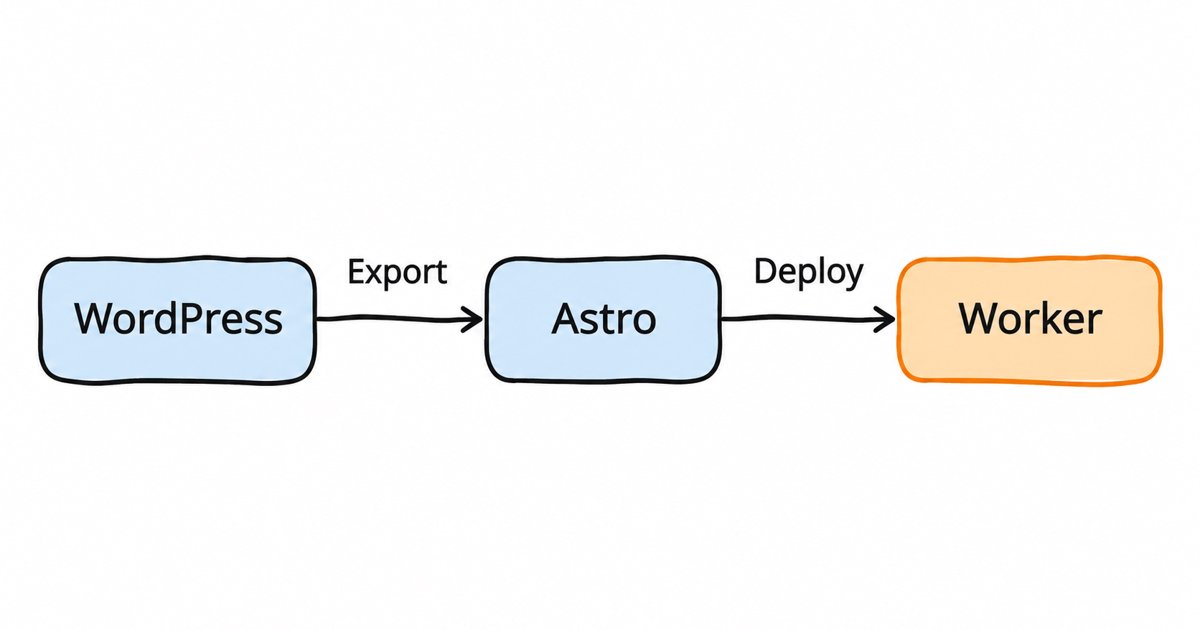
Migrating Skycloak From WordPress to Astro on Workers. How we moved skycloak.io from WordPress to Astro on Cloudflare Workers: why we left, how we kept every URL, the Worker beside the static build, and lessons.
To migrate WordPress to Astro on Cloudflare Workers, you export your posts and media, rebuild your templates as Astro components, keep every old URL (either build the page again or redirect it), and deploy the static build with a small Worker beside it for forms, redirects and anything else that needs code. We did this for skycloak.io in October 2026, and this post explains why and how.
This post is our first-hand account: why a company that sells identity infrastructure left WordPress, the steps in the order we did them, and what we would change if we did it again. The Astro guide to migrating from WordPress and the Cloudflare Workers documentation cover the tools, so here we focus on the decisions and the pitfalls that those pages cannot tell you about.
Why did a security company leave WordPress?
Our own website is part of how customers judge whether an identity company takes security seriously. WordPress itself is in good shape, but a real marketing site runs on plugins for SEO, forms, redirects and syncing, and each one is code from a different vendor that you have to keep patched on a live PHP server. Patchstack’s State of WordPress Security in 2026 counted 11,334 new vulnerabilities in the WordPress ecosystem in 2025, found that 91% of them were in plugins and only 6 in WordPress core, and reported that 46% did not get a fix from the developer in time for public disclosure. That last figure means that even a team that patches promptly can have nothing to patch with for a while.
A static site removes most of that surface. When every page is an HTML file built ahead of time, there is no PHP runtime, no database and no admin login on the public server for an attacker to reach. The code that still runs (our forms and redirects) is a small amount that we write, review and test in the same repository as the pages. We also wanted every page and post to go through a pull request with a working preview before it went live, which WordPress’s online editor never gave us.
The other reasons were practical. Static pages served from Cloudflare’s network are fast without a caching plugin, and the Astro documentation sums up the authoring change well: “WordPress stores your content in a database. In Astro, you will have individual files (typically Markdown or MDX) in your project directory for each page’s content.”
Should you use Cloudflare Workers or Pages for an Astro site?
We chose Workers. Astro’s own deploy guide notes that “Cloudflare recommends using Cloudflare Workers for new projects”, and Workers can now serve a folder of static files as part of a Worker: Cloudflare describes how “You can upload static assets (HTML, CSS, images and other files) as part of your Worker, and Cloudflare will handle caching and serving them to web browsers”. Cost was not a deciding factor either way, since Cloudflare’s guide to migrating from Pages says that, like Pages, “requests for static assets on Workers are free”.
The bigger reason is that a WordPress site usually has a handful of paths that need code. Some URLs, such as form endpoints and unsubscribe links already sitting in people’s inboxes, need code behind them rather than a file. A Worker can serve the static build for every normal page and run code only for the paths you list, so those routes can keep their URLs instead of anyone having to change a link.
What does the Astro Cloudflare adapter change?
For a static site, nothing, because you do not need it. The Astro Cloudflare integration guide says plainly: “If you’re using Astro as a static site builder, you don’t need an adapter.” The adapter is for on-demand rendering, meaning pages built per request on the server, along with server islands, actions and sessions. For a static build, the Astro deploy guide also describes deploying with a Wrangler configuration and no adapter. The Worker that handles forms and redirects is a separate script that reads the build through the assets binding.
The configuration that ties the two together lives in the assets section of the Wrangler file. Cloudflare’s static assets documentation explains both options: run_worker_first can be true or “an array of route patterns for selective Worker-script-first routing”, and not_found_handling changes what happens to requests that do not match a file.
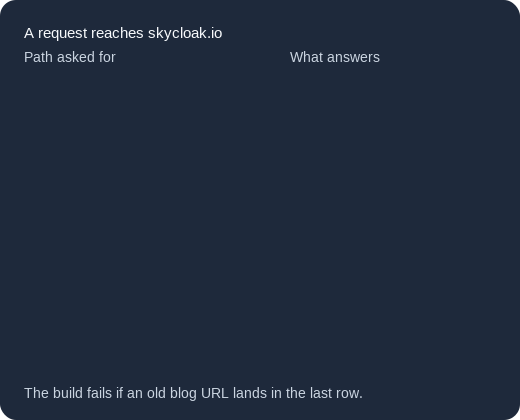
A built page such as /pricing/ comes straight from the static files and no code runs. A form request under /wp-json/ goes to the Worker at the same URL WordPress used. An old URL in the redirect map gets a 301 from the Worker, and a path that is neither built nor redirected gets the nearest 404 page.
How to migrate WordPress to Astro on Cloudflare Workers, step by step
These are the steps as we did them. Your site will differ, but the order matters, because each step makes the next one safer.
- Freeze an export of the old site that the build keeps reading. Export posts, terms, media details, publish dates, archive pages and redirects into data files in the repository, and treat them as read-only. The build reads them to keep each post’s URL, its dates in structured data, its category and tag archives and the feed IDs that readers already follow. If you only need the post bodies, the Astro guide points to a tool for exporting Markdown from WordPress, with the fair warning that a large or complicated site may need adjustments afterwards.
- Make the build fail when an old URL would break. Have the build check every blog post URL in the export and fail when one of them would go missing. If it runs on every pull request, you know before the switch that no old post URL will answer with a 404.
- Keep images at their old paths. Instead of moving uploads into Astro’s asset pipeline, you can commit them to the site’s
publicfolder in the same year and month folders, so they are served at exactly the URLs WordPress used and no post body has to change. - Make posts flat markdown files where merging publishes. Give each post one markdown file whose file name is its URL slug, and a status field in its frontmatter, so that a post marked as published goes live when its pull request merges and nothing else does.
- Put every redirect in one file. Gather the redirects from every place WordPress kept them (a theme’s redirect maps, an SEO plugin’s redirect rows) into a single JSON file of
fromandtopaths, each pointing straight at its final page. - Port the server parts to the Worker, at the same URLs. Anything WordPress answered with PHP, such as form endpoints and unsubscribe links, needs a route in the Worker at the URL it had before, so links already in emails and scripts keep working.
- Build the docs in the same pipeline, if you can. Starlight, Astro’s documentation theme, builds documentation as part of an Astro site. That can mean one install, one build and one deploy for the marketing pages, the blog and
/docs/, with no second docs toolchain to maintain. - Deploy in stages, with a separate production step that doubles as rollback. Give every pull request its own preview and deploy a staging copy on each merge. A separate production workflow deploys the production Worker after the main branch checks pass (and waits for a person on changes marked as major), and running it by hand with an earlier commit becomes the rollback. We wrote about a similar pattern for identity configuration in our guide to a Keycloak CI/CD pipeline with GitHub Actions.
- Switch with a written runbook and keep the old host alive. Stop content edits before the switch so nothing changes on one side only, check whether the old host did anything the new one does not (a redirect from www to the bare domain is a common one), and keep the old install untouched with its DNS records written down until you are sure you will not need it.
If you are building anything behind login on the new site, the same Astro project can talk to an identity provider: our Keycloak authentication guide for Astro walks through it. And if you want to put internal tools such as a staging site behind a login without changing their code, Cloudflare can do that at the edge, which we cover in Keycloak with Cloudflare Access for zero trust.
Identity management as a service, on open source
Skycloak does what Auth0 and Okta do, SSO, MFA, SCIM, audit logs and enterprise federation, on an open source core. Unlimited users and applications on every plan, no charge per monthly active user, and you can export and self-host whenever you want.
How design tokens kept the rebuild consistent
We used the rebuild to set up a design system based on tokens. A token is a named value, such as --color-surface or --radius-md, that every component reads instead of hard-coding a colour or a size. With Tailwind v4 you can declare tokens in a @theme block in CSS, and Tailwind turns each one into a CSS variable and into utility classes, as its theme variables documentation explains. Changing a token changes every page that uses it, which is what keeps pages built by different people looking like one site.
You do not have to redesign everything at the switch. One way to avoid it is to let ported pages keep their production look by compiling the old WordPress styles, so the new site can be checked against the live one page by page before switching, while new pages use the tokens. Each old page can then move onto the tokens in its own pull request, so a visual change never hides inside a migration change.
What changed after the move?
We are not publishing before-and-after speed or cost figures here, because we did not run the same measurement on both sites and would rather not quote numbers we cannot stand behind. What we can describe is how the work changed. There is no WordPress core, theme or plugin to patch on a public server any more; the code that runs on requests is a small Worker that we review like any other code. Every page, post and redirect can go through a pull request with a preview, build checks can refuse a change that would break an old URL, drop an image or publish a post with bad frontmatter, and rolling back can be a matter of running one workflow with an earlier commit.
The trade-off is that editing now happens in a code editor and a pull request rather than an online dashboard, which the Astro guide also points out. For our team that was a benefit, because our posts were already in git, but if your marketing team lives in the WordPress editor, plan for that change, or look at keeping WordPress as a headless CMS, which the Astro migration guide also covers.
What would we do differently?
- Write the URL check first. A check that fails the build on a broken old URL protects everything your visitors and search engines already know about. If we started again, we would write it on day one, before porting a single template, and let it drive the work.
- Know your old host’s limits for rollback. If you keep the old site as a rollback target, check early what your host needs to keep serving it: whether the old install keeps its own site address, whether its domains stay attached once they point elsewhere, and how long the host keeps a domain that no longer points at it. Write the answers into your switch plan before the day of the switch.
- Keep the two styling systems apart from the start. If you run the old styles for ported pages and tokens for new pages, make a firm rule that new pages never import the old styles. Set that rule before the first new page, not after.
Where to go from here
If you are planning the same move, start with an export you can keep reading, a build that fails on a broken URL, images at their old paths and one redirect file, and add the Worker only for the paths that really need code. The Astro WordPress guide and Astro’s Cloudflare deploy guide will get a first build running, and the rest is the careful work of keeping everything your visitors and search engines already know about.
We left WordPress partly so that we would stop patching software on a public server, and the same reasoning applies to your login. If you would like Keycloak without running and patching the servers yourself, see Skycloak’s managed Keycloak hosting, and if you are still weighing it up, our look at whether self-hosting Keycloak is worth it in 2026 walks through the trade-offs.