

In the Keycloak admin console, open Realm settings, then Localization, then Realm overrides, and add your text for the key the login form uses: usernameOrEmail by default, username when Login with email is off, and email when Email as username and Login with email are both on. No custom theme is needed, because realm overrides replace any translation a theme specifies.
A message key is the name Keycloak uses to look up a piece of interface text. Two realm settings decide which key the form uses, so Step 1 checks them first.
Prerequisites
- A Keycloak realm. This post follows the Keycloak 26.8.2 source, so menus may differ on other releases.
- An admin account that can view and change the realm’s settings. The admin guide lists
view-realmandmanage-realmamong the roles of therealm-managementclient. - The wording you want on the field, for example Email address or Member ID.
- A test user, so that you can sign in once the label has changed.
Step 1: Check the realm’s login settings
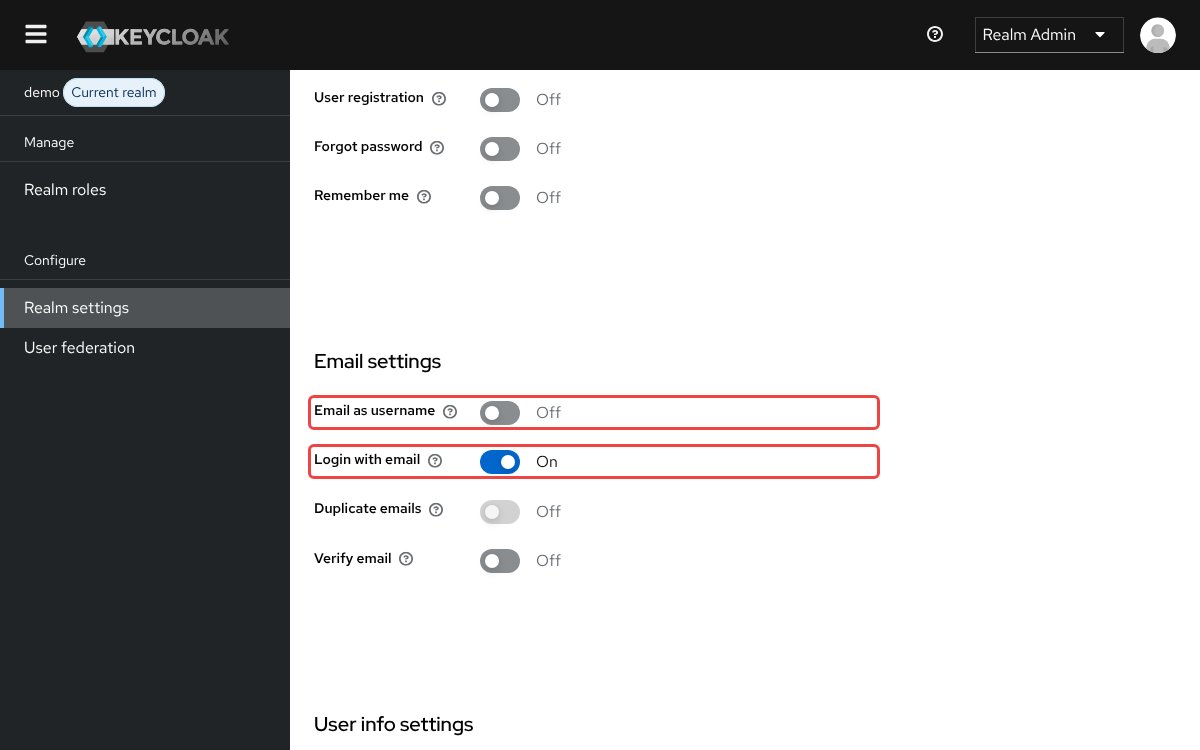
Open Realm settings, choose the Login tab, and note whether Email as username and Login with email are on. The console source puts both switches under Email settings, and the code that creates a realm turns Login with email on.
The login template picks the key from those two settings, and the default messages file supplies the text you see today:
| Login with email | Email as username | Key to override | Default text |
|---|---|---|---|
| On | Off | usernameOrEmail |
Username or email |
| Off | Off | username |
Username |
| Off | On | username |
Username |
| On | On | email |
Step 2: Open the Realm overrides tab
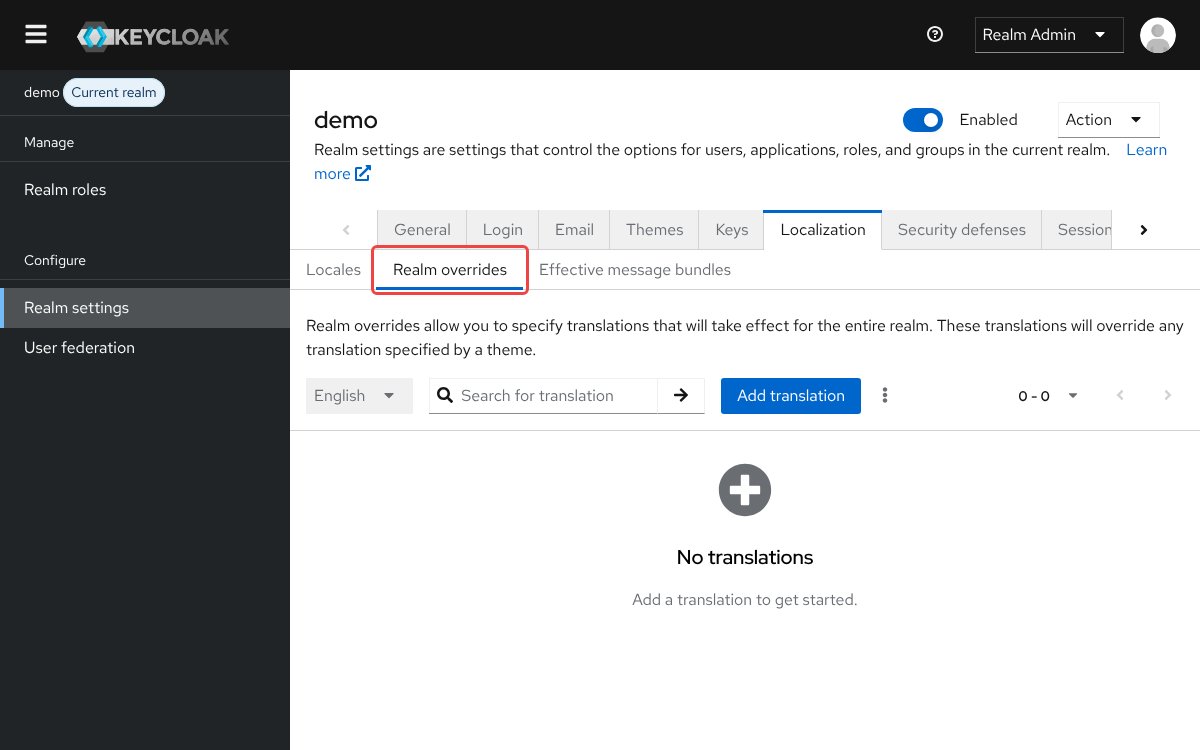
Still in Realm settings, choose the Localization tab and then its Realm overrides sub-tab. The admin guide says: “All internationalized texts which are provided by the theme can be overwritten by realm-specific texts on the Localization tab.”
Step 3: Add the override
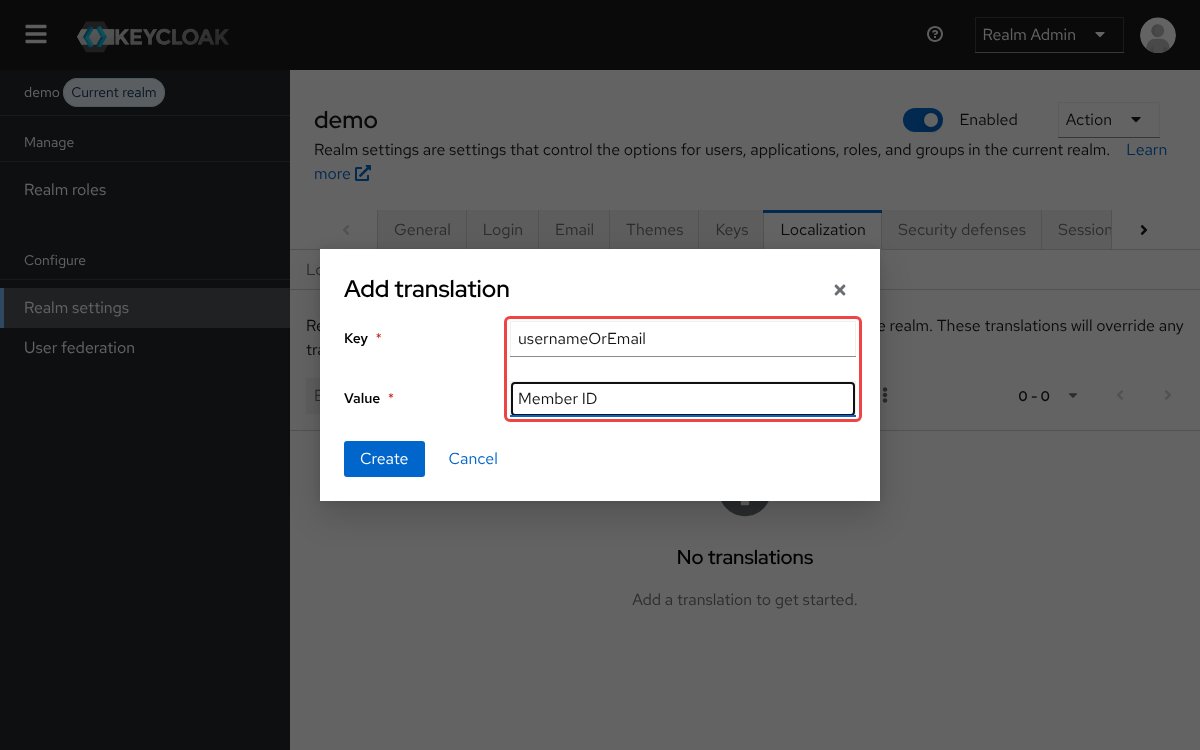
Choose Add translation, put the key from your row of the table and your wording in the dialog’s Key and Value fields, and then choose Create. For a realm with the default settings, the two fields look like this:
Key:    usernameOrEmail
Value:  Member ID
The key has to match the spelling and capitals in the default messages file exactly, so usernameoremail would not change anything.
Somewhere to run this that stays patched
Everything above works the same on Skycloak, because it is real upstream Keycloak rather than a fork. What changes is who handles the upgrades, backups and security patches afterwards.
Step 4: Add the override in each other language
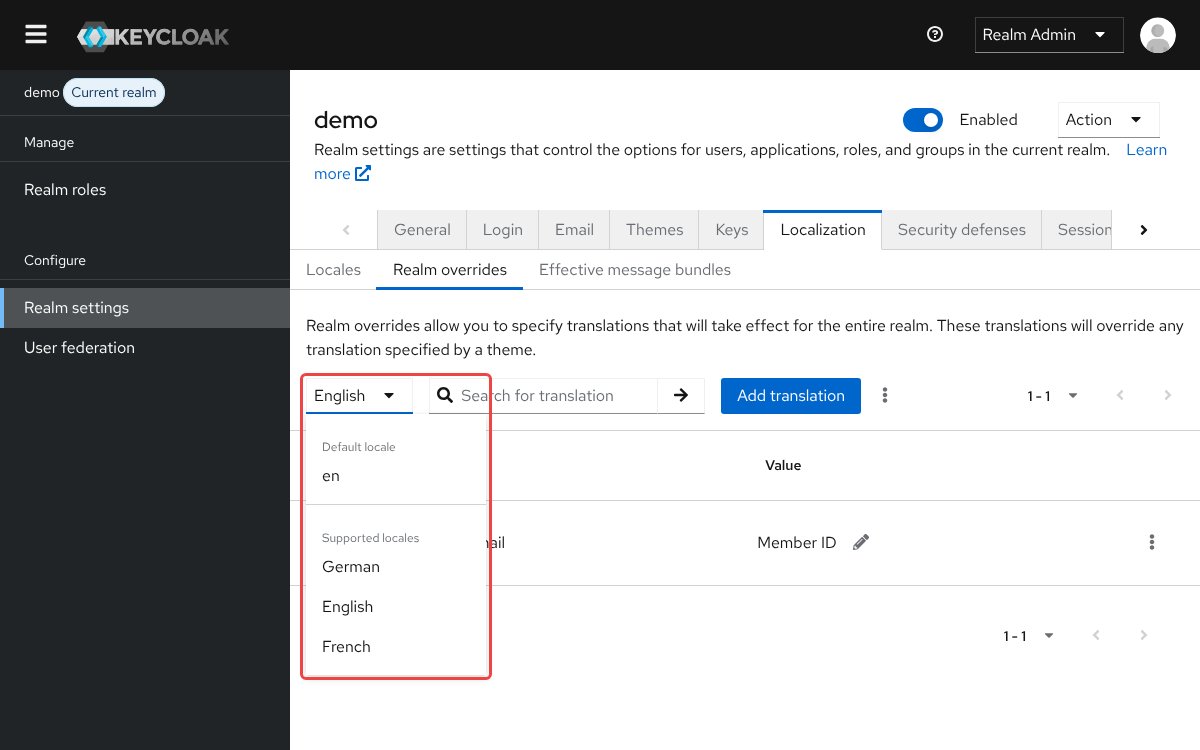
This step applies only if internationalization, Keycloak’s support for more than one login language, is on. Choose the next language in the menu on the Realm overrides tab and add the same key with your translated wording, then repeat for each language you support. The admin guide explains how to turn the feature on. With internationalization off, the console source sets the menu to disabled, so you can skip this step.
Test it
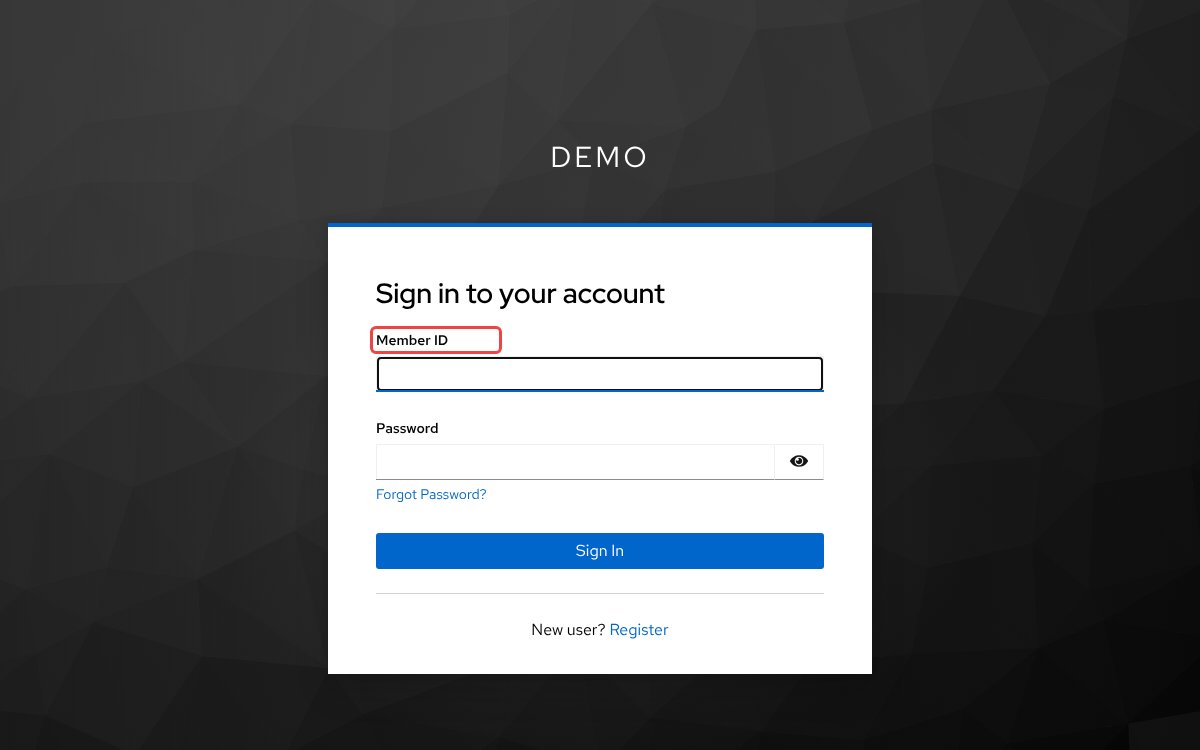
Open a private browser window and go to https://your-keycloak-host/realms/your-realm/account. Keycloak redirects you to the login form, and the field above the password should show your wording in place of the default text. Sign in with your test user to confirm that login still works.
Troubleshooting
The label does not change after you save the override. The override may be on a key the form is not using, so find your row in the Step 1 table and add it under that key. If the key is right, check the language the form is showing and the login theme the realm uses.
Visitors in other languages still see the old label. Overrides are set per language, and Keycloak picks the language from sources such as the user’s own selection, their profile and their browser. Add the override in that language, as in Step 4.
The language menu on the Realm overrides tab is greyed out. Internationalization is off, and in that case Keycloak renders pages in English. The console’s help text says “you only can edit English locale” until you select supported locales, so add the override under English.
An apostrophe disappears from the label. Keycloak formats messages with Java’s MessageFormat, and its documentation says a single quote must be written as two, so write Member''s ID.
Edits to a custom theme’s messages file do not show. A realm override on the same key takes precedence over the theme, so remove the override if you want the theme’s text to win. Keycloak’s theme guide also recommends disabling caching while you create a theme. See also our theme not loading guide.
FAQ
How do I change the password label and Sign In button text in Keycloak?
Use the same Realm overrides tab with the key password for the label and doLogIn for the button, both listed in the default messages file. To match the error text to your new wording, override invalidUserMessage, the message the username and password form shows on a failed sign-in.
How do I change the username label in a custom Keycloak theme?
Set the same key in your theme’s login/messages/messages_en.properties file, the location Keycloak’s theme guide shows. See also our Keycloak theme customization guide.
usernameOrEmail=Member IDDoes changing the Keycloak username label affect other pages?
It does, because these keys are shared. The forgot password form chooses from the same three keys, and the default user profile labels its username and email fields with username and email, so overriding those two can reach forms built from that profile.
Can I change the Keycloak username label in the Skycloak dashboard?
You can on the Launch plan or higher. The login page text settings in our internationalization guide include a Username Label field for each language.
Next steps
Add the override in your realm’s Localization tab and check the login page in a private window. These links are useful next:
- Customizing Keycloak themes with Keycloakify in Skycloak, if you want to change more than the text.
- Benefits of a custom login page for better UX, for what else is worth changing on the page.
- Skycloak’s internationalization guide, if you support several languages.
If you would rather not run the Keycloak server yourself, you can try managed Keycloak hosting on Skycloak.