Last updated: March 2026
Introduction
Skycloak provides native support for SIEM (Security Information and Event Management) integrations. In this article, we will explore how to forward Keycloak events from your environment to HTTP-based event collectors or webhook endpoints. These events include authentication attempts, successful logins, user registrations, password resets, and other security-relevant activities captured by Keycloak. For a deeper look at Keycloak event types and audit logging, see our feature overview.
Beyond Keycloak-generated events, Skycloak also allows transmission of Keycloak application logs and security telemetry such as WAF events, geo-blocking actions, rate-limits triggered, and access policy violations. Based on the configuration options chosen, Skycloak enables centralized ingestion of these events into your preferred SIEM platform for monitoring, correlation, and real-time threat visibility. Learn more about Skycloak’s security capabilities.
Overview
Using HTTP hooks in Skycloak, you can forward the following types of data to your API endpoints:
- Keycloak events
- Authentication events, user registration, password resets, and other Keycloak security events
- Keycloak Application
- Keycloak server logs including errors, warnings, and debug information
- Security logs
- WAF events, geo-blocking, rate limiting, and other security-related logs
Note: Skycloak also supports event forwarding to AWS S3 and other destinations, though these are not covered in this article.
For an alternative approach using syslog-based forwarding, see our guide on integrating Skycloak security logs using syslog. You may also find our tutorial on auditing in Keycloak helpful for understanding the full scope of events available.
Security Considerations
When operating in production, the forwarding of events and logs must remain secure.
Use HTTPS
The API endpoint receiving Skycloak POST requests must expose HTTPS so that event payloads — which may contain user-sensitive attributes — remain encrypted in transit.
Use Token-Based Authentication
When Bearer token is specified, Skycloak will send all POST requests with the token in the Authorization header in the following format:
Authorization: Bearer <token-value>At your receiving endpoint, you must:
- Validate that this token matches your configured token
- Reject unauthorized requests
This ensures authenticity and prevents unauthorized log ingestion or spoofing.
Skycloak also supports API endpoints that accept Basic Authentication credentials.
More details on Keycloak events are available in the Keycloak Server admin guide.
Pre-Requisites
Before configuring SIEM integration, ensure that you have:
- A REST API endpoint listening on
POST - Support for HTTPS (highly recommended due to sensitive data in transmission)
- Logic to validate incoming requests
Example Implementation (Spring Boot)
Below is a sample controller that listens for Skycloak event payloads:
@RestController
@RequestMapping("/hook")
public class HttphookController {

    private static final String EXPECTED_TOKEN = "your-unique-secure-token";

    @PostMapping("/events")
    public ResponseEntity receiveEvent(
            @RequestBody String payload,
            @RequestHeader("Authorization") String authHeader) {

        // Validate Bearer token
        if (authHeader == null || !authHeader.equals("Bearer " + EXPECTED_TOKEN)) {
            return ResponseEntity.status(HttpStatus.UNAUTHORIZED).body("Invalid token");
        }

        // Log or process the event payload
        System.out.println("Received Skycloak event: " + payload);

        // You can also persist or forward this event as needed
        return ResponseEntity.ok("Event received");
    }
}
What this implementation does:
- Exposes
POST /hook/events - Validates the incoming Bearer token
- Logs or forwards the received payload
- Rejects unauthorized requests
Remember to replace EXPECTED_TOKEN with a secure, unique value.
Configuration Steps in Skycloak
Follow these steps in Skycloak Console:
- Log in and select your cluster
- Navigate to SIEM from the sidebar
- Click Add Destination
- Give a destination Name
- Choose Destination Type = HTTP Hooks
- Click Continue
- Choose Authentication Type (Options are none, Bearer token or Basic)
- Select which event types you want to forward (Keycloak events are selected in the below diagram)
- If Destination type in Step 7 is Keycloak events, make sure the desired events are selected.
- (Optional) Customize batch interval and batch size
- Complete and activate the configuration
Once saved, Skycloak will begin sending data for subscribed events. You can monitor event delivery and usage patterns through Skycloak’s Insights dashboard.
Testing the Integration
To validate your integration:
- Log into Keycloak admin console
- Generate events such as:
- Invalid login attempt
- Password reset
- Login success
- Monitor:
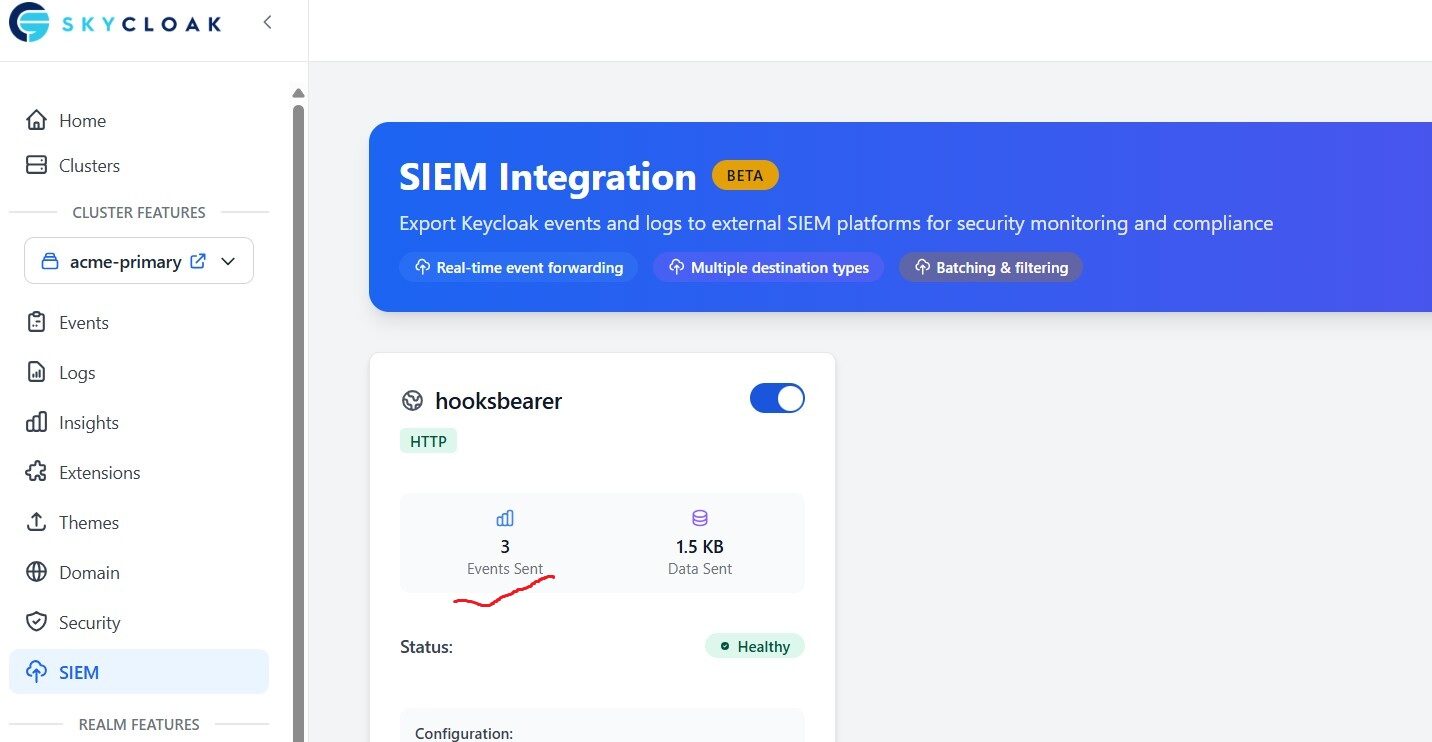
- Your Skycloak SIEM status widget
- Your API endpoint logs
You should see payloads arriving, confirming successful delivery.
Note: In this article, I used an HTTP API endpoint only. In a production-grade setup, make sure to use HTTPS.
Summary
In this article, we explored how Skycloak enables SIEM connectivity using HTTP hooks. The integration allows forwarding of:
- Keycloak identity events
- Keycloak-internal logs
- Security telemetry
SIEM helps provide centralized visibility, SIEM-based alerting, and compliance-grade audit tracking.
Skycloak offers many more features through its console, including session management and multi-factor authentication.
If you’re new to Skycloak, refer to the Skycloak Getting Started Guide for full platform setup, supported integrations, and deployment options. Explore our hosting page for infrastructure details or check our pricing to get started.

Ready to simplify your authentication?
Deploy production-ready Keycloak in minutes. Unlimited users, flat pricing, no SSO tax.