Introduction
Keycloak provides support for registering client applications using standard protocols like OIDC and SAML.
In addition, Skycloak offers a more user-friendly approach to registering applications through guided templates.
In this blog, we explore the Machine-to-Machine (M2M) flow, also known as the Client Credentials Grant, using a Node.js-based application template.
Overview
The Client Credentials Grant (defined in OAuth 2.0) is used when:
- ❌ No user is involved
- ✅ Communication happens between applications (service-to-service)
Typical Use Case
A microservice obtains an access token and calls another service.
Example:
- Order Service → gets token from Keycloak
- Order Service → calls Payment Service using Bearer token
Authorization: Bearer <access_token>Important Concept: Service Accounts
In this flow:
- Each client has a service account
- Roles can be assigned to this service account
- These roles appear in the access token
This enables fine-grained authorization between services.
Architecture Flow
- Client sends request to token endpoint
- Identity Provider validates client credentials
- Access token is issued
- Client calls protected API using token
Implementation Steps (Skycloak Console)
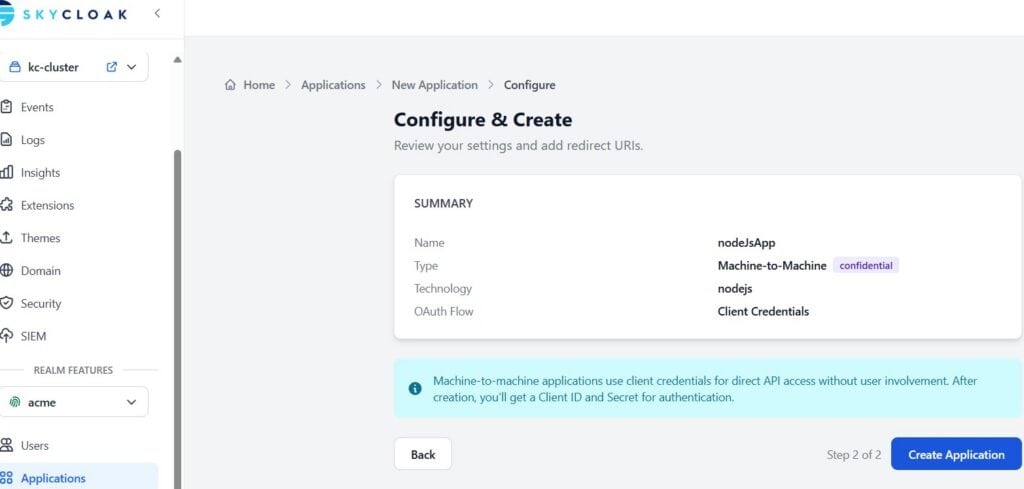
Navigate to Skycloak Console
Select Cluster and Realm
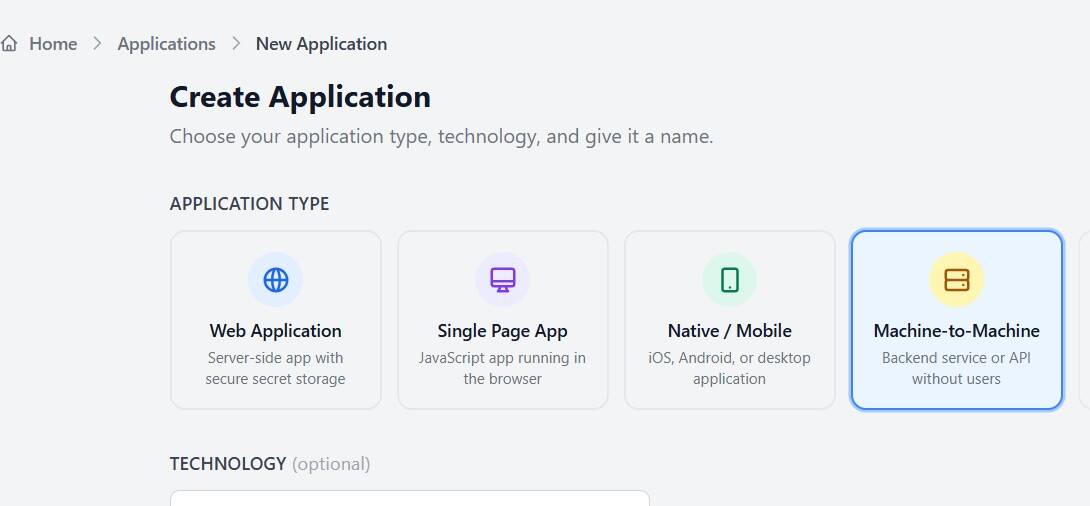
Go to:Applications → Create Application
Choose:
- Machine-to-Machine
- Node.js API template
Enter application name (e.g., nodeJSApp)
Click Continue → Create Application
Important Configuration
After creation:
- Note down:
- Client ID
- Client Secret ⚠️ (Keep confidential)
Testing the implementaion
Step 1: Initialize Project
npm init -y
npm install axios dotenv
Optional (if exposing APIs):
npm install express helmetStep 2: Create .env File
TOKEN_URL=https://<skycloak_hostname>/realms/<realm-name>/protocol/openid-connect/token
CLIENT_ID=your-client-id
CLIENT_SECRET=your-client-secret
Step 3: Create app.js
import axios from "axios"
import 'dotenv/config'

const getToken = async () => {
  const response = await axios.post(
    process.env.TOKEN_URL,
    new URLSearchParams({
      grant_type: "client_credentials",
      client_id: process.env.CLIENT_ID,
      client_secret: process.env.CLIENT_SECRET
    }),
    { headers: { "Content-Type": "application/x-www-form-urlencoded" } }
  )

  return response.data.access_token
}

const main = async () => {
  const token = await getToken()
  console.log("Access Token:", token)
}

main()
Step 4: Edit package.json (extract below)
{
  //..........
  "scripts": {
    "start": "node app.js"
  }
  //..........
}
Step 5: Run the application
npm startAssigning Roles
To enable authorization:
In Keycloak Console
- Go to Client → Service Account Roles
- Assign:
- Realm roles OR
- Client roles
These roles will appear in the token and can be used by downstream services.
Best Practices
🔐 Security
- Never expose
CLIENT_SECRET - Use:
- Environment variables
- Secret managers (Vault, AWS Secrets Manager)
Performance
- Cache access tokens until expiry
- Avoid requesting token on every API call
Summary
In this article, we explored:
- Machine-to-Machine authentication using Client Credentials
- Application setup using Skycloak templates
- Token generation using Node.js
- Role-based authorization using service accounts
Skycloak simplifies application onboarding by providing a guided and developer-friendly interface, reducing the complexity of configuring Keycloak manually
About Skycloak
Skycloak is a fully managed Keycloak platform hosted in the cloud. It enables organizations to leverage the power of open-source Keycloak IAM without the operational overhead of installing, maintaining, and scaling production-grade Keycloak environments — delivered securely and cost-effectively.
If you’re new to Skycloak, visit the Skycloak Getting Started Guide to learn more.

Ready to simplify your authentication?
Deploy production-ready Keycloak in minutes. Unlimited users, flat pricing, no SSO tax.