How to map Entra ID groups to Keycloak groups. Map Microsoft Entra ID groups to Keycloak groups with the Advanced Claim to Group mapper, and fix users who get no groups because of Entra groups overage.
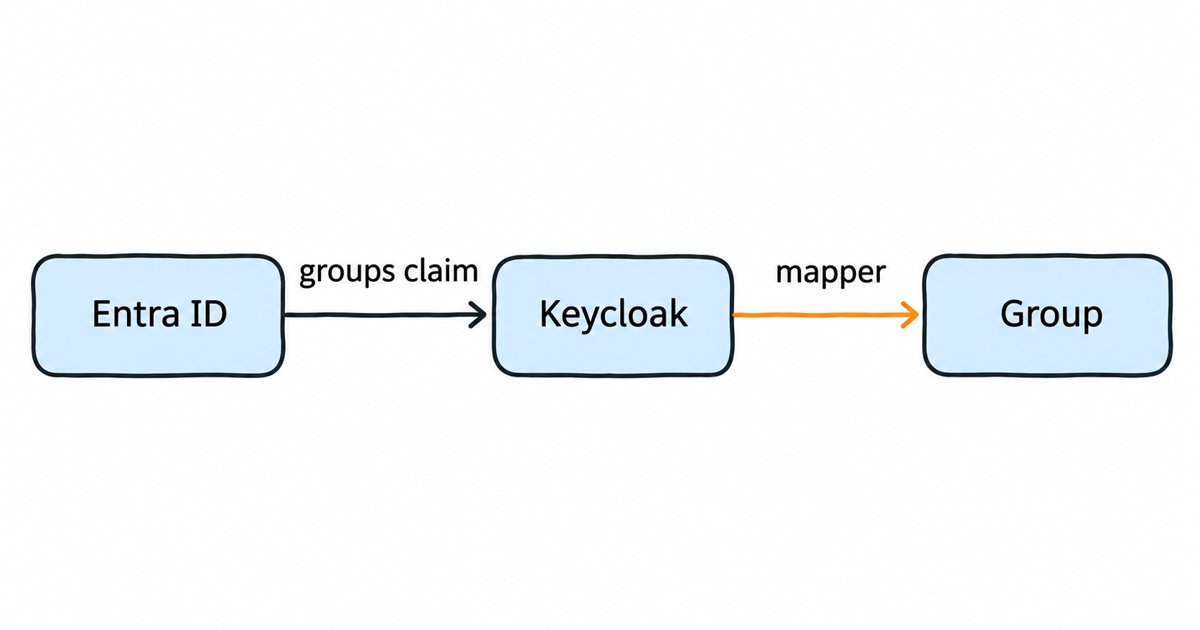
To map Microsoft Entra ID groups to Keycloak groups, add an Advanced Claim to Group mapper to your Entra ID identity provider in Keycloak, with the claim groups and a group’s Object ID as the value, and pick the Keycloak group it assigns. If one user gets no groups while others do, that user is probably in more than 200 groups: Entra then leaves the groups claim out and sends _claim_names instead, so the mapper has nothing to match.
We ran every step below, and took its screenshot, on a fresh Keycloak 26.8.2, with Entra ID brokered over OpenID Connect (OIDC).
Prerequisites
- A Keycloak 26.x realm and an admin account for it.
- Entra ID added as an “OpenID Connect v1.0” identity provider, here with the alias
entra-id. Our identity providers page shows how Skycloak connects OIDC and SAML providers. - A groups claim on the Entra app registration. In the Microsoft Entra admin center, open the app registration Keycloak uses, select Token configuration, then Add groups claim, and choose Security groups, which emits the security groups the user is a member of. Keep the default value format: by default, group Object IDs are emitted in the claim, as GUIDs, not display names.
- The Object ID of each Entra group you want to map, copied from the group’s overview page in Entra.
Step 1: Create the Keycloak group

In the admin console, open Groups, select Create group and give it a name, for example entra-engineering. This is the group users join when their token carries the matching Entra group.
Step 2: Set the identity provider’s sync mode to Force
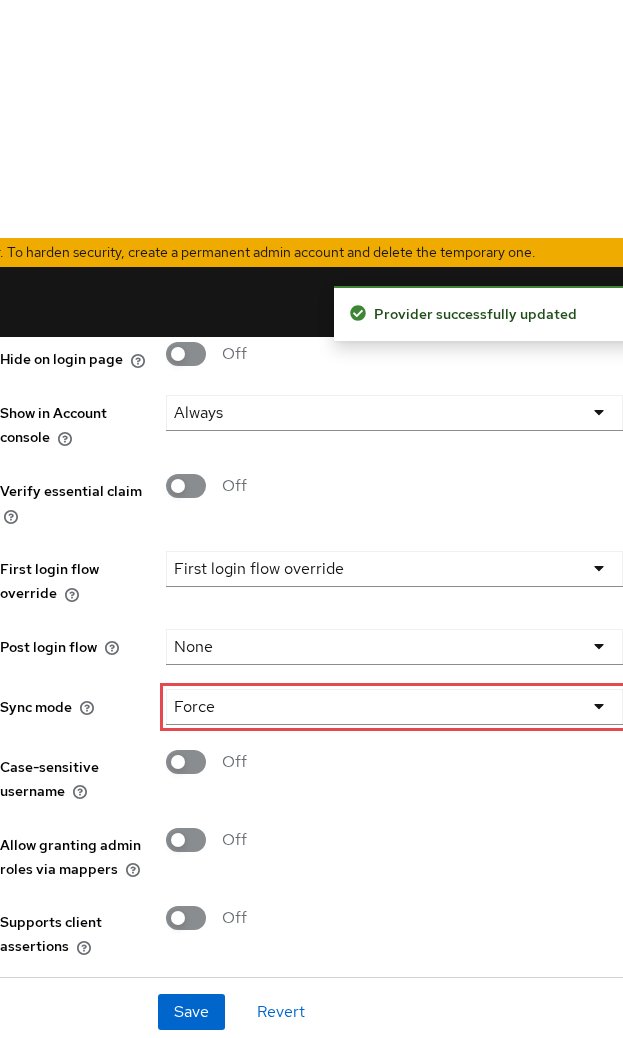
Open Identity providers, select entra-id and scroll to Sync mode. Keycloak’s mapper documentation explains the choices: Import imports data when the user is first created during the first login, while Force updates user data at each user login. Choose Force so that a group added or removed in Entra reaches Keycloak at the user’s next login, and save.
Step 3: Add the Advanced Claim to Group mapper
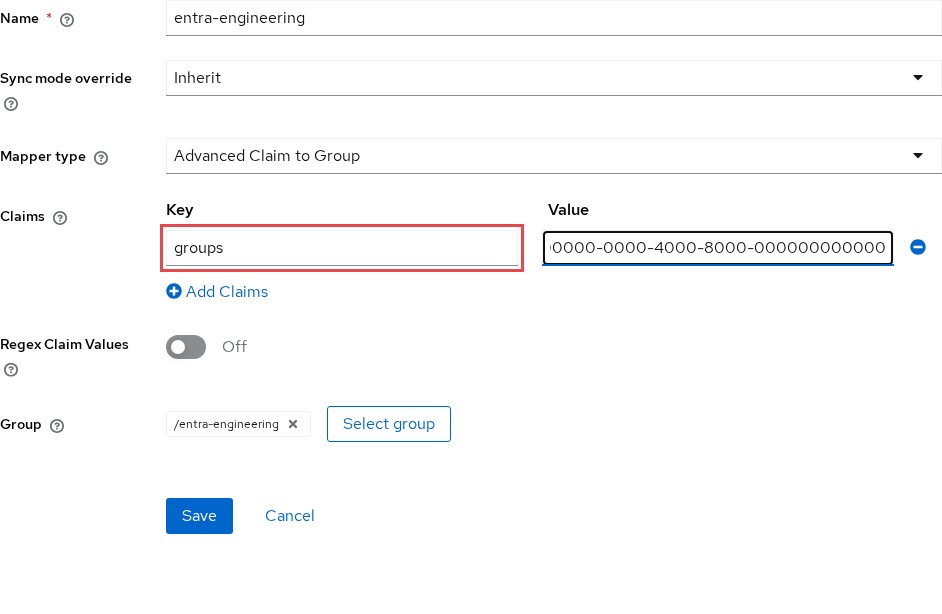
On the same provider, open the Mappers tab, select Add mapper and set:
- Name:
entra-engineering - Mapper type: Advanced Claim to Group
- Sync mode override: Inherit, so the mapper follows the provider’s Force setting
- Claims: key
groups, value the Entra group’s Object ID - Group:
entra-engineering
Leave Regex Claim Values off, since turning it on means claim values are interpreted as regular expressions, and type the full Object ID, exactly as it appears in the groups claim. Save, and add one mapper per Entra group you want to map.
Somewhere to run this that stays patched
Everything above works the same on Skycloak, because it is real upstream Keycloak rather than a fork. What changes is who handles the upgrades, backups and security patches afterwards.
Test it
Sign out, then sign in to your realm through Entra ID as a user who belongs to the Entra group. In the admin console, open Users, select that user and open the Groups tab: entra-engineering should be listed.
If it is not, look at the token Keycloak received. On the provider, turn on Store tokens, which keeps the tokens from the identity provider, and log in again as the affected user. Keycloak’s guide to retrieving external IdP tokens explains how an application with the read-token role on the broker client reads them. Decode the id_token and check whether a groups claim is there. A healthy token looks like this:
{
  "groups": [
    "11111111-2222-3333-4444-555555555555"
  ]
}
Troubleshooting
One user gets no groups while everyone else maps fine
Cause: groups overage. Entra limits the groups in a JWT to 200, nested groups included, and past that limit the token has no groups claim at all, only an overage claim pointing to Microsoft Graph:
{
  "_claim_names": { "groups": "src1" },
  "_claim_sources": { "src1": { "endpoint": "https://graph.microsoft.com/v1.0/users/{userID}/getMemberObjects" } }
}
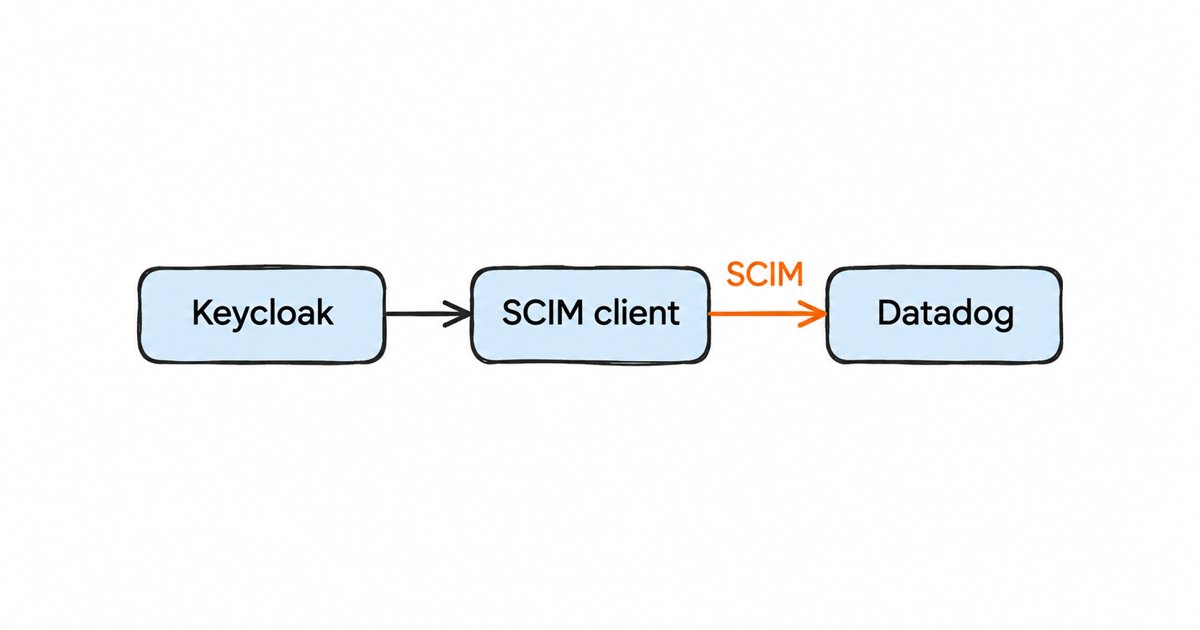
Fix: in Token configuration, change the groups claim to Groups assigned to the application, which Microsoft recommends for large organizations, and assign the groups you map to the enterprise application. That option leaves out nested groups. If you need every membership, provision groups with SCIM instead, as in SCIM provisioning from Microsoft Entra ID to Keycloak, which does not depend on the token at all.
The mapper never matches, for anyone
Cause: the mapper value is the group’s display name, but Entra sends Object IDs. Entra only emits cloud group names for groups assigned to the application.
Fix: paste the Object ID from the group’s overview page into the mapper’s claim value.
Group changes in Entra never reach existing users
Cause: the provider or the mapper is on Import, which does not update user data after the user is first created.
Fix: set Force as in Step 2, then have the user sign in again. Mapper changes never apply to anyone until their next login through Entra.
FAQ
Does Keycloak read the Entra groups claim from the ID token or the access token?
Configure the groups claim for the ID token in Token configuration, since the ID token is the one you decode in Test it. Entra’s optional claims can be returned in ID tokens, access tokens and SAML tokens.
Can one Keycloak mapper match several Entra groups?
Each mapper assigns one Keycloak group, and only if all of its claims match. Its Regex Claim Values switch makes it read claim values as regular expressions, but one mapper per Entra group is the plain way to map several groups.
Can Keycloak map Entra groups over SAML?
Keycloak can broker Entra ID over SAML v2.0 too, but this post covers OIDC only. Our Entra ID SAML identity provider guide sets that provider up.
Why are Entra groups not in my application’s Keycloak token?
Keycloak’s protocol mappers map items to claims in the identity and access token, so check that the client has a mapper for groups. Client mappers are explained in why a custom Keycloak attribute is not in the token.
Next steps
- Attribute mapping in Keycloak during OIDC identity brokering, for the other claims Entra sends.
- SCIM provisioning from Microsoft Entra ID to Keycloak, for users in more groups than a token can carry.
- Keycloak’s identity provider mapper documentation.
If a user still logs in without groups, turn on Store tokens for your Entra ID provider, log in as that user and check whether the groups claim is there. If you would rather not run Keycloak yourself, managed Keycloak hosting gives you the same admin console without the servers.