
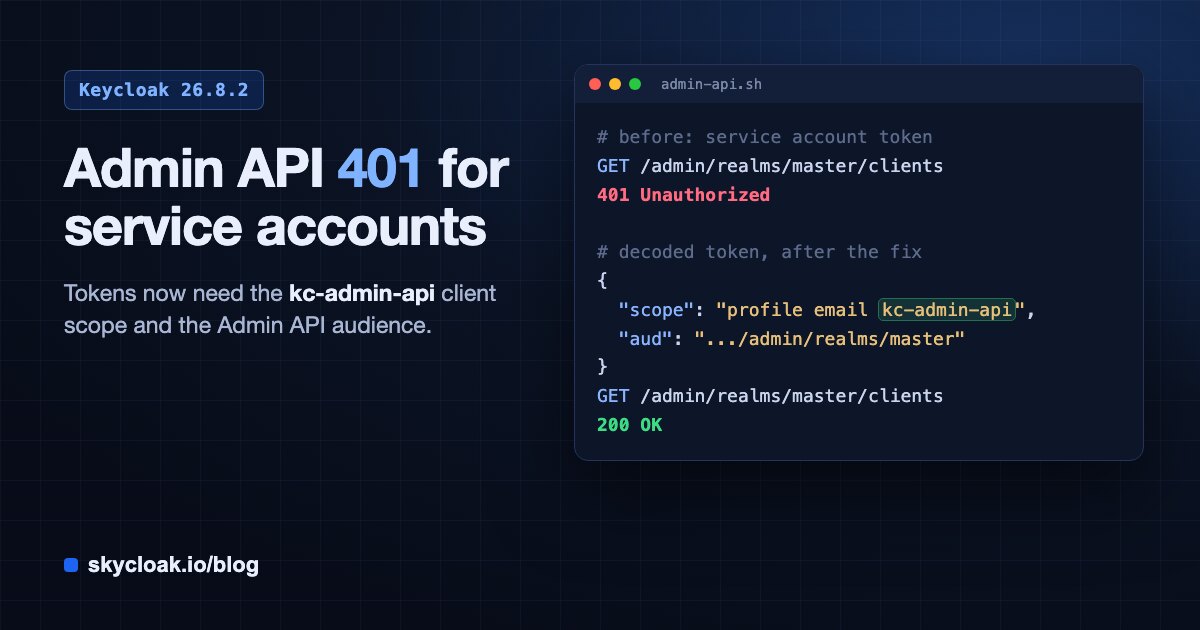
If your automation started getting 401 Unauthorized from the Keycloak Admin REST API right after an upgrade to 26.8.2, the cause is a new audience check: the Admin API now accepts only tokens that carry the built-in kc-admin-api client scope, and the upgrade assigns that scope to admin-cli and security-admin-console but not to your own clients. The fix is to assign kc-admin-api as a default client scope to every client whose service account calls the Admin API, then fetch a fresh token. The roles on the service account do not need to change, and the token still authenticates normally everywhere else, which is why this failure is easy to misread as a permissions problem.
We hit this on one of our own development clusters, where the service account our platform uses to manage Keycloak went from working to 401 on every admin call the moment the cluster came up on 26.8.2. Logins kept working and the admin console kept working, so the cluster looked healthy from the outside while every background job that talks to the Admin API failed. This post explains what changed, how to fix it, and the few details that cost us time.
What changed in Keycloak 26.8.2?
Keycloak 26.8.2 is a patch release, and patch releases normally do not change how you configure clients. This one does, and the upgrading notes for 26.8.2 list it as a breaking change under “Admin REST API now enforces an audience check”. The project made the change to follow RFC 9700, the OAuth 2.0 security best current practice, which recommends that a resource server only accept tokens that were issued for it.
Before 26.8.2, the Admin REST API accepted any access token from the realm as long as its subject had admin roles or fine-grained admin permissions. From 26.8.2 the token must meet two conditions:
- Its
scopeclaim must includekc-admin-api. - Its
aud(audience) claim must include the realm’s Admin REST API base URL, for examplehttps://auth.example.com/admin/realms/master.
The new built-in client scope kc-admin-api produces both of those for you, because it is a scope with a dedicated protocol mapper that adds the Admin API URL as an audience. The upgrade creates this scope in every realm and makes it a default scope of admin-cli and security-admin-console, which is why kcadm.sh and the admin console keep working after the upgrade. Any other client you use for admin automation, such as a confidential client with a service account that a Terraform provider, a provisioning script or a backend service uses, does not get the scope, and its tokens are rejected.
A service account token without the kc-admin-api scope gets a 401 (1). After you assign the scope to the client (2), the next token it receives carries the scope and the Admin API audience, and the Admin API accepts it (3).
How do you confirm this is the problem?
Decode a token from the failing client and compare it with one from admin-cli. You can paste both into a local JWT decoder, or decode the payload with jq. JWTs use unpadded base64url, so map its two URL-safe characters back before decoding:
echo "$TOKEN" | jq -R 'split(".")[1] | gsub("-";"+") | gsub("_";"/") | @base64d | fromjson | {scope, aud}'If the admin-cli token has kc-admin-api in its scope claim and an aud entry ending in /admin/realms/<realm>, and your client’s token has neither, you are looking at this change and not at a role problem.
The response body does not say much, so the token comparison is the quickest check. Before you change anything, also confirm the server version on the realm’s server info page or in the admin console, since the same symptom on an older version means something else.
How do you fix it?
Assign kc-admin-api as a default client scope to each client that calls the Admin API. Use the realm the client lives in, which for most admin service accounts is master.
In the admin console, open Clients, select your client, go to the Client scopes tab, choose Add client scope, select kc-admin-api and add it as Default. Adding it as Optional also works, as the upgrading notes say, but then the client has to request scope=kc-admin-api explicitly on every token request, so default is the simpler choice for a service account.
If you manage this from a script, the Admin REST API call is a single PUT with no body. Get an admin token from admin-cli first, since that client already has the scope after the upgrade:
KC=https://auth.example.com
REALM=master
CLIENT_ID=my-automation-client

TOKEN=$(curl -s -d grant_type=password -d client_id=admin-cli \
  --data-urlencode username="$KC_ADMIN_USER" --data-urlencode password="$KC_ADMIN_PASSWORD" \
  "$KC/realms/master/protocol/openid-connect/token" | jq -r .access_token)

CID=$(curl -s -H "Authorization: Bearer $TOKEN" \
  "$KC/admin/realms/$REALM/clients?clientId=$CLIENT_ID" | jq -r '.[0].id')

SID=$(curl -s -H "Authorization: Bearer $TOKEN" \
  "$KC/admin/realms/$REALM/client-scopes" | jq -r '.[] | select(.name=="kc-admin-api") | .id')

[ -n "$CID" ] && [ "$CID" != null ] && [ -n "$SID" ] || { echo "login failed, or client or kc-admin-api scope not found"; exit 1; }

curl -fsS -X PUT -H "Authorization: Bearer $TOKEN" \
  "$KC/admin/realms/$REALM/clients/$CID/default-client-scopes/$SID" && echo "kc-admin-api assigned"
After that, request a new token for your client. Tokens issued before the change do not gain the scope, so anything that caches admin tokens (many SDKs and services do, sometimes for hours) keeps failing until its cache expires or you clear it. If you run a service that caches tokens, make it drop its cached token and retry once on a 401, not only on a 403.
If you manage clients as code, add the scope there too, or your next apply removes it again. With the Keycloak Terraform provider that means adding kc-admin-api to the client’s default scopes resource, and with a realm import file it means listing it in the client’s defaultClientScopes.
The cluster, without the on-call
Skycloak runs real upstream Keycloak in the region you choose, and takes the upgrades, backups, certificate rotation and patching off your team. No fork, so you can export and self-host whenever you want.
Which shortcuts do not work?
We tried a few shortcuts before landing on the fix above, and none of them worked:
- Adding your own audience mapper. A plain “Audience” protocol mapper that puts the same Admin API URL into
audis not enough. The upgrading notes say the Admin API requires thekc-admin-apiscope as well as the audience, so that access is tied to the built-in scope rather than to any token that happens to carry a matching audience. We confirmed it: the audience matched exactly and the call still returned401. - Linking the scope directly in the database. Inserting the row into
client_scope_clientis written to the database, but Keycloak serves clients from its cache, so running nodes keep issuing tokens without the scope until they restart. Use the admin console or the Admin REST API, which update the cache as well. - Calling Keycloak through a different hostname. The audience is the Admin API URL resolved from the realm’s frontend URL or, when none is set, from the hostname of the request. In our testing, a token obtained through the public hostname was rejected when presented to the internal service address, and the other way round. Request the token and call the Admin API through the same hostname, or set a frontend URL so both resolve the same way.
There is also a server option to turn the check off, --spi-admin--audience-check-enabled=false. The Keycloak project strongly discourages it because it removes a defense against token misuse, and we agree: assigning one client scope is a smaller change than running your admin API without the check.
What else in 26.8.2 affects admin automation?
Two other changes in the same release are worth checking while you are fixing the scope, because they also hit service accounts and upgrade scripts:
- Protocol mapper changes now need
manage-realm. Creating, updating or deleting protocol mappers on clients and client scopes through the Admin REST API now requires realm management permission. A service account that only hasmanage-clientsgets a403on those calls unless you list the allowed mapper types under Realm settings, in the Allowed protocol mapper types for client administrators option. - Rolling upgrades are not supported for this release. The upgrade adds a new client registration policy that earlier 26.8.x nodes do not know, so the notes ask you to stop the cluster and upgrade all nodes together. A rolling upgrade can also produce
401errors for a different reason: older nodes still issue admin tokens without the new audience, and upgraded nodes reject them.
What should you do before upgrading?
Before you move a realm to 26.8.2, list every client whose service account calls the Admin API. The kc-admin-api scope only exists once the upgrade has run, so assign it to each of those clients as a default scope right after the upgrade, and plan for a short window where those clients get 401 until you add it and their cached tokens expire. Then check that any service account that edits protocol mappers has manage-realm, and plan a full stop and start of the cluster rather than a rolling restart.
On Skycloak, the service account our platform uses to manage your clusters gets the scope automatically as part of the 26.8.2 upgrade. If you run your own automation clients against the Admin API, add kc-admin-api to them after your upgrade completes. If you would rather not track breaking changes in patch releases yourself, take a look at our managed Keycloak hosting.