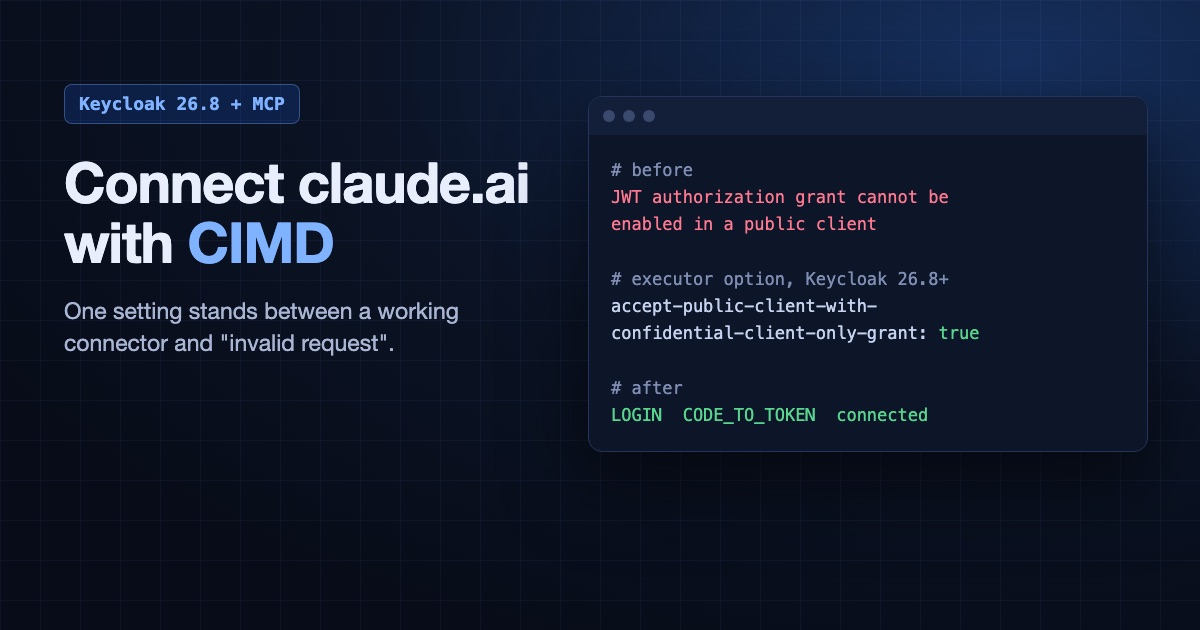
To connect claude.ai to an MCP server through Keycloak with Client ID Metadata Documents (CIMD), you need Keycloak 26.8 (we tested 26.8.1 and 26.8.2) and the executor option accept-public-client-with-confidential-client-only-grant turned on. Without it, sign-in stops at an “invalid request” page and Keycloak logs JWT authorization grant cannot be enabled in a public client. claude.ai does not fall back to dynamic registration on its own, so the connector simply fails.
We found this while moving our own hosted MCP server off Dynamic Client Registration (DCR), and we tested the fix live with claude.ai and Claude Code. Everything below is written so you, or an agent working for you, can follow it from top to bottom.
Why move from DCR to CIMD?
DCR creates a new Keycloak client for every connector anyone adds, and nothing removes them. Keycloak’s anonymous Max Clients policy defaults to 200 and counts every client in the realm, including your static ones. At the limit, every new connector fails. On our own realm, 72 clients had piled up and only 12 had a live sign-in.
With CIMD, the client ID is a URL the app hosts, and Keycloak reads the app’s details from it. Keycloak keeps one client row per app, however many people connect. The MCP specification now deprecates DCR in favour of CIMD.
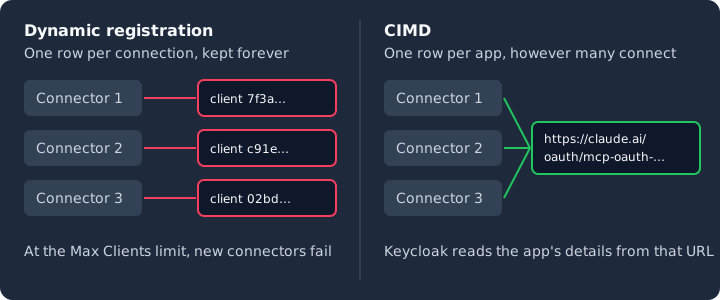
With DCR, every connector adds a client row. With CIMD, all connectors from one app share a single row.
What works on which Keycloak version?
| Keycloak | CIMD flag | Option on | Claude Code | VS Code | claude.ai |
|---|---|---|---|---|---|
| 26.7.3 | yes | not available | works | works | rejected |
| 26.8.2 | yes | no | works (script) | works (script) | rejected (script) |
| 26.8.2 | yes | yes | works (script) | works (script) | works (script) |
| 26.8.1 | yes | yes | works | works (script) | works |
claude.ai’s metadata document describes a public client that also lists the jwt-bearer grant, which Keycloak only allows on confidential clients. The option tells Keycloak to drop that grant from the client instead of rejecting the document. Don’t also disable the jwt-authorization-grant feature, because that stops the option working. claude.ai uses the same document as Claude Desktop, so Keycloak’s MCP guide covers this option in its Claude Desktop section.
“Script” means a scripted login against the app’s real metadata document, rather than the app itself. Keycloak’s source has the option from 26.8.0, but we did not test that version.
Step 1: Build Keycloak with the CIMD flag
Add the flag to your existing build line, and keep your other build options such as --db=postgres:
FROM quay.io/keycloak/keycloak:26.8.1
RUN /opt/keycloak/bin/kc.sh build --db=postgres --features=cimd
Start it with kc.sh start --optimized. If you don’t use a build step, pass --features=cimd to kc.sh start instead.
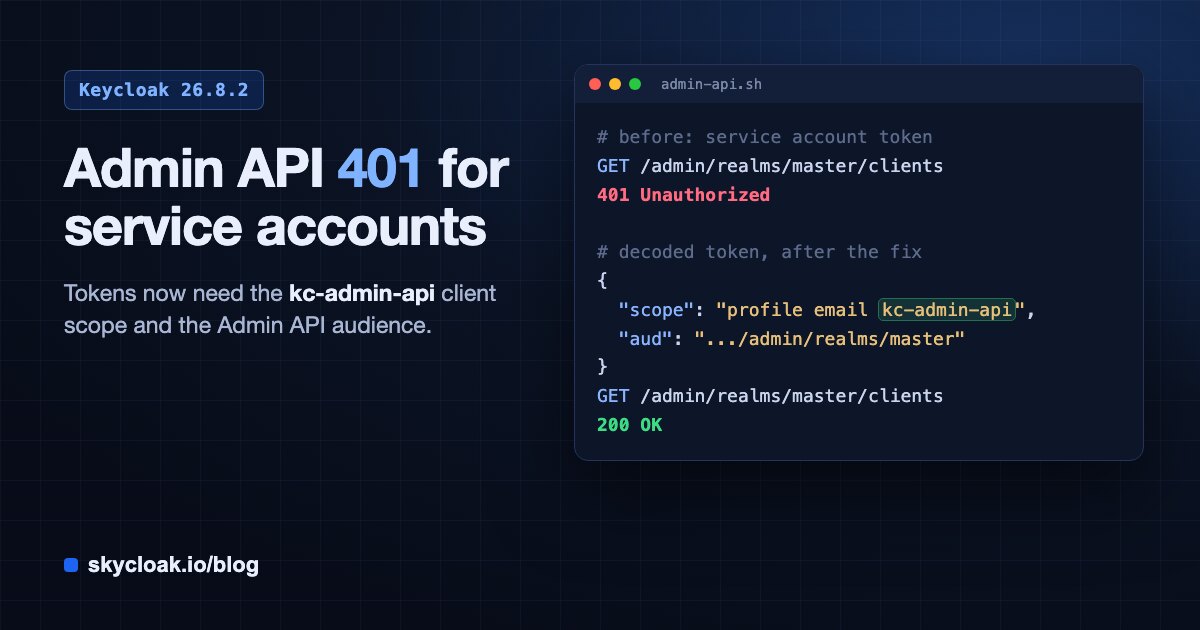
Back up your database first, because moving to 26.8 upgrades the schema. Stop all nodes before you start the new version, rather than rolling them: the old nodes can’t safely run against the new schema. If you pick 26.8.2, read the Admin API audience check before you upgrade, because it can lock out your own automation.
Do step 1 and step 2 together. The flag advertises CIMD on every realm as soon as Keycloak starts. Until the policy exists, CIMD sign-ins fail with client_not_found.
Step 2: Apply the client policy
This script needs curl and jq, and a master realm admin without OTP. KC is your base URL, including /auth if your server still uses that path. It is safe to run twice, and it keeps any other client policies you already have.
#!/usr/bin/env bash
# Set KC, REALM, KC_ADMIN_USER and KC_ADMIN_PASSWORD first.
set -euo pipefail

TOKEN=$(curl -fsS "$KC/realms/master/protocol/openid-connect/token" \
  -d grant_type=password -d client_id=admin-cli \
  --data-urlencode "username=$KC_ADMIN_USER" \
  --data-urlencode "password=$KC_ADMIN_PASSWORD" | jq -r .access_token)
api() { curl -fsS -H "Authorization: Bearer $TOKEN" -H 'Content-Type: application/json' "$@"; }
BASE="$KC/admin/realms/$REALM/client-policies"

PROFILE='{"name":"mcp-cimd","description":"MCP clients using CIMD","executors":[{"executor":"client-id-metadata-document","configuration":{
  "cimd-allow-http-scheme":false,
  "cimd-allow-permitted-domains":["claude.ai","vscode.dev","code.visualstudio.com","localhost","127.0.0.1"],
  "cimd-restrict-same-domain":false,
  "only-allow-confidential-client":false,
  "accept-public-client-with-confidential-client-only-grant":true}}]}'

POLICY='{"name":"mcp-cimd","description":"Apply mcp-cimd to trusted client IDs","enabled":true,"profiles":["mcp-cimd"],"conditions":[{"condition":"client-id-uri","configuration":{
  "is-negative-logic":false,
  "client-id-uri-scheme":["https"],
  "client-id-uri-allow-permitted-domains":["claude.ai","vscode.dev"]}}]}'

# The PUTs replace the whole list, so keep whatever is already there.
api "$BASE/profiles" | jq --argjson new "$PROFILE" '.profiles = ((.profiles // []) | map(select(.name != "mcp-cimd"))) + [$new]' \
  | api -X PUT "$BASE/profiles" -d @-
api "$BASE/policies" | jq --argjson new "$POLICY" '.policies = ((.policies // []) | map(select(.name != "mcp-cimd"))) + [$new]' \
  | api -X PUT "$BASE/policies" -d @-

echo "CIMD policy applied to $REALM"
The two lists do different jobs, and an empty list denies everything:
- Client IDs (
client-id-uri-allow-permitted-domains): which hosts may act as a CIMD client. - Everything in the document (
cimd-allow-permitted-domains): every host those documents name, including loopback callbacks and logos. VS Code’s logo is whycode.visualstudio.comis there.
Client IDs on other hosts are rejected. To add an app, read its metadata document and add its hosts to these lists.
The cluster, without the on-call
Skycloak runs real upstream Keycloak in the region you choose, and takes the upgrades, backups, certificate rotation and patching off your team. No fork, so you can export and self-host whenever you want.
Step 3: Require PKCE
This one is easy to miss. A pkce-enforcer placed in the CIMD profile has no effect, and without any policy our request with no PKCE still got a sign-in page. It needs its own policy.
You don’t have to apply it to every public client, which could break any that don’t send PKCE. Keycloak sets display.on.consent.screen=true on every client it creates from a metadata document, so a client-attributes condition can match those. Check first that none of your other clients set that attribute, because they’d be covered too. If you ran an earlier version of this post, this script also removes its realm-wide require-pkce policy. Then run this, with the same variables as step 2:
#!/usr/bin/env bash
set -euo pipefail

TOKEN=$(curl -fsS "$KC/realms/master/protocol/openid-connect/token" \
  -d grant_type=password -d client_id=admin-cli \
  --data-urlencode "username=$KC_ADMIN_USER" \
  --data-urlencode "password=$KC_ADMIN_PASSWORD" | jq -r .access_token)
api() { curl -fsS -H "Authorization: Bearer $TOKEN" -H 'Content-Type: application/json' "$@"; }
BASE="$KC/admin/realms/$REALM/client-policies"

PROFILE='{"name":"require-pkce","description":"Require PKCE with S256","executors":[{"executor":"pkce-enforcer","configuration":{"auto-configure":true}}]}'
POLICY='{"name":"require-pkce-cimd","description":"Require PKCE on CIMD clients","enabled":true,"profiles":["require-pkce"],"conditions":[{"condition":"client-attributes","configuration":{"is-negative-logic":false,"attributes":"[{\"key\":\"display.on.consent.screen\",\"value\":\"true\"}]"}}]}'

api "$BASE/profiles" | jq --argjson new "$PROFILE" '.profiles = ((.profiles // []) | map(select(.name != "require-pkce"))) + [$new]' \
  | api -X PUT "$BASE/profiles" -d @-
api "$BASE/policies" | jq --argjson new "$POLICY" '.policies = ((.policies // []) | map(select(.name != "require-pkce" and .name != "require-pkce-cimd"))) + [$new]' \
  | api -X PUT "$BASE/policies" -d @-

echo "PKCE policy applied to $REALM"
In our test, a CIMD request with no PKCE was then refused, a public client we created by hand was left alone, and Claude Code, VS Code and claude.ai’s document all still signed in.
If you keep DCR open, its clients aren’t covered, because they don’t have that attribute. A second policy with a client-updater-context condition set to ByAnonymous and the same profile sets S256 as each client registers. Clients that registered earlier need pkce.code.challenge.method set to S256 by hand.
Step 4: Check it before you connect anything
# Must print true
curl -s "$KC/realms/$REALM/.well-known/openid-configuration" | jq .client_id_metadata_document_supported

# Must print 200, the sign-in page. 400 means rejected: see "If it doesn't work" below.
curl -s -o /dev/null -w '%{http_code}\n' -G "$KC/realms/$REALM/protocol/openid-connect/auth" \
  --data-urlencode 'client_id=https://claude.ai/oauth/mcp-oauth-client-metadata' \
  --data-urlencode 'redirect_uri=https://claude.ai/api/mcp/auth_callback' \
  -d response_type=code -d scope=openid -d state=test \
  -d code_challenge=abcdefghijklmnopqrstuvwxyzabcdefghijklmnopqrs -d code_challenge_method=S256
Step 5: Connect a real client
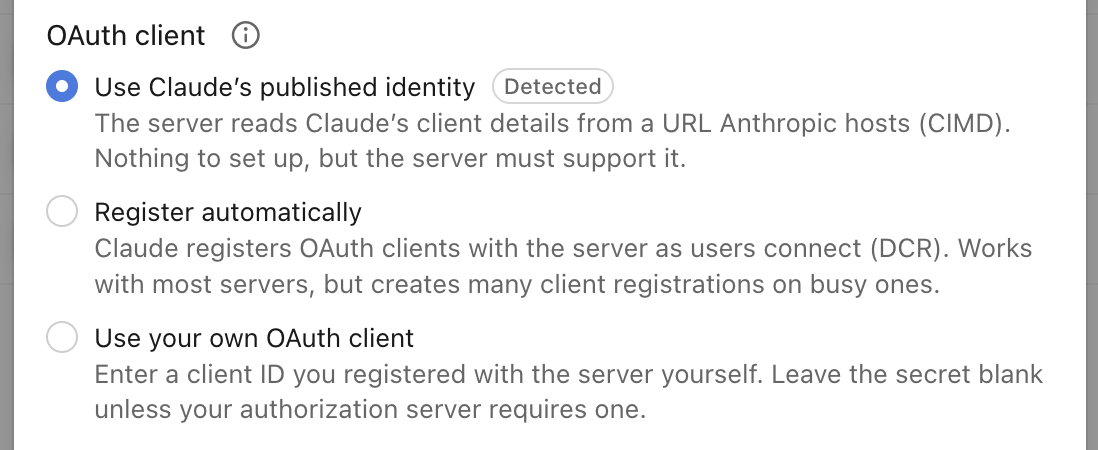
claude.ai: go to Settings, then Connectors, and add a custom connector with your MCP server’s URL. claude.ai detects CIMD and picks it by default:
Claude Code:
claude mcp add --transport http my-server https://mcp.example.comThen run /mcp and sign in. You should see a consent screen, and afterwards a tool call should work. Check the Keycloak events: LOGIN and CODE_TO_TOKEN should show the URL as the client ID, and there should be no new client with a UUID for its ID.
If it doesn’t work
| What you see | Cause | Fix |
|---|---|---|
“invalid request” page, log says JWT authorization grant cannot be enabled in a public client |
Option is off, or Keycloak is older than 26.8.0 | Upgrade, and set the option (step 2) |
Sign-in event says client_not_found |
Flag is on, but no policy matches this client ID | Run step 2, or add the host to the client ID list |
Log says not trusted domain: host = ..., event says client_not_found |
Host isn’t on the client ID list | Add it, if you trust the app |
Log says not trusted domain: host = ..., “invalid request” page |
A host in the app’s document, such as a callback or logo, isn’t on the document list | Add it, if you trust the app |
Event says invalid_redirect_uri |
The redirect isn’t in the app’s document | Compare it with the app’s redirect_uris; loopback ports may differ |
| Authorized, then “Connection issue” in claude.ai | Keycloak worked; your MCP server refused the session | Read your MCP server’s logs |
| Connected, but your server answers 401 | Tokens in our test had no aud claim |
Add an audience for your MCP server if it checks one |
What CIMD does not fix
- It is experimental. Keycloak can change it between minor versions, so retest on every upgrade.
- DCR stays open until you close it. Existing connectors can keep their old clients, and old rows don’t go away by themselves. Apps that don’t support CIMD still need DCR or a client you create for them.
- Client IDs are now URLs. Anything that filters on
azpor the client ID needs to expect that. - We only confirmed three apps. We tested Claude Code, VS Code and claude.ai. Check each other app’s documentation, or try it.
For more on the settings themselves, see our Keycloak CIMD guide and Keycloak’s MCP guide. To inspect a token from your test, use our JWT decoder. If you still rely on DCR, securing MCP servers with Keycloak DCR covers those policies.
If you’d rather not track experimental flags and breaking changes yourself, take a look at our managed Keycloak hosting.