
Last updated: June 2026
If you’ve been running self-hosted Keycloak and are wondering whether the move to managed hosting is worth the friction, this is for you. We just shipped a full redesign of our migration flow that takes your existing Keycloak instance (database, theme, custom providers, the lot) and lands it as a Skycloak-managed cluster in a single guided wizard.
This post walks through what the migration actually does, why it’s a single click instead of a runbook, and the engineering decisions we made along the way.
The problem with “just point your DNS at us”
Most managed Keycloak vendors have a migration story that’s essentially:
- Export your realms as JSON.
- Import them into our instance.
- Walk your users through a forced password reset.
This works fine if you have one realm, ten users, and no customisations. It gets painful once you have:
- Hundreds of thousands of users, where a full realm export turns into a slow, memory-heavy operation.
- A custom theme that renders your brand on every login page.
- A custom authenticator (home-IDP discovery, BCrypt, a SPI you wrote in-house).
- Live sessions you can’t ask users to re-establish during the cutover.
- Realm-level federation, group memberships, role compositions, OTP enrolments, WebAuthn registrations you’d rather not re-export entity by entity.
A realm export can carry a lot of that. A database-level migration carries all of it, in one byte-for-byte copy, with no per-entity export step to get wrong.
What we built
The new wizard takes a PostgreSQL pg_dump of your existing Keycloak database and runs it through a 6-phase pipeline:
- Validating dump: magic-byte sniff, OpenSSL header detection, encryption-key check.
- Provisioning cluster: your dedicated managed Keycloak cluster comes up.
- Restoring data: the dump is restored into your new per-tenant database.
- Applying theme: your theme ZIP is mounted on the cluster’s filesystem.
- Loading extensions: your
.jarfiles are baked into a rebuilt Keycloak image via Kaniko. - Health checks: final verification that the new cluster responds correctly.
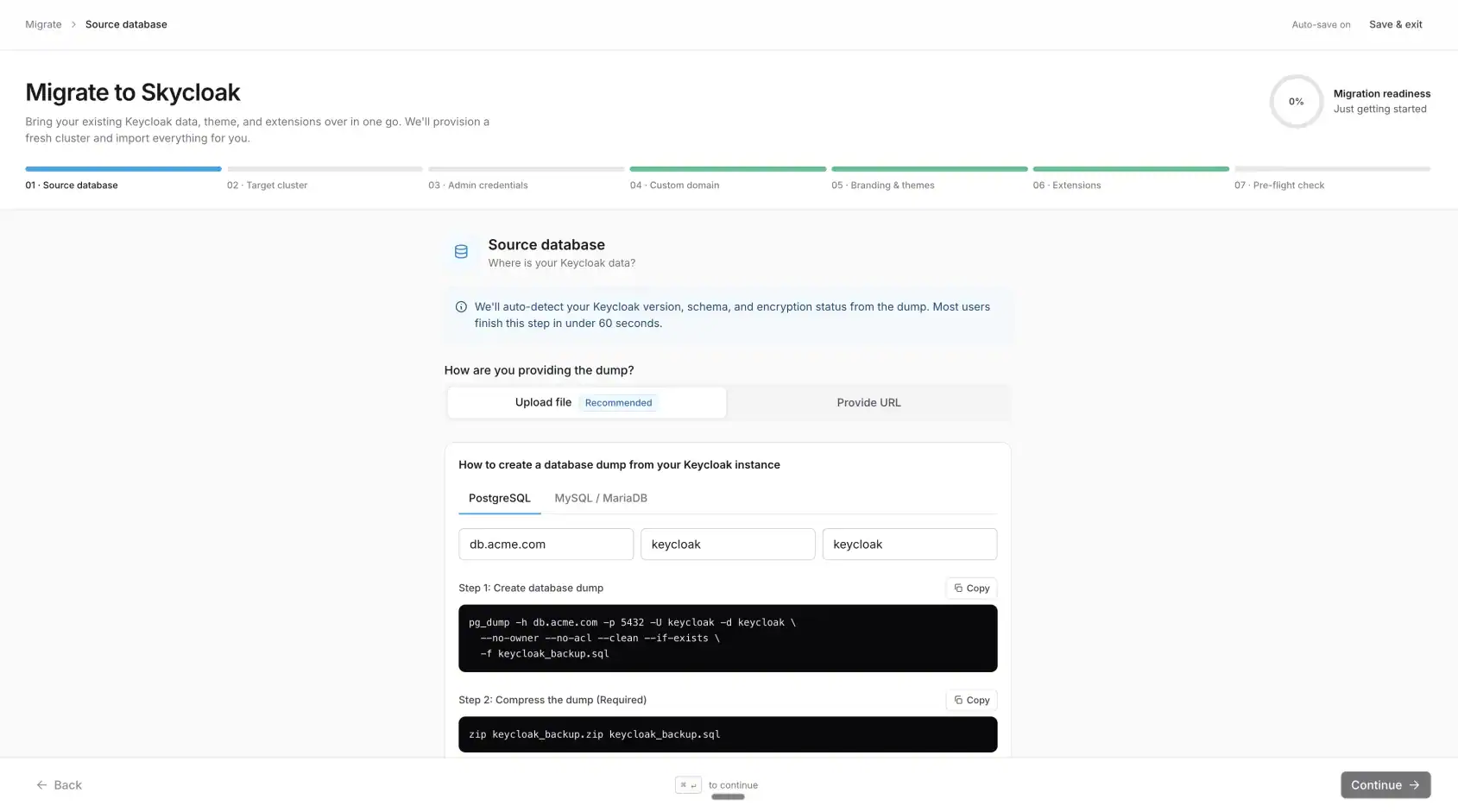
The wizard is a full-screen takeover with seven steps. Each one auto-saves as you type (debounced, no Save buttons), so if you close the tab and come back tomorrow you land exactly where you left off.
1. Source database: upload your dump via drag-and-drop, with a personalised pg_dump command you can copy straight into your terminal.
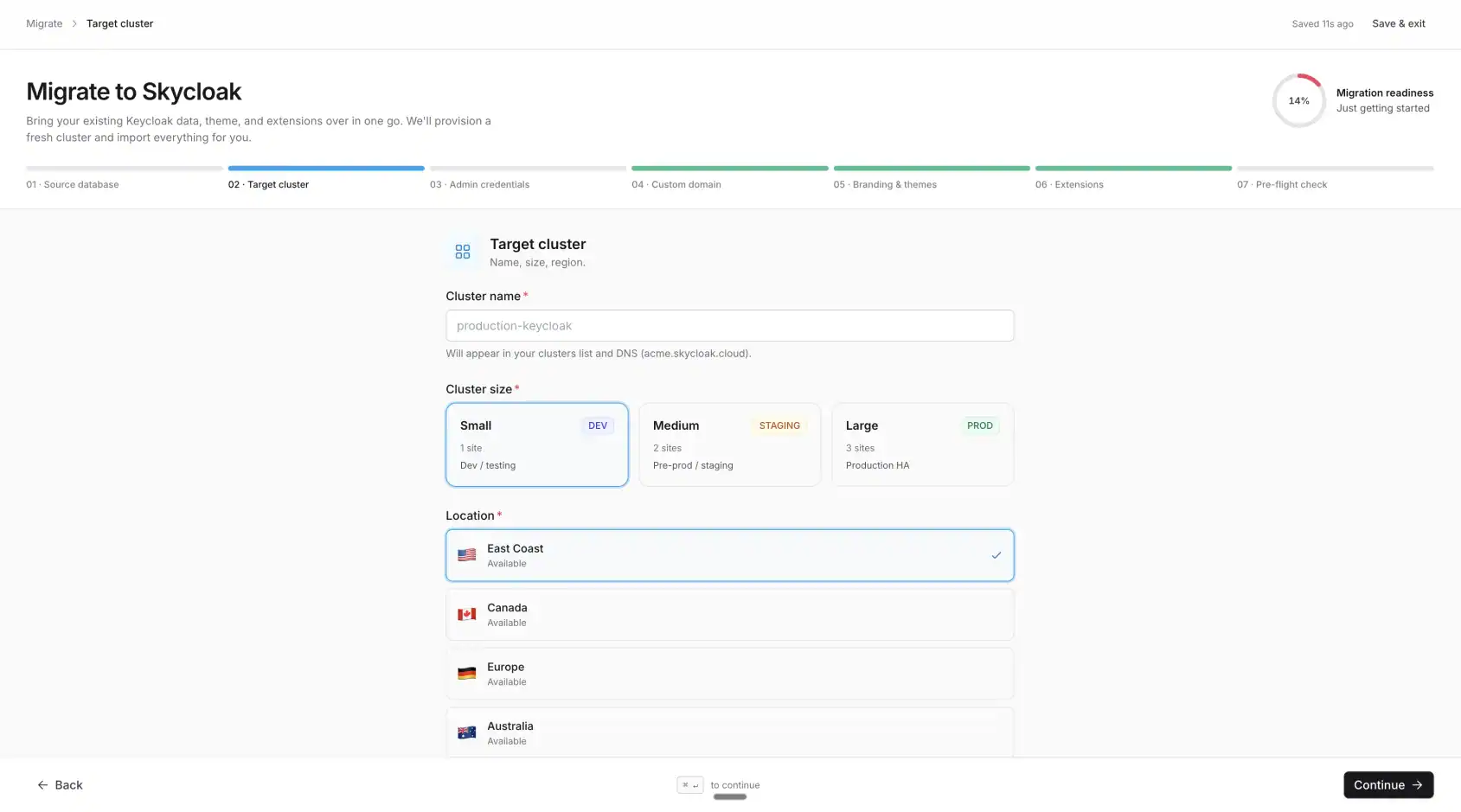
2. Target cluster: name your new managed cluster and pick its size and region.
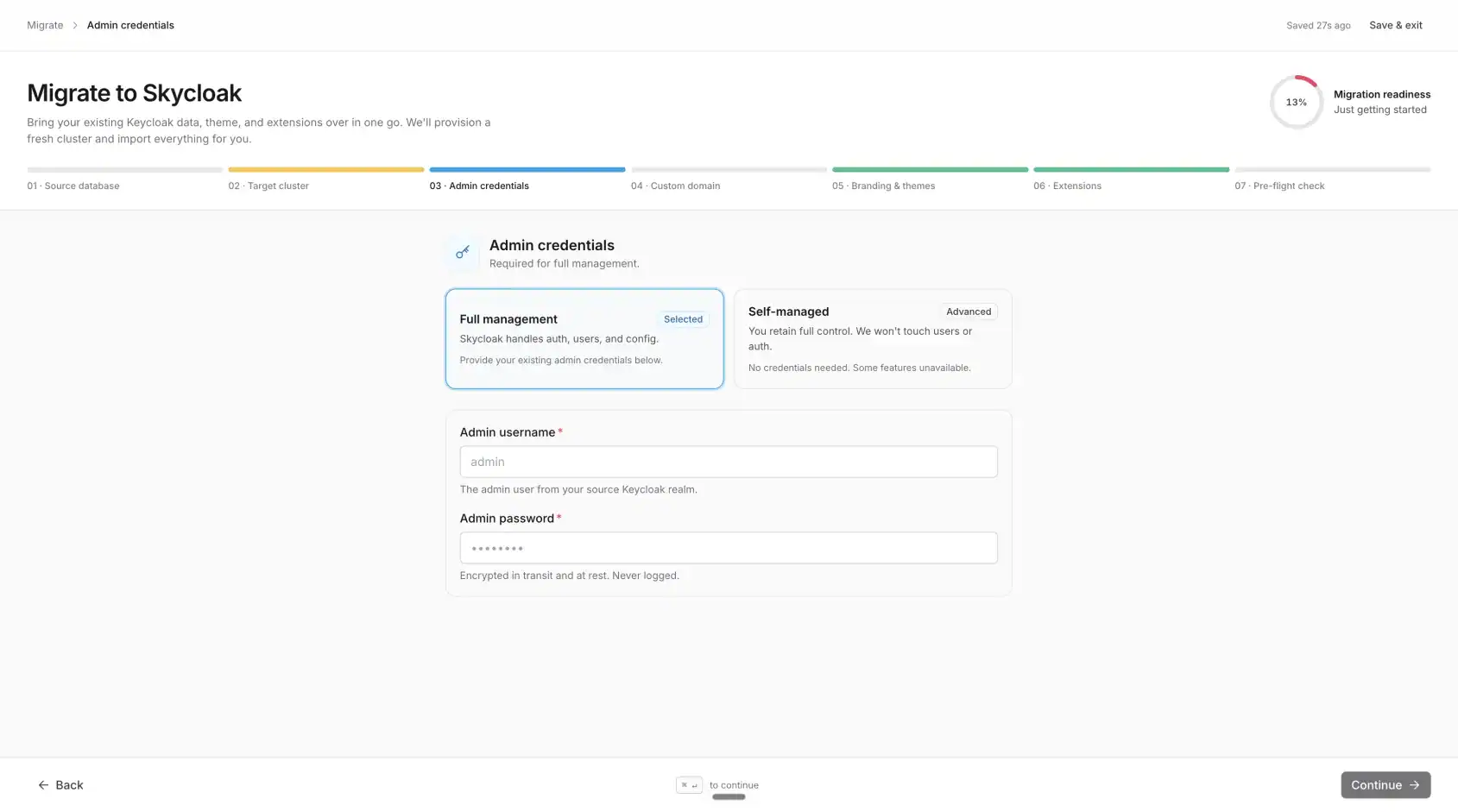
3. Admin credentials: the admin user from your source Keycloak, used to drive the post-restore configuration. This has to be the current, working username and password for that admin in your existing Keycloak, the exact credentials you use to sign in to its admin console today. The restore carries your admin user across with its existing password hash, so entering a new or mistyped password here is the single most common reason a migration stalls at the final step. If in doubt, log into your current Keycloak admin console first to confirm the password, then use those same credentials.
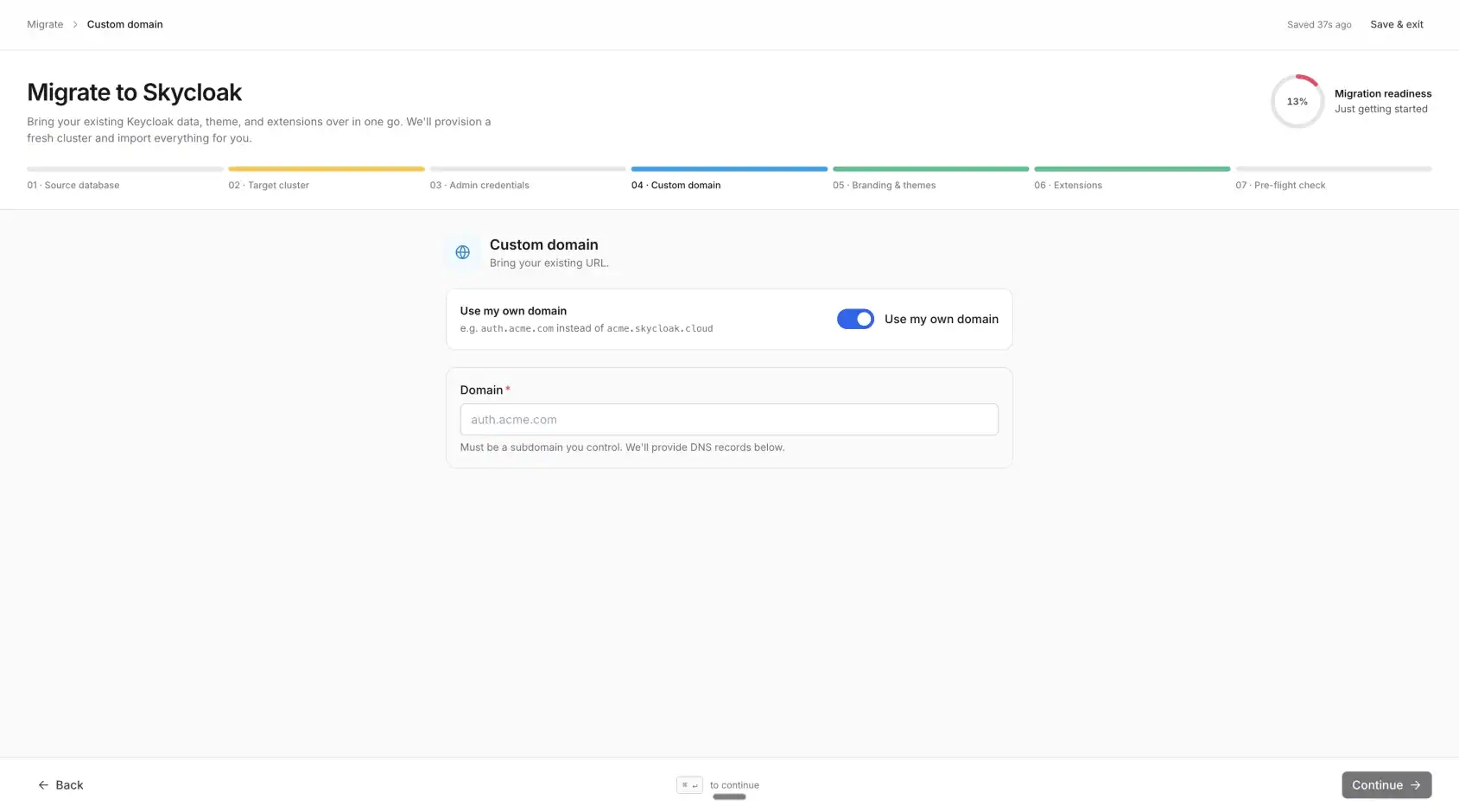
4. Custom domain: bring your existing auth.yourcompany.com; we provision the Cloudflare SSL cert and edge config.
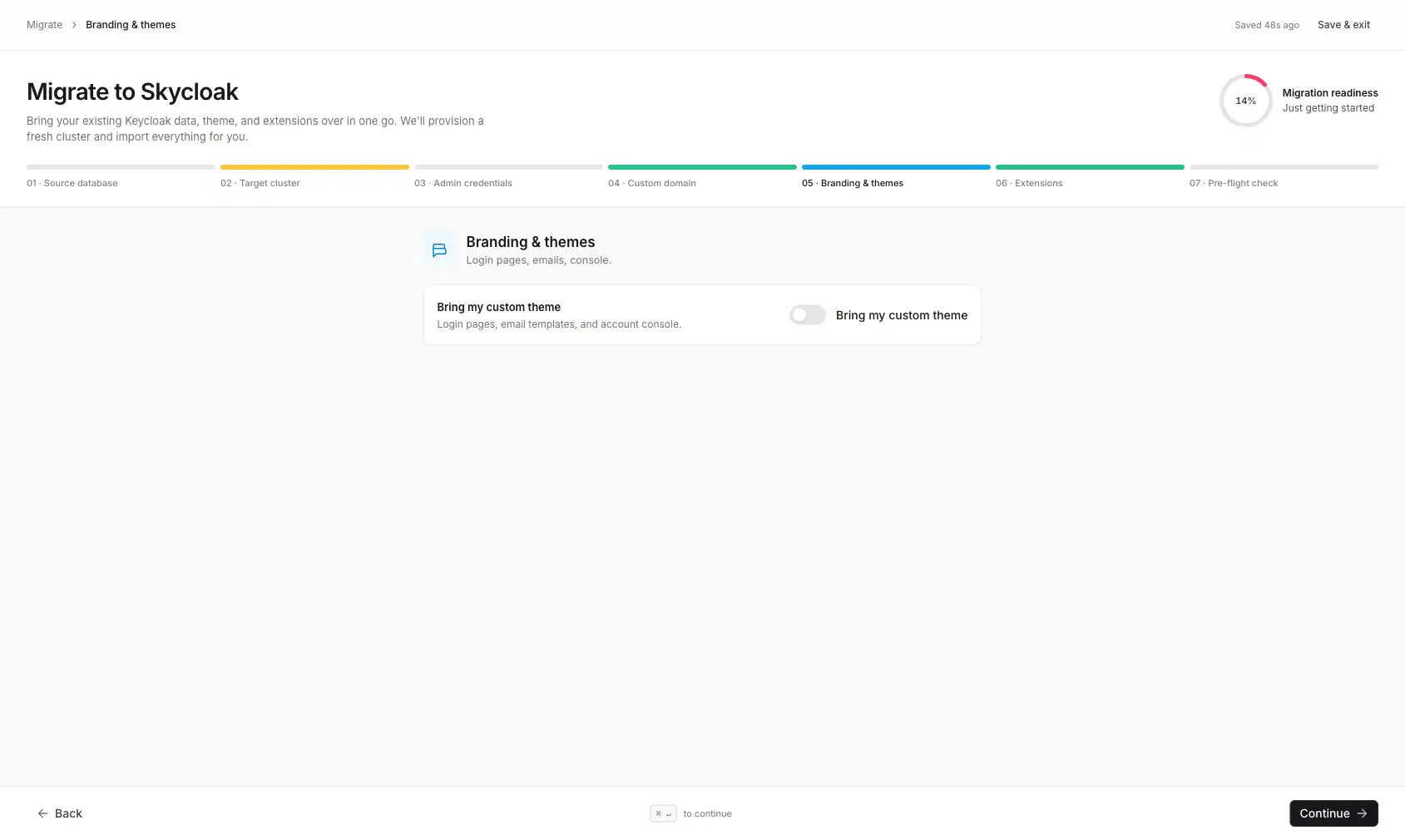
5. Branding: upload your theme ZIP.
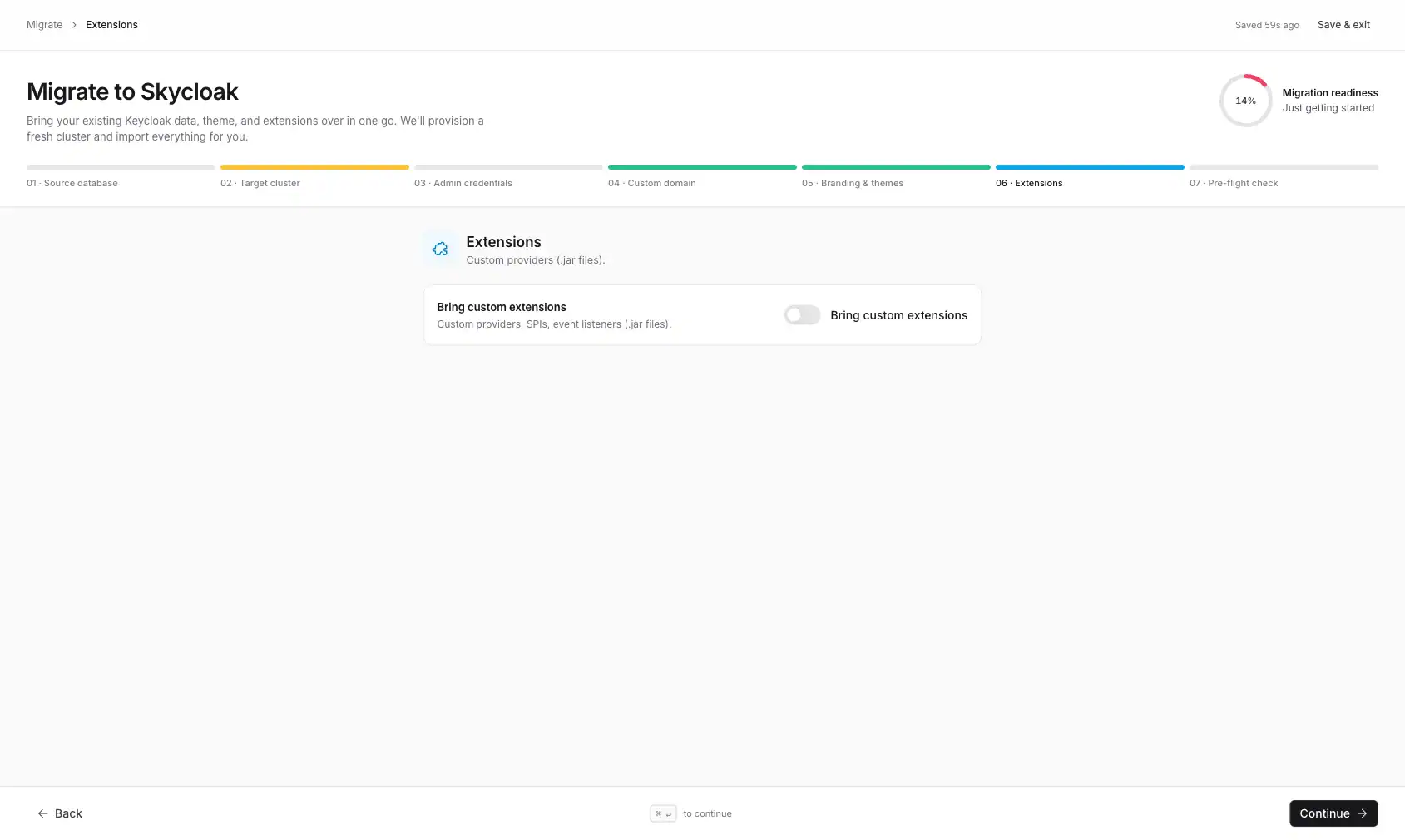
6. Extensions: upload your custom .jar files.
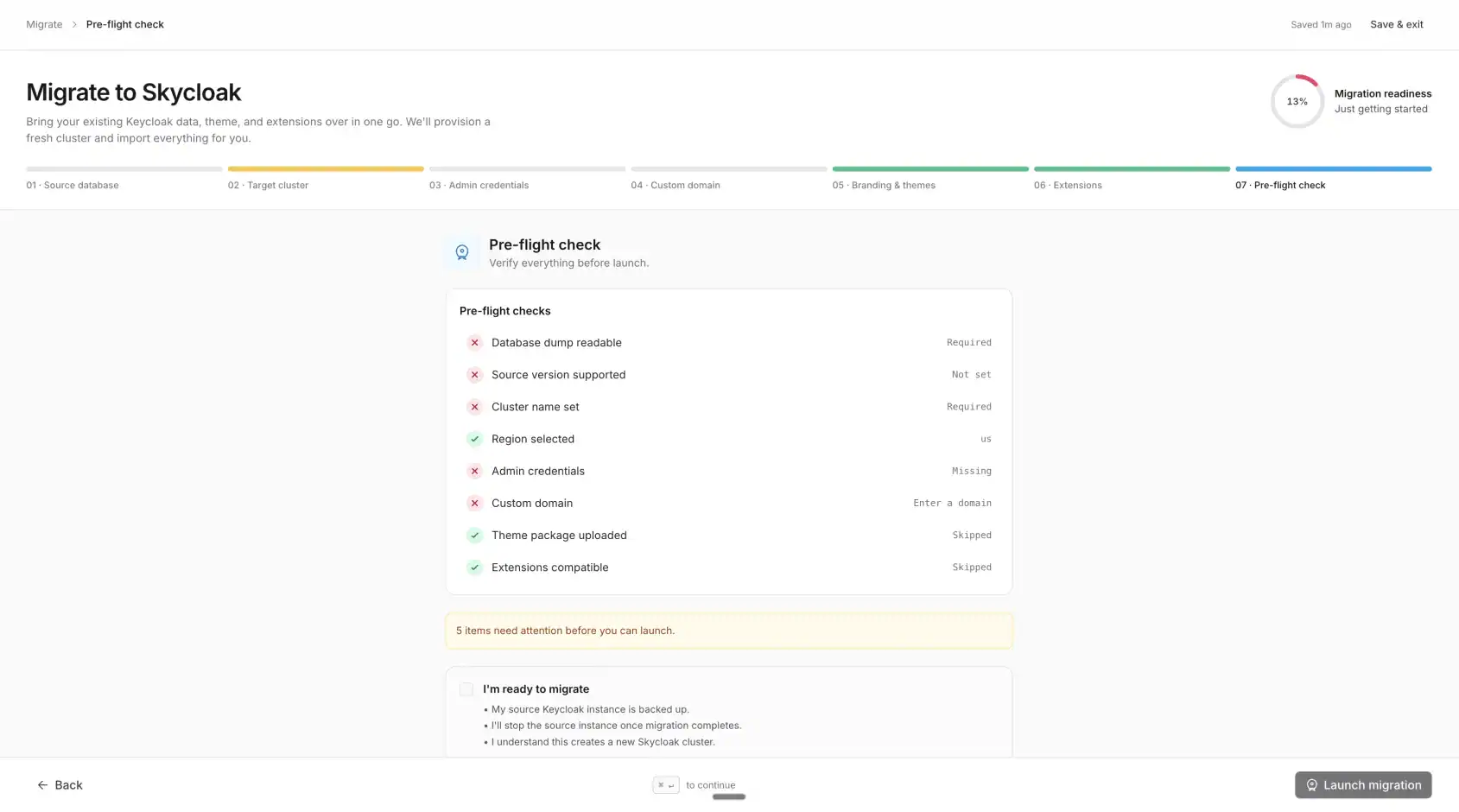
7. Pre-flight: a server-side readiness check, then Launch.
Why a database migration, not a JSON import
To be fair to Keycloak: a realm export (kc.sh export --users realm_file) is more capable than people assume. It carries password hashes, OTP and WebAuthn credentials, and federated identity links. So this isn’t a “JSON can’t do it” argument. It’s an operational one, and at scale the operations are where realm export starts to hurt:
- A full export of every user is a cold/offline operation, or a memory-heavy online one. For a large user base that means downtime, or pinning everything to a snapshot point and hoping nothing changes mid-export.
- It does not reliably carry live session state: active SSO sessions and offline tokens don’t survive the round trip.
- At hundreds of thousands of users it is slow and brittle, and a single failed entity can sink the import.
A SQL dump sidesteps all of that. It’s an exact, byte-for-byte copy of the whole database: every realm setting, every federation config, every credential, every OTP secret, with no per-entity export step that can go wrong.
The cost of going through SQL is that we need to match your source’s PostgreSQL major version on the new cluster, and we need to invoke an admin user for the operator’s post-restore tasks (which is why we ask for the source admin credentials in step 3).
The benefit is zero forced re-enrolment for your users. They keep their passwords, their MFA, their identity links.
Encryption-friendly by default
Your pg_dump can contain sensitive data. The wizard accepts:
- Plain
.sqlfiles. - Compressed
.zipfiles. - OpenSSL-encrypted
.encfiles.
When you upload an encrypted dump, we detect the Salted__ header automatically and prompt for the password, no toggle, no extra step. The encryption key never leaves your browser unencrypted; we store it server-side using AES-256-CBC and the operator’s per-tenant secret.
Custom domain on day one
We provision a Cloudflare-SaaS custom hostname for your domain the moment you click Launch, before the cluster is even up. By the time your users hit auth.yourcompany.com after you flip your DNS CNAME, the SSL cert is in place and the gateway is already accepting the hostname.
Old setups make you wait for cluster provisioning, then re-verify your domain, then issue a cert, then route traffic. We do all of that in parallel with the database restore, so the cutover is one DNS flip away from working.
Managed identity, built on open source
Skycloak runs real upstream Keycloak for you, so you get SSO, MFA and SCIM without operating the infrastructure. Unlimited users on every plan, no fork, and you can export at any time.
Themes and extensions: stage now, apply on upgrade
Custom themes and extensions are normally a Business+ plan feature on Skycloak. But during a migration, any plan can upload them. We’ll stage them in S3 and apply them automatically when your plan allows. The pragmatic rationale: people moving off self-hosted Keycloak shouldn’t have to choose between losing their brand and signing up for a higher plan on day one.
Engineering notes
A few of the more interesting things we ran into:
State-sync on partial PATCHes. The wizard’s debounced auto-save sends {source_version: "26.5.5"} when you pick a version. The first version of the backend treated a missing is_encrypted field as false (Go’s zero value) and clobbered the auto-detected encryption flag. We changed IsEncrypted to *bool so we can distinguish “not provided” from “explicitly false”.
Source-IdP carry-over. When the source Keycloak was itself Skycloak-managed, the dump contains a skycloak IdP pointing at the old instance’s issuer URL. The operator’s PUT-update path leaves the cross-instance config in place and SSO fails silently. Fix: on first reconcile after migration, force-delete the existing IdP and recreate it. Subsequent reconciles use the regular update path so we don’t unlink users on every reconcile.
Failure rollback. If something fails early, between “click Launch” and the cluster CR being created, we put the migration row back into draft=true with all your inputs intact, so the wizard finds the same row on retry with nothing lost. Failures after the cluster is up (a bad restore, or an admin step that can’t authenticate) leave the migration in a failed state you restart from rather than one that auto-resumes. Surfacing those faster and recovering from them automatically is where the flow is still improving.
Theme deploy is app-side, not operator-side. The operator handles CR-level provisioning. Themes are mounted on an EFS volume managed by our backend, which fires a deploy hook as soon as the migration reaches completion. The trigger lives on the progress page’s live event stream (the SSE connection the wizard holds open through the migration) because that’s the one signal we can rely on for migration clusters (the Kafka cluster-status event isn’t always emitted for them). The deploy is idempotent, guarded by a theme_deployed_at marker, so it fires exactly once even if the stream reconnects.
Timing in practice
We’ve run this end-to-end with dumps ranging from 50 MB to 8 GB:
| Dump size | Typical duration |
|---|---|
| < 100 MB | 3 to 5 min |
| 100 MB to 1 GB | 5 to 10 min |
| 1 to 10 GB | 10 to 30 min |
The bottleneck is pg_restore, not anything we control. For dumps over 10 GB, reach out and we’ll do a custom migration with parallel restore.
FAQ
Does migrating force my users to reset their passwords?
No. The migration restores your Keycloak database directly, which means password hashes come across exactly as they were stored. Your users sign in with the same credentials they already have. There is no forced reset, no “verify your email” detour, and no mass password-reset email to explain to your support team.
How long does a migration take?
It depends almost entirely on dump size. Under 100 MB usually finishes in 3 to 5 minutes; 100 MB to 1 GB in 5 to 10 minutes; and 1 to 10 GB in 10 to 30 minutes. The bottleneck is pg_restore. For dumps larger than 10 GB, we’ll run a custom migration with a parallel restore.
Does it preserve MFA, OTP, and WebAuthn?
Yes. Because we migrate the whole PostgreSQL database rather than a re-imported export, every OTP secret and WebAuthn registration is restored byte-for-byte. Your users keep their existing authenticator apps and security keys, so nobody has to re-enrol a second factor after the cutover. Federated identity links to external IdPs carry across too.
Can I migrate an encrypted database dump?
Yes. The wizard accepts OpenSSL-encrypted .enc files alongside plain .sql and compressed .zip dumps. We auto-detect the Salted__ header and prompt for the password, so there’s no toggle to flip. The key is stored server-side with AES-256-CBC and your operator’s per-tenant secret, never sitting in plaintext.
Do I need a paid plan to bring my themes and custom providers?
No. Custom themes and extensions are normally a Business+ feature, but any plan can upload them during a migration. We stage your theme ZIP and .jar files in S3 and apply them automatically once your plan allows it. The point is that moving off self-hosted shouldn’t cost you your brand on day one.
Ready to try?
If you’re running self-hosted Keycloak and the operational toil is starting to add up, start a free trial and click Migrate from Keycloak on the Clusters page. The wizard will walk you through it, and if anything goes sideways, support is one email away.
The full how-to guide lives in the Skycloak migration-from-Keycloak documentation.