What is identity federation?
Identity federation is an arrangement in which one system, the identity provider, checks who a user is, and other applications accept that result instead of keeping their own passwords. The applications trust the identity provider through a configured relationship, and they receive the user’s identity as a signed SAML assertion or OpenID Connect token.
A simple way to picture it is a passport. Your country issues the passport after checking who you are, and other countries let you in because they trust the issuing country and can check that the document is genuine, without ever meeting you before. Identity federation works the same way for software: the identity provider vouches for the user, and every application that trusts it accepts that vouching, so the user signs in once with an account they already have.
This matters most when users already have an account somewhere else. Employees have a company account in Microsoft Entra ID, Okta or Google Workspace, consumers have Google or GitHub accounts, and partner organizations have their own directories. Federation lets your applications accept those accounts instead of asking everyone to create and remember yet another password.
How identity federation works
Identity federation is built on a trust relationship between an identity provider (IdP) and a service provider (SP). The trust is set up ahead of time, usually by exchanging metadata such as endpoint URLs and the public keys used to sign tokens, so that at login time the service provider can verify the signature itself, using keys it already holds or fetches from the provider’s published key set, rather than asking the identity provider whether each login is genuine.
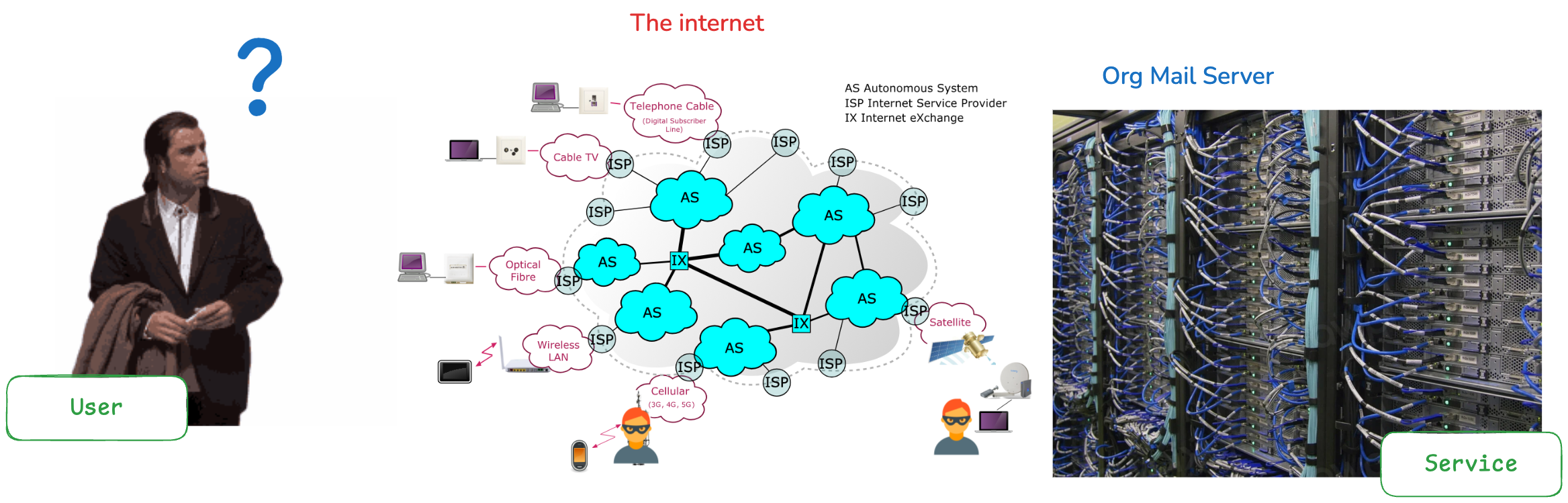
The comic below, which borrows from Men in Black, shows the three roles. The service provider asks whether the user really is who they claim to be, the user insists that they are, and the identity provider is the party that actually checks before anyone is let in.

A typical federated login runs through these steps:
- The user opens an application (the service provider) and is not yet signed in.
- The application redirects the browser to the identity provider with an authentication request.
- The identity provider asks the user to sign in, or recognizes an existing session and skips the prompt.
- The identity provider sends the browser back to the application. With SAML the browser carries the signed assertion itself; with OpenID Connect it usually carries a short-lived authorization code, which the application exchanges, server to server, for a signed ID token.
- The application checks the signature against the identity provider’s public key, reads the user’s attributes, such as email, name and groups, and starts its own session.
The user’s password never reaches the application. Only the identity provider sees it, and the application only receives the facts about the user that the identity provider chose to share.
Key components
- Identity provider (IdP): the system that authenticates the user and issues the signed statement about who they are. If you want a fuller introduction, see what an identity provider is and how it fits into SSO.
- Service provider (SP): the application the user wants to use. In OpenID Connect the same role is called the relying party, because it relies on the identity provider’s answer.
- Trust relationship: the configuration on both sides that says “I accept identities from this issuer”. It includes the issuer’s identifier, its endpoints and the certificates or keys used to verify signatures.
- Assertion or token: the signed message that carries the user’s identity from the IdP to the SP. SAML calls it an assertion, and OpenID Connect calls it an ID token.
Identity federation protocols: SAML, OpenID Connect and OAuth 2.0
Three standards come up whenever people talk about federation, and they do different jobs. The table below summarizes them.
| Protocol | What it is for | Identity format | Where you usually see it |
|---|---|---|---|
| SAML 2.0 | Authentication and attribute exchange between an IdP and an SP | XML assertion, signed | Enterprise SSO into business applications, older corporate systems |
| OpenID Connect | Authentication, built as an identity layer on top of OAuth 2.0 | JSON Web Token (ID token), signed | Modern web and mobile apps, social login, newer enterprise IdPs |
| OAuth 2.0 | Delegated authorization: letting an app call an API on a user’s behalf | Access token, format not fixed by the spec | API access; it does not identify the user on its own |
SAML (Security Assertion Markup Language) has been the default for enterprise federation for a long time, so most corporate identity providers and business applications support it. OpenID Connect is newer, uses JSON instead of XML and is easier to work with in browsers, mobile apps and APIs, which is why most new integrations choose it. OAuth 2.0 is often mentioned alongside them, but it is an authorization framework: it tells an API what an application may do, not who the user is, and OpenID Connect exists precisely to add that missing identity layer. For a deeper comparison of the two login protocols, read SAML vs OIDC: when to use each protocol.
Identity federation vs SSO, identity brokering and user federation
These terms overlap, and they are often used as if they meant the same thing. The distinction matters when you are choosing how to configure a system such as Keycloak, so here is how they relate.
| Term | What it means | Example |
|---|---|---|
| Single sign-on (SSO) | The user experience: sign in once and reach several applications without signing in again | One login gives access to the wiki, the CRM and the support desk |
| Identity federation | The trust arrangement that lets one system accept identities issued by another, often across organizations | Your SaaS product accepts sign-ins from a customer’s Entra ID tenant |
| Identity brokering | A middle layer that federates with several external IdPs and presents one issuer to your applications | Keycloak accepts Google, GitHub and a customer’s SAML IdP, then issues its own tokens to your apps |
| User federation | Reading users from an existing user store, such as LDAP or Active Directory, at login time | Keycloak checks passwords against the company’s Active Directory |
SSO is the result the user sees, and federation is one of the main ways to deliver it when accounts live in more than one place. Keycloak uses the word federation for both identity brokering and user federation, but they solve different problems. Brokering redirects the user to another identity provider, which handles the login and sends back a token, while user federation keeps the login on your own server and looks the user up in an external directory behind the scenes. If the overlap between SSO and SAML is the part that confuses you, our post on the difference between SSO and SAML covers it.
Benefits of identity federation
- Fewer passwords for users. People sign in with an account they already have, which removes a registration step and the password reuse that comes with every new account.
- Credentials stay in one place. Only the identity provider stores and checks passwords, so applications that never hold credentials cannot leak them. Policies such as multi-factor authentication (MFA, a second check such as a one-time code or a passkey) and password rules are also enforced in that one place.
- Faster offboarding. When an employee leaves, disabling their account at the corporate identity provider stops new sign-ins to every federated application, instead of someone hunting down accounts app by app.
- Easier enterprise sales. Business customers expect your product to support sign-in through their own identity provider, and federation is how you meet that requirement without managing their users’ passwords.
- Less administration. Account creation, group membership and access decisions can be driven by attributes from the identity provider, so fewer accounts need to be maintained by hand.
Talk through your identity setup with us
Book a demo and we will walk you through Skycloak with the sign-in, SSO and migration questions your team is working on.
Challenges and considerations
Federation removes a lot of work, but it introduces a few decisions you need to make carefully.
- Setup and certificate management. Each trust relationship involves endpoints, signing certificates and attribute names that both sides must agree on. Certificates expire and get rotated, so plan for metadata refresh rather than pasting a certificate once and forgetting it.
- Attribute mapping. One identity provider sends
mail, another sendsemail, and a third sends groups in a custom claim (a named field inside the token). You need to map these into the user model your applications expect. - Account linking. A user may already have a local account with the same email address as the identity they bring from an external provider. Linking them automatically can let someone take over an account if the external provider does not verify email addresses, so linking should involve a confirmation step.
- Privacy and compliance. Every attribute the identity provider shares is personal data, so share only what each application needs and make sure the transfer fits your obligations under rules such as GDPR.
- Dependence on the identity provider. If the identity provider is down, users cannot sign in through it. Keep at least one administrator account that does not depend on the external provider.
Identity federation with Keycloak
Keycloak is an open-source identity and access management server that supports both kinds of federation described above. As an identity broker, it can accept logins from social providers such as Google, GitHub and Microsoft, and from any identity provider that speaks SAML v2.0 or OpenID Connect v1.0, according to the Keycloak identity brokering documentation. As a user federation server, it can read users from LDAP and Active Directory, and you can connect any other user database by writing an extension with the User Storage SPI.
Whichever provider the user signs in with, Keycloak issues its own tokens to your applications. Your applications therefore integrate with one issuer, Keycloak, and never need to know whether a given user came from Google, a customer’s SAML IdP or your corporate directory. Adding a new identity provider later becomes a configuration change in Keycloak rather than a code change in every application.
Setting up an external identity provider in Keycloak 26
The steps below follow the current Keycloak 26.x admin console.
- Sign in to the admin console and select the realm your applications use. A realm is Keycloak’s container for one set of users, clients and settings.
- Click Identity providers in the left menu and choose the provider type: a social provider, OpenID Connect v1.0 or SAML v2.0.
- Give the provider an Alias. Keycloak uses the alias in the redirect URI (for OpenID Connect) or the service provider endpoint URL (for SAML) that you register with the external identity provider, so choose it before you configure the other side.
- Enter the external provider’s details. For OpenID Connect, paste the provider’s discovery URL (the one ending in
/.well-known/openid-configuration) so Keycloak fills in the authorization and token endpoints, then add the client ID and client secret you created at the provider. For SAML, import the provider’s entity descriptor from a URL or file, or enter the single sign-on URL and signing certificate by hand. - Register Keycloak at the external identity provider, using the redirect URI shown on the Keycloak provider page (or, for SAML, Keycloak’s service provider metadata).
- Open the provider’s Mappers tab and add mappers that copy the external claims or attributes, such as email, name or group, into Keycloak user attributes and roles.
- Review the First login flow setting. By default it points to the
first broker loginflow, which decides what happens the first time someone signs in from this provider, including how an existing account with the same email is linked.
Keycloak’s first login flow documentation is clear that automatically linking an existing local account to an external identity is a potential security hole, because you cannot always trust the information an external provider sends. The default flow asks the user to confirm the link and verify it by email or by signing in again, and it is worth keeping that behavior unless you fully trust the provider’s email verification. If you need to send users straight to one provider instead of showing a list, the kc_idp_hint parameter does that, as explained in using kc_idp_hint to choose an identity provider.
On Skycloak, external identity providers (OpenID Connect, SAML and social) can be added from the dashboard using provider templates; see the identity providers documentation and the identity providers feature page for the providers we support out of the box.
Connecting LDAP or Active Directory
For an existing corporate directory, use user federation instead of brokering. In the admin console, click User federation and add an LDAP or Kerberos provider. Keycloak looks for a user in its own database first and then checks each configured user storage provider until it finds a match, as described in the Keycloak user storage documentation. Because of that order, the documentation recommends keeping an administrator account in the local Keycloak database so you can still sign in if the directory is unreachable. Our guide to Keycloak LDAP user federation walks through the configuration, sync modes and mappers.
Cost considerations
Keycloak itself costs nothing to license, but running it yourself still costs money and time. You pay for servers, the database, monitoring and backups, and for the engineering time spent on upgrades, security patches and certificate rotation for every federated connection. Our post on the cost of self-hosting Keycloak breaks those factors down. If you would rather have someone else run it, Skycloak’s pricing shows what managed Keycloak hosting costs.
Frequently asked questions
What is the difference between identity federation and SSO?
Single sign-on is the experience of signing in once and reaching several applications. Identity federation is the trust arrangement that lets applications accept an identity issued by a separate identity provider, often one run by another organization. Federation is one of the most common ways to deliver SSO, but SSO can also exist inside a single organization without any federation between separate parties.
What is IdP federation?
IdP federation usually means connecting one identity provider to another, so that users of one can sign in to applications that trust the other. A common example is a SaaS product’s own identity provider, such as Keycloak, accepting sign-ins from each customer’s corporate identity provider. Keycloak calls this identity brokering.
What is the difference between user federation and an identity provider in Keycloak?
User federation keeps the login on Keycloak’s own login page and checks the user’s credentials against an external directory, such as LDAP or Active Directory. An identity provider configuration sends the user to another system, such as Google or a customer’s SAML IdP, which handles the login and returns a signed token to Keycloak. Use user federation for a directory you control and identity brokering for systems that have their own login.
Which protocols are used for identity federation?
SAML 2.0 and OpenID Connect are the two standards used to pass a user’s identity between an identity provider and an application. OAuth 2.0 is often mentioned alongside them, but on its own it handles authorization for APIs rather than identifying the user. Keycloak supports SAML 2.0 and OpenID Connect both for its own applications and for brokering to external identity providers.
Is identity federation secure?
Federation is generally more secure than giving every application its own password store, because credentials and policies such as MFA live in one place and responses are signed so a forged one is rejected as long as the application validates signatures. Its security depends on careful configuration: validating signatures, rotating certificates, sharing only the attributes each application needs and handling account linking with a confirmation step.
Next steps
If you are adding federation to an application, start by deciding where your users’ accounts already live. Use identity brokering for external identity providers such as Google or your customers’ corporate IdPs, and user federation for a directory you run yourself. Then put one broker such as Keycloak in front of your applications so they only ever trust a single issuer, and follow the Keycloak identity brokering documentation to configure your first provider.