JumpCloud pricing explained: plans and per user costs. JumpCloud charges per user per month. See its November 2026 list prices, what 25, 100 and 500 users pay, which features force an upgrade, and alternatives.
JumpCloud charges per user per month. It sells tiered packages that add device management, SSO, MFA and remote access as you move up, plus a la carte products you can buy one by one, with a discount for annual billing and sales quotes for its larger packages. Your real cost depends on which package your must-have features sit in, and on add-ons such as premium support.
In November 2026, the JumpCloud pricing page lists the SSO package at $11 per user per month billed annually ($13 billed monthly), Device Management at $9 ($11 monthly) and Device Identity Management at $13 ($15 monthly). The Platform Essentials, Platform and Platform Prime packages show no price and ask you to contact sales. All prices in this post are in US dollars, exclusive of VAT, as JumpCloud lists them, and they can change, so check the page before you budget.
This post works out what teams of 25, 100 and 500 users pay for the features they need, shows which features push you into a higher package, and separates JumpCloud’s device and directory work from the job of signing users into your own applications. If that second job is all you need, an infrastructure-priced option can cost less, and we show where.
What does JumpCloud cost per user in 2026?
JumpCloud sells two ways: packages, which bundle a set of features at one per-user price, and a la carte products, which you add one at a time. Its FAQ says you can “pick one of the packages based on your use case or you can choose the à la carte option” (JumpCloud pricing). The table below lists the packages as the pricing page showed them in November 2026.
| Package | What JumpCloud says it covers | Billed annually | Billed monthly |
|---|---|---|---|
| Device Management | Device management and MDM | $9 /user/month | $11 /user/month |
| SSO | SSO and MFA access to resources, plus Password Manager | $11 /user/month | $13 /user/month |
| Device Identity Management | Device management plus identity management and MFA for devices | $13 /user/month | $15 /user/month |
| Platform Essentials | Identity and device management, SSO and passwordless, 300 users maximum | Contact sales | Contact sales |
| Platform | Unified identity, device and access management, plus AI and SaaS management | Contact sales | Contact sales |
| Platform Prime | Platform plus Zero Trust, AI and SaaS management and premium support | Contact sales | Contact sales |
Source: jumpcloud.com/pricing, read in November 2026.
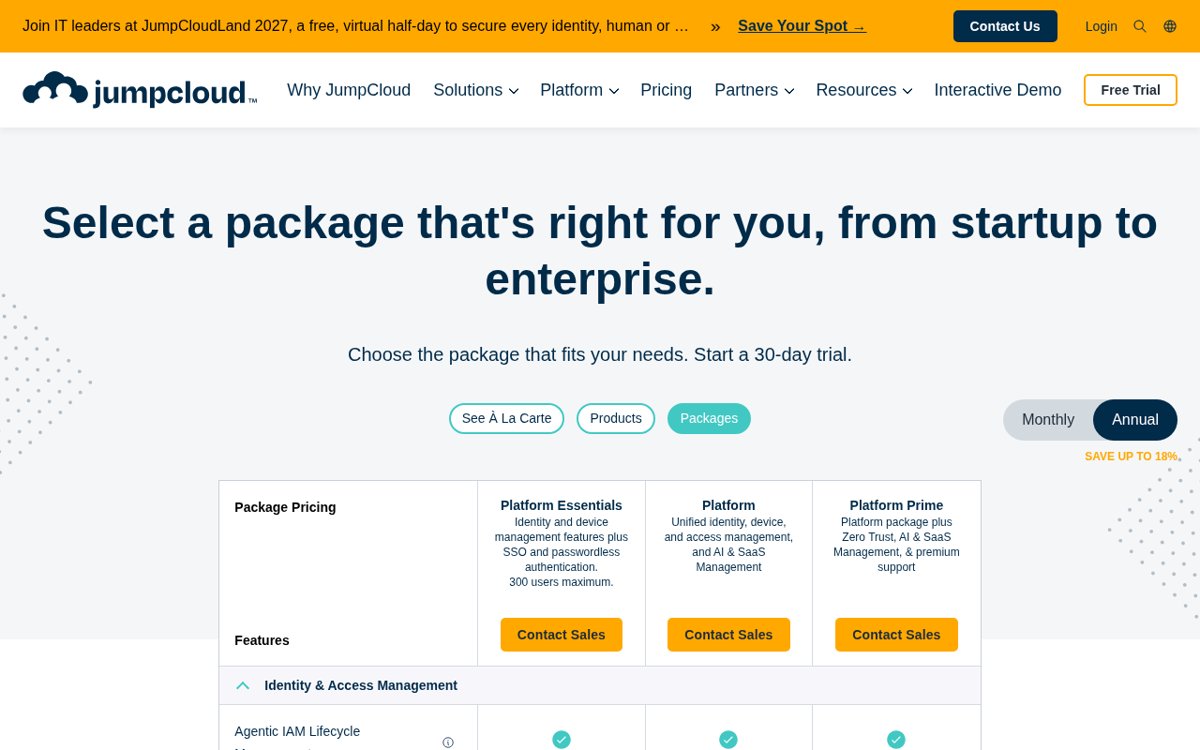
The annual price is the lower one, and the page advertises that annual billing saves “up to 18%” (JumpCloud pricing). MDM means mobile device management, the software that enrolls laptops and phones so IT can push settings, install software and lock or wipe a lost device.
In an April 2024 post, JumpCloud said its SSO package had been upgraded to include Password Manager and Directory Insights, that “JumpCloud Platform Plus has been replaced by JumpCloud Platform Prime 2024” with 24x7 premium support, and that it had introduced two new device packages, Device Identity and Device Management, the second meant “for customers who already have an existing identity provider” (JumpCloud, “New and Improved Packages”). The names on the pricing page have moved on since then, which is one more reason to date any number you take from it.
What do the a la carte products cost?
If you only need a few features, the a la carte list can cost less than a package. Most products are $3 per user per month on annual billing and $4 on monthly billing, while MDM and passwordless authentication (JumpCloud Go) are $5 and $6, and Access Requests and Access Certification are $5 either way (JumpCloud pricing). The pricing page does not label which of its two a la carte columns is annual; we read the $3 figure as the annual price because it matches the order of the package columns, so confirm it with sales.
The products at $3 a user on annual billing include Cloud Directory, MFA, SSO, User Lifecycle Management, Password Management, Cloud LDAP, Cloud RADIUS, Conditional Access, Remote Access, Patch Management and External Identity Federation (JumpCloud pricing). Cloud LDAP and Cloud RADIUS are hosted versions of two older directory protocols, used by things like Wi-Fi networks, VPNs and on-premises applications that cannot speak SAML or OpenID Connect.
Premium support is a separate line on the pricing page at $2 or $3 per user per month, and the page does not say which figure belongs to which billing term (JumpCloud pricing). Ask for the number in writing with your quote.
What does a team of 25, 100 or 500 users pay?
The tables below multiply the November 2026 list prices by your user count and by 12 months. They are list prices before any negotiated discount, partner pricing or the special education and nonprofit pricing JumpCloud offers on request (JumpCloud pricing).
Here is the yearly cost on annual billing:
| Users | SSO package ($11) | Device Identity Management ($13) | Premium support ($2 to $3) |
|---|---|---|---|
| 25 | $3,300 | $3,900 | $600 to $900 |
| 100 | $13,200 | $15,600 | $2,400 to $3,600 |
| 500 | $66,000 | $78,000 | $12,000 to $18,000 |
And here is the same on monthly billing:
| Users | SSO package ($13) | Device Identity Management ($15) |
|---|---|---|
| 25 | $3,900 | $4,500 |
| 100 | $15,600 | $18,000 |
| 500 | $78,000 | $90,000 |
A team of 500 users cannot use Platform Essentials, because that package stops at 300 users (JumpCloud pricing). If it needs the features that only the larger packages carry, its price comes from a sales quote, and the per-package figures above are the floor it starts from, not the number it will pay.
A la carte can be cheaper for a narrow need. A 100-user team that wants only SSO and MFA would pay $3 plus $3 per user per month on annual billing, which is $7,200 a year, against $13,200 for the SSO package. Ask whether your setup also needs Cloud Directory ($3) to hold the users, which brings it to $10,800, and remember that the SSO package also includes Password Manager, which a la carte prices separately.
Which features force an upgrade?
The three priced packages each cover one job well, and the moment you need two jobs at once, you move up or start adding a la carte products. These are the usual triggers:
- Device management and SSO together. The SSO package does not manage devices, and JumpCloud describes the Device Management package as being “for customers who already have an existing identity provider” (JumpCloud, “New and Improved Packages”). Wanting both usually means Device Identity Management, a Platform package, or MDM added a la carte at $5 a user.
- Passwordless sign-in. Platform Essentials lists SSO with passwordless authentication, and passwordless (JumpCloud Go) is $5 a user a la carte, more than most products (JumpCloud pricing).
- More than 300 users on a bundle. Platform Essentials has a 300-user maximum, so a growing team on it will move to Platform or Platform Prime, both sold through sales (JumpCloud pricing).
- Zero Trust and SaaS management. JumpCloud describes Platform Prime as the package that adds Zero Trust, AI and SaaS management and premium support on top of Platform (JumpCloud pricing).
What else changes the bill?
Several billing rules in JumpCloud’s own FAQ move the number on your invoice, and none of them show up in the package table:
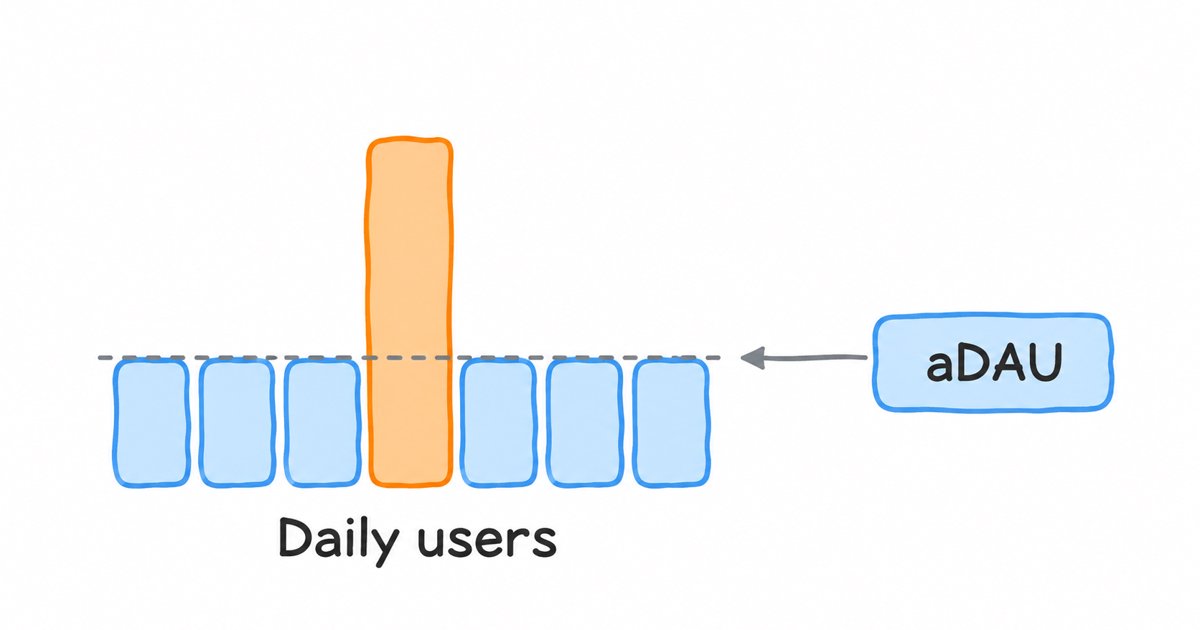
- The high-water mark. JumpCloud bills on the greatest number of users or devices in the month. On an annual contract for 30 users, a month with 34 users bills the 4 extra users at the annual rate (JumpCloud purchase FAQ).
- Suspended users still count. Suspended users stay in the system and “are billed as normal users” (JumpCloud purchase FAQ). Delete leavers, rather than suspending them, if you do not need to keep them.
- Annual is paid up front. Annual accounts are billed for the whole annual amount on the 1st of the month after purchase (JumpCloud purchase FAQ).
- Changes go through sales. Switching from monthly to annual billing, or changing plans mid-cycle, is not self-serve (JumpCloud purchase FAQ).
- Invoicing has a threshold. Invoicing is possible for accounts billing more than $2,000 a month; smaller accounts pay by card, and ACH is not offered in self-serve purchasing, so arrange it through sales (JumpCloud pricing, JumpCloud purchase FAQ).
These are the same kind of costs we describe in identity costs that show up after you sign, and they are worth putting into your model before you compare quotes.
Identity management as a service, on open source
Skycloak does what Auth0 and Okta do, SSO, MFA, SCIM, audit logs and enterprise federation, on an open source core. Unlimited users and applications on every plan, no charge per monthly active user, and you can export and self-host whenever you want.
Do you need device management, or only SSO for your apps?
JumpCloud does two different jobs, and it helps to price them separately. The first job is IT for your own staff: a directory of employees, laptops enrolled in MDM, patching, remote access and Wi-Fi sign-in through RADIUS. The second job is single sign-on, where people sign in once and reach many applications through SAML or OpenID Connect.
If your company needs the first job, you need a tool that manages devices, and Keycloak (and so Skycloak) does not do that. Keycloak is an identity and access management server, and its Server Administration Guide covers single sign-on to applications over OpenID Connect and SAML, one-time password MFA, and brokering sign-in from other identity providers.
If you only need the second job, for example SSO for the product you sell, or for internal applications your team built, then a per-user device-and-directory suite charges you for features you will not use. Keycloak’s user federation can also connect it to an existing LDAP or Active Directory server (Keycloak Server Administration Guide), which we explain in Keycloak LDAP user federation explained.
User provisioning is the other half of the SSO job. The abstract of RFC 7644 says that “The System for Cross-domain Identity Management (SCIM) specification is an HTTP-based protocol that makes managing identities in multi-domain scenarios easier to support via a standardized service”, and provisioning tools use it to create and remove accounts in other systems, so leavers lose access everywhere at once. Before you compare prices, check which package carries the provisioning you need, and read JIT provisioning vs SCIM to decide whether you need SCIM at all or whether creating users at first sign-in is enough.
How does per user pricing compare with infrastructure pricing over 3 years?
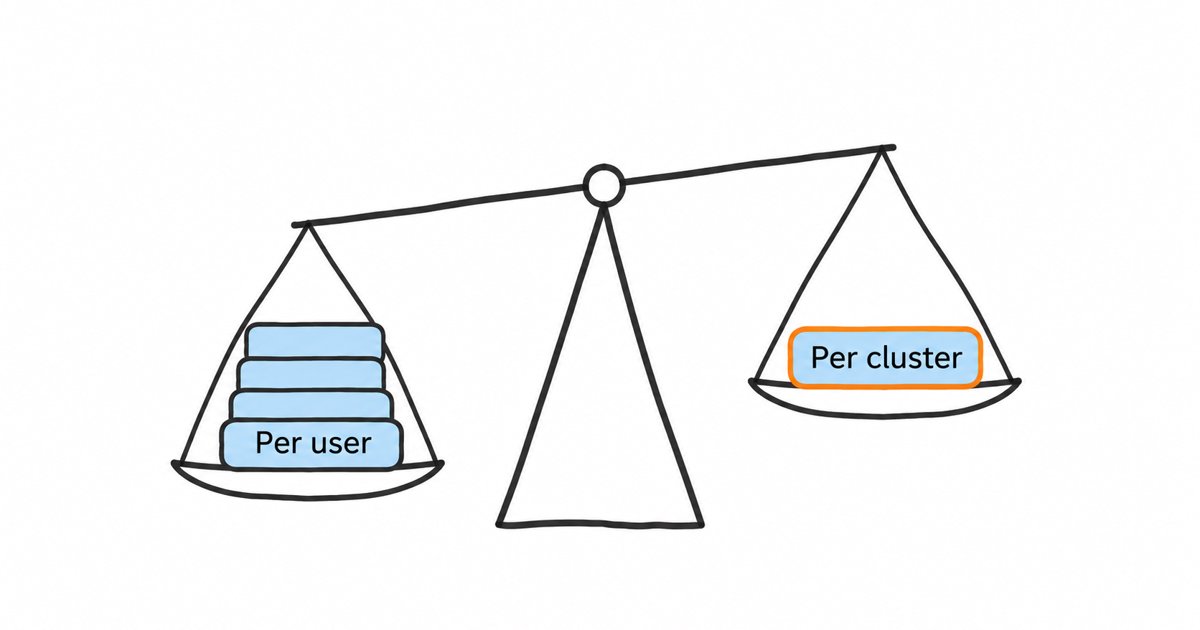
Per-user pricing grows with headcount, while infrastructure pricing grows with the servers you run. Skycloak, our managed Keycloak service, charges per cluster and includes unlimited users on every plan (Skycloak pricing). Its Developer plan is $29 a month or $278 a year, its Launch plan is $149 a month or $1,430 a year, and its Business plan, which adds a second cluster, custom themes, longer log retention and 1-hour support response, is $599 a month or $5,750 a year (Skycloak pricing).
Here are 3 years of list prices on annual billing for JumpCloud’s SSO package against those two plans:
| Users | JumpCloud SSO package, 3 years | Skycloak Launch, 3 years | Skycloak Business, 3 years |
|---|---|---|---|
| 25 | $9,900 | $4,290 | $17,250 |
| 100 | $39,600 | $4,290 | $17,250 |
| 500 | $198,000 | $4,290 | $17,250 |
This is not a like-for-like comparison, and you should read it with three caveats. JumpCloud’s SSO package includes a password manager and a cloud directory for staff, which Skycloak does not offer. Skycloak’s price depends on cluster size and add-ons, and the cluster you need depends on how many logins per second you handle, not on how many users you have registered: Keycloak’s own sizing guide says to allocate 1 vCPU “for each 15 password-based user logins per second” (Keycloak sizing guide). And neither column includes the engineering time to set up your applications, which applies to both.
At the list prices above, JumpCloud’s SSO package costs $132 per user per year, so the Launch plan’s $1,430 a year matches it at about 11 users and the Business plan’s $5,750 at about 44 users. Above those counts, the per-user bill keeps growing while the cluster price stays the same until you need a bigger cluster. We cover this effect in more detail in why per-user identity pricing can outgrow revenue.
What are the alternatives to JumpCloud, by use case?
The right alternative depends on which of JumpCloud’s jobs you actually use:
- You need device management and staff identity together. Stay with a suite that does both, JumpCloud included, and compare its Device Identity Management or Platform quote with the suite you may already pay for through your office software. Moving here saves little unless you drop a duplicate product.
- You already have an identity provider and only need devices. JumpCloud’s own Device Management package exists for this case (JumpCloud, “New and Improved Packages”), and so do dedicated MDM tools. Do not pay for SSO twice.
- You need SSO and user federation for your own applications. An open-source identity server such as Keycloak, run by your team or managed for you, removes the per-user charge. Our comparison of fully managed open-source identity providers and our list of Auth0 alternatives, open source and managed cover the options for this case.
- You need LDAP or RADIUS for older systems. JumpCloud’s Cloud LDAP and Cloud RADIUS are $3 a user each a la carte (JumpCloud pricing). Keycloak can read users from an LDAP server you run, which is a different job from serving LDAP or RADIUS to other systems, so price this need separately.
How do migration and lock-in affect the total cost?
Moving off any identity provider costs engineering time: each application needs its sign-in settings changed, users may have to enroll MFA again, and passwords can only move if the old system lets you export their hashes. That cost belongs in the total next to the subscription, because it decides how much negotiating power you have at renewal.
Before you sign a multi-year JumpCloud contract, ask what you can export (users, groups, MFA enrollments, application settings) and in which format. Keycloak is open source and stores its configuration in realm export files, so a managed Keycloak service can be moved to your own hosting later. Our identity provider exit plan has a checklist you can send to any vendor, JumpCloud included.
Frequently asked questions
Does JumpCloud have a free plan?
The pricing page offers a 30-day free trial with full functionality and premium support during the trial, and does not list a permanent free tier (JumpCloud pricing). Accounts created before February 1, 2024 can still use up to 10 users and 10 devices free (JumpCloud purchase FAQ).
Is JumpCloud billed per user or per device?
The packages are priced per user per month, and JumpCloud bills on the highest number of users or devices in the month (JumpCloud purchase FAQ). Check with sales how devices are counted in your package before you enroll shared machines.
How much is JumpCloud SSO?
The SSO package is $11 per user per month on annual billing and $13 on monthly billing, and SSO alone is $3 per user per month a la carte on annual billing (JumpCloud pricing), as of November 2026.
Why do the Platform packages have no price?
JumpCloud lists Platform Essentials, Platform and Platform Prime as “Contact Sales” (JumpCloud pricing), so their price comes from a quote. Use the per-package prices above as a lower bound, and ask for the per-user price, the support line and the overage rate separately.
Can Skycloak replace JumpCloud?
Only for single sign-on and user federation. Skycloak runs managed Keycloak, which signs users in to applications over OpenID Connect and SAML with MFA (Keycloak Server Administration Guide). The Skycloak pricing page lists Keycloak clusters and add-ons such as custom domains and a web application firewall, and no device management product, so a team that relies on device management still needs a separate tool for it.
What to do next
Write down the features you cannot do without, find the cheapest JumpCloud package or a la carte set that covers them, and multiply it by your user count with a margin for the high-water mark and premium support. Then ask JumpCloud for a quote with those lines named.
If the features on your list are SSO, MFA and federation for your own applications, you can estimate your SSO cost for managed Keycloak with the Skycloak pricing calculator and compare it with your JumpCloud quote over the same 3 years. If you would rather start from what the service includes, our managed Keycloak hosting page describes how we run it.