OAuth Authorization Code Flow With Keycloak Examples. The OAuth authorization code flow step by step: the login redirect, the code, the token exchange with PKCE, refresh and logout, as real Keycloak HTTP requests.
The OAuth authorization code flow sends the user to the authorization server to log in, returns a short-lived code to your redirect URI, and your app exchanges that code (with PKCE, plus a client secret for confidential clients) at the token endpoint for access, ID and refresh tokens. It is the recommended flow for web apps, single-page apps (SPAs) and mobile apps.
This post walks through every request in that flow as plain HTTP against a Keycloak realm: the redirect to the authorization endpoint, the callback with the code, the token exchange, a refresh and a logout. The requests follow the Keycloak 26.8 server administration guide and the endpoint list in Keycloak’s OIDC layers guide, so you can paste them against your own realm. Along the way we cover the OpenID Connect pieces you need for login (the openid scope, the ID token, nonce and the userinfo endpoint), what state and nonce each protect against, and the errors people hit most.
Key takeaways
- The grant is defined in RFC 6749, section 4.1: a front-channel redirect that returns a code, then a back-channel POST that turns the code into tokens.
- Use PKCE on every client. RFC 9700, section 2.1.1 says public clients “MUST use PKCE” and that for confidential clients it is “RECOMMENDED”, with S256 as the only method that does not expose the verifier.
- Add the
openidscope and you get OpenID Connect on top: an ID token that says who signed in, checked against thenonceyou sent (OpenID Connect Core, section 3.1.3.7).- Do not use the implicit flow. RFC 9700, section 2.1.2 says clients “SHOULD NOT use the implicit grant”, and the Keycloak guide says “We do not advise using this flow.”
How the authorization code flow works, in one picture
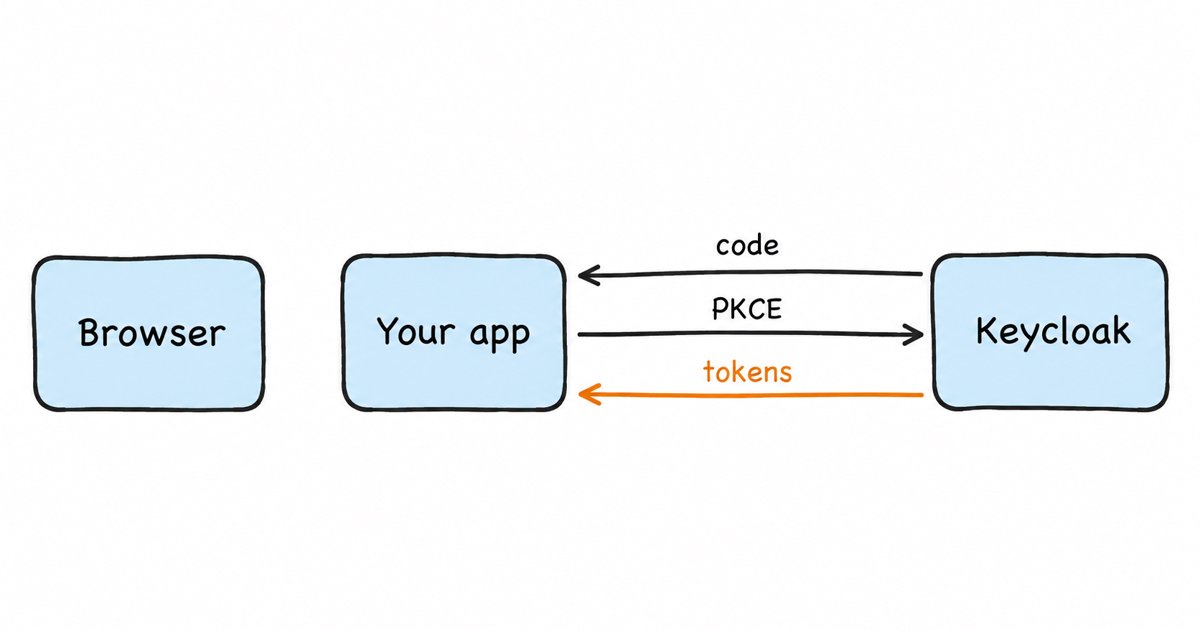
The flow has two halves. In the first half the browser carries everything: your app redirects the user to Keycloak, the user signs in there (so your app never sees the password), and Keycloak redirects back to your app with a code in the URL. In the second half your app’s backend, or the SPA itself for a public client, talks to Keycloak directly and swaps that code for tokens. Splitting it this way keeps tokens out of the browser’s address bar and history, which is the main reason the code flow replaced the implicit flow.
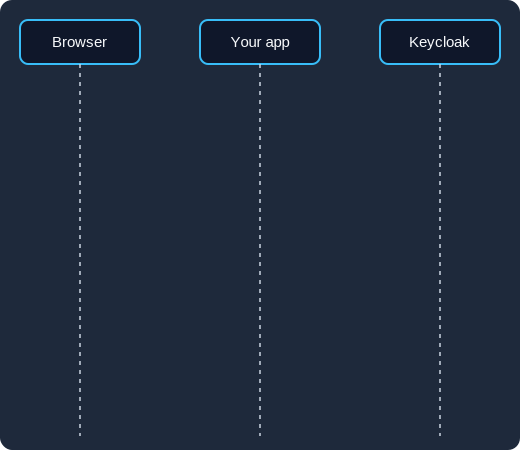
Your app redirects the browser to Keycloak with state, nonce and a PKCE challenge (1), the user signs in (2), Keycloak sends the browser back with a code and the same state (3), your app checks the state (4), posts the code and verifier to the token endpoint (5), receives access, ID and refresh tokens (6), and checks the nonce before starting the session (7).
Keycloak’s own description of the flow matches this: Keycloak “creates a one-time, short-lived, temporary code”, and “to prevent replay attacks, the temporary code cannot be used more than once” (Keycloak server administration guide). The OAuth specification asks for the same thing, recommending “a maximum authorization code lifetime of 10 minutes” (RFC 6749, section 4.1.2), and Keycloak keeps it shorter through the realm’s Client login timeout, described as “the maximum time before clients must finish the Authorization Code Flow in OIDC” (Keycloak server administration guide).
Configure the client in Keycloak first
Every request below names a client, so start by creating one in your realm under Clients, then Create client, with the client type left at OpenID Connect. These settings decide how the flow behaves, and they are on the client’s Settings tab (Keycloak: managing OpenID Connect clients).
| Setting | What to set | Why it matters |
|---|---|---|
| Client authentication | On for a server-side web app, Off for an SPA or mobile app | On makes it a confidential client that must send a secret at the token endpoint. Off makes it a public client; Keycloak notes that “it is important to restrict access by configuring correct redirect URIs” for these (Keycloak: capability config). |
| Standard flow | Enabled | “If enabled, this client can use the OIDC Authorization Code Flow” (Keycloak: capability config). Leave Implicit flow off. |
| Valid redirect URIs | The exact callback URL, for example https://app.example.com/callback |
Keycloak’s guide says “Exact (case sensitive) string matching is used to compare valid redirect URIs” and “You can use wildcards at the end of the URL pattern” (Keycloak: access settings). |
| PKCE method | S256 (in the client’s Capability config section) |
With it blank, Keycloak “does not apply PKCE unless the client sends the appropriate PKCE parameters”, so PKCE is possible but not required. The setting names the challenge method “required for this client”, so S256 makes it required (Keycloak: PKCE method). |
| Valid post logout redirect URIs | Where users land after logout | The logout request’s post_logout_redirect_uri must match one of these. |
Prefer an exact redirect URI over a wildcard. RFC 9700, section 2.1 says authorization servers “MUST utilize exact string matching” for redirect URIs, apart from the port of a localhost URI used by a native app, and Keycloak’s guide warns that the full * wildcard should not be used in production. If you are configuring a public client for the first time, our guide to creating a PKCE authorization flow client in Keycloak walks through the screens.
To find the endpoint URLs for your realm, fetch its discovery document. The examples use a realm called demo on auth.example.com:
curl https://auth.example.com/realms/demo/.well-known/openid-configurationThe paths you will use are /realms/demo/protocol/openid-connect/auth, /token, /userinfo and /logout under the same prefix, as listed in Keycloak’s endpoint reference.
Step 1: Create the PKCE pair, state and nonce
Before redirecting anyone, your app generates three random values and stores them in the user’s session (a server-side session for a web app, session storage for an SPA). Each one is used once, for this login attempt only.
code_verifier: a random string of 43 to 128 characters (RFC 7636, section 4.1). Your app keeps it secret until the token request.code_challenge: the verifier hashed and encoded asBASE64URL-ENCODE(SHA256(ASCII(code_verifier)))(RFC 7636, section 4.2). This is what goes in the URL.stateandnonce: two more random values, explained in their own section below.
Here is one way to make the pair in a shell, which is handy for testing the flow by hand:
CODE_VERIFIER=$(openssl rand -base64 60 | tr -d '\n=+/' | cut -c1-64)
CODE_CHALLENGE=$(printf '%s' "$CODE_VERIFIER" | openssl dgst -sha256 -binary | openssl base64 -A | tr '+/' '-_' | tr -d '=')
echo "$CODE_VERIFIER" "$CODE_CHALLENGE"
Step 2: Redirect the user to the authorization endpoint
Your app answers the user’s request with a redirect to Keycloak’s authorization endpoint. All parameters travel in the query string, which is why none of them can be secret. Line breaks are added here for reading:
GET /realms/demo/protocol/openid-connect/auth
    ?response_type=code
    &client_id=my-app
    &redirect_uri=https%3A%2F%2Fapp.example.com%2Fcallback
    &scope=openid%20profile%20email
    &state=af0ifjsldkj
    &nonce=n-0S6_WzA2Mj
    &code_challenge=E9Melhoa2OwvFrEMTJguCHaoeK1t8URWbuGJSstw-cM
    &code_challenge_method=S256 HTTP/1.1
Host: auth.example.com
response_type=code asks for the authorization code grant, and client_id and redirect_uri must match the client you configured (RFC 6749, section 4.1.1). The openid value in scope turns the request into an OpenID Connect authentication request, which is what makes Keycloak issue an ID token (OpenID Connect Core, section 3.1.2.1). The challenge value above, and the verifier in step 4, are the worked example from RFC 7636, appendix B.
Keycloak then shows its login page. The user signs in there, with whatever password, passkey or second factor the realm asks for, and your app is not involved until Keycloak sends the browser back.
Step 3: Receive the code at your redirect URI
After a successful login, Keycloak redirects the browser to your redirect URI with the code in the query string:
HTTP/1.1 302 Found
Location: https://app.example.com/callback
    ?state=af0ifjsldkj
    &iss=https%3A%2F%2Fauth.example.com%2Frealms%2Fdemo
    &code=a1b2c3d4-...
Your callback handler does three things before anything else. It checks that state equals the value stored for this login and rejects the request if it is missing or different. It checks iss when present, which tells you which authorization server sent the response (RFC 9207). If the URL carries error instead of code (for example access_denied when the user cancels), it shows an error page instead of trying the exchange; the error codes are listed in RFC 6749, section 4.1.2.1.
Step 4: Exchange the code at the token endpoint
Now your app calls Keycloak directly, without the browser. For a confidential client, the request carries the client secret, here in an HTTP Basic header made from the client ID and secret, which RFC 6749, section 2.3.1 requires servers to support:
POST /realms/demo/protocol/openid-connect/token HTTP/1.1
Host: auth.example.com
Content-Type: application/x-www-form-urlencoded
Authorization: Basic bXktYXBwOnNlY3JldA==

grant_type=authorization_code
&code=a1b2c3d4-...
&redirect_uri=https%3A%2F%2Fapp.example.com%2Fcallback
&code_verifier=dBjftJeZ4CVP-mB92K27uhbUJU1p1r_wW1gFWFOEjXk
A public client sends the same body with client_id=my-app added and no Authorization header. The redirect_uri must be identical to the one in step 2 (RFC 6749, section 4.1.3). Keycloak hashes the code_verifier, compares it with the challenge it stored, and refuses the request if they differ (RFC 7636, section 4.6). An attacker who copied the code from a log or a malicious app on the device cannot use it, because they never saw the verifier.
A successful response is JSON. The shape below is shortened, and the lifetimes come from your realm’s token settings:
{
  "access_token": "eyJhbGciOiJSUzI1NiIsInR5cCI6IkpXVCJ9...",
  "expires_in": 300,
  "refresh_expires_in": 1800,
  "refresh_token": "eyJhbGciOiJIUzUxMiIsInR5cCI6IkpXVCJ9...",
  "token_type": "Bearer",
  "id_token": "eyJhbGciOiJSUzI1NiIsInR5cCI6IkpXVCJ9...",
  "scope": "openid profile email"
}
Keycloak’s guide sums up this step as the application using “the authorization code along with its credentials to obtain an Access Token, Refresh Token and ID Token” (Keycloak OIDC layers guide). The access token goes to your API, the ID token tells your app who signed in, and the refresh token gets new tokens later. Our posts on ID tokens vs access tokens and access tokens vs refresh tokens explain what each one is for and who should read it.
Why PKCE is the default for every client
PKCE (Proof Key for Code Exchange, pronounced “pixie”) was first written for mobile apps that cannot keep a secret, but current guidance applies it everywhere. RFC 9700, section 2.1.1 says public clients “MUST use PKCE”, says it is “RECOMMENDED” for confidential clients because it protects against “misuse and injection of authorization codes”, and adds that “this advice applies to all kinds of OAuth clients, including web applications.” A client secret proves which app is calling the token endpoint, but it does not prove that the code came from the login that same browser started, and PKCE does.
In Keycloak, the client’s PKCE method setting names the challenge method “required for this client”, while left blank PKCE “is still possible to use, but it is not required”, so set it to S256 to require it rather than merely accept it (Keycloak: PKCE method). We cover the client setup screen by screen in our PKCE client guide, so this post does not repeat it.
Identity management as a service, on open source
Skycloak is a managed identity platform in the same category as Auth0 or Okta, built on real upstream Keycloak. You get SSO, MFA, SCIM and audit logs without running the servers, and you can export and self-host whenever you want.
What state and nonce each protect against
People often mix these two up because both are random values you send and check later. They stop different attacks and are checked at different points.
state stops cross-site request forgery (CSRF) on your callback. Without it, an attacker could start a login with their own account, take the code, and trick your user’s browser into visiting your callback with it, so your user ends up signed in to the attacker’s account. OpenID Connect Core describes state as an “opaque value used to maintain state between the request and the callback” and says CSRF mitigation is usually done by “cryptographically binding the value of this parameter with a browser cookie” (OpenID Connect Core, section 3.1.2.1). To validate it, store the value in the user’s session before the redirect, compare it exactly in the callback, and delete it after one use.
nonce ties the ID token to this login and stops replay. The specification defines it as a value “used to associate a Client session with an ID Token, and to mitigate replay attacks” (OpenID Connect Core, section 3.1.2.1). Keycloak puts it in the ID token (and, since Keycloak 25.0.0, only in the ID token, per the Keycloak 25.0.0 upgrade notes), and the ID token validation rules say that if you sent one, “a nonce Claim MUST be present and its value checked” against what you sent (OpenID Connect Core, section 3.1.3.7). The same section lists the other checks: the iss claim matches your realm’s issuer, aud contains your client ID, the signature is valid against the realm’s keys, and the token has not expired.
PKCE overlaps with both. RFC 9700, section 2.1 says clients that know the server supports PKCE “MAY rely on the CSRF protection provided by PKCE”, and that in OpenID Connect flows “the nonce parameter provides CSRF protection.” Sending all three costs nothing, and most OIDC client libraries do it for you. For a longer comparison, see our post on what a nonce is, and how it differs from state and PKCE.
Step 5: Call the userinfo endpoint (optional)
The ID token usually carries the claims you need, but OpenID Connect also defines a userinfo endpoint that returns claims about the signed-in user when called with the access token (OpenID Connect Core, section 5.3):
GET /realms/demo/protocol/openid-connect/userinfo HTTP/1.1
Host: auth.example.com
Authorization: Bearer eyJhbGciOiJSUzI1NiIsInR5cCI6IkpXVCJ9...
{
"sub": "f1c3a3b2-...",
"email_verified": true,
"preferred_username": "jane",
"email": "jane@example.com"
}Which claims appear depends on the scopes the client requested and the client scopes assigned to it in Keycloak. Before you trust the response, check that its sub matches the sub in the ID token: the specification says that “if they do not match, the UserInfo Response values MUST NOT be used” (OpenID Connect Core, section 5.3.2).
Step 6: Refresh the access token
When the access token expires, your app uses the refresh token instead of sending the user back to the login page:
POST /realms/demo/protocol/openid-connect/token HTTP/1.1
Host: auth.example.com
Content-Type: application/x-www-form-urlencoded
Authorization: Basic bXktYXBwOnNlY3JldA==

grant_type=refresh_token
&refresh_token=eyJhbGciOiJIUzUxMiIsInR5cCI6IkpXVCJ9...
The request is defined in RFC 6749, section 6, and a public client again sends client_id in the body instead of the header. Always store the refresh token from the newest response and drop the old one. Keycloak’s realm setting Revoke Refresh Token turns on refresh token rotation, so that already used refresh tokens are no longer valid (Keycloak: refresh token rotation): “When Enabled, Keycloak revokes refresh tokens and issues another token that the client must use” (Keycloak: timeouts). For public clients, RFC 9700, section 2.2.2 says refresh tokens “MUST be sender-constrained or use refresh token rotation”, so turn that setting on if your SPA or mobile app holds refresh tokens.
Step 7: Log out
Clearing your app’s own session does not end the user’s Keycloak session, so the next login would succeed without a password. To sign the user out of Keycloak too, redirect the browser to the logout endpoint:
GET /realms/demo/protocol/openid-connect/logout
    ?id_token_hint=eyJhbGciOiJSUzI1NiIsInR5cCI6IkpXVCJ9...
    &post_logout_redirect_uri=https%3A%2F%2Fapp.example.com%2F HTTP/1.1
Host: auth.example.com
Keycloak’s guide explains that you “need to include either the client_id or id_token_hint parameter in case the post_logout_redirect_uri is included”, that the URI must match one of the client’s Valid Post Logout Redirect URIs, and that the user “might be optionally requested to confirm the logout in case the id_token_hint parameter was not used” (Keycloak: RP-initiated logout). Sending id_token_hint gives the smoothest logout.
Common errors and how to fix them
Most failures in this flow come down to a value that does not match between two requests. These are the ones we see most often.
invalid_grantat the token endpoint. RFC 6749 uses this error when the grant “is invalid, expired, revoked, does not match the redirection URI used in the authorization request, or was issued to another client” (RFC 6749, section 5.2). In practice it means the code expired, was already used (a double-mounted React component is a classic cause), theredirect_uridiffers from step 2, or thecode_verifierdoes not match the challenge. Our Keycloak invalid_grant troubleshooting guide goes through each cause with the matching Keycloak log line.- “Invalid parameter: redirect_uri” on Keycloak’s error page. The
redirect_uriin step 2 does not exactly match any of the client’s Valid Redirect URIs. Trailing slashes,httpinstead ofhttpsbehind a reverse proxy and wrong ports are the usual causes, and our redirect URI mismatch guide covers how to find which one you have. - Keycloak refuses the login request for a client that should work. Check that the client’s Standard flow switch is on under Capability config, since only then “this client can use the OIDC Authorization Code Flow” (Keycloak: managing OpenID Connect clients).
invalid_clientat the token endpoint. RFC 6749 uses this error when “Client authentication failed” (RFC 6749, section 5.2). Usually the app sent no secret or the wrong one, or Client authentication is on in Keycloak while the app is written as a public client. Check that the client type in Keycloak matches how your app authenticates.- The ID token’s nonce does not match. Your app lost or overwrote the stored nonce, often because two logins started in separate tabs share one session slot. Key stored values by
stateso each login attempt keeps its own.
When to pick another flow instead
The authorization code flow needs a browser and a user who can type into it. Two common cases do not fit that, and each has its own grant.
- No browser on the device, but a user is present. A smart TV, a CLI tool or an IoT device should use the device authorization grant, where the user signs in on their phone or laptop. Our post on the OAuth device flow for IoT and CLI tools with Keycloak shows the requests.
- No user at all. A backend job or one service calling another should use the client credentials grant, enabled in Keycloak with the client’s Service account roles switch. See machine-to-machine authentication with Keycloak.
The implicit flow and the password grant (called Direct access grants in Keycloak) are not on this list on purpose. Keycloak’s OIDC guide notes that, per RFC 9700, the implicit flow “SHOULD NOT be used” and the password grant “MUST NOT be used” (Keycloak OIDC layers guide). For a broader comparison of the flows, see choosing the best authorization flows for your app.
Frequently asked questions
What is the OAuth authorization code flow?
It is the OAuth 2.0 grant in which the user signs in at the authorization server, the server redirects back to your app with a short-lived code, and your app exchanges the code at the token endpoint for tokens (RFC 6749, section 4.1). With the openid scope added, it is also the standard OpenID Connect login flow and returns an ID token.
Is the authorization code flow with PKCE only for public clients?
No. PKCE is required for public clients and recommended for confidential ones, because it binds the code to the browser session that started the login (RFC 9700, section 2.1.1). A server-side app should send both its client secret and a PKCE verifier.
How long is a Keycloak authorization code valid?
Keycloak controls it with the realm’s Client login timeout, “the maximum time before clients must finish the Authorization Code Flow in OIDC”, and a code works only once (Keycloak server administration guide). Exchange the code as soon as your callback receives it.
Should an SPA use the authorization code flow?
Yes. An SPA should use the authorization code flow with PKCE as a public client, with Client authentication off and an exact redirect URI. Keycloak’s guide says “HTML5/JavaScript clients have to be public clients because there is no way to securely transmit the client secret” to them (Keycloak server administration guide).
Next steps
Create a client with Standard flow on, an exact redirect URI and the PKCE method set to S256, then run the requests above in order: the redirect, the callback, the token exchange, a refresh and a logout. Paste the tokens into our JWT Decoder to check iss, aud and nonce before you write the validation code. If you would rather not run the Keycloak servers yourself, you can create a managed Keycloak cluster on Skycloak and point these requests at your own realm there.