What Is EASIE SSO and Which Identity Providers Support It. EASIE SSO reuses Google Workspace and Microsoft Entra ID sign-in, trusting the hd or tid claim, so customers get SSO with no per-customer SAML setup to run.
EASIE is a lightweight enterprise SSO approach that reuses the OpenID Connect sign-in Google Workspace and Microsoft Entra ID already offer. Your app reads the organization claim in the ID token (Google’s hd, Microsoft’s tid) to tie each user to their company, so there is no per-customer SAML or OIDC connection to set up. Today only Google and Microsoft qualify, and EASIE gives you no directory sync, so it works best as an on-ramp before a customer asks for SAML and SCIM.
If a customer has just asked you for “SSO” and you were dreading a SAML setup call, EASIE is worth understanding. This post explains which claims it depends on and how to validate them, why other identity providers are missing, the security mistakes to avoid, and how to run the same pattern on Keycloak.
What is EASIE SSO?
The EASIE specification describes itself as “easy and secure identity for the enterprise”, and its credits section calls it “a small extension to the secure, robust, and widely-adopted OpenID specifications” and says “The EASIE SSO specification was created by Clerk, which builds developer tools for authentication.” Clerk’s own explainer describes it as “an open specification authored and maintained by Clerk that extends OpenID Connect”, and not an official standard from the IETF, OASIS or the OpenID Foundation.
The idea is simple. Classic enterprise SSO means one connection per customer: you exchange SAML metadata or OIDC client credentials with each customer’s IT team (for more on that workload, see our post on how many customer SSO setups your team can support). Google and Microsoft both run a multi-tenant OpenID Connect provider, which means one shared login endpoint and one client registration that works for every company on their platform. EASIE uses that shared sign-in and then decides which customer a user belongs to from a claim in the ID token (the signed JSON token the provider returns after login, defined in OpenID Connect Core).
On top of the sign-in, the spec adds four rules:
- Verify the enterprise at setup. The app must verify the customer’s email domain and which identity provider they use, usually with someone in their IT team.
- Provision just in time. An account is created the first time a user from that domain signs in.
- Force SSO for the domain. Once a domain is enrolled, every user on it must sign in through the identity provider, and bypasses such as “forgot password” are blocked.
- Detect deprovisioning by polling. The app checks with the provider whether a user is still active, within 10 minutes for an active session according to the spec.
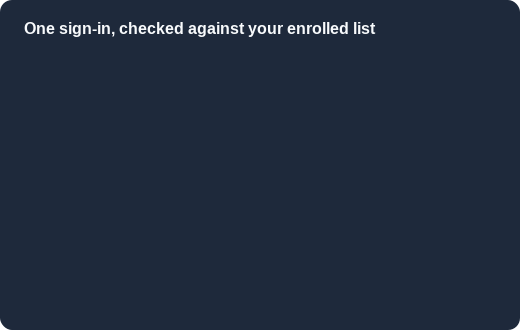
The user signs in at Google’s or Microsoft’s shared endpoint, the ID token carries hd or tid with xms_edov, your app compares that claim with the domains and tenants it has enrolled, and only a match lands in that customer’s organization.
Which ID token claims does EASIE rely on?
For Google, the claim is hd (hosted domain). Google’s OpenID Connect guide says it is “Provided only if the user belongs to a Google Cloud organization”, and that “You must check this claim when restricting access to a resource to only members of certain domains.” When hd is absent, the account does not belong to a hosted domain, so a personal Gmail account never matches. Google also offers an hd request parameter, but its description of that parameter says “Don’t rely on this UI optimization to control who can access your app, as client-side requests can be modified”, and “Be sure to validate that the returned ID token has an hd claim value that matches what you expect”.
For Microsoft, the tenant comes from tid, the ID of the Entra tenant that signed the user in. The ID token claims reference notes that personal Microsoft accounts all carry the tenant 9188040d-6c67-4c5b-b112-36a304b66dad, and it says your app should use the tenant part of iss to restrict which tenants can sign in. The tid or issuer check is Microsoft’s own guidance; for Microsoft, the EASIE spec itself names only the xms_edov claim, which must be true. Microsoft’s optional claims reference describes xms_edov as a boolean “indicating whether the user’s email domain owner has been verified”, and adds that “For this claim to be returned in the token, the presence of the email claim is required.” Together they tell you the user comes from a known tenant and that the tenant has proved it owns the email domain.
What security mistakes should you avoid?
The most common mistake is trusting the email address. Matching @acme.com in the email claim is not the same as checking hd or tid, and Microsoft’s optional claims reference says the email value “isn’t guaranteed to be correct, and is mutable over time”, so you should never use it for authorization. Key the user on the provider’s stable identifier instead: Microsoft recommends oid or sub in its claims reference.
The second mistake is a multi-tenant Entra app that accepts any tenant. Microsoft’s guide to multi-tenant apps describes the /common endpoint as one “that serves across all Microsoft Entra tenants”, and /organizations as the endpoint for “any organizational directory”, so signing users in through either lets any Entra tenant complete the login. The same guide says these apps “must perform more checks when validating a token”, including “the usual check that the iss claim in the token contains the tenant ID (tid) claim”. If your app skips the tid check, a stranger with their own Entra tenant gets an account, and the EASIE spec’s security section names this tenant crossover risk directly.
The third mistake is skipping verification at setup. A claim only proves which tenant or domain the user came from, so your app has to be sure, before enrollment, that the person asking you to enroll acme.com really speaks for Acme.
Why do only Google and Microsoft support it?
EASIE needs a multi-tenant OIDC provider with one shared issuer that many companies sign in through. The spec says this “currently excludes many popular providers, including Okta and Rippling”. Clerk’s provider comparison explains why: “Each Okta, Ping, OneLogin, or JumpCloud customer gets its own issuer, endpoints, and credentials, so there’s no shared multi-tenant endpoint to enroll a domain against.” For those customers you are back to one connection each.
Identity management as a service, on open source
Skycloak does what Auth0 and Okta do, SSO, MFA, SCIM, audit logs and enterprise federation, on an open source core. Unlimited users and applications on every plan, no charge per monthly active user, and you can export and self-host whenever you want.
When is EASIE enough, and when does a customer still demand SAML?
EASIE is enough when the customer runs Google Workspace or Entra ID, wants their staff to sign in with company accounts, and does not require more than that. It covers many early enterprise deals, where the real request is “no separate passwords for our people”.
It stops being enough in a few cases:
- The customer uses Okta, Ping or another single-tenant provider, which EASIE cannot reach.
- The security team wants to control the connection, for example to assign the app to specific groups or apply their own sign-in policies through a dedicated app registration. For a related read, see our guide on how to choose an SSO provider for B2B SaaS.
- The questionnaire asks for automated deprovisioning. The spec admits EASIE has no mechanism for continuously syncing the customer’s directory, and polling a provider is not the same as the customer pushing changes to you. That is the job of SCIM (see also our comparison of JIT provisioning vs SCIM).
So we suggest treating EASIE as an on-ramp. Ship it for your first Google and Microsoft customers, and add a per-customer SAML or OIDC connection and SCIM when a deal requires them.
How do you run EASIE-style SSO on Keycloak?
Keycloak’s Server Administration Guide does not mention EASIE, but its identity brokering (Keycloak signing users in through an external provider) has settings for the same claim checks. The behaviour below was checked against Keycloak 26.8.2, the current release at the time of writing.
Google. The Server Administration Guide says “To restrict access to your GSuite organization’s members only, enter the G Suite domain into the Hosted Domain field.” Keycloak’s Google provider code checks the hd claim in the returned ID token against that field, accepts a comma-separated list of domains (written without spaces), and rejects the login with “Hosted domain does not match.” when the claim is missing or different. One Google provider can therefore serve all your enrolled Google customers, as long as you add each verified domain to the list.
Microsoft. The Microsoft provider has a Tenant ID setting. In Keycloak’s Microsoft provider code it points the login and token URLs at that tenant and, as the code comment puts it, uses the “multi-tenant ‘common’ endpoints if not specified”, so leaving it blank lets every tenant in. Setting it gives you one provider per customer tenant, which is safe but brings back per-customer setup. To accept several enrolled tenants through one connection, use a generic OpenID Connect provider with Microsoft’s endpoints and turn on Verify essential claim, which the admin guide describes this way: “ID tokens issued by the identity provider must have a specific claim”, and the essential claim value “supports regular expression format”. Put tid there with a pattern listing your enrolled tenant IDs. This is the part that takes extra configuration, and the xms_edov check from the spec has to be added on top.
Forcing SSO and provisioning. For Keycloak Organizations, the admin guide says that when “the email domain matches the organization, and a domain is configured to route to an identity provider with Auto redirect enabled, the user is automatically redirected to the identity provider”, and that “Once the flow completes, an account is created and the user joins the organization”, which is EASIE’s just-in-time provisioning. It also notes that a user with “any first-factor credentials configured (e.g.: password, passwordless, kerberos)” is “not automatically redirected to the identity provider but asked to authenticate using their credentials”. For the setup steps, see our guide to home realm discovery on Keycloak. Our post on federated SSO vs a single IdP is a related read.
On Skycloak’s managed Keycloak, the identity provider gallery has Google and Microsoft templates, and the Microsoft one asks for the Tenant ID directly.
Frequently asked questions
Is EASIE an official standard?
No. It is an open specification created and maintained by Clerk, built on OpenID Connect, which is a standard.
Does EASIE replace SAML?
Only for customers on Google Workspace or Entra ID who accept their provider’s shared sign-in. Customers on other providers, or who want to manage the connection themselves, still need SAML or a dedicated OIDC connection.
Does EASIE provision or remove users?
It creates users at first sign-in and asks you to poll the provider to detect removed users. It does not sync a directory, so customers that require pushed deprovisioning need SCIM.
What to do next
List the customers asking for SSO and check which ones run Google Workspace or Entra ID, because those can move to EASIE-style sign-in now. Write down the domains and tenant IDs you have verified, configure Hosted Domain on the Google provider and a tid check for Microsoft, and test with a personal Gmail account and an unenrolled Entra tenant to confirm both are rejected. You can compare our plans on the pricing page, and if you want those providers on a Keycloak you do not have to run yourself, see how managed Keycloak hosting works.