
Data protection is the set of practices and controls that keep data available, intact and private: backups and recovery so you can get it back, encryption so a copy on its own is useless, and identity-based access control to decide who may read, change or delete it. Access control is where rules like GDPR Article 32 are enforced day to day, because every other safeguard still depends on who is allowed in.
Most guides to data protection define the term, list the regulations and then name a dozen technologies without saying how any of them decides who gets access. This post keeps the definitions short, gives backups and encryption one section each, and then spends most of its length on the part security, IT and compliance leads actually have to operate: authentication strength, roles and attributes, least privilege, access reviews and audit logs. Each control is mapped to the clause it satisfies in GDPR, the HIPAA Security Rule and PCI DSS, with the Keycloak settings that implement it.
What data protection means
Data protection is the discipline of keeping data safe from loss, corruption and unauthorised use, for as long as you hold it. The classic way to state the goal is the three properties the GDPR itself names in Article 32(1)(b): the “ongoing confidentiality, integrity, availability and resilience of processing systems and services” (GDPR Article 32). In plain words:
- Confidentiality: only the people and systems that should see the data can see it.
- Integrity: the data is not changed or deleted by anyone who should not change it, and you can tell if it was.
- Availability: the data is there when the business needs it, including after a disk failure, a bad deploy or a ransomware incident.
Each property has a control family that serves it best. Backups and recovery serve availability. Encryption serves confidentiality when storage or a network is exposed. Access control serves all three, because it decides which identities may read (confidentiality), write (integrity) and delete (availability) each record. That is why we treat it as the enforcement layer rather than one item on a list.
Data protection vs data security vs data privacy
The three terms overlap, and vendors use them loosely, so it helps to fix them before going further.
| Term | What it covers | Typical question it answers |
|---|---|---|
| Data protection | Keeping data available, intact and confidential over its whole life, including recovery after loss | “Can we get the data back, and can we show nobody tampered with it?” |
| Data security | The technical defences against unauthorised access and attack: access control, encryption, network and endpoint controls, monitoring | “Who can reach this record, and how do we stop someone who should not?” |
| Data privacy | The rights of the people the data is about and the rules for collecting, using and sharing it | “Were we allowed to collect this, and for what purpose?” |
Data security is a subset of data protection in practice, because a backup you cannot restore is a protection failure even though no attacker was involved. Data privacy is a legal and governance question that data protection controls help you honour. The GDPR ties the two together in Article 5(1)(f), which requires personal data to be “processed in a manner that ensures appropriate security of the personal data, including protection against unauthorised or unlawful processing and against accidental loss, destruction or damage” (GDPR Article 5, official text on EUR-Lex), and in Article 5(2), which makes the controller “responsible for, and be able to demonstrate compliance with” that principle. “Demonstrate” is the word to remember when we get to audit logs.
Backups and recovery: the availability part
Backups are the control that turns a destructive event into an inconvenience. The GDPR says so directly: Article 32(1)(c) asks for “the ability to restore the availability and access to personal data in a timely manner in the event of a physical or technical incident” (GDPR Article 32). A backup that was never restored is a guess, so a restore drill belongs in the schedule as much as the backup job does.
For an identity system the backup is the realm: its users, credentials, roles, clients and policies. If that is lost, nobody can log in to anything behind it, so the identity backup is the one that gates every other recovery. Our Keycloak backup and restore guide walks through database backups and realm exports and when to use each.
Encryption: the confidentiality part
Encryption protects data when the storage or the wire is exposed: a lost disk, an intercepted connection, a database dump that leaks. GDPR Article 32(1)(a) lists “the pseudonymisation and encryption of personal data” as the first example of an appropriate measure (GDPR Article 32), and the HIPAA Security Rule has an addressable specification to “implement a mechanism to encrypt and decrypt electronic protected health information” at 45 CFR 164.312(a)(2)(iv) (45 CFR 164.312; the rule is summarised on the HHS Security Rule page).
Encryption has one well-known limit: it does nothing against a valid login. Someone who signs in with a stolen password or an over-privileged account reads decrypted data through the application like anyone else. In Verizon’s 2025 Data Breach Investigations Report, “credential abuse (22%) and exploitation of vulnerabilities (20%) continue to be the leading initial attack vectors” (Verizon’s 2025 DBIR press release). That is the gap access control has to close.
Access control: where data protection is enforced
Access control is the chain of decisions between a request and a record: who is asking, how sure we are of that, what they are allowed to do, and what we keep as evidence. NIST’s zero trust architecture puts it the same way. The abstract of SP 800-207 states that “authentication and authorization (both subject and device) are discrete functions performed before a session to an enterprise resource is established” (NIST SP 800-207 abstract). The sections below take those decisions in the order a request meets them.
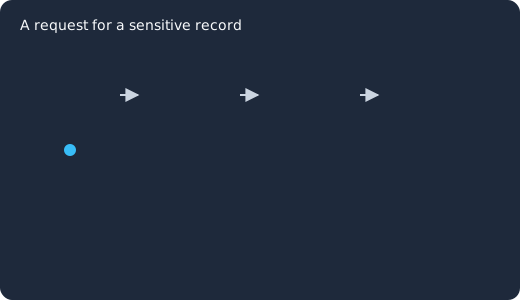
A request for a sensitive record passes four checks in turn: the user authenticates (1), the authentication level is checked and a second factor is asked for when it is too low (2), the policy on the record is evaluated against the user’s roles and attributes (3), and the outcome, permit or deny, is written to the event log (4).
Authentication strength and step-up MFA
Every regulation starts with proving identity. The HIPAA Security Rule requires you to “verify that a person or entity seeking access to electronic protected health information is the one claimed” (45 CFR 164.312(d)) and to “assign a unique name and/or number for identifying and tracking user identity” (164.312(a)(2)(i)) (45 CFR 164.312). PCI DSS Requirement 8, “Identify Users and Authenticate Access to System Components”, includes requirement 8.4.2, “MFA is implemented for all access into the CDE”, the cardholder data environment (PCI DSS v4 defined approach text, quoted from Requirement 8 as reproduced in Microsoft’s Entra guidance; the standard itself is in the PCI SSC document library).
Not every request needs the same strength. Reading a public catalogue and exporting a customer list are different risks, so the useful pattern is step-up: a normal login for everyday work and a second factor when the request touches sensitive data. Keycloak builds this into the authentication flow. The Server Administration Guide’s step-up flow procedure adds a Conditional - Level Of Authentication condition to a browser flow at Authentication > Flows, gives it a Level of Authentication (LoA) and a Max Age, and the realm’s ACR to LoA mapping ties the ACR values your applications send to those levels (the guide notes that the mapping “can be also specified at the client level in case that particular client needs to use different values than realm”). An application asks for a level with the acr_values parameter, and the guide explains that Max Age “determines how long (how much seconds) the subsequent authentication level is valid” and so “helps to decide whether the user will be asked to present the authentication factor again during a subsequent authentication” (step-up flow). Our Keycloak step-up authentication guide has the full flow with screenshots.
Two neighbouring settings matter for the same clause. Brute force detection, which the Server Administration Guide documents under Brute force attacks, “can permanently or temporarily disable a user account if the number of login failures exceeds a specified threshold”, and the same section states that “brute force detection is disabled by default”, so you enable it in the realm settings. And the realm’s session timeouts, such as SSO Session Idle, where “if a user is inactive for longer than this timeout, the user session is invalidated” (Session and token timeouts), serve HIPAA’s addressable “automatic logoff” specification, which asks for procedures that “terminate an electronic session after a predetermined time of inactivity” (164.312(a)(2)(iii), 45 CFR 164.312).
Roles and attributes: RBAC and ABAC
Once you know who is asking, you decide what they may do. The two models most teams combine are role-based access control (RBAC), where permissions attach to a role like claims-adjuster and users get the role, and attribute-based access control (ABAC), where the decision reads attributes of the user, the resource and the request, such as department, record owner, time of day or client IP.
RBAC is enough for coarse boundaries (staff versus customer, admin versus reader) and it is what Keycloak realm and client roles give you with no extra setup. ABAC is for the rules RBAC cannot express without an explosion of roles: “a finance user may approve an invoice only in their own cost centre, during business hours, from a managed network”. The GDPR’s Article 32(4), which requires that anyone with access to personal data “does not process them except on instructions from the controller” (GDPR Article 32), is easier to evidence when the instruction is written as a policy rather than remembered by people.
Keycloak Authorization Services implement both. The Authorization Services Guide states that Keycloak “supports fine-grained authorization policies and is able to combine different access control mechanisms such as: Attribute-based access control (ABAC), Role-based access control (RBAC), User-based access control (UBAC), Context-based access control (CBAC), Rule-based access control (Using JavaScript), and Time-based access control”. You turn it on per client: in the client settings, the guide says, “toggle Authorization Enabled to On. A new Authorization tab is displayed for this client” (Enabling authorization services); there you define the resources and scopes you protect and attach policies of the types the guide documents (the guide also has a client scope type, left out of this table):
| Policy type | Decides on | Typical data protection use |
|---|---|---|
| Role | Realm or client roles | Only records-admin may delete a record |
| Group | Group membership, with hierarchy | Everyone under /clinical/oncology may view that unit’s charts |
| User | Named users | A break-glass account for emergency access (HIPAA 164.312(a)(2)(ii)) |
| Client | The calling application | Exports only from the reporting service, never from the mobile app |
| Time | Date, hour, day of week | Payroll edits only in the first week of the month |
| Regex | A claim matched against a pattern | Email domain must match the tenant |
| JavaScript | Any rule over identity and context attributes | Department must equal the record’s cost centre |
| Aggregated | Other policies combined | Role AND time AND client, with one decision strategy |
The guide lists the decision strategies for combining policies (Decision strategy for aggregated policies): with Unanimous, “all policies must evaluate to a positive decision for the final decision to be also positive”; with Affirmative, “at least one policy must evaluate to a positive decision”; with Consensus, “the number of positive decisions must be greater than the number of negative decisions”. Unanimous is the guide’s default when none is chosen, and for sensitive data it is the safe one. Our post on Keycloak Authorization Services policy types goes through each type with examples, and fine-grained authorization in Keycloak covers the resource and scope model.
A JavaScript policy makes the ABAC part concrete. The guide’s policy evaluation API gives a script the identity, which the guide says “is built based on the OAuth2 Access Token” and “has access to all claims extracted from the original token”, and the evaluation context, whose attributes include kc.client.network.ip_address, the “IP address of the client”. This one follows the guide’s own examples: it permits a request only when the user’s department attribute is finance and the request arrives from the managed network, so a finance user cannot approve invoices from an unmanaged address even with the right role:
var context = $evaluation.getContext();
var identity = context.getIdentity();
var contextAttributes = context.getAttributes();

var department = identity.getAttributes().getValue('department');

if (department && department.asString(0) === 'finance'
    && contextAttributes.containsValue('kc.client.network.ip_address', '10.20.0.4')) {
    $evaluation.grant();
} else {
    $evaluation.deny();
}
The guide notes that “by default, JavaScript Policies can not be uploaded to the server”: you deploy them as a JAR, as its section on creating a JS policy from a deployed JAR file explains. For decisions that depend on where and how the request arrives rather than on who the user is, see context-aware access control in Keycloak and our broader piece on attribute-based access control.
Least privilege
Least privilege is the principle that an identity gets only the permissions its task needs, and nothing left over from an earlier task. NIST SP 800-53 states it as control AC-6, employing “the principle of least privilege, allowing only authorized accesses for users (or processes acting on behalf of users) that are necessary to accomplish assigned organizational tasks” (NIST SP 800-53 Rev. 5, control AC-6). PCI DSS Requirement 7 says the same for cardholder data in its title, “Restrict Access to System Components and Cardholder Data by Business Need to Know”, and requirement 7.2.2 asks that access be assigned on “least privileges necessary to perform job responsibilities” (PCI DSS Requirement 7, as reproduced in Microsoft’s Entra guidance).
In Keycloak terms, least privilege is mostly a habit of modelling:
- Give permissions to roles, not users, and keep the role list short enough that someone can explain each one. Composite roles are fine for bundling; direct grants to individual users are the exception you document.
- Set the enforcement mode to Enforcing, which the guide marks as the default mode, where “requests are denied by default even when there is no policy associated with a given resource” (Resource server settings). A resource nobody wrote a policy for is closed, not open.
- Scope the admins too. Keycloak’s permissions for delegating realm administration let you give a group of administrators rights over a defined set of users or groups instead of the whole realm; the guide’s worked example gives a
test-adminsgroup permission to manage users and then excludes the members of the group itself, “so that test-admins cannot manage other admins”. - Separate service accounts per application, each with its own client roles, so a compromised reporting job cannot write to the user store.
Access reviews and the joiner-mover-leaver process
Permissions drift. People change teams and keep the old role, contractors finish and keep the account, and the “temporary” admin grant from an incident stays. NIST SP 800-53 covers the lifecycle in control AC-2, Account Management (NIST SP 800-53 Rev. 5, control AC-2), and the HIPAA Security Rule requires “procedures for terminating access to electronic protected health information” when employment ends or access is no longer appropriate (45 CFR 164.308(a)(3)(ii)(C)) (45 CFR 164.308). PCI DSS Requirement 8 is explicit: requirement 8.2.5 says “Access for terminated users is immediately revoked” and 8.2.6 that “Inactive user accounts are removed or disabled within 90 days of inactivity” (PCI DSS Requirement 8, as reproduced in Microsoft’s Entra guidance).
The review itself is a list of who holds which role, checked by someone who knows whether they should. The Keycloak Admin REST API answers that question directly with its roles/{role-name}/users endpoint, which “returns a stream of users that have the specified role name” (Admin REST API). This call lists the users who hold the records-admin realm role:
curl -s -H "Authorization: Bearer $ADMIN_TOKEN" \
  "https://keycloak.example.com/admin/realms/acme/roles/records-admin/users"
Run it per sensitive role on a schedule, send the list to the role’s owner, and record their answer. When the answer is “remove”, disable the user in the console and end their sessions. The Server Administration Guide’s section on signing out all active sessions warns that this “does not revoke outstanding access tokens” and that “outstanding tokens must expire naturally”, so keep access token lifetimes short if a leaver has to be out within minutes. For teams that want the request, approval and removal to run as a workflow rather than a spreadsheet, our post on identity governance workflows shows how to automate access requests and approvals.
Audit logs as evidence
The last decision is what you keep. GDPR Article 5(2) requires that you “be able to demonstrate compliance”, the HIPAA Security Rule requires mechanisms that “record and examine activity in information systems that contain or use electronic protected health information” (45 CFR 164.312(b), 45 CFR 164.312) and procedures “to regularly review records of information system activity” (164.308(a)(1)(ii)(D)) (45 CFR 164.308), and PCI DSS Requirement 10 is titled “Log and Monitor All Access to System Components and Cardholder Data”, with 10.2.1 asking that “Audit logs are enabled and active for all system components and cardholder data” (PCI DSS Requirement 10, as reproduced in Microsoft’s Entra guidance). NIST SP 800-53 carries the same in its AU family, starting at AU-2, Event Logging (NIST SP 800-53 Rev. 5, control AU-2).
Keycloak records two streams. User events, which the guide describes as “actions such as successful user login, a user entering an incorrect password, or a user account updating”, are enabled under Realm settings > Events by toggling Save events on (Auditing user events). Admin events record “all actions that are performed by an administrator in the Admin Console”, with the JSON representation if you turn on Include representation, from the Admin events settings tab on the same page (Auditing admin events). The guide notes that until you save user events, “only the error events are logged to the Admin Console and the server’s log file”, so the successes that prove a permission was used are lost unless you turn it on. That stored history is what makes the policy from the earlier section evidence rather than intent. The database is a poor long-term home for these, so forward them to your log platform with an event listener. Our Keycloak auditing and event logging guide covers the event types, retention and listener options.
Patched on the day, not on your next maintenance window
Keycloak 26.7.2 fixed CVE-2026-18963, an account takeover through password reset. Skycloak had it available for auto-upgrade and told customers the same day upstream shipped it. Self-hosted teams schedule that work themselves.
The map: which control satisfies which clause
| Control | GDPR | HIPAA Security Rule | PCI DSS | Keycloak setting |
|---|---|---|---|---|
| Backups and restore drills | Art. 32(1)(c) restore availability | Contingency plan 164.308(a)(7) | Req. 12 (policies) | Database backup, realm export |
| Encryption | Art. 32(1)(a) | 164.312(a)(2)(iv), 164.312(e) | Req. 3, Req. 4 | TLS, database encryption at rest |
| Unique identity and MFA | Art. 32(1)(b) | 164.312(a)(2)(i), 164.312(d) | Req. 8 | Required actions, OTP and WebAuthn, step-up flows |
| RBAC and ABAC policies | Art. 32(4) on instructions | 164.308(a)(4) information access management | Req. 7 | Roles, groups, Authorization Services policies |
| Least privilege | Art. 5(1)(c) data minimisation, Art. 25 | 164.308(a)(4) | Req. 7.2 | Enforcing mode, scoped admin permissions |
| Access reviews, leavers | Art. 32(1)(d) regular testing | 164.308(a)(3)(ii)(C) termination | Req. 8 account lifecycle | Admin REST API role listings, disable user, sign out sessions |
| Audit logs | Art. 5(2) accountability, Art. 30 | 164.312(b), 164.308(a)(1)(ii)(D) | Req. 10 | User and admin events, event listeners |
The clause references are the ones most often cited by auditors for each control, not an exhaustive list; the regulation texts linked above are the authority. If you also certify against ISO/IEC 27001, you will likely want an Annex A column in this table too; the controls above cover similar ground, but check each mapping against the text of the standard rather than assuming it.
Where Skycloak fits
Everything above is standard Keycloak, and it works the same on a cluster you run yourself. What Skycloak’s managed Keycloak adds is the operating side of the same controls: automated backups with realm export and import, SIEM forwarding of Keycloak events and platform audit logs to your log platform, edge security options such as a WAF, rate limiting, geo-blocking and IP access control that you can switch on in front of a cluster, and a choice of region for where the realm’s data lives. Business Associate Agreements are available for HIPAA workloads (Skycloak security and compliance), which our post on HIPAA-compliant managed Keycloak explains, and the GDPR erasure and retention guide covers the deletion side of data protection, which this post left out.
Frequently asked questions
Is access control part of data protection or data security? Both. Data security is the set of technical defences, and access control is its central one. Data protection is the wider goal of keeping data available, intact and confidential, and access control is the layer that enforces the “who” in each of those properties.
Does encryption satisfy GDPR Article 32 on its own? No. Article 32 names encryption as one appropriate measure among others, and in the same paragraph asks for ongoing confidentiality, integrity, availability and resilience, timely restoration, and regular testing (GDPR Article 32). A valid login reads decrypted data, so access control and logging are needed alongside it.
Do we need ABAC, or are roles enough? Roles are enough when the rule is “members of this group may do this”. You need attributes when the rule mentions a relationship between the user and the record (owner, department, cost centre) or a condition of the request (time, network, client). Keycloak lets you mix the two in one permission with an aggregated policy.
How often should we review who has access? The regulations ask for “regular” review without a number, so set a cadence your role owners can keep, and review the sensitive roles more often than the rest. Listing role members through the Admin REST API and sending each owner their list is enough to start; automate it when the lists get long.
What should the audit log prove? That the people who accessed data were authenticated, that the permissions they used existed at that time and who granted them, and that denied requests were denied. Keycloak’s user events give the first and last; admin events give the middle.
What to do next
Start by listing who can reach your most sensitive data today: run the role membership call above for each sensitive role and ask the owner of each role to confirm the names. Then put the step-up condition in front of the flows that touch that data, set Authorization Services to Enforcing on the client that serves it, and turn on user and admin events with a listener that sends them somewhere durable. If you would rather spend the time on the policies than on running the cluster, Skycloak’s managed Keycloak can run the backups, the SIEM forwarding and the edge protections for you, so your time goes to the policies rather than the cluster.
Sources
- European Union, “Regulation (EU) 2016/679 (General Data Protection Regulation)”, EUR-Lex, retrieved 2026-10-28, https://eur-lex.europa.eu/eli/reg/2016/679/oj
- gdpr-info.eu, “Art. 32 GDPR, Security of processing”, retrieved 2026-10-28, https://gdpr-info.eu/art-32-gdpr/
- gdpr-info.eu, “Art. 5 GDPR, Principles relating to processing of personal data”, retrieved 2026-10-28, https://gdpr-info.eu/art-5-gdpr/
- U.S. Department of Health and Human Services, “The Security Rule”, retrieved 2026-10-28, https://www.hhs.gov/hipaa/for-professionals/security/index.html
- Legal Information Institute, “45 CFR 164.312, Technical safeguards”, retrieved 2026-10-28, https://www.law.cornell.edu/cfr/text/45/164.312
- Legal Information Institute, “45 CFR 164.308, Administrative safeguards”, retrieved 2026-10-28, https://www.law.cornell.edu/cfr/text/45/164.308
- PCI Security Standards Council, “PCI DSS”, retrieved 2026-10-28, https://www.pcisecuritystandards.org/standards/pci-dss/ (document library: https://www.pcisecuritystandards.org/document_library/)
- Microsoft Learn, “Microsoft Entra ID and PCI-DSS Requirement 7” (reproduces the PCI DSS v4 defined approach requirements), retrieved 2026-10-28, https://learn.microsoft.com/en-us/entra/standards/pci-requirement-7
- Microsoft Learn, “Microsoft Entra ID and PCI-DSS Requirement 8” (reproduces the PCI DSS v4 defined approach requirements), retrieved 2026-10-28, https://learn.microsoft.com/en-us/entra/standards/pci-requirement-8
- Microsoft Learn, “Microsoft Entra ID and PCI-DSS Requirement 10” (reproduces the PCI DSS v4 defined approach requirements), retrieved 2026-10-28, https://learn.microsoft.com/en-us/entra/standards/pci-requirement-10
- NIST, “SP 800-53 Rev. 5, Security and Privacy Controls for Information Systems and Organizations”, retrieved 2026-10-28, https://csrc.nist.gov/pubs/sp/800/53/r5/upd1/final (control text in the published PDF, https://nvlpubs.nist.gov/nistpubs/SpecialPublications/NIST.SP.800-53r5.pdf)
- NIST, “SP 800-207, Zero Trust Architecture”, retrieved 2026-10-28, https://csrc.nist.gov/pubs/sp/800/207/final
- ISO, “ISO/IEC 27001, Information security management systems”, retrieved 2026-10-28, https://www.iso.org/standard/27001
- Verizon, “2025 Data Breach Investigations Report” announcement, retrieved 2026-10-28, https://www.verizon.com/about/news/2025-data-breach-investigations-report
- Keycloak, “Authorization Services Guide”, retrieved 2026-10-28, https://www.keycloak.org/docs/latest/authorization_services/index.html
- Keycloak, “Server Administration Guide”, retrieved 2026-10-28, https://www.keycloak.org/docs/latest/server_admin/index.html
- Keycloak, “Admin REST API”, retrieved 2026-10-28, https://www.keycloak.org/docs-api/latest/rest-api/index.html
- Skycloak, “Security and compliance”, retrieved 2026-10-28, https://skycloak.io/security/
- Skycloak docs, “SIEM integration”, retrieved 2026-10-28, https://skycloak.io/docs/integrations/siem/