Apache mod_http2 CVE-2026-119618: Patch and Rotate Secrets. CVE-2026-119618 is a critical pre-auth RCE in Apache httpd mod_http2, 2.4.55 to 2.4.70. Patch to 2.4.71 or drop h2, then rotate client secrets and sessions.
CVE-2026-119618 is a critical flaw in Apache httpd’s mod_http2 that can let an unauthenticated attacker run code on the server, and the Apache advisory confirms it affects 2.4.55 through 2.4.70 and is fixed in 2.4.71 (Apache HTTP Server 2.4 vulnerabilities). Upgrade to 2.4.71 (or your distribution’s patched package) now, or remove h2 and h2c from every Protocols directive until you can. If that server fronts a login flow, rotate the SSO client secrets it held and end the active sessions after you patch.
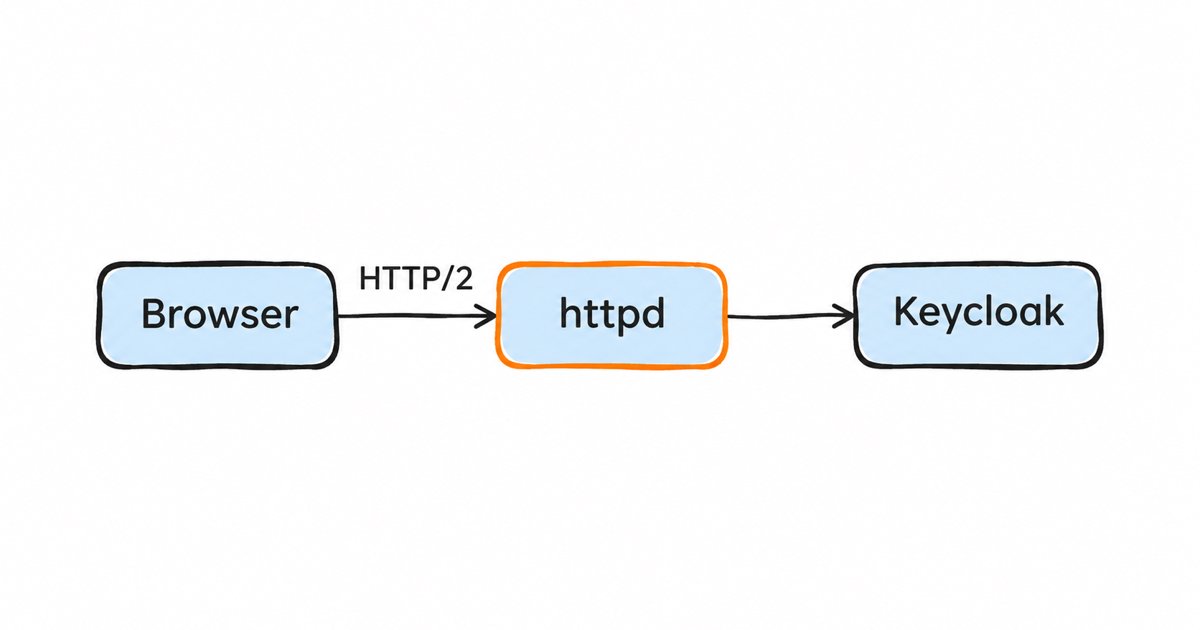
This post is for the people who run httpd, very often as the reverse proxy in front of Keycloak or another login application, and who already saw the headline. The news coverage gives you the version range and the patch, and we start there too. Then we treat the server as what it is in many deployments, the edge of your identity system: a web server that terminates TLS for a login page sees passwords, session cookies and authorization codes in clear text, and code running inside it can read them. So the job is to check exposure, patch or switch off HTTP/2, look for signs of earlier exploitation, and then rotate what the host could see.
What is CVE-2026-119618?
The Apache HTTP Server project lists it as “mod_http2: heap corruption and RCE in assign_headers”, rated critical, and describes it as a “Concurrent Execution using Shared Resource with Improper Synchronization vulnerability in Apache HTTP Server’s mod_http2 in assign_headers() can lead to RCE” (Apache HTTP Server 2.4 vulnerabilities). In plainer words, it is a race condition: two threads touch the same piece of memory while handling HTTP/2 request headers without proper locking, and a client that wins the race can corrupt the server’s heap and, from there, run its own code.
The advisory credits two independent finders: Anthropic’s OSS Scanner, which reported it on 26 October 2026, and Anthony Weems and Simon Scannell of Google Cloud Vulnerability Research, who reported it on 3 November. The fix and the 2.4.71 release both landed on 11 November 2026, and the same release fixes two less severe bugs, CVE-2026-106023 in mod_md and CVE-2026-109163 in mod_vhost_alias (Apache HTTP Server 2.4 vulnerabilities).
Scores differ by who you ask. Red Hat gives it a CVSS 3.1 base score of 9.8 with network access, low complexity and no privileges or user interaction, while the score shown from cve.org on the same page is 8.1, with high attack complexity (Red Hat, CVE-2026-119618). Ubuntu rates it High priority with the 8.1 score (Ubuntu, CVE-2026-119618). The difference is about how hard the race is to win, not about what a successful attacker gets, which is code execution in both cases.
Which versions are affected, and which fix it?
Upstream, the Apache advisory confirms the range: “This issue affects Apache HTTP Server: from 2.4.55 through 2.4.70”, and the separately released mod_h2 module from GitHub is affected “from 2.0.8 through 2.0.42”. The fix is 2.4.71 (Apache HTTP Server 2.4 vulnerabilities). The standalone mod_h2 project has no fixed release, because, as The Hacker News reports, it was archived and made read-only on 9 June (The Hacker News). If you built mod_h2 from that repository, switch to the mod_http2 that ships with httpd 2.4.71.
There is one more condition. HTTP/2 has to be switched on: the core documentation says the Protocols directive defaults to http/1.1 only, and the mod_http2 documentation says “you must enable HTTP/2 via Protocols” for the module to do anything (httpd core, Protocols, mod_http2). Red Hat’s bulletin lists the three conditions together: mod_http2 is loaded, h2 or h2c appears in a Protocols directive, and the server can be reached over the network (Red Hat, RHSB-2026-017).
Distribution packages: the version string can mislead you
Most people run httpd from their distribution, and distributions backport fixes into the version they already ship instead of moving to 2.4.71. That means the upstream version number in httpd -v does not tell you on its own whether you are patched, and in one direction it can mislead you: some distributions ship a newer mod_http2 than their httpd version suggests.
| Distribution | Fixed package (per its tracker) | Source |
|---|---|---|
| Debian 12 (bookworm) | apache2 2.4.71-1~deb12u1 from the security repository |
Debian tracker |
| Debian 13 (trixie) | apache2 2.4.71-1~deb13u1 from the security repository |
Debian tracker |
| Debian forky and sid | apache2 2.4.71-1 |
Debian tracker |
| Ubuntu 26.10 | apache2 2.4.68-1ubuntu6.2 |
Ubuntu tracker |
| Ubuntu 26.04 LTS | apache2 2.4.66-2ubuntu2.8 |
Ubuntu tracker |
| Ubuntu 24.04 LTS | apache2 2.4.58-1ubuntu8.19 |
Ubuntu tracker |
| Ubuntu 22.04 LTS | apache2 2.4.52-1ubuntu4.27 |
Ubuntu tracker |
| Ubuntu 20.04 LTS | apache2 2.4.41-4ubuntu3.23+esm11 (Ubuntu Pro) |
Ubuntu tracker |
| RHEL 9 | mod_http2 2.0.26-7.el9_9.1 (RHSA-2026:98981) |
The Hacker News |
| RHEL 10 | mod_http2 2.0.29-5.el10_3.1 (RHSA-2026:98978) |
The Hacker News |
These are the values each source listed on 18 November 2026, and trackers change as updates ship, so verify the package version against your distribution’s own tracker before you rely on it. Red Hat’s bulletin gives no fixed package table, so the RHEL rows come from The Hacker News, which also reports that RHEL 8 and earlier “do not contain the vulnerable code”. Notice the Ubuntu 22.04 and 20.04 rows: their httpd versions, 2.4.52 and 2.4.41, are below 2.4.55, yet Ubuntu lists them as affected and fixed, while it marks 18.04 and older as not affected. So do not rule a host out because its version number is below 2.4.55; compare the installed package with your distribution’s tracker. On RHEL, mod_http2 is a separate package from httpd (Red Hat, RHSB-2026-017), so updating httpd alone is not enough.
Container images follow whatever base they were built from. An image built on an older Debian or Alpine base, or an httpd:2.4 tag pulled before 11 November, needs a rebuild and a redeploy, not just a host update.
How do I check whether my server is exposed?
Three checks answer it: which build you run, whether mod_http2 is loaded, and whether any Protocols line offers HTTP/2. The httpd program’s -v flag prints the version and -M lists the loaded modules (httpd program reference). On Debian and Ubuntu the commands are apache2ctl and the configuration lives in /etc/apache2; on RHEL and Fedora they are apachectl or httpd and /etc/httpd.
# 1. Version (upstream number) and the installed package (backport level)
apachectl -v                       # or: apache2ctl -v
rpm -q httpd mod_http2             # RHEL, Fedora, Amazon Linux
dpkg -l apache2 | tail -1          # Debian, Ubuntu

# 2. Is mod_http2 loaded?
apachectl -M 2>/dev/null | grep -i http2     # prints http2_module (shared) if loaded

# 3. Does any Protocols directive offer h2 or h2c, in the main config or a vhost?
grep -RniE '^\s*Protocols' /etc/httpd /etc/apache2 2>/dev/null
Then check from outside, because that is what an attacker sees. With curl, %{http_version} prints the protocol the server actually negotiated:
curl -s -o /dev/null -w '%{http_version}\n' --http2 https://login.example.com/
# 2   means HTTP/2 was negotiated over TLS (h2)
# 1.1 means it was not

curl -s -o /dev/null -w '%{http_version}\n' --http2-prior-knowledge http://login.example.com/
# 2   means cleartext HTTP/2 (h2c) is accepted
Run the outside check against every hostname the server answers for, since virtual hosts can differ, and remember that a load balancer or CDN in front of httpd may speak HTTP/2 to the browser while talking HTTP/1.1 to httpd. In that case what matters is the protocol between the load balancer and httpd, and anything that can reach httpd directly.
How do I switch off HTTP/2 until I can patch?
The Apache advisory offers no workaround, but switching HTTP/2 off removes the condition the bug needs (The Hacker News). Red Hat’s bulletin gives the procedure: “remove h2 and h2c from any Protocols directive, leaving only http/1.1”, then restart httpd (Red Hat, RHSB-2026-017).
# Before
Protocols h2 h2c http/1.1

# After, in the main server config AND in every VirtualHost that has its own Protocols line
Protocols http/1.1
The “every virtual host” part matters. The core documentation says “Protocols directives in virtual hosts replace any such directive in the base server”, so a virtual host with its own Protocols h2 http/1.1 keeps HTTP/2 even after you fix the global line (httpd core, Protocols). That is why the grep above searches the whole configuration tree, including included files. After the change, run apachectl configtest, restart (a full restart, so every worker process is replaced), and repeat the curl checks until every hostname answers 1.1.
You can go further and stop loading the module, with a2dismod http2 on Debian and Ubuntu or by commenting out the LoadModule http2_module line elsewhere, which keeps a forgotten Protocols line from bringing HTTP/2 back. Either way, browsers fall back to HTTP/1.1 on their own, so the cost is mostly some performance on pages with many small requests. Treat this as a stopgap: it does not remove the vulnerable code, and the next configuration change could switch HTTP/2 back on. F5 Labs adds one trade-off: if a server was previously HTTP/2-only, “forcing the HTTP/1.1 protocol may expose the server to request smuggling vulnerabilities” (F5 Labs), so check how any proxy in front of httpd forwards requests before you switch.
What does an attacker get from a reverse proxy in front of Keycloak?
The Apache advisory names Apache HTTP Server and mod_h2 as the affected products (Apache HTTP Server 2.4 vulnerabilities), and Keycloak is a separate server, which its getting-started guide runs on OpenJDK (Keycloak, getting started on OpenJDK). The exposure comes from where httpd sits. In the common setup that our guide to running Keycloak behind a reverse proxy describes, every browser request to the login pages passes through the proxy first. Keycloak’s own reverse proxy guide describes the two usual TLS modes: in re-encrypt mode “the reverse proxy terminates the client TLS connection and establishes a TLS connection to Keycloak”, and in edge mode the proxy terminates TLS and the hop to Keycloak is unencrypted (Keycloak, configuring a reverse proxy). In both, httpd handles the login traffic decrypted.
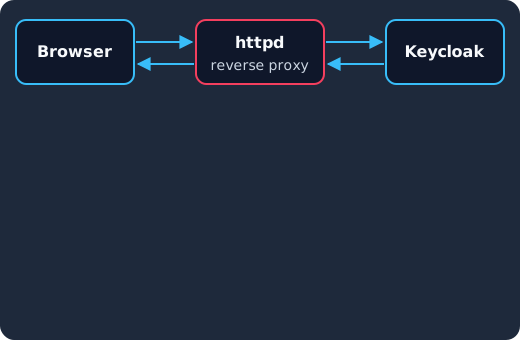
A sign-in passes through the proxy in both directions: the password the user types, the session cookie Keycloak sets and the authorization code in the redirect all cross httpd in clear text, and a proxy that also runs mod_auth_openidc holds a client secret of its own.
So code running inside an httpd worker can see, and keep, more than the server’s own files:
| What the proxy handles | Why it is there | What an attacker can do with it |
|---|---|---|
| Passwords and one-time codes typed on the login form | The form posts to Keycloak through the proxy | Sign in as those users, wherever the password is reused |
| Keycloak SSO session cookies | Keycloak sets them on responses that cross the proxy | Take over a signed-in browser session until it ends |
| Authorization codes and tokens in redirects and responses | The OIDC flow runs through the proxy | Redeem a code or use a token, especially together with a client secret |
OIDCClientSecret and OIDCCryptoPassphrase, if httpd runs mod_auth_openidc |
Loaded from the httpd configuration | Act as that OIDC client, and decrypt or forge its session and state cookies |
| The TLS private key for the login hostname | httpd terminates TLS | Impersonate the login site or decrypt captured traffic, given a network position |
| The forwarded client address headers | Keycloak trusts the proxy to set them | Make Keycloak’s event log record false client IP addresses |
Two of those rows need a word. mod_auth_openidc, the module many teams use to put OIDC sign-in in front of applications that have none, is configured with httpd directives, and its sample configuration describes OIDCClientSecret as the “Client secret used in calls to the statically configured OpenID Connect Provider” and says OIDCCryptoPassphrase is used for “encryption of the (temporary) state cookie” and “encryption of cache entries, that may include the session cookie”. For OIDCSessionType it says “When not defined the default “server-cache” is used”, and for OIDCCacheType, “When not defined, “shm” (shared memory) is used” (mod_auth_openidc sample configuration). On such a host, the attacker has the client secret and the key that protects every session it manages. The forwarded headers matter because Keycloak’s guide warns that “if these headers are incorrectly configured, rogue clients can inject false values”, and with proxy-trusted-addresses set it believes the headers from your proxy (Keycloak, configuring a reverse proxy); a compromised proxy is a trusted address, so client IPs in events for the exposure window are not reliable evidence.
Keycloak’s realm signing keys, by contrast, are managed by Keycloak itself, under the realm’s keys and key providers (Keycloak, rotating keys), and are not part of the httpd configuration. The reverse proxy guide’s table of exposed paths also marks /admin/ as exposed “Only internally”, because “Exposed admin paths lead to an unnecessary attack vector” (Keycloak, configuring a reverse proxy). If you followed that advice, administrator passwords did not cross the internet-facing proxy at all.
Patched on the day, not on your next maintenance window
Keycloak 26.7.2 fixed CVE-2026-18963, an account takeover through password reset. Skycloak had it available for auto-upgrade and told customers the same day upstream shipped it. Self-hosted teams schedule that work themselves.
How do I tell whether anyone exploited it before I patched?
None of the reports we cite confirms exploitation in the wild: F5 Labs wrote on 16 November that “we have observed no major exploit activity” (F5 Labs). Red Hat, on the other hand, says “public research has demonstrated a reliable exploit” against a default configuration with mod_http2 enabled (Red Hat, CVE-2026-119618), and CISA’s Known Exploited Vulnerabilities catalog is the place to watch for a change. That combination means you have time to patch carefully, not that you can wait.
F5 Labs lists the signs it would look for (F5 Labs):
- On the server: unexpected child process terminations, segmentation faults, worker resets and HTTP/2 connection resets. In the httpd error log, a worker that crashed shows up as a child process that exited on a signal such as
Segmentation fault. A race-condition exploit usually needs many attempts, so a burst of these from one client is more telling than a single crash. - On the network: HTTP/2 requests that carry a
Content-Typeheader but noContent-Lengthheader, which F5 warns can produce false positives.
If a crash burst lines up with a single source, look for what a successful attacker would do next as the httpd user (apache or www-data): processes started by that user that httpd would never start, such as shells, curl or wget; outbound connections from the web server to addresses it never talks to; and new or changed files in the web root, /tmp and the httpd configuration directories. A clean log does not prove a clean host, since a successful attempt may not crash anything, but a crash burst followed by any of these is the point to treat the host as compromised and rebuild it rather than patch it in place.
What should I rotate after patching?
Rotate after the patch is live and every worker has restarted, not before, because a new secret on a still-vulnerable host is just a new secret to steal. For any internet-facing proxy in front of a login flow that ran an affected version with HTTP/2 on, we would always do the first three steps, because they are cheap compared to finding out later that a copied secret or cookie is still in use.
- Regenerate the client secrets the proxy held. For each OIDC client whose secret sits in the httpd configuration (the mod_auth_openidc client, typically), regenerate it in Keycloak on the client’s credentials tab, where the Server Administration Guide says to “click Regenerate to recreate random secret if necessary” (Keycloak, confidential client credentials), and deploy the new value. If you need an overlap during a rolling deploy, the guide’s client secret rotation policy helps: “Once enabled, Keycloak supports up to two concurrently active secrets for each client” (Keycloak, client secret rotation), but keep that overlap short during an incident.
- Replace
OIDCCryptoPassphraseand clear the module’s sessions. A new passphrase means session and state cookies encrypted with the old one stop decrypting, and with the default shared memory cache, the full restart from the patch already emptied the cache. If you use Redis or memcache for mod_auth_openidc sessions, flush those entries too. - End the active Keycloak sessions that crossed the proxy. If you can narrow it down to some users, log them out individually, as our guide to revoking a single Keycloak session shows. If you cannot, use the realm-wide control: under Sessions, choose Revocation, then Set to now and Push, which the guide describes for the case where “your system is compromised” so that sessions and tokens issued before that time become invalid (Keycloak, revoking active sessions). Note the guide’s warning that Sign out all active sessions “does not revoke outstanding access tokens”, which “must expire naturally”, and that pushing the revocation policy only reaches clients that use the Keycloak OIDC client adapter (Keycloak, signing out all active sessions), so short access token lifetimes do the rest. Offline tokens are separate: “Administrators can revoke offline tokens for individual users in the Admin Console in the Consents tab” (Keycloak, offline access). This logs users out, so tell them first.
Two more rotations are for when the logs above show signs of exploitation, not by default:
- The TLS certificate and key for the proxy’s hostnames. Request a new certificate with a new key and revoke the old one, because an attacker with the old key and a network position could impersonate your login page.
- Keycloak’s realm signing keys, only if Keycloak ran on the same host or the attacker could have reached its database or admin console from there. The guide’s procedure is to create new keys with a higher priority than the active ones, after which “all new tokens and cookies will be signed with the new keys”, and then remove the old keys (Keycloak, rotating keys). In an incident, remove or disable the old keys promptly rather than after the usual months, accepting that users must sign in again.
If you confirmed a compromise, also have users whose passwords crossed the proxy during the window reset them, and rotate everything else the host stored, such as database and API credentials.
After rotating, watch Keycloak’s events for a few days. The code-to-token and refresh-token events the guide lists (Keycloak, event types) coming from an address that is not your proxy or application are the sign that a copied secret or token is still being used, and client login errors show who tried the old secret. On Skycloak’s managed hosting, our audit logs keep those Keycloak events and export them to your SIEM.
Have we seen this pattern before?
Several times this year, and the response keeps the same shape. The Ivanti Connect Secure flaws, BeyondTrust’s CVE-2026-102764 and the Aruba AOS authentication bypass were all flaws in systems at the edge of the network, and each called for patching or isolating first, then rotating the secrets and sessions on both sides of every trust relationship the device held. A web server that proxies logins calls for the same response, because it holds the same kind of trust. The identity provider needs the same care in its own right, as the two organization permission bugs in CVE-2026-16072 and CVE-2026-18201 showed, so keep Keycloak patched alongside its proxy.
Frequently asked questions
Is CVE-2026-119618 being exploited?
Not that the reports we cite confirm. F5 Labs reported no major exploit activity as of mid-November, but Red Hat says public research has shown a reliable exploit, so patch now rather than waiting for CISA’s Known Exploited Vulnerabilities catalog to list it.
Which Apache httpd versions are affected by CVE-2026-119618?
Upstream httpd 2.4.55 through 2.4.70 with HTTP/2 enabled, and standalone mod_h2 2.0.8 through 2.0.42; 2.4.71 fixes it (Apache HTTP Server 2.4 vulnerabilities). Distribution packages carry their own version numbers, so check your distribution’s tracker rather than the upstream number.
Am I safe if HTTP/2 is not enabled?
The bug sits in mod_http2, and HTTP/2 is only negotiated when a Protocols directive offers h2 or h2c, so a server that offers only http/1.1 is not exposed to it. Patch anyway, because the next configuration change could turn HTTP/2 on, and 2.4.71 fixes two other bugs as well.
Is Keycloak affected by CVE-2026-119618?
The Apache advisory names only Apache HTTP Server and mod_h2 (Apache HTTP Server 2.4 vulnerabilities), and Keycloak is a separate server, which its getting-started guide runs on OpenJDK (Keycloak, getting started on OpenJDK), not an httpd module. What is at risk is an httpd server in front of Keycloak, which sees the login traffic and may hold client secrets, so the rotation steps above apply to the Keycloak realm that proxy served.
I patched within a day. Do I still need to rotate?
For an internet-facing proxy in front of a login flow, yes for client secrets and sessions, because they are cheap to rotate and you cannot prove from logs that a successful attempt did not happen. The TLS key and realm signing keys can wait for evidence.
What to do next
Check your httpd version, package and Protocols lines today, then patch to 2.4.71 or your distribution’s fixed package, or remove h2 and h2c from every Protocols directive until you can. Once the patch is live on a proxy in front of a login flow, regenerate the client secrets it held, replace the mod_auth_openidc passphrase if you use it, and end the active sessions that crossed it. Keep the TLS key and signing key rotations for the case where the logs show more than scanning.
If you would rather not run the Keycloak side of this yourself, Skycloak’s managed Keycloak hosting runs and patches the Keycloak clusters for you, so your team can focus on the applications in front of them.
Sources
- Apache HTTP Server Project, “Apache HTTP Server 2.4 vulnerabilities”, CVE-2026-119618, retrieved 2026-11-18, https://httpd.apache.org/security/vulnerabilities_24.html
- Apache HTTP Server documentation, core, “Protocols directive”, retrieved 2026-11-18, https://httpd.apache.org/docs/2.4/mod/core.html#protocols
- Apache HTTP Server documentation, “Apache Module mod_http2”, retrieved 2026-11-18, https://httpd.apache.org/docs/2.4/mod/mod_http2.html
- Apache HTTP Server documentation, “httpd - Apache Hypertext Transfer Protocol Server”, retrieved 2026-11-18, https://httpd.apache.org/docs/2.4/programs/httpd.html
- Red Hat, CVE-2026-119618, retrieved 2026-11-18, https://access.redhat.com/security/cve/CVE-2026-119618
- Red Hat, security bulletin RHSB-2026-017, retrieved 2026-11-18, https://access.redhat.com/security/vulnerabilities/RHSB-2026-017
- Debian security tracker, CVE-2026-119618, retrieved 2026-11-18, https://security-tracker.debian.org/tracker/CVE-2026-119618
- Ubuntu, CVE-2026-119618, retrieved 2026-11-18, https://ubuntu.com/security/CVE-2026-119618
- The Hacker News, “Critical Apache HTTP/2 Flaw Could Let Unauthenticated Attackers Execute Code Remotely”, Swati Khandelwal, 12 November 2026, retrieved 2026-11-18, https://thehackernews.com/2026/11/critical-apache-http2-flaw-could-let.html
- F5 Labs, “CVE-2026-119618”, 16 November 2026, retrieved 2026-11-18, https://www.f5.com/labs/articles/cve-2026-119618
- CISA, Known Exploited Vulnerabilities catalog, checked 2026-11-18, https://www.cisa.gov/known-exploited-vulnerabilities-catalog
- mod_auth_openidc, sample configuration
auth_openidc.conf, retrieved 2026-11-18, https://raw.githubusercontent.com/OpenIDC/mod_auth_openidc/master/auth_openidc.conf - Keycloak, “Configuring a reverse proxy”, retrieved 2026-11-18, https://www.keycloak.org/server/reverseproxy
- Keycloak, “Getting started on OpenJDK”, retrieved 2026-11-18, https://www.keycloak.org/getting-started/getting-started-zip
- Keycloak, Server Administration Guide, retrieved 2026-11-18, https://www.keycloak.org/docs/latest/server_admin/index.html (sections “Confidential client credentials”, “Client Secret Rotation”, “Revoking active sessions”, “Signing out all active sessions”, “Offline access”, “Rotating keys” and “Event types”)