
Introduction
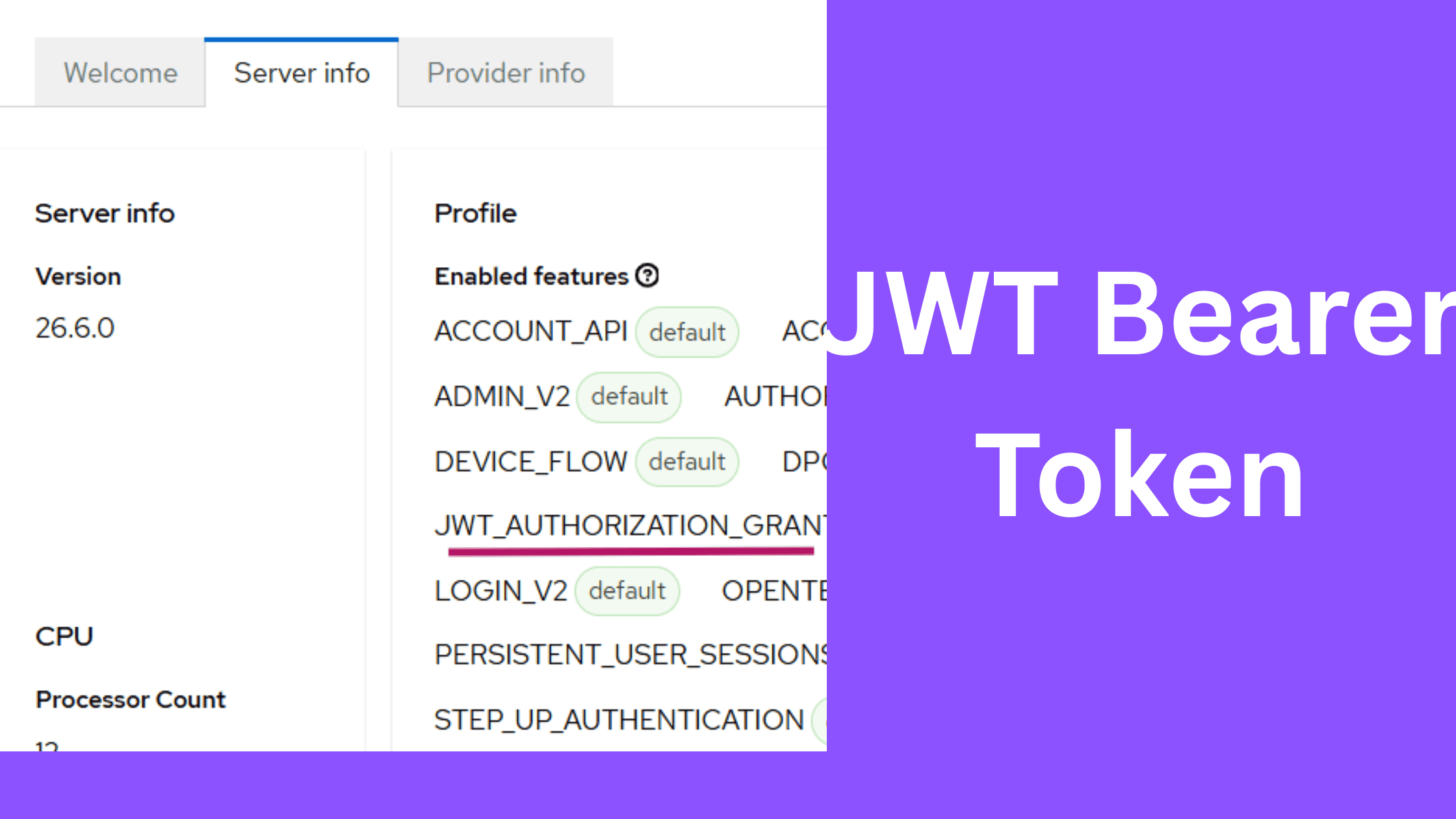
Keycloak supports the JWT Authorization Grant Flow, which allows a client to exchange an existing JWT for an access token without requiring a direct user login at Keycloak.
This is particularly useful when:
- You already trust an external Identity Provider (IdP)
- You want backend-to-backend authentication
- You want to avoid browser-based login flows
In this article, we demonstrate how to use an external IdP like Auth0 with Keycloak.
Overview
The JWT Authorization Grant request looks like this:
POST "http://keylcoak-hostname/realms/your-realm/protocol/openid-connect/token" \
  -H "Content-Type: application/x-www-form-urlencoded" \
  -d "grant_type=urn:ietf:params:oauth:grant-type:jwt-bearer" \
  -d "client_id=custom-client" \
  -d "client_secret=the-client-secret" \
  -d "assertion=bearer-token-valiue"
Append curl -X to the above request.
Here:
assertion→ JWT issued by external IdP- Keycloak validates and exchanges it for a new access token
Architecture
Auth0 (Token Issuer)
        ↓
JWT (id_token / access_token)
        ↓
Keycloak (Validation via JWKS)
        ↓
Keycloak Access Token
For more details, please refer this link.
How Keycloak Trusts External Tokens
To validate the JWT, Keycloak requires the issuer to be configured as an Identity Provider.
Why this is required
Even without login redirects, Keycloak uses IdP configuration for:
- Signature validation (via JWKS)
- Issuer trust
- User mapping
Step 1: Configure Identity Provider
In Keycloak:
Realm → Identity Providers → OpenID Connect v1.0Configure Auth0 with:
- Issuer URL
- JWKS endpoint
If you are new to Identity Brokering, please refer this article, although some of the steps are not required.
Step 2: Important Setting
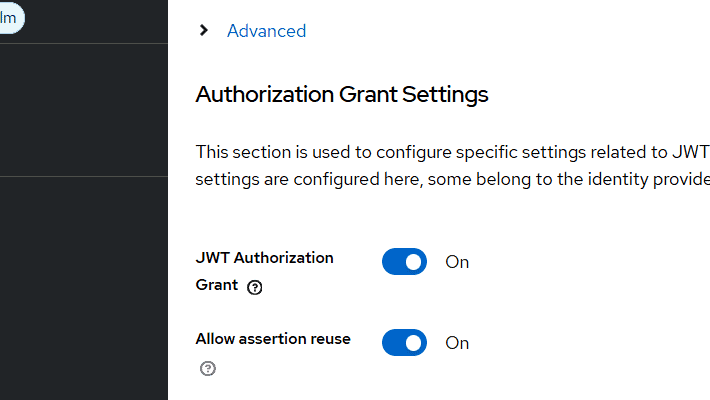
Enable:
JWT Authorization Grant = ONEnable:
Allow assertion reuse = ON⚠️ Note
This is required if the incoming JWT does not contain a jti claim.
However:
- This reduces replay protection
- Not recommended for production systems
Step 3: Obtain JWT from Auth0
Create an application in Auth0 and retrieve a token.
In my case:
- I used a Spring Boot application to authenticate with Auth0
- Retrieved both:
access_tokenid_token
⚠️ Important Observation
The access_token from Auth0 contained multiple audiences:
"aud": [
  "custom-ext-client",
  "https://your-domain.auth0.com/userinfo"
]
This is not accepted by Keycloak, as it expects a single audience.
Workaround Used
I used the id_token instead because:
- It contained a single audience
- It passed Keycloak validation
In Keycloak, I configured: (while doing step 4)
Custom Audience Mapping:
Key   → auth0
Value → <Auth0 client ID> (the audience value in my case)
⚠️ Recommendation
id_tokenis intended for authentication- For production systems, prefer:
- properly configured
access_token - or Token Exchange
- properly configured
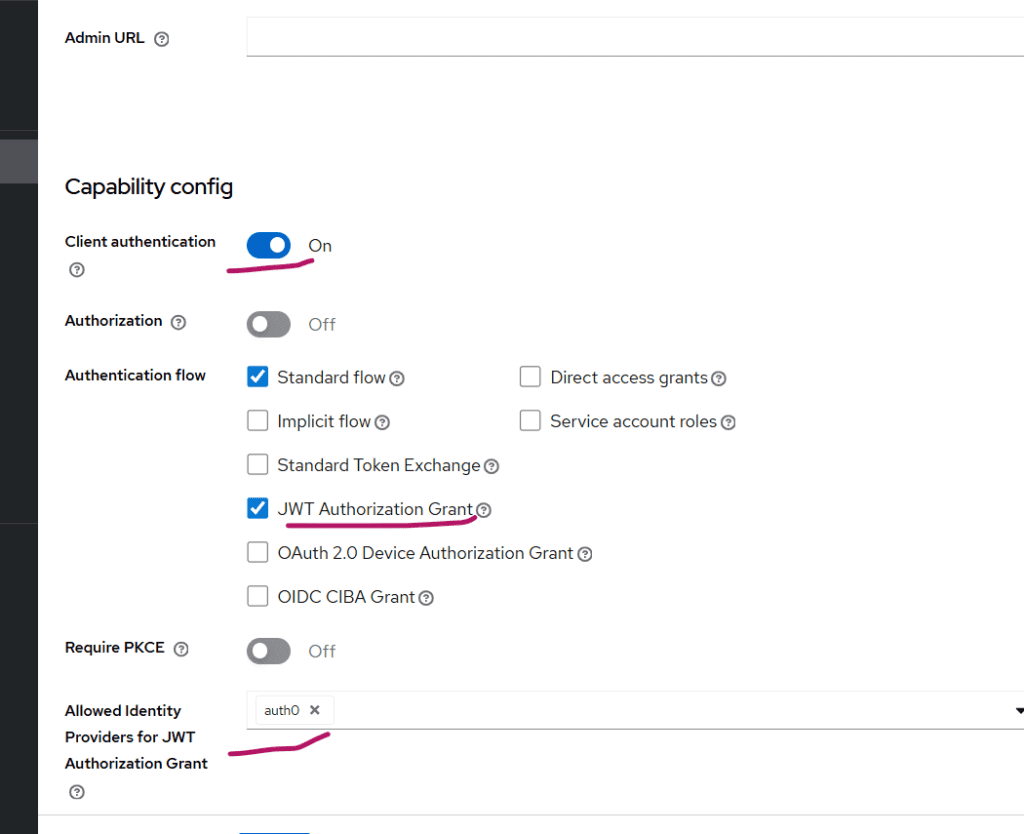
Step 4: Configure Keycloak Client
Create a client in Keycloak:
- Client Type: Confidential
- Enable: JWT Authorization Grant
Then configure:
Allowed Identity Providers = auth0
Test the Flow
- Obtain JWT from Auth0
- Execute the curl request (specified in the Overview session)
If everything is configured correctly, Keycloak will return:
- Access token
When is This Useful?
This approach is useful in:
- Backend-to-backend authentication
- Token federation across IAM systems
- Microservices architectures with multiple IdPs
- Gradual IAM migration scenarios
Summary
iIn this article, we explored how to use JWT Authorization Grant in Keycloak with an external Identity Provider.
Key takeaways:
- Keycloak strictly validates JWT structure
- Audience must be single-valued
- IdP configuration is mandatory
id_tokencan be used for experimentation, but not ideal for production
In this subsequent article on JWT Authorization Grant, I have used Node.js application in place of Auth0.
About Skycloak
Skycloak is a fully managed Keycloak platform hosted in the cloud. It enables organizations to leverage the power of open-source Keycloak IAM without the operational overhead of installing, maintaining, and scaling production-grade Keycloak environments — delivered securely and cost-effectively.
If you’re new to Skycloak, visit the Skycloak Getting Started Guide to learn more