Data Breaches and Identity: Lessons for IAM Teams. A data breach is unauthorized access to sensitive data, and most big ones start with identity. Seven breaches, the identity control each lacked, and the fix.
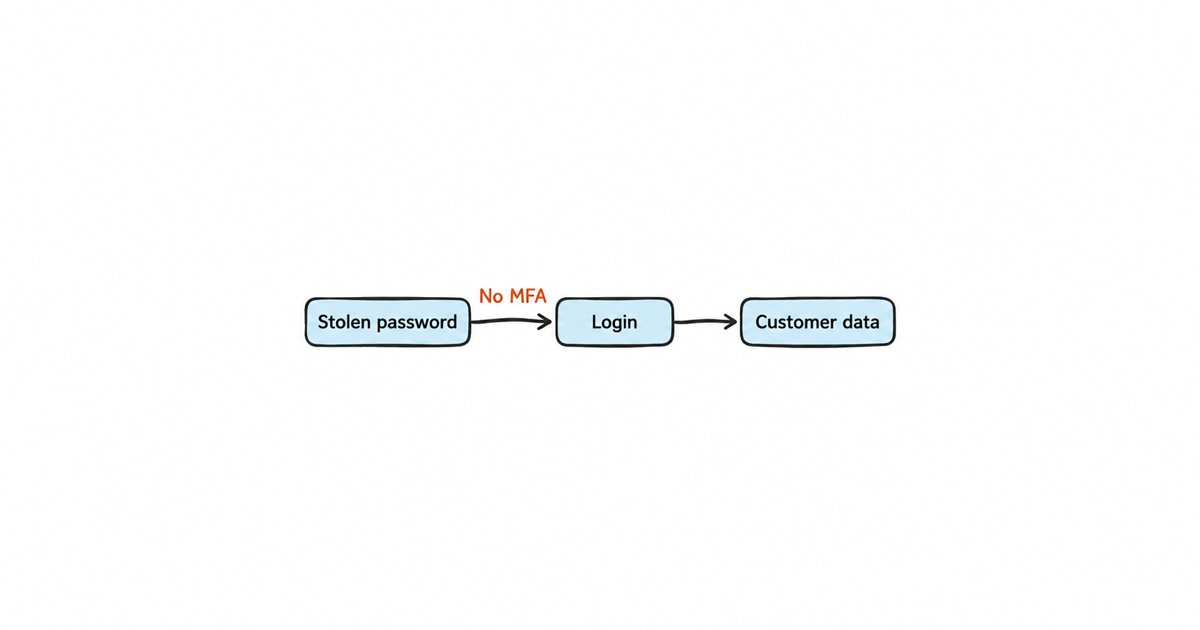
A data breach is unauthorized access to, or exposure of, sensitive data, and most large breaches start with identity: stolen credentials, missing multi-factor authentication (MFA), over-privileged or forgotten accounts, and abused tokens. Strong authentication, least privilege and fast offboarding stop most of them. In the Verizon 2025 Data Breach Investigations Report, credential abuse was the most common way attackers got in, at 22% of 12,195 confirmed breaches, just ahead of exploited vulnerabilities at 20%.
This post is for security and IAM practitioners, and for the engineering leaders who own login, who already know what a breach is and want the identity lessons behind the headline incidents. We start with a short definition, then take seven well documented breaches apart one at a time: what happened, which identity control failed, and what fixes it. After that comes a table that maps each breach to its failed control, a prioritized checklist, and, at the end, how each checklist item maps to a Keycloak setting.
What is a data breach?
A data breach happens when someone who should not have access to sensitive data gets it, whether they copy it, read it, change it or publish it. The data is usually personal information, credentials, financial records, intellectual property or internal communications. A breach differs from a security incident in general because data actually left the control of its owner, and that is the point where notification laws, regulators and customers get involved.
Breaches are expensive and slow to find. IBM’s Cost of a Data Breach Report 2026 puts the global average cost at USD 4.99 million, a 12% increase on the year before, and in the 2025 edition the average time to identify and contain a breach “dropped to 241 days”. A breach that starts with a valid login is hard to see quickly, because the attacker looks like a user doing ordinary things.
Why do most large breaches start with identity?
Attackers prefer logging in to breaking in. A valid username and password, a session cookie or an API token gives them access that the application treats as legitimate, so encryption, firewalls and most monitoring see nothing unusual. The 2025 DBIR found credential abuse as the leading initial access vector, noted “a significant overlap between social engineering and credential abuse”, and reported that third-party involvement in breaches doubled to 30%. Third parties matter here because a vendor’s login into your systems is an identity you do not fully control.
When you read the incident reports behind the headlines, the same four identity failures come up again and again:
- Credentials that work on their own. A password with no second factor, so a stolen or guessed password is enough.
- Accounts nobody owns. Legacy, test and former-employee accounts that still sign in because nobody removed them.
- Too much privilege. Users, vendors and applications that can reach far more than their job needs.
- Tokens and secrets treated as less important than passwords. Session cookies, OAuth grants and service account secrets that are stored loosely, live too long or are never rotated.
Our post on why data security starts at login explains why the other data security controls depend on the login being right. The breaches below show what happens when it is not.
Seven breaches and the identity control each one lacked
Each breach below follows the same pattern: what happened, the identity control that failed, and the fix an IAM team can apply. We stick to what the official statements, court filings and incident reports say.
Yahoo (2014): forged session cookies
In 2017 the US Department of Justice charged two Russian intelligence officers and two hackers over the 2014 intrusion into Yahoo. According to the charges, as reported by TechCrunch, one of them stole a copy of at least part of Yahoo’s User Database, and the group used it to manually create, or “mint”, authentication cookies for accounts. That access covered “at least 500 million Yahoo accounts”, and the minted cookies let them into “at least 6,500 such accounts without authorization”. Separately, Yahoo later said that every one of its 3 billion accounts was likely affected by an earlier breach in 2013.
Failed control: session integrity. A session cookie is proof that a login already happened, so anyone who can forge or steal one skips the password and the MFA prompt entirely. Once the attackers held the account data that cookies are built from, they did not need passwords at all.
Fix: protect token signing keys like the most sensitive credential you own, keep sessions and tokens short-lived, rotate signing keys, and make it possible to invalidate every session at once when you suspect a compromise.
Target (2013): a vendor’s credentials without a second factor
The US Senate Commerce Committee’s staff report on the Target breach, summarized by CBS News, says the attackers “reportedly first gained access to Target’s system by stealing credentials from one of its vendors”, an HVAC and refrigeration company, and that “they could have been stopped had Target required two-factor authentication for its vendors to access its network”. The breach exposed the data of as many as 110 million customers.
Failed control: MFA for third-party access, and least privilege for vendor accounts. A vendor login became a starting point inside the network.
Fix: require MFA for every external user, give vendors their own scoped accounts that reach only the application they need, and review vendor access on a schedule.
Colonial Pipeline (2021): a legacy VPN account with one factor
In his testimony to the US Senate, Colonial Pipeline’s CEO said “we believe the attacker exploited the legacy VPN profile that was not intended to be in use”, and that “in the case of this particular legacy VPN, it did only have single-factor authentication”. He added that it “was a complicated password”, which shows that password strength does not help once the password itself is stolen.
Failed control: offboarding of unused access, and MFA coverage. The company’s normal remote access used tokens, but one old profile sat outside that rule.
Fix: find and disable accounts and access paths nobody uses, and enforce MFA in one central place so that no profile or application can quietly opt out.
Uber (2022): a bought password and repeated MFA prompts
Uber’s security update says an attacker likely “purchased the contractor’s Uber corporate password on the dark web”, after malware infected the contractor’s personal device. The attacker then tried to log in repeatedly, and “each time, the contractor received a two-factor login approval request”. Uber says: “Eventually, however, the contractor accepted one.”
Failed control: phishing-resistant MFA. An approval prompt proves only that a person tapped a button, and a tired or confused person can be pushed into tapping it. People call this MFA fatigue.
Fix: move privileged users and contractors to phishing-resistant methods, such as passkeys or security keys, which are bound to the real website and cannot be approved by mistake. Our guide to device code phishing and passkey lures covers the related attacks that target the MFA step itself.
Okta support system (2023): a service account and session tokens
Okta’s root cause analysis says the attacker “leveraged a service account stored in the system itself”, whose username and password had been saved into an employee’s personal Google account after “an employee had signed-in to their personal Google profile” on a company laptop. The attacker then read customer support files, HAR files (browser recordings of network traffic) “that contained session tokens”, and used them “for session hijacking attacks”. The files were associated with 134 Okta customers.
Failed control: two at once. A non-human account had a password that could be saved and reused outside the company, and live session tokens sat in support files where they could be copied.
Fix: give service accounts credentials that cannot be typed into a browser and synced elsewhere, such as client credentials or signed keys, restrict where they can be used, and bind or shorten sessions so that a copied token stops working quickly.
Snowflake customers (2024): infostealer credentials without MFA
Mandiant’s report on the UNC5537 campaign says Mandiant and Snowflake notified “approximately 165 potentially exposed organizations”. The credentials came from infostealer malware (programs that copy saved passwords from infected computers) on non-Snowflake systems. The report names three causes: “the impacted accounts were not configured with multi-factor authentication enabled”, the stolen credentials “had not been rotated or updated”, in many cases “for as long as four years”, and the customer instances “did not have network allow lists in place to only allow access from trusted locations”. At least 79.7% of the accounts used had prior credential exposure (TechTarget’s coverage of the report quotes the same figures).
Failed control: MFA, credential rotation and network restrictions, all on accounts with direct access to large data sets. This is credential stuffing at its simplest: valid passwords tried against a service that asked for nothing else.
Fix: require MFA on every human account that can read customer data, check passwords against known breached lists, rotate the secrets that machines use, and restrict where sensitive accounts can sign in from.
Microsoft and Midnight Blizzard (2024): a test account and an OAuth app
Microsoft’s disclosure says that “beginning in late November 2023, the threat actor used a password spray attack to compromise a legacy non-production test tenant account”, and then accessed a small number of corporate mailboxes, “including members of our senior leadership team and employees in our cybersecurity, legal, and other functions”. A password spray tries a few common passwords against many accounts, so it avoids the lockouts that per-account limits trigger.
Microsoft’s guidance for responders adds the rest of the chain. The account “did not have multifactor authentication (MFA) enabled”. The attacker then found “a legacy test OAuth application that had elevated access to the Microsoft corporate environment”, created a new user to consent to attacker-controlled OAuth apps, and used the test app to grant “the Office 365 Exchange Online full_access_as_app role, which allows access to mailboxes”. The spray came through residential proxies, so the traffic shared IP addresses with ordinary users.
A password spray found a legacy test account without MFA (1), which led to a legacy test OAuth app that still had elevated access (2). The attacker created a user to consent to their own apps (3), and the test app granted a role that reaches mailboxes (4). Each step shows the control that would have stopped it.
Failed control: MFA on non-production accounts, an inventory of OAuth applications, control over who can grant consent, and least privilege for applications.
Fix: treat test tenants and test apps as production identities, retire the ones nobody uses, limit and monitor consent grants, and give each application the narrowest permission that does its job.
Breach-to-failed-control table
| Breach | How the attacker got in | Identity control that failed | IAM fix |
|---|---|---|---|
| Yahoo (2014) | Forged authentication cookies | Session and signing key integrity | Short sessions, protected and rotated signing keys, global session revocation |
| Target (2013) | Stolen vendor credentials | MFA and least privilege for third parties | MFA for all external users, scoped vendor accounts |
| Colonial Pipeline (2021) | Legacy VPN profile, one factor | Offboarding of unused access, MFA coverage | Disable unused accounts, central MFA enforcement |
| Uber (2022) | Bought password, repeated approval prompts | Phishing-resistant MFA | Passkeys or security keys for privileged users |
| Okta (2023) | Service account password, stolen session tokens | Non-human credentials, session protection | Client credentials or keys, short sessions |
| Snowflake customers (2024) | Infostealer credentials, no MFA | MFA, rotation, network limits | MFA everywhere, breached password checks, rotation, allow lists |
| Midnight Blizzard (2024) | Password spray, legacy OAuth app | MFA on test accounts, app inventory, consent control | Inventory and retire apps, restrict consent, least privilege for apps |
Where do service accounts, OAuth apps and tokens fit?
Three of the seven breaches went through a non-human identity: Okta’s service account, Snowflake customers’ unrotated credentials and Microsoft’s legacy OAuth app. A non-human identity is any account or credential used by software instead of a person, such as a service account, an API key, a client secret or an OAuth application. These are easy to forget because nobody logs in with them interactively, so they skip the MFA rules, the access reviews and the offboarding that apply to people.
Treat them with the same discipline. Keep an inventory with an owner for each one, give each the narrowest scope it needs, prefer short-lived tokens issued with the OAuth client credentials grant over long-lived static passwords, and rotate the secrets that remain. Our guide to machine-to-machine authentication with Keycloak shows how a service gets its own client and token instead of borrowing a human account.
Identity you do not have to patch yourself
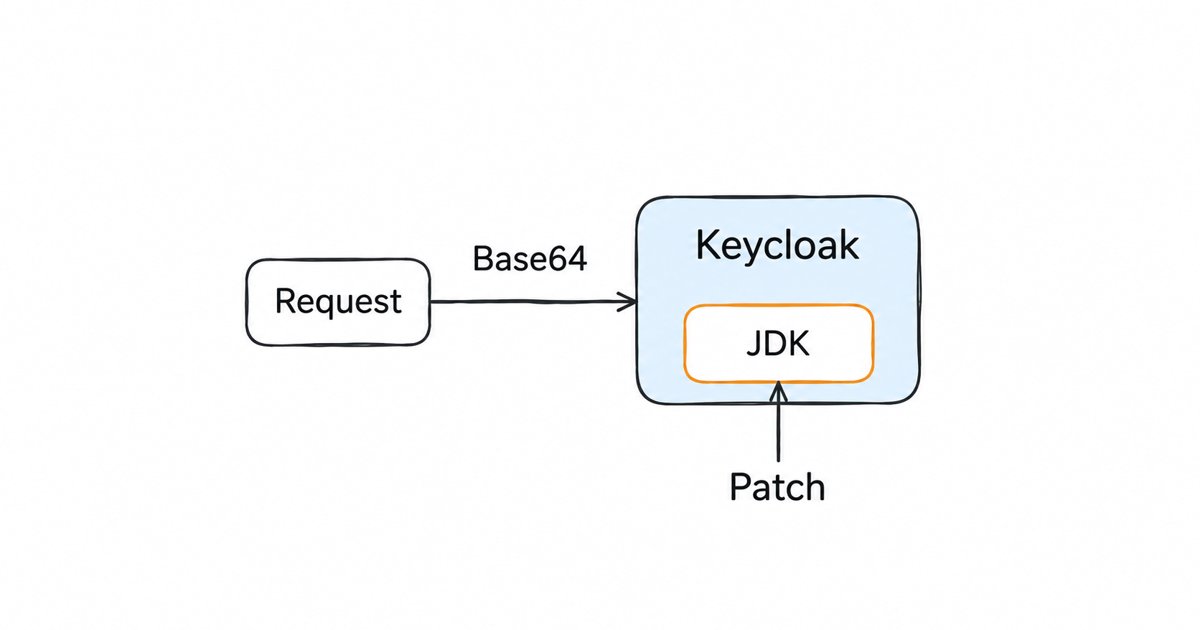
Skycloak is a managed identity platform for SSO, MFA, SCIM and audit logs. When an advisory lands, the fix is ours to ship: Keycloak 26.7.2 closed an account takeover through password reset and customers had it the same day upstream published it.
Why do stale accounts keep showing up in breach reports?
Colonial Pipeline’s legacy VPN profile and Microsoft’s test account had one thing in common: nobody was using them, so nobody was watching them. The joiner, mover, leaver cycle is the process that creates, changes and removes access as people join, change roles and leave. When it is weak, leavers keep working logins and movers keep the access of every role they have held. Our post on the joiner-mover-leaver process walks through each stage and how SaaS teams automate it.
Removing access at the right time is also where identity governance comes in. IAM decides who can sign in, while identity governance and administration (IGA) records who should have access, who approved it and proof that it was removed. Our comparison of IAM vs IGA explains when a growing team needs the second.
What does NIST SP 800-63-4 say about these failures?
NIST’s digital identity guidelines are final: “In July 2025, NIST released the final version of SP 800-63, Revision 4”. The authentication volume, SP 800-63B, speaks directly to the failures above:
- It says plainly that “passwords are not phishing-resistant” (section 3.1.1), and that verifiers “SHALL offer at least one phishing-resistant authentication option at AAL2” (section 2), the assurance level most business logins need.
- In section 3.1.1.2, passwords “used as a single-factor authentication mechanism” must be “a minimum of 15 characters in length”, and passwords “only used as part of multi-factor authentication processes” at least “eight characters in length”.
- The same section says verifiers “SHALL compare the prospective secret against a blocklist that contains known commonly used, expected, or compromised passwords”, which is the check that would have flagged many of the Snowflake credentials.
- It also says verifiers “SHALL NOT require subscribers to change passwords periodically”, but “SHALL force a change if there is evidence that the authenticator has been compromised”. Change a password when there is evidence it was compromised, not on a calendar.
Passkeys are the most practical way to offer the phishing-resistant option today. Our Keycloak passkeys and WebAuthn guide covers turning them on, enrolling users and handling recovery.
A prioritized IAM checklist from the breach lessons
Work through this list in order. The first items close the gaps behind most of the breaches above, and the later ones reduce how far an attacker gets once inside.
- Require MFA on every human account, including vendors, contractors, administrators and test or non-production accounts. Check for any application, VPN profile or tenant that bypasses your central MFA policy.
- Offer phishing-resistant MFA and require it for privileged users, using passkeys or security keys instead of push approvals or one-time codes.
- Block breached and weak passwords with a blocklist check and a minimum length, following SP 800-63B.
- Limit password guessing and sprays with lockouts per account and rate limits per source address.
- Find and disable stale accounts: former employees, finished contractors, legacy and test accounts. Tie removal to your HR or vendor offboarding process.
- Inventory non-human identities: service accounts, API keys, client secrets and OAuth applications, each with an owner, a scope and a rotation date. Retire the ones nobody can explain.
- Apply least privilege to users, vendors and applications, and review high-privilege access on a schedule.
- Keep sessions and tokens short-lived, protect signing keys, and make sure you can revoke all sessions for a user or a whole system quickly.
- Log authentication and admin events and alert on unusual patterns, such as many failed logins across accounts, new consent grants and service accounts used from unexpected places.
How do these fixes map to Keycloak settings?
If your login runs on Keycloak, each checklist item has a setting you can check today. Our Keycloak security audit and hardening checklist goes through them in more depth.
- MFA for everyone. Keycloak’s required actions, such as Configure OTP and Webauthn Register, make users enroll a second factor at their next login, and you can set one as a default action so every new user gets it.
- Phishing-resistant MFA. The WebAuthn authenticator adds passkeys and security keys to the browser login flow.
- Breached and weak passwords. Keycloak’s password policies include a password blacklist that rejects passwords found in a list file you supply.
- Password guessing. Brute force detection can lock an account after repeated failures, but the guide notes that it “is disabled by default”. For blocking by address, the guide suggests intrusion prevention software that reads the failing client IP addresses Keycloak logs. Our post on Keycloak’s brute-force blind spot explains why password sprays need rate limiting in front of Keycloak as well.
- Service accounts. Each client can have a service account that gets tokens through the client credentials grant, with roles assigned like a user’s, and client secret rotation lets you regenerate secrets.
- Sessions and tokens. Realm session and token timeouts control how long logins last. You can sign out all active sessions, but the guide warns this “does not revoke outstanding access tokens”, which is one more reason to keep access tokens short.
- Audit trail. Keycloak records user events and admin events once you enable them, which gives you the failed-login and configuration-change history the alerts in step 9 need.
FAQ
What is the most common cause of data breaches?
In the Verizon 2025 DBIR, credential abuse was the most common initial access vector, at 22% of confirmed breaches, followed by exploited vulnerabilities at 20%. Many of the largest breaches combine a stolen or guessed credential with an account that had no second factor.
Would MFA have prevented these breaches?
MFA would very likely have stopped the first step at Target, Colonial Pipeline, the Snowflake customers and Midnight Blizzard, because each began with a password used on an account that asked for nothing else. It did not stop Uber, where the attacker pushed repeated approval prompts until one was accepted, and it does not help once a session token is stolen, as at Okta. That is why phishing-resistant methods and short sessions sit beside MFA in the checklist.
What is the difference between a data breach and a data leak?
People often use the two terms loosely. A breach usually means someone gained access they should not have, such as through a stolen login, while a leak usually means data was exposed by mistake, such as a storage bucket left public. Both expose data, and both lead to the same notification duties in many places.
How do I find stale accounts?
Export your users with their last login date and compare them with your HR system and your vendor list. Accounts that have not signed in for months, accounts of people who have left, and test or service accounts without a named owner are the ones to disable first. Our post on the joiner-mover-leaver process shows how to stop new ones from building up.
What to do next
Audit your MFA coverage, service accounts and stale users against the checklist above, starting with any account that can reach customer data without a second factor. Then close the gaps in your identity provider: if it is Keycloak, the Keycloak hardening checklist walks through each setting in order.
If you would rather spend that time on the audit than on running the Keycloak server itself, see how managed Keycloak hosting works with Skycloak.