Java4Shell Hits Keycloak: Patch the JDK Before Attackers Do. Java4Shell (CVE-2026-114938) is a JDK flaw, not a Keycloak bug. Check your Keycloak nodes, apply the interim JVM flag, roll out the fix and respond to exposure.
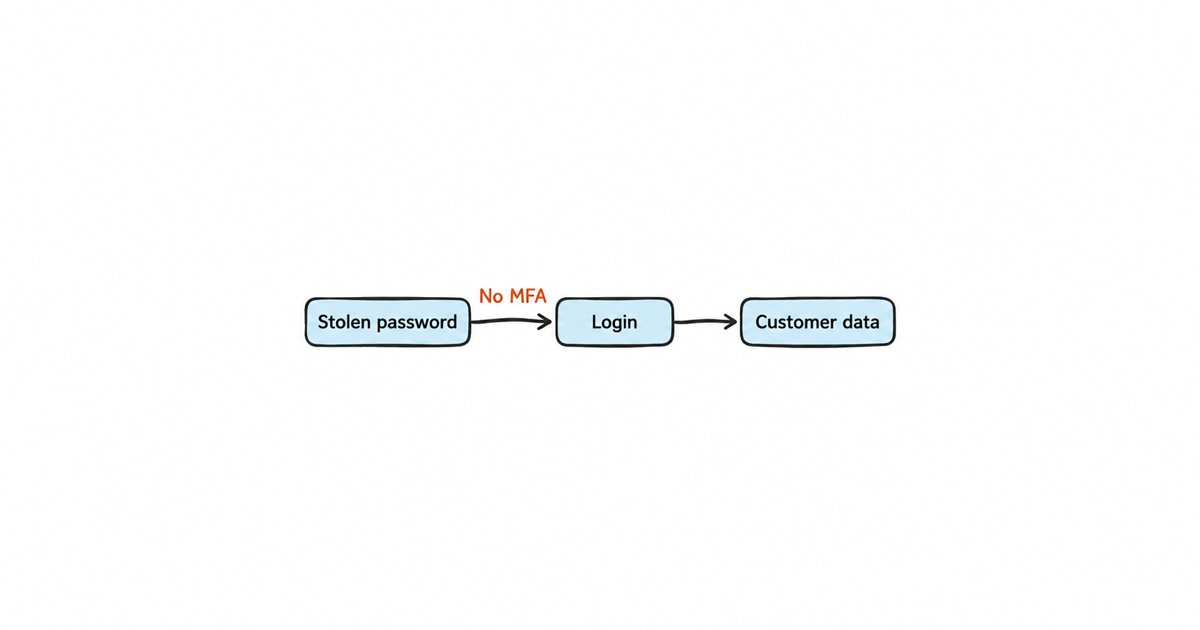
Java4Shell (CVE-2026-114938) is a flaw in the Java runtime’s Base64 decoder (CISA), not in Keycloak’s own code, so upgrading Keycloak alone does not fix it: the fix is a patched JDK on every Keycloak node, or a Keycloak container image rebuilt on one, followed by a restart. Keycloak’s advisory of 18 November 2026 says it cannot yet recommend a fixed Keycloak image, so until one ships you start every affected Keycloak JVM with -XX:-UseBASE64Intrinsics and verify that the running process picked it up. If a node was reachable before you mitigated it, rotate your OIDC client secrets, revoke refresh tokens and review admin events.
CISA published its alert, Critical Java Vulnerability Requires Immediate Patching, on 17 November 2026, and the news coverage lists Keycloak among the affected applications without saying what a Keycloak operator should actually do. This post answers that from the Keycloak side: how to tell whether your nodes are exposed, how to apply the interim mitigation on bare metal, containers and the Operator, how to roll the fix out without logging everyone out, and what to check on a node that may have been hit.
What is Java4Shell and why does it reach Keycloak?
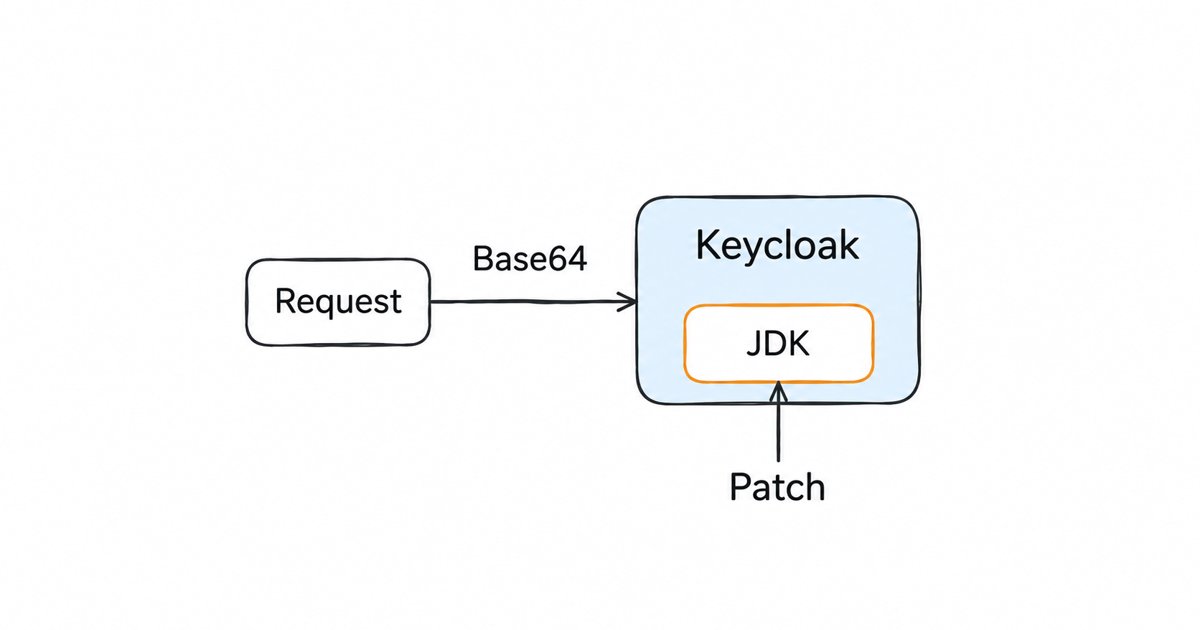
CISA says the flaw affects the Base64 decoder of the x86-64 HotSpot Java Virtual Machine, and Keycloak’s advisory explains that a malformed value can corrupt the Java process’s memory (Keycloak). CISA describes the impact in one sentence: “Specially crafted Base64 input could crash the JVM and allow for unauthenticated remote code execution” (CISA). The research firm Calif, which found and disclosed it, explains that the faulty code is an intrinsic, meaning a hand-written assembly version of the decoder that the JVM swaps in for speed, and that it uses AVX-512 VBMI instructions (Calif). It only runs on x86-64 processors that support those instructions, and Calif says ARM64 is not affected.
Calif rates the bug 9.2 (critical) under CVSS 4.0 (Calif), while The Hacker News reports that Oracle scores it 8.1 under CVSS 3.1 and rates it hard to exploit but requiring no login (The Hacker News). Calif says Java4Shell affects OpenJDK from version 17.0.6 onward, and The Hacker News lists Java 21, 25 and 27 as affected as well. The Hacker News tracks the status of builds from several vendors that ship OpenJDK, including Oracle Java SE, Amazon Corretto, the Red Hat build of OpenJDK and Eclipse Temurin (The Hacker News).
Keycloak is in Calif’s list of applications where the researchers showed pre-authentication remote code execution in the default configuration (Calif). Keycloak’s own advisory explains why: Keycloak decodes Base64 on requests that arrive before authentication, so requiring a login does not protect an affected instance (Keycloak). The Hacker News gives HTTP Basic authentication headers and SAML artifacts as examples of Base64 input that servers handle before anyone signs in (The Hacker News).
As of 18 November, The Hacker News reported no evidence that the flaw had been exploited in the wild (The Hacker News), and Calif is holding back its product-specific exploit chains “until everyone has had a chance to upgrade” (Calif). You have some time before working exploits circulate, but probably not much, so treat this as urgent.
Why doesn’t a Keycloak upgrade fix it?
Keycloak is a Java application, and the Base64 decoder belongs to the JVM that runs it. A Keycloak release changes the Keycloak code, but a ZIP or TAR.GZ install runs on whatever OpenJDK is installed on the host (the getting started guide for the ZIP distribution tells you to make sure you have OpenJDK 25 installed before you start), so moving from one Keycloak version to the next leaves the vulnerable decoder in place. Container images are different only in that the image bundles a Java runtime, so a new image fixes the flaw only when it was built on a patched JDK.
Keycloak’s advisory is explicit about this. It says the x86-64 images tagged 26.8.2-1 and 26.8.2-2 bundle an affected OpenJDK 21.0.13 build, that the Keycloak Operator image for 26.8.2 runs on OpenJDK 25 and can also have the vulnerable decoder, and that you should not use the Keycloak version number alone to decide whether a deployment is fixed (Keycloak). This is also why the usual routine from our release patch checklists, such as the Keycloak 26.7.4 security fixes checklist and the 26.7.3 checklist, does not apply here: those fixes lived in Keycloak’s code, while this one lives under it.
Is your Keycloak node affected?
Keycloak’s advisory says an instance is at risk only when all three of these are true (Keycloak):
- It runs an unpatched OpenJDK build from 17.0.6 onward, including unpatched 21 and 25 builds.
- The x86-64 host or virtual machine exposes
avx512vbmito Java. - The running JVM has Base64 intrinsics enabled and is not limited to AVX2 with
-XX:UseAVX=2.
Check the CPU first, on every machine that can run Keycloak, including failover nodes and the nodes your orchestrator might schedule a pod onto during a rolling update. This is the check from Keycloak’s advisory, and no output means the CPU is not known to be affected:
grep -m1 '^flags' /proc/cpuinfo | grep -qw avx512vbmi && echo 'AVX-512 VBMI available'Then check the Java build that actually starts Keycloak. On a ZIP or TAR.GZ install, run java -version with the same Java that kc.sh uses, which is the one in JAVA_HOME or on the service’s PATH. For containers, ask the running container rather than the image tag:
docker exec my-keycloak java -version
kubectl exec my-keycloak-0 -c keycloak -- java -version
Replace my-keycloak and my-keycloak-0 with your container and pod names. If you run custom images built FROM quay.io/keycloak/keycloak, as the Keycloak container guide shows, your image inherits the Java runtime of the Keycloak base image you built on, so check each image you have in production, not only the upstream tag.
Apply the interim mitigation now
Keycloak recommends starting each affected JVM with -XX:-UseBASE64Intrinsics, which turns off the hardware-accelerated decoder so Java falls back to its ordinary Base64 code. The advisory calls it “Red Hat’s preferred interim mitigation” (Keycloak). Calif also lists -XX:UseAVX=2, which disables AVX-512 for the whole JVM (Calif), but it costs more performance and The Hacker News reports that Java on ARM64 fails to start with it (The Hacker News), so prefer the Base64 flag. Keep in mind that these flags come from the researchers and Red Hat; as reported by Tenable, neither the Oracle advisory nor the OpenJDK Vulnerability Group advisory mentions them (Tenable).
Keycloak’s advisory applies the flag through the JAVA_OPTS_APPEND environment variable (Keycloak), which the Operator documentation also uses for extra JVM options. Add the flag to any value you already have rather than replacing it, because many deployments already set memory options there.
ZIP or TAR.GZ install. In the shell or service that starts Keycloak:
export JAVA_OPTS_APPEND="${JAVA_OPTS_APPEND:+$JAVA_OPTS_APPEND }-XX:-UseBASE64Intrinsics"
./bin/kc.sh start
Under systemd, put the same variable in the unit’s environment and restart the service.
Docker, Podman or Compose. Pass -e JAVA_OPTS_APPEND=-XX:-UseBASE64Intrinsics to the run command, or add it under environment in your Compose file, again keeping any options you already pass.
Keycloak Operator. Add the variable to the Keycloak custom resource. The advisory notes that the Operator supports spec.env for it when you do not already use a pod template; if you do, add it to the keycloak container under spec.unsupported.podTemplate (Keycloak, Operator documentation):
spec:
  env:
    - name: JAVA_OPTS_APPEND
      value: "-XX:-UseBASE64Intrinsics"
The Operator itself is a Java process too, and JAVA_OPTS_APPEND does not configure it. Keycloak’s advisory sets JDK_JAVA_OPTIONS=-XX:-UseBASE64Intrinsics on the keycloak-operator Deployment, or in the Subscription’s spec.config.env when you installed through OLM (Keycloak).
Verify the running JVM, not the configuration
Seeing the variable in a container’s environment does not prove the JVM took it, for example when a startup script overwrites JAVA_OPTS_APPEND. Keycloak’s advisory asks you to confirm that the live process reports UseBASE64Intrinsics = false with jcmd:
kubectl exec my-keycloak-0 -c keycloak -- jcmd io.quarkus.bootstrap.runner.QuarkusEntryPoint VM.flags -all | grep -F UseBASE64IntrinsicsOn a ZIP install, find the process ID with jcmd -l and run jcmd against it, and for the Operator pod use jcmd 1 VM.flags -all. Keep the flag until a vendor-confirmed fixed runtime is deployed and verified.
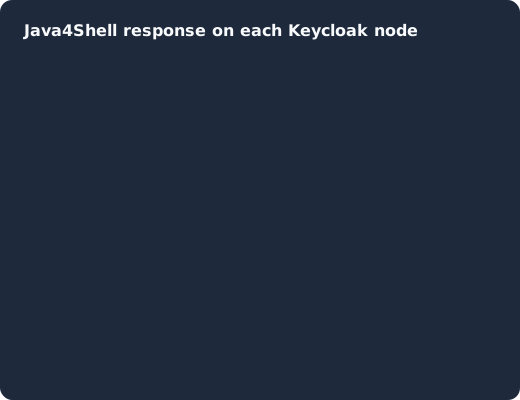
On each node you check the CPU and Java build (1), add the interim flag (2), restart the nodes one at a time (3), confirm with jcmd that the running JVM has the intrinsic turned off (4), and roll out the patched Java build once it exists before you drop the flag (5).
Roll out the patched JDK as it ships
The fixes are arriving vendor by vendor, so the right target depends on whose Java your Keycloak runs on. Oracle lists its Java fixes on its security alerts page, and the OpenJDK Vulnerability Group lists its advisories on its own advisories page. As reported by The Hacker News, Oracle and Amazon Corretto have fixed builds, Red Hat had not yet released fixes, and Eclipse Temurin had not listed fixed builds when it checked (The Hacker News). Check your own vendor’s advisory before you trust any version list, because this one is changing by the day.
Bare metal and VMs. Install the patched JDK from your vendor, point JAVA_HOME (or the service’s PATH) at it, restart Keycloak, and run java -version again with the Java that starts Keycloak.
Official container images. Keycloak says it will release updated Keycloak and Operator images as soon as patched OpenJDK builds are available for them, and asks you to follow issue #55293 for the release (Keycloak). Until then, the flag is your protection. When the new image lands, pin its exact tag and check java -version inside a running container, because the tag alone is not proof.
Custom images. If you build your own image from quay.io/keycloak/keycloak, rebuild it on the fixed base tag once it is published and redeploy. Run the multi-stage build from the container guide again rather than copying the old optimized layer, so the final stage really sits on the new base image. If you replaced the runtime with your own Java in the image, update that Java instead.
Operator deployments. Point the Keycloak custom resource at the fixed image and let the Operator replace the pods, and update the Operator’s own image once a fixed one is released.
How do you restart a Keycloak cluster without logging users out?
Restart one node at a time and wait until each is ready again before moving on, which is what the Operator does when it rolls its pods. In Keycloak 26, all user sessions are persisted in the database by default (Keycloak 26.0.0 release), so a session does not live only in the memory of the node you restart. Our post on default configurations to adjust on your Keycloak cluster covers the cluster settings that make these restarts uneventful.
Patched on the day, not on your next maintenance window
Keycloak 26.7.2 fixed CVE-2026-18963, an account takeover through password reset. Skycloak had it available for auto-upgrade and told customers the same day upstream shipped it. Self-hosted teams schedule that work themselves.
Temporary controls at the reverse proxy
CISA recommends compensating controls when you cannot patch right away: “restricting and validating Base64 input at the application boundary, enforcing input-size limits, and limiting unauthenticated access” (CISA). For Keycloak this is weaker protection than it sounds. Keycloak is an identity provider, so its login, token and SAML endpoints must accept unauthenticated requests, and Calif shows the trigger fits in a string of about 65 characters (Calif), so a size limit does not block it.
The proxy can still shrink the surface. Keep the admin console and the Admin REST API off the public internet, block the SAML endpoints if you do not use SAML, and refuse HTTP Basic Authorization headers on paths where your clients never send them. Our guide to running Keycloak behind a reverse proxy shows where these rules go. Treat them as a way to reduce exposure for the hours before the JVM flag is in place, not as a replacement for it.
What to do if a node was exposed before you mitigated it
If an affected node was reachable from the internet, or from any network you do not fully trust, assume it could have been compromised and work through these steps. Remote code execution on a Keycloak node means the attacker could read what that process can read, which includes the database connection settings, the realm signing keys and every client secret.
- Look for crashes first. CISA notes that crafted input can crash the JVM, so an unexplained Keycloak restart or a JVM fatal error log on that node since 17 November deserves a closer look. As reported by Tenable, Calif’s public proof of concept only triggers the flaw and does not take control of the system (Tenable), so a crash may be the only trace someone trying it leaves.
- Rotate client secrets. Regenerate the secret of every confidential client in the affected realms. Since Keycloak 26.8, with the client secret rotation policy enabled, a client can have two active secrets during a rotation, which lets you hand out new secrets without downtime, as we explain in client secret rotation in 26.8.
- Revoke refresh tokens and sessions. Use the revocation policy under Sessions to set a time and date before which sessions and tokens are invalid, which the guide recommends when a system is compromised, as described under revoking active sessions in the Server Administration Guide. If you only need to end particular sessions, our post on revoking a single Keycloak session shows the Admin REST API calls.
- Rotate realm keys. Create new signing keys with a higher priority than the current active keys, then remove the old ones, following rotating keys in the guide, so tokens an attacker could sign with a stolen key stop being accepted.
- Change infrastructure credentials. Change the database password Keycloak uses, the bootstrap or emergency admin credentials, and any keys or secrets that were on the node’s file system or in its environment.
- Review admin events. Look for clients, identity providers, users or role mappings you did not create, and for redirect URI changes, in the admin events. Our Keycloak auditing and event logging guide explains how to enable, read and forward them; if admin events were never saved, compare the realm configuration against your last export or your infrastructure-as-code instead.
A node that was never reachable from an untrusted network, or whose CPU does not expose AVX-512 VBMI, does not need this full response, but it still needs the flag and the patched JDK.
Other Java applications next to Keycloak
The same JDK fix applies to every Java application on an affected machine. Calif’s list of applications with pre-authentication code execution also names Jira, Confluence, Artifactory, Jenkins and PingFederate, and the researchers call their lists non-exhaustive (Calif). If those run next to Keycloak, often on the same hosts or base images, check their Java runtime with the same steps and follow their vendors’ guidance for the interim flag. Keycloak extensions you deploy, such as custom SPIs, run inside Keycloak’s JVM, so they are covered by the same fix and need no separate change.
FAQ
Does upgrading Keycloak fix Java4Shell?
No. Java4Shell is in the JDK’s Base64 decoder, and a Keycloak release does not change the Java that runs it. Keycloak’s advisory warns that its 26.8.2 images bundle an affected OpenJDK build and that the Keycloak version alone does not tell you whether a deployment is fixed.
Is Keycloak on ARM affected by Java4Shell?
Calif says ARM64 is not affected, because the vulnerable intrinsic only runs on x86-64 processors with AVX-512 VBMI. Do not set -XX:UseAVX=2 on ARM64 hosts, since The Hacker News reports that Java fails to start with it there.
Which JVM flag mitigates Java4Shell in Keycloak?
Keycloak recommends -XX:-UseBASE64Intrinsics, added to JAVA_OPTS_APPEND, and calls it Red Hat’s preferred interim mitigation. Verify with jcmd that the running JVM reports UseBASE64Intrinsics as false.
Is Java4Shell being exploited?
As of 18 November 2026, The Hacker News reported no evidence of exploitation in the wild, and Calif had not released its Keycloak exploit chain. That can change quickly once the patches are studied, so mitigate now.
Should I rotate secrets after patching?
Only if a node was exposed while vulnerable. Then rotate client secrets, revoke sessions and refresh tokens, rotate realm keys and review admin events, as in the checklist above. A node that was never reachable needs the patch, not the rotation.
Next steps
Check the CPU flags and the Java build on every Keycloak node today, add -XX:-UseBASE64Intrinsics wherever the node is affected, and confirm it with jcmd. Roll out the patched JDK or the fixed Keycloak image as soon as your vendor ships one, and run the exposure checklist on any node that was reachable before you mitigated it. For a recent flaw that did live in Keycloak’s own code, and how its patch differed, see our write-up of the Organizations CVEs fixed in 26.7.3.
If you would rather not track Java and Keycloak patches across your own nodes, take a look at managed Keycloak hosting with Skycloak.