IAM Technology Explained: The Building Blocks of IAM. IAM technology explained: directories, MFA and passkeys, SSO with OIDC and SAML, RBAC, SCIM provisioning and audit logs, followed through one login request.
IAM technology is the set of systems that decide who a user or machine is and what it can reach: a directory that stores identities, authentication (passwords, MFA, passkeys), single sign-on through standards like OIDC and SAML, authorization models like RBAC, provisioning with SCIM, and audit logs that record every decision. Each block can come from a different product, and open standards are what let them work together.
Most pages about IAM (identity and access management) give you a list of functions or a list of product categories. That is useful for a buyer’s checklist, but it does not show you how the parts connect when someone actually signs in. In this post we follow one login request from the app, through the directory, the protocol, the token and the access policy, to the audit log, and we name the open standard behind each step so you can evaluate any product against it. Then we compare workforce and customer IAM, look at machine and AI agent identities, and suggest which blocks a small team needs first.
If you want the two core ideas on their own first, our explainer on authentication vs authorization separates “who are you” from “what may you do”, and the post on the role of user management in modern IAM solutions covers the accounts themselves.
What are the building blocks of IAM technology?
Six blocks show up in almost every IAM stack, whether you buy one product that does all of them or assemble them yourself. The table gives each one, what it does and the standard you will usually meet it through.
| Building block | What it does | Standards you will meet |
|---|---|---|
| Directory | Stores identities: users, groups, attributes and credentials | LDAP, or the identity provider’s own database |
| Authentication | Proves the user is who they claim to be | Passwords, one-time codes, WebAuthn passkeys (NIST SP 800-63B) |
| Single sign-on and federation | Lets one login serve many apps, and lets you trust another organization’s login | OpenID Connect, SAML 2.0 |
| Tokens and delegated access | Carries the result of the login to apps and APIs | OAuth 2.0, JWT |
| Authorization | Decides what an identity may do | Role-based access control (RBAC), scopes, attribute rules |
| Provisioning and audit | Keeps accounts in step with the source of truth and records what happened | SCIM 2.0, the identity provider’s event log |
The US National Institute of Standards and Technology splits digital identity the same way in its SP 800-63 guidelines, with separate volumes for “Enrollment and Identity Proofing”, “Authentication and Lifecycle Management” and “Federation and Assertions” (NIST SP 800-63-3). Note that the same page says revision 3 “has been superseded by NIST SP 800-63-4 as of August 1, 2025” (NIST SP 800-63-3), so check revision 4 when you need the current requirements.
How does one login request move through the IAM stack?
The clearest way to see how the blocks connect is to follow a single person signing in to a web app and then calling that app’s API. The six steps below are the same whether the person is an employee opening an internal tool or a customer signing in to your SaaS product.
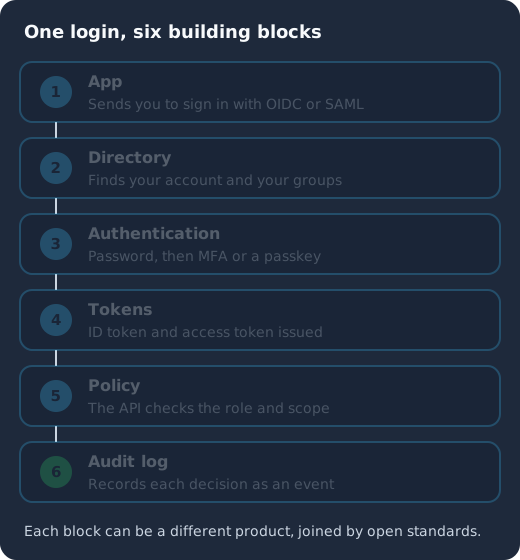
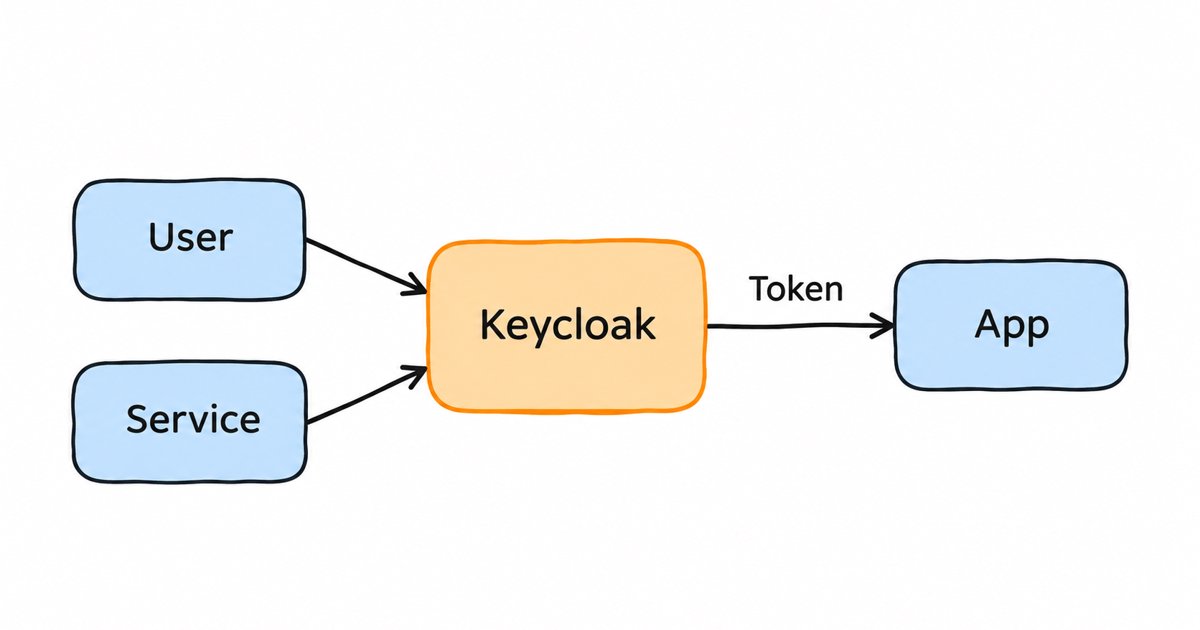
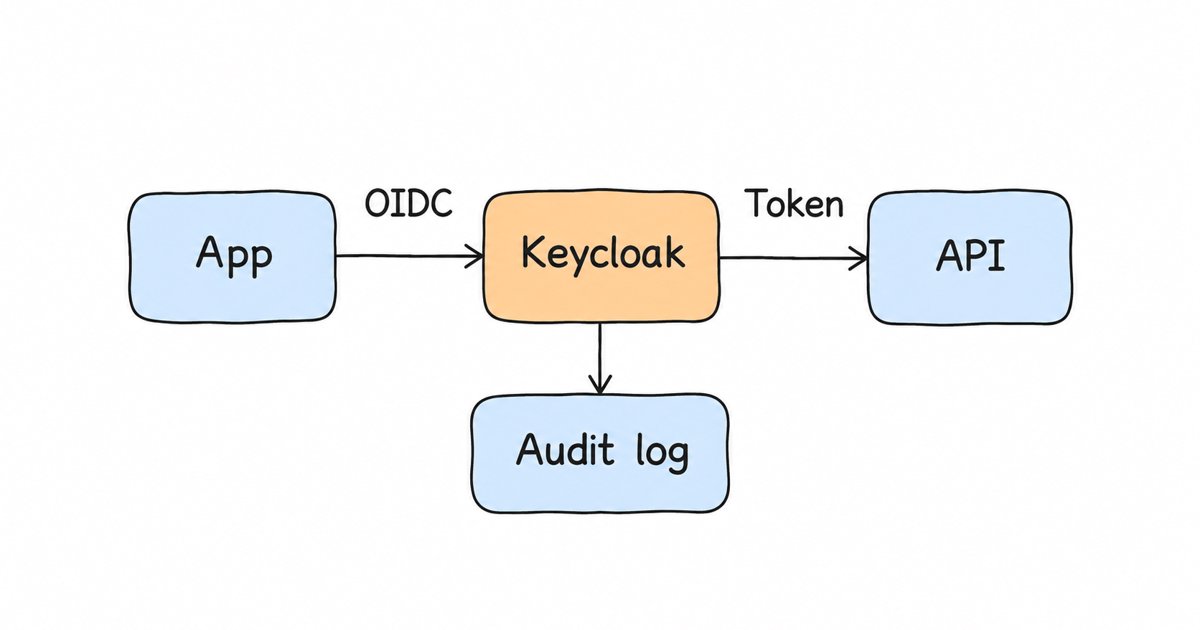
The app sends the user to the identity provider (1), the directory finds the account and its groups (2), authentication checks the password and a second factor (3), the identity provider issues an ID token and an access token (4), the API checks the role and scope in the access token (5), and the audit log records each decision (6).
Step 1: the app hands the login to an identity provider
Your app does not check the password itself. Instead it redirects the browser to an identity provider (IdP), the server that owns logins for one or many apps, using a protocol both sides understand. For modern web and mobile apps that protocol is usually OpenID Connect, which its specification describes as “a simple identity layer on top of the OAuth 2.0 protocol” (OpenID Connect Core 1.0, Introduction). Many enterprise apps still use SAML 2.0, the Security Assertion Markup Language, which OASIS defines in its SAML 2.0 core specification (OASIS SAML 2.0 Core).
Because the login happens at the IdP and not in each app, this step is also what gives you single sign-on (SSO): once the person has a session at the IdP, the next app that redirects there gets them signed in without another password prompt.
Step 2: the directory finds the identity
The IdP looks up the account in a directory, the store of users, groups and attributes such as email or department. In a company that is often Active Directory or another LDAP server, and in a SaaS product it is usually the IdP’s own user database. Some IdPs read an existing directory in place rather than copying it, which is called user federation, so your HR system or Active Directory stays the source of truth for who works there.
Step 3: authentication proves who the person is
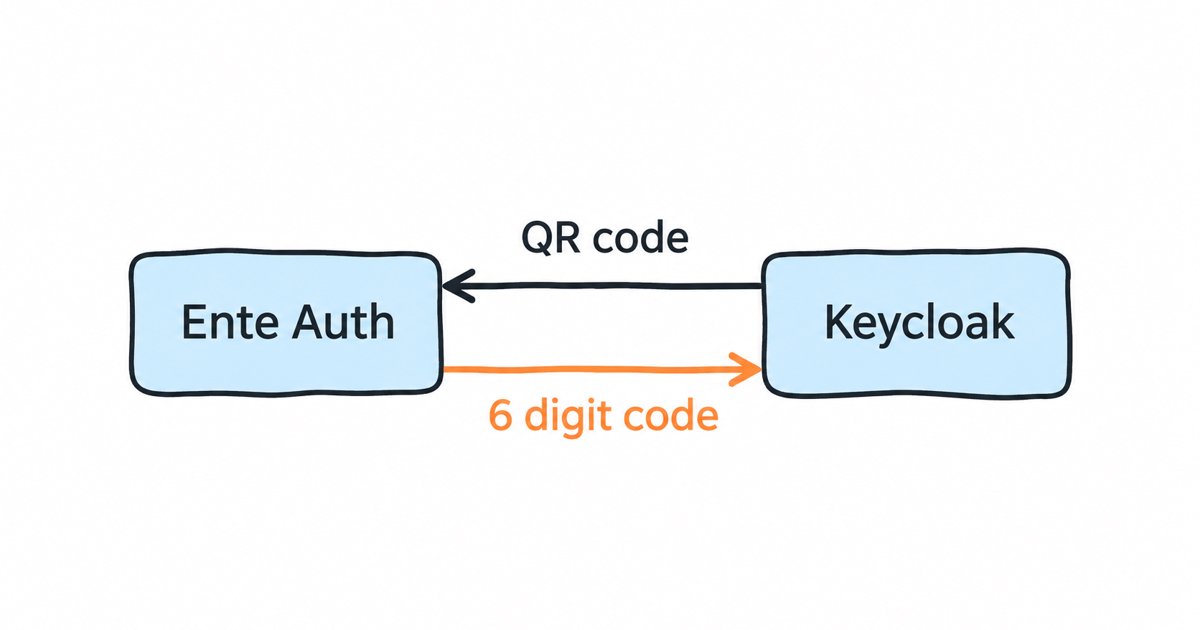
Next the IdP checks one or more authenticators. A password is something the person knows, a one-time code from an app is something they have, and a passkey uses public key cryptography so that nothing reusable is sent to the server. Combining two different kinds is multi-factor authentication (MFA). Our guide to authentication methods compares each method, including which ones resist phishing, and NIST’s authentication volume sets out how strong each combination is (NIST SP 800-63-3).
Step 4: the identity provider issues tokens
When authentication succeeds, the IdP sends the result back to the app as tokens. In OpenID Connect, “the primary extension that OpenID Connect makes to OAuth 2.0 to enable End-Users to be Authenticated is the ID Token data structure” (OpenID Connect Core 1.0, ID Token), and the app reads it to learn who signed in. The app also receives an access token, which it sends to its API. OAuth 2.0 is the framework behind that second token: it “enables a third-party application to obtain limited access to an HTTP service” (RFC 6749). Both tokens are often JSON Web Tokens, “a compact, URL-safe means of representing claims to be transferred between two parties” (RFC 7519), signed by the IdP so the API can check them without calling back.
In SAML the equivalent of the ID token is the assertion, an XML document the IdP signs and posts back to the app through the browser.
Step 5: authorization decides what the identity may do
The API now has a verified token, and it still has to decide whether this person may perform this action. The most common model is role-based access control (RBAC), in which, as NIST puts it, “each user is assigned one or more roles, and each role is assigned one or more privileges” (NIST RBAC project). The IdP usually puts the user’s roles, and the OAuth scopes the app was granted, into the access token, so the API can make the decision from the token alone. Finer models add attributes, such as the user’s tenant or the record’s owner, on top of roles.
Step 6: the audit log records what happened
Every step above produces an event: a successful login, a failed MFA attempt, a token issued to a client, an admin who changed a role. Writing those events somewhere you can search them is the audit block. You need it for incident response (who signed in from where, and when), and auditors ask for it when they check that access is reviewed and removed on time.
Where do provisioning and governance fit?
The login flow above assumes the account already exists and is up to date. Provisioning is the work of creating, updating and removing accounts so that is true. The simplest form is just-in-time (JIT) provisioning, where the IdP or app creates the account the first time someone signs in through SSO. The standard for the full lifecycle is SCIM, “an HTTP-based protocol that makes managing identities in multi-domain scenarios easier to support via a standardized service” (RFC 7644). With SCIM, a customer’s directory pushes new hires, changes and leavers to your app without waiting for anyone to log in. Our post on JIT provisioning vs SCIM explains when first login is enough and when it is not.
Above provisioning sits identity governance and administration (IGA): access requests, approval workflows, periodic access reviews and reports that show who can reach what. Many teams treat IGA as a separate product category from IAM, and our comparison of IAM vs IGA explains where the line usually falls.
How do workforce IAM and customer IAM differ?
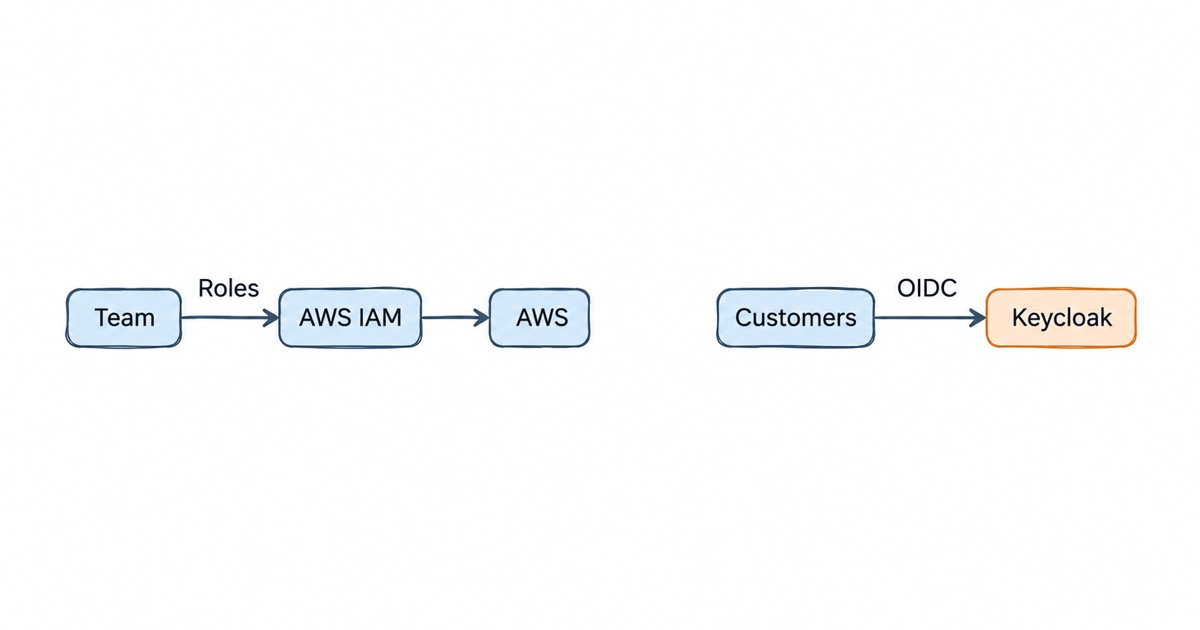
The building blocks are the same, but the people using them and the priorities are different. Workforce IAM serves your own employees and contractors, while customer IAM (often called CIAM) serves the people who sign up for the product you sell. If you build B2B SaaS you often need both shapes in one system, because your customers’ employees sign in to your product through their company’s IdP.
| Workforce IAM | Customer IAM | |
|---|---|---|
| Who signs in | Employees and contractors | Your users and your customers’ users |
| Source of identities | HR system or corporate directory | Self sign-up, social login, or the customer’s own IdP |
| Typical protocols | SAML and OIDC to SaaS apps, LDAP inside | OIDC for your apps, SAML and OIDC to your customers’ IdPs |
| Provisioning | SCIM from the directory to each app | Sign-up and JIT, then SCIM for enterprise customers |
| Main concerns | Central control, fast removal of leavers, access reviews | Sign-up experience, scale, tenant separation, enterprise SSO requests |
Our overview of cloud identity management goes further into how these choices change when the IdP runs as a service instead of on your own servers.
Identity management as a service, on open source
Skycloak does what Auth0 and Okta do, SSO, MFA, SCIM, audit logs and enterprise federation, on an open source core. Unlimited users and applications on every plan, no charge per monthly active user, and you can export and self-host whenever you want.
What about machine, API and AI agent identities?
Not every identity is a person. Backend services, scheduled jobs and integrations call APIs too, and they need an identity of their own rather than a borrowed user password. OAuth 2.0 covers this with the client credentials grant, in which “the client can request an access token using only its client credentials” (RFC 6749, Section 4.4). The same blocks apply: the client is registered in the IdP, it authenticates with a secret or a key, it gets roles or scopes, and its calls show up in the audit log.
AI agents add one twist, because an agent often acts on behalf of a person. You then want the token to say both which agent is calling and which user it acts for, with scopes narrow enough that the agent can only do the task it was given. Our guide to AI agent authentication with Keycloak shows the patterns, from client credentials for the agent itself to delegated, scoped tokens for user actions.
Which IAM building blocks does a small team need first?
You do not need all six blocks at full depth on day one. A sensible order for a small engineering team building a product looks like this:
- One identity provider and OIDC for your own apps. Put every login behind one IdP from the start, so you never have to merge separate user tables later.
- MFA, with passkeys as an option. Turn on a second factor for admins straight away and offer it to users, since it is cheap to add early and painful to retrofit.
- Simple roles in the access token. Start with a few roles, check them in your API, and resist hard-coding permissions per user.
- Event logging switched on. Save login and admin events from the first week, because you cannot go back and record an incident that already happened.
- SAML and OIDC federation when your first enterprise customer asks for SSO, with JIT provisioning to create their users on first login.
- SCIM and access reviews when customers or auditors require them, usually when someone asks how leavers are removed.
How does this look in Keycloak?
Keycloak is an open source identity and access management solution, in its project’s own words, and it is a useful worked example because each block above has a place in its admin console, as the list below shows. The examples here use the Keycloak 26.8 admin console. Everything in Keycloak lives inside a realm: “A realm manages a set of users, credentials, roles, and groups,” and “Realms are isolated from one another and can only manage and authenticate the users that they control” (Keycloak Server Administration Guide, Core concepts and terms). Here is where each block lives in the admin console.
- Directory: Users and Groups hold the realm’s own accounts, and User federation connects an existing directory; the guide lists “User Federation - Sync users from LDAP and Active Directory servers” among its features (Keycloak Server Administration Guide, Features). Our LDAP user federation explainer covers the details.
- Authentication: Authentication holds the login flows and required actions, which decide whether a user must present a password, an OTP code or a passkey. Our Keycloak passkeys guide walks through the passkey setup.
- SSO and federation: each app you connect is an OIDC or SAML client under Clients, and each outside IdP you trust, such as a customer’s Entra ID or Okta, is added under Identity providers.
- Authorization: Realm roles, client roles and Client scopes decide which roles and scopes go into a token.
- Provisioning: first logins through an identity provider run the first broker login flow, which can create the Keycloak account automatically on that first login (a form of JIT provisioning), and Keycloak 26.8 promoted its SCIM API from preview to supported, according to the 26.8 release notes. Our Keycloak 26.8 SCIM post covers its limits.
- Audit: the guide describes events as “audit streams that admins can view and hook into” (Keycloak Server Administration Guide, Core concepts and terms). To keep them, go to Realm settings, open the Events tab, and toggle Save events on under User events settings and under Admin events settings, as the guide’s sections on auditing user events and auditing admin events describe.
When a user signs in to an OIDC client, the access token Keycloak issues carries the output of most of those blocks at once. Decoded, a trimmed example payload looks like this (our JWT validation guide shows a fuller Keycloak token with the same claims):
{
  "iss": "https://auth.example.com/realms/acme",
  "sub": "5f1c2a9e-0000-4000-8000-000000000000",
  "aud": "orders-api",
  "azp": "orders-web",
  "exp": 1795000300,
  "scope": "openid profile email",
  "preferred_username": "jane",
  "realm_access": {
    "roles": ["orders-viewer"]
  }
}
The iss claim names the realm that issued the token, sub is the user’s ID in the directory, azp is the client that asked for the token, scope lists what the client was granted, and realm_access.roles carries the roles your API checks in step 5. The login that produced this token is also an event in the realm’s event log, if you switched saving on.
Should you build it, run Keycloak yourself, or buy it managed?
Writing your own IAM stack from scratch means implementing and maintaining every protocol above, which few product teams should take on. Running open source Keycloak yourself gives you the whole stack, but you then own its upgrades, database, clustering and availability. A managed service runs the same server for you. Our checklist on build vs buy for identity lists the questions to settle before you choose.
What to do next
Map the six blocks onto your own system: write down which product or code handles your directory, authentication, SSO protocols, tokens, authorization, provisioning and audit today, and which standard each one speaks. The gaps are usually obvious once they are in one table, and they tell you what to add first from the list above.
If you want this whole IAM stack without running the server yourself, see how Skycloak runs it on managed Keycloak, and contact the team to talk through your setup.