Barracuda cloud breach: what a stolen access key can open. Barracuda's cloud breach began with a vendor access key that was never retired. What it opened, how ARTEX sped it up, and how to replace your own keys.
Barracuda has linked its cloud breach to ARTEX, an open-source AI penetration-testing framework, and says the attacker got in with a single long-lived cloud access key that it had given to a third-party vendor and never retired (BleepingComputer, Barracuda). From that key the attacker reached about 10 cloud accounts in roughly 44 hours and chained the secrets it found into analytics, source code and Kubernetes. To avoid the same path, find every static cloud key you have, retire or rotate it, replace it with short-lived tokens tied to a workload identity, and alert when a key is used from a place it has never been used from before.
This post is for security and platform engineers who saw the news and want to know whether their own keys could be used the same way. We go through what Barracuda has confirmed and what it has not, explain how one key turned into access across several systems, and then give a short runbook you can check against your own accounts this week. The examples use AWS commands because they are the most common, and Keycloak token settings for the parts that sit in your identity provider, but the steps carry over to any cloud.
Key takeaways
- Barracuda says the entry point was a cloud access key “provided to a third-party vendor for the duration of a previous project”, which BleepingComputer reports was stored in a configuration file in the vendor’s GitHub repository (BleepingComputer).
- Activity ran from 04:33 UTC on 1 November to 23:31 UTC on 2 November 2026 and was noticed on 4 November (Barracuda).
- Barracuda says it found “no direct evidence that the attacker viewed or accessed” customer integration credentials, and only customers it contacted need to act (Barracuda).
- Access keys are long-term credentials, and AWS recommends temporary credentials such as IAM roles instead (AWS IAM).
What happened in the Barracuda cloud breach?
Barracuda’s CISO published a timeline of the intrusion on 11 November, following an earlier advisory on the company’s Trust Center (Barracuda). BleepingComputer summarised the incident on 16 November (BleepingComputer).
Barracuda had given a cloud access key to a vendor, “a company working in AI”, for an earlier project, and in its own words: “We did not retire the key when the vendor … finished that work. That is on us” (Barracuda). The vendor’s own development environment was compromised in October, and Barracuda says that “appears to be where the attacker found our key” (Barracuda). BleepingComputer reports that the key “was stored in a configuration file in the vendor’s GitHub repository” (BleepingComputer).
The attacker made its first call with the key at 04:33 UTC on 1 November and its last recorded activity was at 23:31 UTC on 2 November (Barracuda). One of Barracuda’s engineers noticed unusual activity on their own account on 4 November, by which time the activity had already stopped, and the company removed the attacker’s container that evening and rotated credentials across every system involved. Barracuda says it found no direct evidence that the attacker viewed or accessed customer integration credentials, although its logging in that environment was not detailed enough to rule it out, and it asked the customers it contacted to revoke and recreate their integration credentials (Barracuda). BleepingComputer reports that these are customers of Managed XDR Cloud or Monitored Endpoint (BleepingComputer). If you are a Barracuda customer and were not contacted, the company says no action is needed.
Two things are still open. Barracuda does not name which cloud provider hosts the affected accounts, and it says that because many groups use ARTEX, matching the tool “tells us how the attacker operated, not who it was” (Barracuda). Based on the commands that hunted for crypto wallet material, Barracuda believes the attack was financially motivated, though it does not rule out that this was a diversion (BleepingComputer).
How did one access key open about 10 cloud accounts?
A cloud access key is a pair of strings that signs API requests as a particular identity, and it keeps working until someone deactivates or deletes it. AWS describes access keys as “long-term credentials for an IAM user or the AWS account root user” (AWS IAM). Whatever that identity is allowed to read, the holder of the key can read too, from anywhere, and that usually includes other secrets.
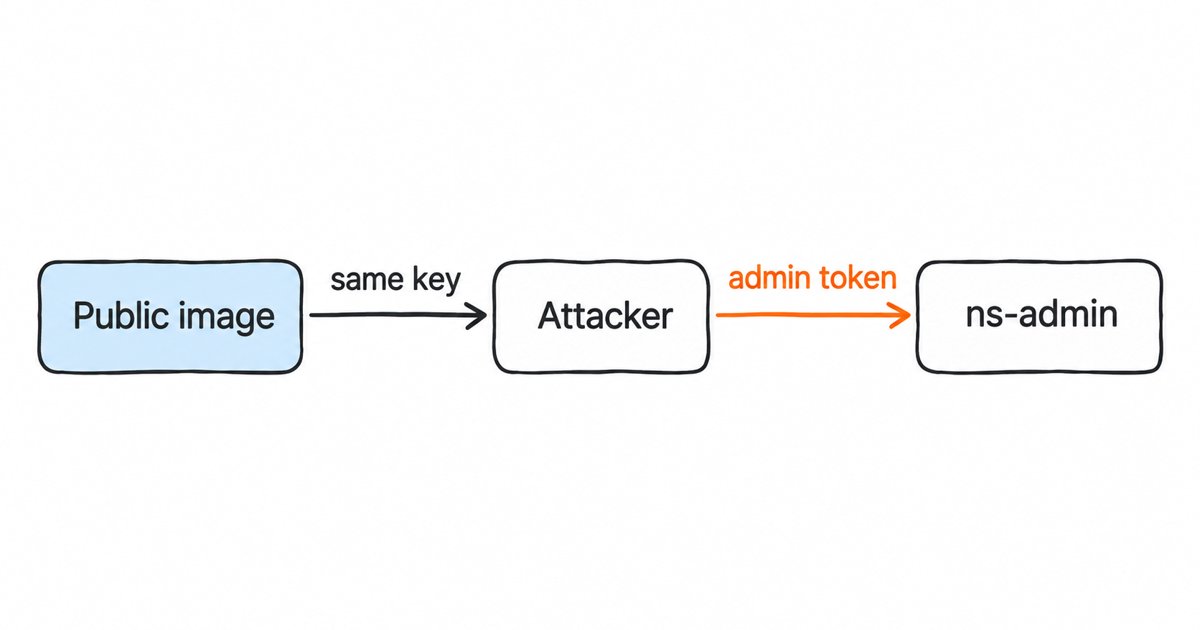
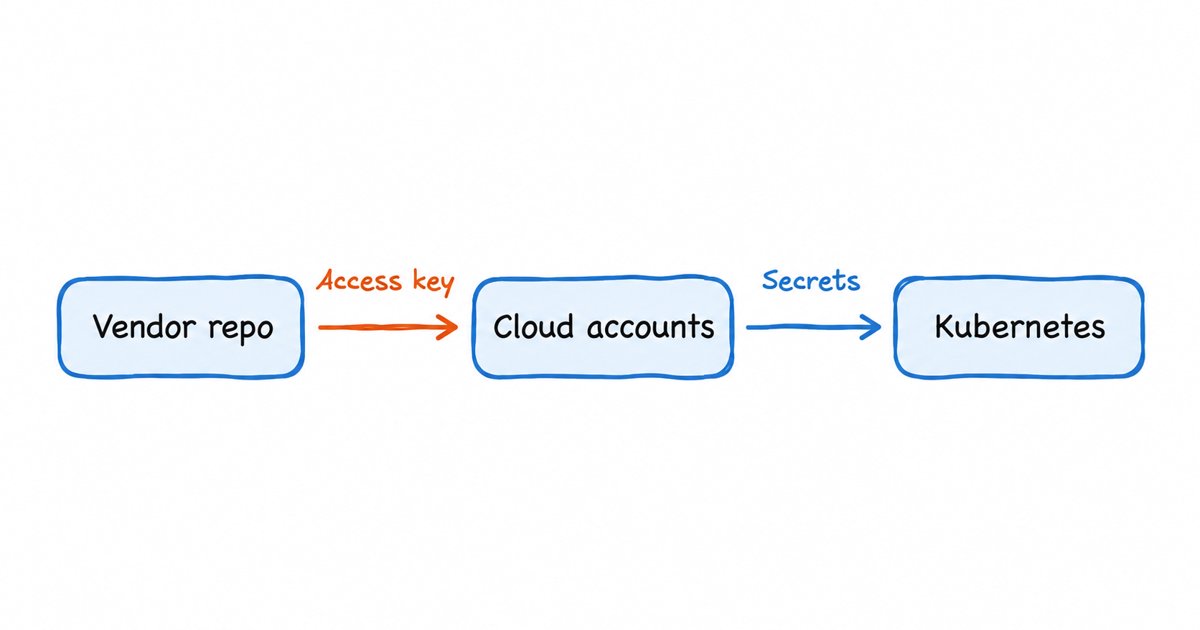
That is how the intrusion widened. Barracuda describes the attacker reading secret stores, decrypting infrastructure-as-code state files, and pulling credentials from server metadata services and Kubernetes service accounts, including “stored secrets such as AWS access keys and Azure service principal secrets” (Barracuda). Each secret it found was a new identity with new permissions, so the access grew by chaining one credential into the next rather than through any software vulnerability. Over the first day the attacker moved from the cloud accounts to a data analytics system, then to a source-code access token, and then into Kubernetes clusters, where it deployed a container that mounted the underlying server’s file system to collect that server’s credentials.
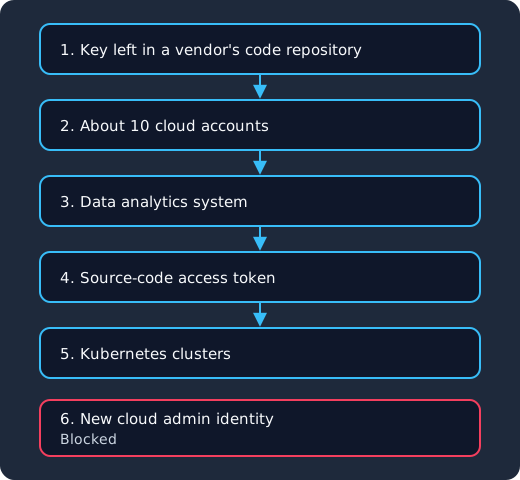
The key from the vendor’s repository opens about 10 cloud accounts (1, 2), secrets found there open a data analytics system (3), then a source-code access token (4), then Kubernetes clusters (5), and an attempt to create a new cloud administrator identity is blocked (6).
The source-code token led to the cleverest step. In the early hours of 2 November the attacker pushed short-lived branches to several repositories to trigger a build workflow that printed build secrets into the job log, encoded so that the CI system’s log masking would not hide them (Barracuda). Log masking only recognises a secret in its original form, so a base64 or otherwise encoded copy passes straight through. The attacker also tried to create a new administrative cloud identity for itself, and that attempt was blocked (Barracuda). In our reading, such an identity would have given it a foothold that survived rotation of the stolen key.
What does an AI pentest framework like ARTEX change?
ARTEX is an open-source AI-driven penetration-testing framework released in July 2026, and Barracuda matched it through machine-style resource labels (the letter “i” followed by digits), probe names, the order of work and built-in routines that hunt for credentials and wallets (Barracuda). BleepingComputer notes the attack looked very similar to a recent incident at Railway that also involved credential chaining and apparent use of ARTEX (BleepingComputer).
The tool did not need a new technique. Everything in the chain above is a well-known step that a human tester would also try, but a framework runs each step as soon as the previous one returns, tries every secret it finds against every service it can reach, and does not get tired overnight. Barracuda counts lateral movement across five platforms in less than two days, with the build-log step done in under four hours (Barracuda). For defenders, that shrinks the time between a key leaking and a key being fully used, so controls that rely on someone noticing within a few days, or on an attacker getting bored, are worth much less than they were.
Static access keys or short-lived tokens?
A short-lived token is a credential that expires on its own after minutes or hours, and that a workload gets again by proving who it is rather than by reading a stored secret. OAuth 2.0 built this split into its design: access tokens “are credentials used to access protected resources” (RFC 6749, section 1.4), and refresh tokens are separate credentials used to get new access tokens, so that “access tokens may have a shorter lifetime and fewer permissions” than the original grant (RFC 6749, section 1.5). Cloud roles follow the same idea, and our access token vs refresh token guide explains the split in more detail.
| Static access key | Short-lived token from a role or identity provider | |
|---|---|---|
| Lifetime | Until someone deactivates or deletes it | Minutes to hours, then it expires by itself |
| Where it lives | Config files, CI variables, laptops, vendor repositories | Fetched at runtime and held in memory |
| What a thief gets from a copy | Everything the identity can do, for as long as the key is active | Access until the token expires, unless they can also prove the workload’s identity |
| Cleanup when a project ends | Someone has to remember to delete the key | Remove the trust or the client, and new tokens stop |
| Fit for vendors and contractors | Easy to hand over, easy to forget | Needs federation or a client per vendor, with an end date |
Short-lived tokens are not a cure on their own. If an attacker can run code inside the workload, as ARTEX did through metadata services and service accounts, it can ask for fresh tokens for as long as it stays there. The gain is that a copied credential stops working by itself, and that cleaning up after an engagement becomes a matter of removing one trust relationship instead of hunting for every place a key was pasted. Our API keys vs OAuth guide covers the same trade-off for your own APIs.
Identity you do not have to patch yourself
Skycloak is a managed identity platform for SSO, MFA, SCIM and audit logs. When an advisory lands, the fix is ours to ship: Keycloak 26.7.2 closed an account takeover through password reset and customers had it the same day upstream published it.
A runbook: find, shorten and watch your cloud keys
The steps below follow the lesson Barracuda draws itself: “Long-lived keys, especially those held by third parties, are pre-positioned access for an attacker” (Barracuda). You can work through them in order over a week.
1. Find every long-lived key and who it was for
On AWS, the IAM credential report lists every user with columns such as access_key_1_active, access_key_1_last_rotated, access_key_1_last_used_date and access_key_1_last_used_region, and you can generate one as often as once every four hours (AWS IAM). The report covers the first two access keys per user, which is also the most a user can have (AWS IAM).
aws iam generate-credential-report
aws iam get-credential-report --query Content --output text | base64 --decode > credential-report.csv
Sort the active keys by their last rotation date, and for each one write down which person, vendor or system it was issued for. Any key you cannot attribute, or that belongs to a vendor whose work has ended, is the Barracuda case exactly. Look in the other places long-lived secrets collect too: CI variables, infrastructure-as-code state files and Kubernetes secrets were all on the attacker’s path (Barracuda).
2. Retire what is unused and rotate what must stay
AWS’s best practices say to “regularly review and remove unused users, roles, permissions, policies, and credentials” (AWS IAM best practices). For a key that still has to exist, AWS documents a rotation that avoids an outage: create a second key while the first is active, update every application to the new one, check the old key with aws iam get-access-key-last-used, set it to Inactive with aws iam update-access-key, confirm everything works, and only then delete it with aws iam delete-access-key (AWS IAM). Deactivating first gives you a quick way back if something you missed breaks.
Rotation also matters on the identity provider side, because client secrets for service accounts are the same kind of long-lived credential. Keycloak 26.8 made client secret rotation a supported feature, “keeping up to two concurrently active secrets” per client so you can roll a new one out while the old one still works (Keycloak 26.8 release notes), which our Keycloak 26.8 client secret rotation guide walks through. Secrets that Keycloak itself uses, such as SMTP passwords and identity provider client secrets, can be resolved from a vault instead of sitting in plain configuration (Keycloak Server Administration Guide), as our Vault SPI guide shows.
3. Replace static keys with short-lived tokens
For workloads that run on the cloud, the AWS guidance is to “require workloads to use temporary credentials with IAM roles to access AWS”, because then “there is no need to distribute long lived credentials” (AWS IAM best practices). For workloads outside the cloud, including vendors, federation lets an external OIDC token be exchanged for the cloud’s own temporary credentials, which we compare with SPIFFE-style workload identity in our workload identity federation post.
When your own services call your own APIs, the identity provider is where the token lifetime is set. In Keycloak, the realm’s Access Token Lifespan “controls the lifetime of the token”, and the client session settings bound how long refresh tokens last (Keycloak Server Administration Guide). A service gets its own tokens with the client credentials grant, which you turn on for a client by enabling its service account (Keycloak Server Administration Guide), as set up in our machine-to-machine authentication guide. To take the shared secret out of that exchange as well, the client can authenticate with a JWT signed by its own private key, so only the public key or certificate is stored in Keycloak and nothing reusable sits in a config file (Keycloak Server Administration Guide); our signed JWT client authentication guide shows the setup.
4. Alert on key use from places it has not been before
Every AWS API call recorded by CloudTrail carries the sourceIPAddress it came from, the userAgent that made it, and in userIdentity usually the accessKeyId that signed it (AWS notes the key ID may be absent or empty) (CloudTrail record contents, userIdentity element). AWS recommends using CloudTrail “to monitor access key usage and detect any unauthorized access attempts” (AWS IAM). A useful baseline per key is the set of networks, regions and user agents it normally uses, with an alert when a new one appears. A vendor key that suddenly calls from an unfamiliar address with a scripting library’s user agent is the kind of change this baseline catches.
Three more alerts match steps in this chain. Alert on any attempt to create a new IAM user, role or access key outside your normal provisioning pipeline, because that is how an attacker tries to outlive a rotation. Alert on new branches that touch CI workflow files, because the build-log step depended on them. And alert on bulk reads of secret stores by one identity, since that is what credential chaining looks like from the outside. To limit where a key works at all, IAM policies can carry conditions that restrict the circumstances in which a statement applies (AWS IAM best practices).
Vendor, agent and workload credentials are the same problem
The key in this breach belonged to a vendor working in AI, and the attacker was itself an AI framework, but the underlying issue is older than either: a non-human identity received a secret with no end date and no owner who would notice when it was no longer needed. AI agents add many more of these identities, each calling tools and APIs on someone’s behalf, and an agent given a static API key is in the same position as Barracuda’s vendor.
The fix follows the same pattern as the runbook. Give each agent or vendor its own client with narrow scopes and short token lifetimes, use token exchange when an agent acts for a user so the token carries both identities, and remove the client when the work ends. Our guide to AI agent authentication with Keycloak shows those patterns with client credentials and token exchange, and our comparison of Microsoft Entra Agent ID and Keycloak maps the same ideas onto directory-based agent identities.
Frequently asked questions
How did the attacker get into Barracuda’s cloud environment?
Barracuda says the attacker used a valid cloud access key it had given to a third-party AI vendor for an earlier project and never retired, and that the vendor’s development environment, compromised in October, “appears to be where the attacker found our key” (Barracuda). BleepingComputer reports that the key was stored in a configuration file in the vendor’s GitHub repository (BleepingComputer). This is Barracuda’s own account of the intrusion, and it has not named the cloud provider involved.
What is ARTEX?
ARTEX is an open-source AI-driven penetration-testing framework released in July 2026. Barracuda matched the intrusion to it through resource labels, probe names and built-in credential-hunting routines, and stresses that this shows how the attacker worked rather than who it was (Barracuda).
Do Barracuda customers need to do anything?
Only customers Barracuda contacted directly. Those customers were asked to revoke and recreate their integration credentials, and Barracuda says that if you have not heard from it, no action is needed (Barracuda). BleepingComputer reports that the affected customers use Managed XDR Cloud or Monitored Endpoint (BleepingComputer).
Is rotating access keys enough?
Rotation limits how long a stolen key stays useful, but a key that is rotated on a schedule can still be used by whoever copied it until the next rotation. Removing the key entirely in favour of temporary credentials from a role or federated identity is what AWS recommends (AWS IAM), with rotation kept for the cases where a long-lived key cannot yet be avoided.
Would short-lived tokens have stopped this attack?
Barracuda says “short-lived, narrowly scoped credentials would have stopped this intrusion at its first step” (Barracuda). A token copied when the vendor’s environment was compromised in October would have expired long before 1 November. They would not have stopped an attacker already running inside a workload from requesting new tokens, which is why the runbook also limits permissions and alerts on unusual use.
What to do next
Generate a credential report this week, list every active key with its owner and last use, and retire the ones that belong to finished projects or to nobody. Rotate the keys that must stay using the create, deactivate and delete sequence, and plan the move of each remaining workload to a role, federation or an identity provider client with short token lifetimes. Then add alerts for key use from new networks and user agents, for new identities created outside your pipeline, and for changes to CI workflows.
If your services already authenticate through Keycloak, the token lifetime, signed JWT and secret rotation settings above are where the identity provider half of this work happens. If you would rather have someone else run, patch and monitor that Keycloak while you work through your cloud keys, that is what our managed Keycloak hosting is for.
Sources
- Barracuda links cloud breach to ARTEX AI-powered cyberattack, BleepingComputer, 16 November 2026
- Forty-four hours: Anatomy of a machine-speed intrusion, Barracuda, 11 November 2026
- Security best practices in IAM, AWS
- Manage access keys for IAM users, AWS
- Generate credential reports for your AWS account, AWS
- Update access keys, AWS
- CloudTrail record contents, AWS
- RFC 6749: The OAuth 2.0 Authorization Framework, IETF
- Keycloak Server Administration Guide, Keycloak