What Is Hashcat and Why Your Password Hashing Policy Matters. Hashcat is a free, open source GPU password cracker. See how its attacks work and how Argon2, bcrypt and PBKDF2 settings decide what a leaked hash is worth.
Hashcat is a free, open source password recovery tool that uses GPUs to guess passwords against stolen hashes, at billions of tries per second for fast hashes like MD5. Whether it threatens you depends on how your passwords are hashed: slow, salted algorithms such as Argon2, bcrypt or high-iteration PBKDF2 cut its speed by orders of magnitude, so a leaked database that would fall in minutes with MD5 can hold for years.
If you run a user store, you will hear Hashcat mentioned after almost every breach, and the pages that rank for it are mostly its own download page and wiki, which list hash modes and command line options. This guide explains the tool from the other side: what it does with a stolen hash, why some hashes give way quickly and others do not, and which settings in your identity provider decide which group your users are in. We use Keycloak as the worked example because its defaults are documented in detail.
What is Hashcat?
Hashcat describes itself as “the world’s fastest and most advanced password recovery tool”, and it is “Free and open source, under the MIT license”. It runs on GPUs and CPUs, and its features list names “Multi-backend: CUDA, HIP, Metal and OpenCL”. Its site also lists “Over 720 hash modes”, which are the hash formats it knows how to attack, from MD5 and NTLM to bcrypt, scrypt and Argon2.
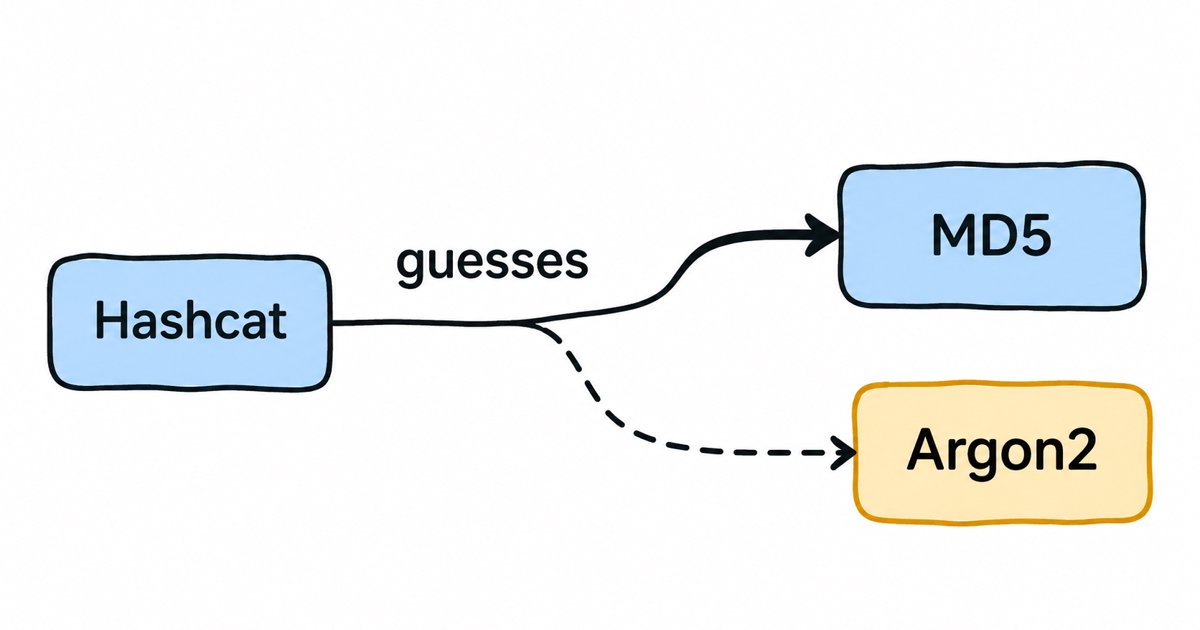
“Password recovery” is a polite name for a simple job. Hashcat never reverses a hash, because a good hash function cannot be reversed. Instead it takes a candidate password, hashes it exactly the way the target system did (same algorithm, same salt, same number of iterations), and compares the result with the stolen hash. If the two match, the candidate was the password. It repeats this as fast as the hardware allows, which is why the speed of the hash function itself decides almost everything.
The people who use it are penetration testers checking how strong an organization’s passwords are, auditors, forensic investigators recovering access to their own data, and, of course, attackers who have copied a password database. The tool is the same in each case: what differs is whether the person running it is allowed to.
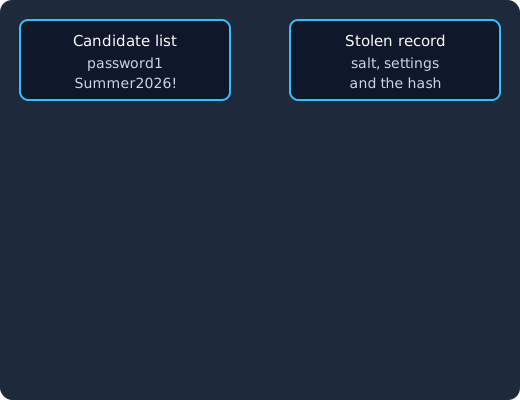
Hashcat takes a candidate from its list, hashes it with the salt and settings copied from the stolen record, and compares the result with the stolen hash. A mismatch sends it to the next candidate, and a match means the password is found.
How do Hashcat’s attack modes work?
An attack mode is the way Hashcat generates candidate passwords. The Hashcat wiki lists them, and four of them explain most of the real risk to a user store:
- Dictionary attack. Hashcat tries every word in a list, usually a list of passwords leaked from earlier breaches. Because people reuse and choose similar passwords, this finds a large share of weak passwords first.
- Rule-based attack. Rules change each dictionary word in predictable ways, such as capitalizing the first letter, adding a year or swapping “a” for “@”. The wiki notes that rules work “with every attack mode”, so “Summer2026!” is found almost as easily as “summer”.
- Mask attack. A mask describes the shape of a password, for example one capital letter, five lowercase letters and two digits. Hashcat then tries only passwords of that shape, which is far smaller than every possible combination and matches how people build passwords to meet complexity rules.
- Brute-force attack. Hashcat tries every combination of a character set up to a length. This is the last resort, and it is only practical for short passwords or very fast hashes.
There are also hybrid modes that join a word list to a mask, and newer modes that rank candidates by how likely people are to choose them. For a defender, the point is that the first three modes go after human habits, not raw length. A password that appears in a breach list, or that is a common word with a predictable change, is found early whatever the hash algorithm, while a long, random password relies on the hash being slow.
Why do fast hashes like MD5 and SHA-1 fall so quickly?
MD5, SHA-1 and SHA-256 were designed to be fast, because they are used to check files and messages, and speed is exactly what an attacker wants. The OWASP Password Storage Cheat Sheet says password hashing algorithms “should be slow (unlike algorithms such as MD5 and SHA-1, which were designed to be fast)”, and that “Fast hashing algorithms such as SHA-256 are not suitable for password storage”.
Published benchmarks show the size of the gap. The figures below come from one benchmark run of Hashcat 6.2.6 on a single NVIDIA GeForce RTX 4090, a consumer gaming card, at the work factors that benchmark used. Speeds change with the card and the Hashcat version, so read them as orders of magnitude rather than exact figures.
| Hash (Hashcat mode) | Settings in the benchmark | Guesses per second on one RTX 4090 |
|---|---|---|
| MD5 (0) | none | 164.1 billion |
| SHA-1 (100) | none | 50.6 billion |
| SHA2-256 (1400) | none | 22.0 billion |
| PBKDF2-HMAC-SHA512 (12100) | 999 iterations | 3.1 million (“3120.9 kH/s” on its Hash-Mode 12100 line) |
| bcrypt (3200) | cost 5 (32 iterations) | 184,000 (“184.0 kH/s” on its Hash-Mode 3200 line) |
| scrypt (8900) | labelled “Iterations: 16384” in the benchmark | 7,126 (“7126 H/s” on its Hash-Mode 8900 line) |
Even at those low benchmark settings, bcrypt on the same card is close to a million times slower than MD5. Real deployments use much higher work factors than the benchmark, which widens the gap further, as the next section shows.
To make that concrete, here is our own arithmetic for a password of eight characters made of lowercase letters and digits. There are 36 to the power of 8, about 2.8 trillion, such passwords. At the benchmark’s 164.1 billion MD5 guesses per second, our arithmetic gives about 17 seconds for trying all of them against one MD5 hash. At 15,000 guesses per second, which is our own estimate below of what Keycloak’s PBKDF2 default works out to, the same arithmetic gives about six years on that card. A rule or dictionary attack still finds “Password1” in either case, which is why the hash and the password policy have to work together.
How do salts and iteration counts change Hashcat’s speed?
A salt is a random value stored next to each password hash and mixed into it. OWASP defines it as “a unique, randomly generated string that is added to each password as part of the hashing process”, and notes that salting “protects against an attacker’s pre-computing hashes using rainbow tables or database-based lookups”. Without salts, two users with the same password have the same hash, so one guess tests every account at once. With a unique salt per user, Hashcat has to repeat its work for each account, so a database of a million users costs about a million times more to attack in full. A salt does not slow down an attack on one chosen account, which is why it is needed alongside a slow hash rather than instead of one.
An iteration count, or work factor, is the number of times the algorithm runs its inner hashing step for each password. OWASP calls it “the number of iterations of the hashing algorithm that are performed for each password”. For PBKDF2, the speed of an attack falls roughly in proportion to the iterations, because every guess has to do all of them. The benchmark above used 999 iterations of PBKDF2-HMAC-SHA512, and Keycloak’s default for that algorithm is 210,000, so by simple proportion one RTX 4090 drops from about 3.1 million to about 15,000 guesses per second. For bcrypt, each step up in cost doubles the work, so the cost 10 that OWASP asks for at minimum is 32 times slower than the cost 5 in the benchmark, about 5,750 guesses per second by the same arithmetic.
Memory-hard algorithms, Argon2 and scrypt, add a second cost: each guess has to fill and read a block of memory. GPUs have thousands of cores but limited memory per core, so a memory requirement cuts the number of guesses a card can run side by side. Hashcat can attack Argon2 (its changelog refers to Argon2 hashes under hash-mode 34000), but memory hardness takes away much of the advantage a GPU has over the server that checks your users’ logins.
What settings does OWASP recommend?
The OWASP Password Storage Cheat Sheet gives these minimums:
- Argon2id: “a minimum configuration of 19 MiB of memory, an iteration count of 2, and 1 degree of parallelism”.
- scrypt: “N=2^17 (128 MiB), r=8 (1024 bytes), p=1” as the first of its equivalent settings.
- bcrypt: for legacy systems, “a work factor of 10 or more and with a password limit of 72 bytes”.
- PBKDF2: “PBKDF2-HMAC-SHA256: 600,000 iterations (recommended)” and “PBKDF2-HMAC-SHA512: 220,000 iterations”.
OWASP also says that “As a general rule, calculating a hash should take less than one second”, because your own login server pays the same cost for every sign-in. Our posts on why password hashing is vital and on bcrypt basics go deeper into how these algorithms work.
How does Keycloak hash passwords by default?
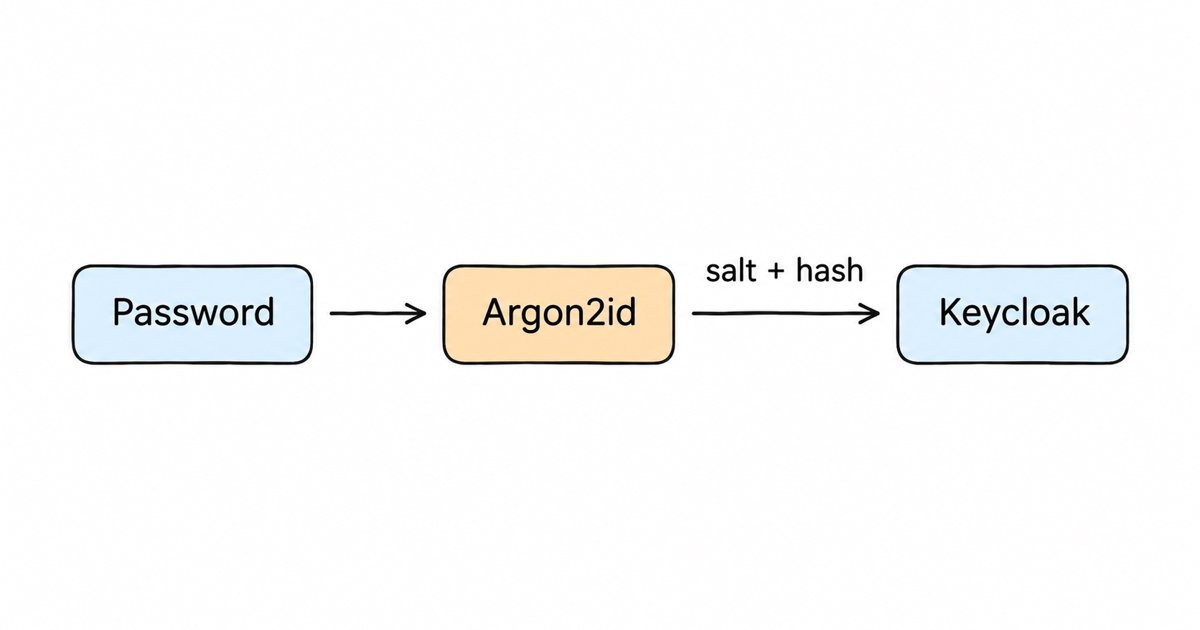
Keycloak sets password hashing in each realm’s password policy. The Keycloak 26.8 Server Administration Guide lists four built-in algorithms: argon2, which is the “default for non-FIPS deployments”, pbkdf2-sha512, the “default for FIPS deployments”, pbkdf2-sha256, and pbkdf2 (PBKDF2 with SHA-1), which it marks as deprecated. The guide recommends Argon2 where possible because it has “significantly less CPU requirements compared to PBKDF2, while at the same time being more secure”.
The Hashing iterations policy defaults to -1, which means each algorithm uses its own default. The same guide gives those as 5 for argon2, 210,000 for pbkdf2-sha512, 600,000 for pbkdf2-sha256 and 1,300,000 for pbkdf2. Argon2’s memory and parallelism are not password policy fields but server options of the argon2 hashing provider: the password-hashing section of the Keycloak provider configuration reference lists a default type of id (Argon2id), memory of 7168 KB, 5 iterations and a parallelism of 1.
If you need bcrypt, for example to import users from another system without resetting their passwords, note that bcrypt is not among the built-in algorithms the admin guide lists, and our guide to deploying a custom PasswordHashProvider shows how to add it.
Where do you see and change these settings?
In the admin console, open your realm, choose Authentication, then the Policies tab and Password policy, as the admin guide’s password policies section describes. If Hashing Algorithm and Hashing Iterations are not in the list, the realm uses the defaults above. Adding either one overrides the default for that realm, so check that nobody has added a low iteration count there to make logins faster in a test environment.
What happens to old hashes after a change?
Keycloak does not rehash stored passwords in bulk, because it never knows the plain password except at login. The admin guide says that “If you change the hashing algorithm, password hashes in storage will not change until the user logs in”. Each user’s hash is upgraded to the new algorithm or iteration count at their next successful sign-in, and users who never sign in keep their old hash, so dormant accounts are worth reviewing after an upgrade from an older Keycloak version.
On Skycloak, our security hardening guide recommends leaving both hashing settings at the default, since Keycloak picks a strong algorithm for the version your cluster runs and lowering iterations makes stolen hashes cheaper to crack.
Identity management as a service, on open source
Skycloak does what Auth0 and Okta do, SSO, MFA, SCIM, audit logs and enterprise federation, on an open source core. Unlimited users and applications on every plan, no charge per monthly active user, and you can export and self-host whenever you want.
What should your password policy do against Hashcat?
A slow hash protects good passwords, but it cannot save “Winter2026!”, because a rule-based attack tries it in the first few thousand guesses. The password policy is what keeps those passwords out. The current NIST guidance, SP 800-63B-4, which superseded the earlier SP 800-63B “as of August 1, 2025” according to the notice on that earlier version, sets these rules for password verifiers:
- Passwords used as the only factor must be “a minimum of 15 characters in length”, and passwords used only with multi-factor authentication at least eight.
- New passwords must be checked against “a blocklist that contains known commonly used, expected, or compromised passwords”, which takes away exactly the candidates a dictionary attack tries first.
- Verifiers “SHALL NOT impose other composition rules” and “SHALL NOT require subscribers to change passwords periodically”, because forced complexity and rotation lead to the predictable patterns that masks and rules are built for.
- Passwords “SHALL be salted and hashed using a suitable password hashing scheme”, with a salt of “at least 32 bits” and a cost factor “as high as practical without negatively impacting verifier performance”.
In Keycloak, that maps to a minimum length policy, a password blacklist policy loaded with a breached-password list, and leaving the hashing algorithm at Argon2. Our Keycloak password policy best practices walks through each policy, and how to prevent password cracking in IAM covers the controls around it, such as brute force detection and multi-factor authentication.
A defensive checklist
- Find your algorithm and work factor. Check the realm’s password policy, or your application’s code if it stores passwords itself. Anything stored as plain MD5, SHA-1 or unsalted SHA-256 needs to move to Argon2id, bcrypt or high-iteration PBKDF2.
- Check the iteration count against OWASP. For PBKDF2, compare it with the OWASP figures above, and remove any realm override that lowers Keycloak’s default.
- Plan the upgrade of old hashes. Since hashes change only at login, decide what to do with accounts that have not signed in for months, for example forcing a password reset on them.
- Tighten the password policy. Raise the minimum length, add a breached-password blocklist, and drop forced rotation and composition rules where your compliance framework allows.
- Add a second factor. A cracked password alone does not get an attacker in when sign-in also needs a passkey or one-time code.
- Prepare a breach response. If a password database leaks, assume weak passwords will be cracked, reset affected credentials, and revoke active sessions.
Is it legal to use Hashcat?
Hashcat itself is legal, open source software, and security teams use it routinely. What matters is authorization: run it only against hashes you own or that you have written permission to test, for example in a scoped penetration test or an internal password audit. Using it against hashes taken from someone else’s system without permission is unauthorized access in most jurisdictions. When you do run an audit, treat the hashes and any cracked passwords as sensitive data, keep them on controlled systems, and delete them when the engagement ends.
FAQ
What is Hashcat used for?
Hashcat is used to recover passwords from their hashes by guessing candidates and comparing the results. Security teams use it to audit password strength and in penetration tests, investigators use it to regain access to their own data, and attackers use it on stolen password databases.
Can Hashcat crack bcrypt or Argon2?
Hashcat supports both, but it can only guess, and slow algorithms make each guess expensive. On the published RTX 4090 benchmark, bcrypt at a low cost of 5 runs at 184,000 guesses per second against 164.1 billion for MD5. Weak or breached passwords are still found, so a slow hash needs a good password policy beside it.
How long does Hashcat take to crack a password?
It depends on the hash algorithm, its work factor, the password and the hardware. A short password under a fast hash like MD5 can fall in seconds on one GPU, while a long random password under Argon2 or high-iteration PBKDF2 can take longer than anyone will spend on it.
What hashing algorithm does Keycloak use?
Keycloak uses Argon2 by default on non-FIPS deployments and PBKDF2-SHA512 with 210,000 iterations on FIPS deployments, according to the Server Administration Guide. You can change both in the realm’s password policy.
What to do next
Check which hashing algorithm and iteration count your identity provider uses today, remove any override that weakens the default, and plan how old hashes get upgraded. Then tighten your password policy with a longer minimum length and a breached-password blocklist, following our Keycloak password policy best practices.
If you would rather have those defaults kept current for you, you can start a Skycloak managed Keycloak trial, or see how managed Keycloak hosting works.