Events
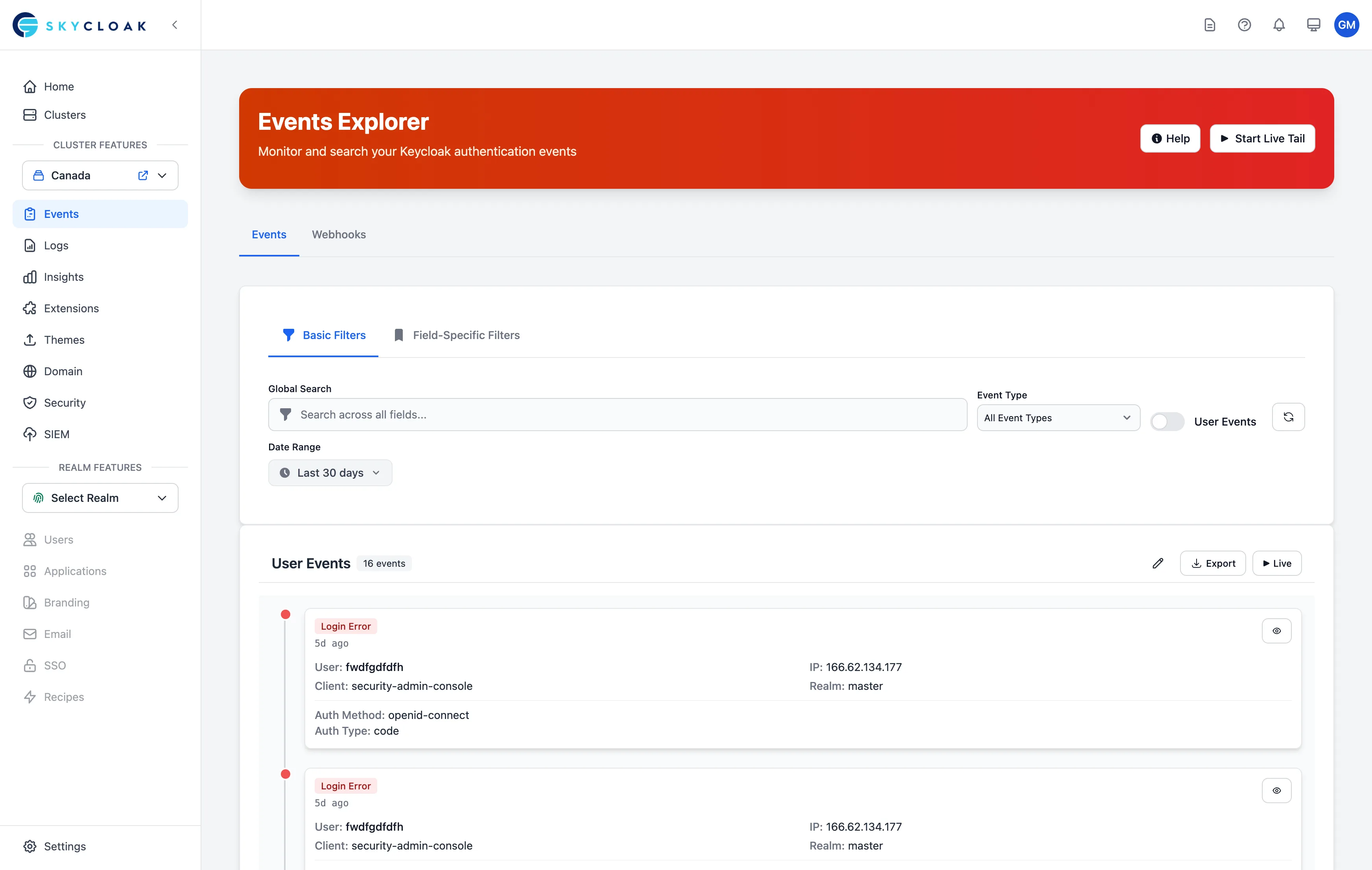
The Events page allows you to see all user and admin events from your Keycloak clusters. You can search through the events, filter by type, and view detailed information about each authentication event.
Viewing Events
From the Events page, you can:
- View all authentication events across your clusters
- Toggle between user events and admin events
- Search and filter through event history
- Export events for analysis
- Monitor events in real-time with Live Tail mode
Time Range Selection
The available time ranges depend on your subscription plan:
- Trial: Last 7 days
- Developer: No access to events
- Launch: Last 7 days
- Business: Last 30 days
- Enterprise: Last 90 days with custom date ranges
Event Details
Click the eye icon next to any event to see its detailed information, including timestamps, user details, IP addresses, and event-specific data.
For admin events (CREATE, UPDATE, DELETE on users, clients, realms, groups, etc.) the detail view also shows:
- The full
representationof the resource as JSON - A
diff_before/diff_afterpair showing the resource state on each side of the change - A
changed_fieldslist — only keys whose value actually changed (Keycloak normalisation defaults that just appear in the post-state are filtered out)
This gives you a defensible audit trail of exactly what an operator modified, suitable for SOC 2 / change-management evidence. For example, editing only the Display name of a client produces changed_fields: ["name"] — not the ~30 default-valued keys that Keycloak’s dense representation includes.
User Agent
Every event carries the raw User-Agent header captured by the audit-SPI’s JAX-RS request filter inside Keycloak (no log correlation, 100% capture). Webhook deliveries additionally receive a parsed user_agent object with browser, os, device_type, etc.
Event Types
User Events
Monitor user-related activities:
- Login attempts
- User registrations
- Password changes
- Role assignments
- Access events
Admin Events
Track administrative changes:
- Realm changes
- Client modifications
- User management
- Role updates
- Policy changes
Searching Events
You can search and filter events by:
- Event type
- User information
- Status
The search bar will apply a full text search to the event details.
Event Webhooks
Send real-time Keycloak events to your applications via HTTP webhooks. Events are automatically enriched with IP geolocation and user-agent data, signed with HMAC-SHA256, and delivered with auto-retry.
For full documentation, see the Webhooks feature page.